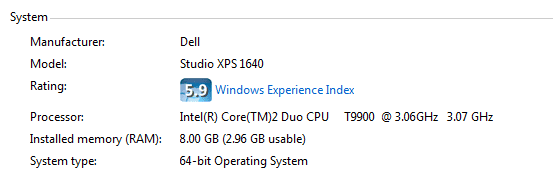
I have a Dell Laptop running Windows 7 Home Premium with the following specs:
Intel Duo Core T9900 @ 3.06Ghz 3.07 GHz
8 GB Ram (2.96GB Usable)
64 Bit OS
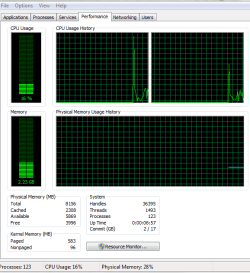
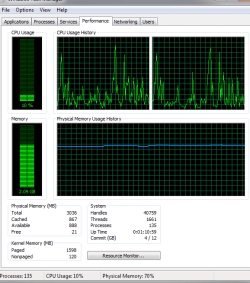
As you can see from the attached resource monitor, I'm only using 1/2 of the RAM. I'm trying to determine how to make the rest of the RAM usable. I've read the forums and done the following changes:
1. Update BIOS (the BIOS recognizes the full 8GB)
2. Increased Page Size
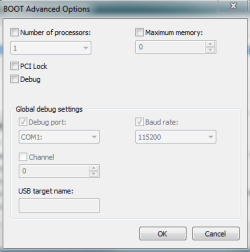
The only other solution I can find is that Windows is not "remapping" the memory. Some posts say you can change this setting in the BIOS...I can't seem to do that.
How would you proceed?
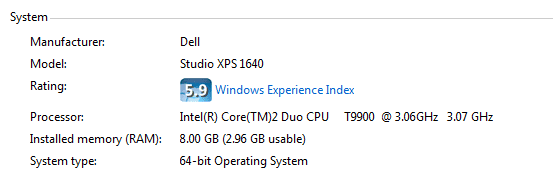
Intel Duo Core T9900 @ 3.06Ghz 3.07 GHz
8 GB Ram (2.96GB Usable)
64 Bit OS
As you can see from the attached resource monitor, I'm only using 1/2 of the RAM. I'm trying to determine how to make the rest of the RAM usable. I've read the forums and done the following changes:
1. Update BIOS (the BIOS recognizes the full 8GB)
2. Increased Page Size
The only other solution I can find is that Windows is not "remapping" the memory. Some posts say you can change this setting in the BIOS...I can't seem to do that.
How would you proceed?
Attachments
My Computer
- Computer Manufacturer/Model Number
- Dell XPS1640
- OS
- Windows 7 home
- CPU
- Intel 2 duo CPU @ 3.06 Ghz 3.07 Ghz
- Motherboard
- Dell
- Memory
- 8 GB
- Graphics Card(s)
- ATI movility radeon HD3670
- Sound Card
- ATI HD audio
- Hard Drives
- Samsung SSD PM800 256GB ATA