Chaytik Chiken
New member
- Local time
- 2:23 AM
- Messages
- 19
After build 7201 was leaked earlier this week, I decided to do a clean install instead of upgrading over my RC 7100, just to be careful.
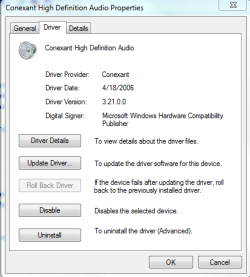
The clean installation worked fine, but it said my audio driver wasn't compatible with that build. I believe Realtek put out a new driver download before or right around the time build 7100 came out (which it has been working fine for quite some time). So then I did an upgrade just for the hell of it on build 7100 and my driver worked fine.
So how come when I do a clean installation the driver isn't supported (and I don't have the option to download it from Microsoft Updates and/or Realtek), but when I upgrade it's completely fine??? :sarc:
anyone else ever experienced this or figured this out?
The clean installation worked fine, but it said my audio driver wasn't compatible with that build. I believe Realtek put out a new driver download before or right around the time build 7100 came out (which it has been working fine for quite some time). So then I did an upgrade just for the hell of it on build 7100 and my driver worked fine.
So how come when I do a clean installation the driver isn't supported (and I don't have the option to download it from Microsoft Updates and/or Realtek), but when I upgrade it's completely fine??? :sarc:
anyone else ever experienced this or figured this out?
My Computer
- Computer Manufacturer/Model Number
- HP DV1000 Notebook
- OS
- Windows 7 build 7201 x86, Windows XP Professional SP3
- CPU
- Intel Core Duo T2500
- Motherboard
- Quanta 30A0 Intel i945GM
- Memory
- Kingston 2048 MB DDR2-667
- Monitor(s) Displays
- Gateway FHD2400 (24 inches of excellence)
- Screen Resolution
- 1920x1200
- Hard Drives
- Internal- Hitachi Travelstar 320GB 7200RPM
External- WD Passport 120GB 5400RPM
- Keyboard
- Logitech LX710 combo
- Mouse
- Logitech LX710 combo