Clive Thorne
New member
- Local time
- 6:00 AM
- Messages
- 3
It seems that the May 2017 Win 7 update (KD890830), which seems to be a malicious SW removal tool updates messes up default programs on my PC.
This particularly affects an old copy of Paintshop Pro (V7), and an old copy of AutoCad LT (2004).
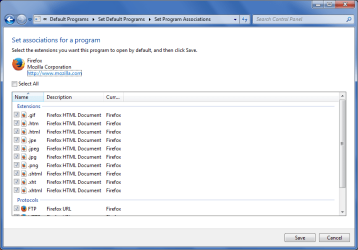
I had JPEGs set to open in Paintshop Pro, and everything was just fine. After the May update the default program for JPEGs has changed to 'Windows Photo Viewer' and normal methods to change this do not work!
For example, If I do 'open with' on a JPG file and select 'Always use this program etc', then click on Paintshop Pro the file opens in Paint Shop Pro. However, if I close this and double click on the JPEG it still opens in Photo Viewer.
Similar problem with AutoCad LT except a double click on a DWG file says windows cannot open it. Again select AutoCad as the default and it opens in Autocad, but double click it and you're back where you started.
Tried all the methods I can to change this, including various "default program managers" but the problem remains. If I do a system restore to just before the update installed everything reverts back to normal.
Unfortunately the PC is updated by the company system automatically and I cannot disable updating.
Anyone else got this problem, or any ideas for solutions.
Thanks in advance,
Clive.
This particularly affects an old copy of Paintshop Pro (V7), and an old copy of AutoCad LT (2004).
I had JPEGs set to open in Paintshop Pro, and everything was just fine. After the May update the default program for JPEGs has changed to 'Windows Photo Viewer' and normal methods to change this do not work!
For example, If I do 'open with' on a JPG file and select 'Always use this program etc', then click on Paintshop Pro the file opens in Paint Shop Pro. However, if I close this and double click on the JPEG it still opens in Photo Viewer.
Similar problem with AutoCad LT except a double click on a DWG file says windows cannot open it. Again select AutoCad as the default and it opens in Autocad, but double click it and you're back where you started.
Tried all the methods I can to change this, including various "default program managers" but the problem remains. If I do a system restore to just before the update installed everything reverts back to normal.
Unfortunately the PC is updated by the company system automatically and I cannot disable updating.
Anyone else got this problem, or any ideas for solutions.
Thanks in advance,
Clive.
Last edited:
My Computer
- Computer type
- Laptop
- Computer Manufacturer/Model Number
- Dell M6500
- OS
- Windows 7 Professional 64 bit
- CPU
- Intel Core I7 Q840 @ 1.87GHz
- Memory
- 8 Gb
- Hard Drives
- 1 x 500 Gb + 1 x 1Tb
- Browser