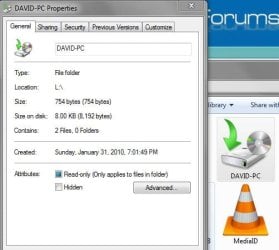
Okay well I deleted my W7 data file backup (via W7 backup manager) but the DAVID-PC backup files is still on my external HDD. The file is only bytes large now after deleting the backup. Can I manually delete this file now or is it still essential for the system image?
I had the same problem for weeks. No solution described on the net helped me. Neither registry changing, nor Windows-Patch from Microsoft -sites, nothing. My really solution was activating the Windows partition (by me this is the drive C via partition manager (Start menu -> search "Create format and hard disk partitions" -> ENTER -> Disk Manager comes up -> right click on the partition which has booting Windows system -> "Mark partition as Active" -> restart the system -> backup worked successfull again). Yes, the strange thing was here, that the system partition was not active ! Only this change helped me. Try out! It should help you!
I too was having this issue. Long ago I gave up on a solution, but I think I found a new cause MS has not yet posted on their site.
I had 3 missing folders in the skipped file list. Two were previously on the desktop and were temp folders that had contained pictures. I searched for the names in REGEDIT and sure enough, I found the names in the recently shared keys for Media Player. [HKEY_CURRENT_USER\Software\Microsoft\MediaPlayer\Preferences\HME\LastSharedFolders]
I tried manual deletion but they kept coming back. I then found a post that suggested libraries could get messed up during an update of Media Player causing the player to always revert to the history status as of the time of the update (and old file no longer used but still read would be my guess).
I was able to manually delete the legacy (deleted) directories from the other library list, but they still appeared in the registry keys. Not having a better idea, I went over to MS and got the Mr. FixIt for Media Player
I ran it allowing it to fix everything it found including a reset the player configuration and the history. This apparently purges whatever trash MS left behind because the HME\LastSharedFolders Keys are now gone and I just completed a successful back-up of all files without the 0x80070002 error.

 via partition manager (Start menu -> search "Create format and hard disk partitions" -> ENTER -> Disk Manager comes up -> right click on the partition which has booting Windows system -> "Mark partition as Active" -> restart the system -> backup worked successfull again). Yes, the strange thing was here, that the system partition was not active ! Only this change helped me. Try out! It should help you!