Windows 7 Corrupting Downloaded Files

Okay I tried it again and it worked fine, what can I do to fix it now?
Fill out your System Specs in User Profile/User CP. I suspect the chipset driver. Someone, if not myself, will link you the correct chipset driver file.

The Safe Mode test caused Windows to bypass loading numerous devices and drivers. This points to one of those devices or drivers as the cause of the problem.

Also, double check Device Manager for splats (not in Safe Mode). Right click Computer, Manage, Device Manager. Identifies drivers not loaded or in error state. DOES NOT necessarily identify a faulty driver.

Now, do your homework and prepare for class. I imagine that you lost a bit of valuable study time. :geek:
 
Fill out your System Specs in User Profile/User CP. I suspect the chipset driver. Someone, if not myself, will link you the correct chipset driver file.

The Safe Mode test caused Windows to bypass loading numerous devices and drivers. This points to one of those devices or drivers as the cause of the problem.

Also, double check Device Manager for splats (not in Safe Mode). Right click Computer, Manage, Device Manager. Identifies drivers not loaded or in error state. DOES NOT necessarily identify a faulty driver.

Now, do your homework and prepare for class. I imagine that you lost a bit of valuable study time. :geek:

Lol cheers for the help you're a genius. I whipped out my Vista driver CD and overwrote all of them (some had been previously updated by windows) and everything seems ok, thanks again. Love you.
 

My Computer My Computer

Computer Manufacturer/Model Number
Dell Inspiron 1520
OS
Windows 7
CPU
Mobile Intel Celeron 540, 1866 MHz (14 x 133)
Memory
Dual DDR2 SDRAM 2x 2GB
Graphics Card(s)
Integrated
Hard Drives
Drive #1 - Hitachi HTS541616J9SA00 (149 GB)
Internet Speed
8meg
Okay nevermind it didnt work :(. Got my hopes up
 

My Computer My Computer

Computer Manufacturer/Model Number
Dell Inspiron 1520
OS
Windows 7
CPU
Mobile Intel Celeron 540, 1866 MHz (14 x 133)
Memory
Dual DDR2 SDRAM 2x 2GB
Graphics Card(s)
Integrated
Hard Drives
Drive #1 - Hitachi HTS541616J9SA00 (149 GB)
Internet Speed
8meg
Okay nevermind it didnt work. Got my hopes up
Do not give up hope. There was an error in your driver application. Do it again, but this time, DO NOT use the driver CD.

As requested earlier, and I do mean to shout - Fill out your System Specs in User Profile/User CP. Someone, if not myself, will link you the correct chipset driver file.
 
Myke, I think the reason is a hardware firewall. Do you have a hardware firewall on MB? If your have it, you can turn it off in bios.
 

My Computer My Computer

OS
windows seven
Myke, I think the reason is a hardware firewall. Do you have a hardware firewall on MB? If your have it, you can turn it off in bios.

I don't have any firewall on, I can't see any setting in the BIOS for it - if this was the case would this problem also not occur in Vista aswell?

Do not give up hope. There was an error in your driver application. Do it again, but this time, DO NOT use the driver CD.

As requested earlier, and I do mean to shout - Fill out your System Specs in User Profile/User CP. Someone, if not myself, will link you the correct chipset driver file.

Okay I will but I double/triple checked the safe mode test and it's still doing it. I'm 100% confident that it's the actual file download being stored incorrectly, I just don't know why.

I ran a repair option in WinRAR and the broken downloads look like this

Code:
DBMBackup2.rar
Detecting archive type...
---> RAR

Build fixed.DBMBackup2.rar
Searching for recovery record
---> recovery record found
Sector 509768 (offsets F8E9000...F8E9200) damaged
---> sector recovered
Done

However sometimes if I redownload the file, the recovery isn't needed and it extracts fine.
 

My Computer My Computer

Computer Manufacturer/Model Number
Dell Inspiron 1520
OS
Windows 7
CPU
Mobile Intel Celeron 540, 1866 MHz (14 x 133)
Memory
Dual DDR2 SDRAM 2x 2GB
Graphics Card(s)
Integrated
Hard Drives
Drive #1 - Hitachi HTS541616J9SA00 (149 GB)
Internet Speed
8meg
Really wish someone could help me with this
 

My Computer My Computer

Computer Manufacturer/Model Number
Dell Inspiron 1520
OS
Windows 7
CPU
Mobile Intel Celeron 540, 1866 MHz (14 x 133)
Memory
Dual DDR2 SDRAM 2x 2GB
Graphics Card(s)
Integrated
Hard Drives
Drive #1 - Hitachi HTS541616J9SA00 (149 GB)
Internet Speed
8meg
Please help

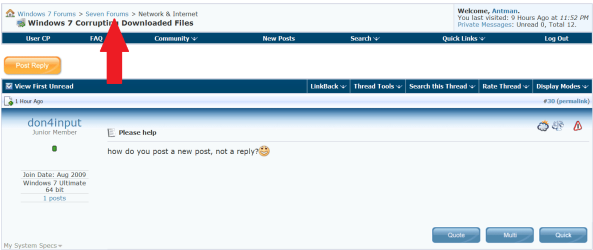
how do you post a new post, not a reply?:D
 

My Computer My Computer

Computer Manufacturer/Model Number
Gateway T6542 300
OS
Windows 7 Ultimate 64 bit
CPU
2.20 gigahertz AMD Athlon 64
Motherboard
Board: C51PVGM-M C51PVGM-M
Memory
2048 Megabytes Usable Installed Memory
Graphics Card(s)
NVIDIA GeForce 8500 GT [Display adapter]
Sound Card
Intergraded
Monitor(s) Displays
Sceptre X9G-NagaV [Monitor] (19.1"vis, November 2005)
Hard Drives
c: (NTFS on drive 0) 500.11 GB 448.38 GB free
d: (NTFS on drive 1) 160.04 GB 147.66 GB free
PSU
2.20 gigahertz AMD Athlon 64
Case
factory
Cooling
Upgraded, not running hot
Back
Top