echrada
New member
Windows 7 Release Information
Current Release: Milestone 3 (M3)
Build: 6.1.6801 (Screenshots)
Release Date: October 2008
WinFuture.de - Windows 7 Meilenstein 3 Build 6.1.6801 Screenshots & Fotos
The German news portal Winfuture published a series of 34 screenshots of the latest Windows 7 build number 6.1.6801. The Windows 7 screenshots do not show a lot of differences to previous versions or screenshots that have already been published. Most interesting are probably the closeup shots of the Windows Media Player, the Libraries that provide links to various media storage locations on the computer and new screenshots of the updated Microsoft Paint version.
Another new feature is the Display Color Calibration feature which allows the computer user to calibrate the monitor. Lastly the screenshots show the complete Windows Update dialog
The German news portal Winfuture published a series of 34 screenshots of the latest Windows 7 build number 6.1.6801. The Windows 7 screenshots do not show a lot of differences to previous versions or screenshots that have already been published. Most interesting are probably the closeup shots of the Windows Media Player, the Libraries that provide links to various media storage locations on the computer and new screenshots of the updated Microsoft Paint version.
Another new feature is the Display Color Calibration feature which allows the computer user to calibrate the monitor. Lastly the screenshots show the complete Windows Update dialog
The German news portal Winfuture published a series of 34 screenshots of the latest Windows 7 build number 6.1.6801. The Windows 7 screenshots do not show a lot of differences to previous versions or screenshots that have already been published. Most interesting are probably the closeup shots of the Windows Media Player, the Libraries that provide links to various media storage locations on the computer and new screenshots of the updated Microsoft Paint version.
Another new feature is the Display Color Calibration feature which allows the computer user to calibrate the monitor. Lastly the screenshots show the complete Windows Update dialog
Current Release: Milestone 3 (M3)
Build: 6.1.6801 (Screenshots)
Release Date: October 2008
WinFuture.de - Windows 7 Meilenstein 3 Build 6.1.6801 Screenshots & Fotos
The German news portal Winfuture published a series of 34 screenshots of the latest Windows 7 build number 6.1.6801. The Windows 7 screenshots do not show a lot of differences to previous versions or screenshots that have already been published. Most interesting are probably the closeup shots of the Windows Media Player, the Libraries that provide links to various media storage locations on the computer and new screenshots of the updated Microsoft Paint version.
Another new feature is the Display Color Calibration feature which allows the computer user to calibrate the monitor. Lastly the screenshots show the complete Windows Update dialog
The German news portal Winfuture published a series of 34 screenshots of the latest Windows 7 build number 6.1.6801. The Windows 7 screenshots do not show a lot of differences to previous versions or screenshots that have already been published. Most interesting are probably the closeup shots of the Windows Media Player, the Libraries that provide links to various media storage locations on the computer and new screenshots of the updated Microsoft Paint version.
Another new feature is the Display Color Calibration feature which allows the computer user to calibrate the monitor. Lastly the screenshots show the complete Windows Update dialog
The German news portal Winfuture published a series of 34 screenshots of the latest Windows 7 build number 6.1.6801. The Windows 7 screenshots do not show a lot of differences to previous versions or screenshots that have already been published. Most interesting are probably the closeup shots of the Windows Media Player, the Libraries that provide links to various media storage locations on the computer and new screenshots of the updated Microsoft Paint version.
Another new feature is the Display Color Calibration feature which allows the computer user to calibrate the monitor. Lastly the screenshots show the complete Windows Update dialog
My Computer
- Computer Manufacturer/Model Number
- Self build
- OS
- Windows 7 Ultimate x64
- CPU
- AMD Phenom II x4
- Motherboard
- Gigabyte 880
- Memory
- 8GB
- Graphics Card(s)
- NVIDIA GeForce HD
- Sound Card
- Realtek HD Audio
- Screen Resolution
- 1920 x 1080
- Hard Drives
- 2 x 1TB
- PSU
- Thermalake 550w
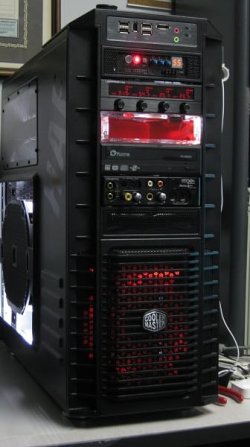
- Case
- XCase
- Internet Speed
- 8MB

 Ted
Ted