Windows losing focus/fullscreen games minimizing

Hello,

First I'd like to apologize if this is in the wrong section/has been posted before (I did search).

I normally use windowed borderless to play a game if its availible, when I'm playing, my task bar will appear (See attachments).

In fullscreen mode, it will just minimize the game all together and depending on the game *ahem* GTAIV *ahem* it will crash.

I know of an issue with the TP-Link utility thing taking focus (I have a TP-Link wifi card because ethernet is not possible in my setup) but I uninstalled that as soon as it automatically installed, so it's not that.

About half a second before the window loses focus, the blue loading circle next to the mouse will appear.

Specs:
i7-4771 3.5GHz
GTX 760 OC 4GB
8GB Avexir Core (2x4GB)
Asus B85-Plus
Windows 7 Ultimate 64-bit

Theres a screenshot of my task manager in the attachments too.

Thanks for your help.
 
Last edited by a moderator:

My Computer

Computer type
PC/Desktop
Computer Manufacturer/Model Number
Custom Build
OS
Windows 7 Ultimate x64
CPU
Intel Core i7-4771 @3.50GHz
Motherboard
Asus B85-Plus
Memory
Avexir Core Blue Series 8GB (2x4GB)
Graphics Card(s)
GTX 760 OC 4GB
Screen Resolution
1920x1080
Hard Drives
Seagate Barracuda 1TB
Keyboard
Corsair K70 RGB
Mouse
Razer DeathAdder 2014 (Chroma)
Antivirus
Microsoft Security Essentials
Browser
Google Chrome
Have you double checked if ALL your drivers are up to date? (including windows update) and scanned your pc for virusses and malware?

If this is the case then try to play your game in windowed mode so there might be a chance that you could see what's causing the trouble.

If this doesnt work you could try using Game Booster 3, because it should help you find the cause thats making you minimize.
Since the program helps you disable every program that's not needed at that moment when you are about to play games.
if this doesn't work, then at least it will help you to run your games at their best.

Let me know how everything went
 

My Computer

Computer type
PC/Desktop
Computer Manufacturer/Model Number
Custom build
OS
Windows 7 Ultimate x64
CPU
AMD FX(tm)-8350 Eight-Core
Motherboard
Asus Sabertooth 990 fx r2.0
Memory
8,00GB Dual-Channel DDR3
Graphics Card(s)
2047MB NVIDIA GeForce GTX 760
Hard Drives
Western Digital 1TB SATA Disk Device
Antivirus
Microsoft security essentials - Malwarebytes premium
Browser
Google Chrome
Windows update has all updates installed, for windows and "other products" (my iGPU), apart from the language packs. My nvidia GeForce Experience is up to date, as well as all of the nvidia drivers. Razer Synapse is up to date. I ran a scan on MSE and nothing was detected.

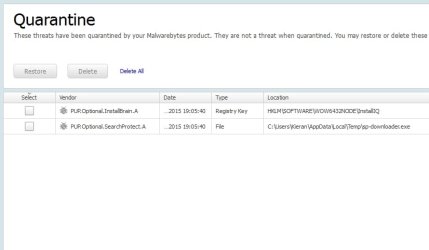
I'm about to run malwarebytes and then I'll try Game Booster 3.
 
Last edited by a moderator:

My Computer

Computer type
PC/Desktop
Computer Manufacturer/Model Number
Custom Build
OS
Windows 7 Ultimate x64
CPU
Intel Core i7-4771 @3.50GHz
Motherboard
Asus B85-Plus
Memory
Avexir Core Blue Series 8GB (2x4GB)
Graphics Card(s)
GTX 760 OC 4GB
Screen Resolution
1920x1080
Hard Drives
Seagate Barracuda 1TB
Keyboard
Corsair K70 RGB
Mouse
Razer DeathAdder 2014 (Chroma)
Antivirus
Microsoft Security Essentials
Browser
Google Chrome
you have display software running for multiple monitors, are you running multiple displays at all? Might seem irrelevant but seeing as the software you've installed alters the shell windows start menu, my first port of call would be that.
 

My Computer

Computer type
PC/Desktop
Computer Manufacturer/Model Number
Custom Build
OS
Windows 7 Ultimate x64 SP1
CPU
Intel Q6600 @ 2.6Ghz
Motherboard
Evga NF78-CK-132-A 3-Way SLI
Memory
4Gb DDR2 Corsair Dominator @ 800Mhz 5-5-5-15
Graphics Card(s)
EVGA 560 GTX SC FTW 1GB
Sound Card
Realtek HD 7.1 Audio, Plantronics GameCom780 7.1 Headset
Monitor(s) Displays
Dell S2409W
Screen Resolution
1920 x 1080
Hard Drives
SanDisk SDSSDHII-120G-G25 120GB SSD
Samsung 7200RPM 750Gb SATA
Samsung 850 EVO 120GB SSD
Western Digital Green 1TB 7200RPM
PSU
Xigmatek 750W Quad sli quad core 80% eff
Case
Antec 900 Gaming Case
Cooling
Zalman CNPS9700-NT NVIDIA Tritium
Keyboard
Logitech generic keyboard, MS wireless keyboard
Mouse
Razor Lachesis Banshee V2 Blue, 4000DPI, MS wireless mouse
Internet Speed
152Mb Virgin Media Fibre Optic
Antivirus
Microsoft Security Essentials
Browser
Google Chrome
Other Info
Wireless Gaming Receiver for Windows, Wireless Xbox 360 Pad
Do you mean display fusion? I have two monitors.
 
Last edited by a moderator:

My Computer

Computer type
PC/Desktop
Computer Manufacturer/Model Number
Custom Build
OS
Windows 7 Ultimate x64
CPU
Intel Core i7-4771 @3.50GHz
Motherboard
Asus B85-Plus
Memory
Avexir Core Blue Series 8GB (2x4GB)
Graphics Card(s)
GTX 760 OC 4GB
Screen Resolution
1920x1080
Hard Drives
Seagate Barracuda 1TB
Keyboard
Corsair K70 RGB
Mouse
Razer DeathAdder 2014 (Chroma)
Antivirus
Microsoft Security Essentials
Browser
Google Chrome
---
 

Attachments

  • bNdYzXV.jpg
    bNdYzXV.jpg
    69.6 KB · Views: 3
Last edited:

My Computer

Computer type
PC/Desktop
Computer Manufacturer/Model Number
Custom Build
OS
Windows 7 Ultimate x64
CPU
Intel Core i7-4771 @3.50GHz
Motherboard
Asus B85-Plus
Memory
Avexir Core Blue Series 8GB (2x4GB)
Graphics Card(s)
GTX 760 OC 4GB
Screen Resolution
1920x1080
Hard Drives
Seagate Barracuda 1TB
Keyboard
Corsair K70 RGB
Mouse
Razer DeathAdder 2014 (Chroma)
Antivirus
Microsoft Security Essentials
Browser
Google Chrome
Do you mean display fusion? I have two monitors.

can you disable display fusion and try your games again, just as a test to see if this is the culprit, I've read a few similar scenarios before with this type of software where this has happened.
 

My Computer

Computer type
PC/Desktop
Computer Manufacturer/Model Number
Custom Build
OS
Windows 7 Ultimate x64 SP1
CPU
Intel Q6600 @ 2.6Ghz
Motherboard
Evga NF78-CK-132-A 3-Way SLI
Memory
4Gb DDR2 Corsair Dominator @ 800Mhz 5-5-5-15
Graphics Card(s)
EVGA 560 GTX SC FTW 1GB
Sound Card
Realtek HD 7.1 Audio, Plantronics GameCom780 7.1 Headset
Monitor(s) Displays
Dell S2409W
Screen Resolution
1920 x 1080
Hard Drives
SanDisk SDSSDHII-120G-G25 120GB SSD
Samsung 7200RPM 750Gb SATA
Samsung 850 EVO 120GB SSD
Western Digital Green 1TB 7200RPM
PSU
Xigmatek 750W Quad sli quad core 80% eff
Case
Antec 900 Gaming Case
Cooling
Zalman CNPS9700-NT NVIDIA Tritium
Keyboard
Logitech generic keyboard, MS wireless keyboard
Mouse
Razor Lachesis Banshee V2 Blue, 4000DPI, MS wireless mouse
Internet Speed
152Mb Virgin Media Fibre Optic
Antivirus
Microsoft Security Essentials
Browser
Google Chrome
Other Info
Wireless Gaming Receiver for Windows, Wireless Xbox 360 Pad
I've completely closed display fusion. I don't really want to game at the moment, but I'll launch Minecraft and idle, if the window loses focus, it will pause the game, I'll report back in a few hours.
 

My Computer

Computer type
PC/Desktop
Computer Manufacturer/Model Number
Custom Build
OS
Windows 7 Ultimate x64
CPU
Intel Core i7-4771 @3.50GHz
Motherboard
Asus B85-Plus
Memory
Avexir Core Blue Series 8GB (2x4GB)
Graphics Card(s)
GTX 760 OC 4GB
Screen Resolution
1920x1080
Hard Drives
Seagate Barracuda 1TB
Keyboard
Corsair K70 RGB
Mouse
Razer DeathAdder 2014 (Chroma)
Antivirus
Microsoft Security Essentials
Browser
Google Chrome
I'm sorry I didn't report back, I was just playing some SA:MP with display fusion closed and the game still minimized, however Minecraft did not when I left it over night. I can't seem to be able to find anything to replicate the issue, or how often it happens.
 
Last edited:

My Computer

Computer type
PC/Desktop
Computer Manufacturer/Model Number
Custom Build
OS
Windows 7 Ultimate x64
CPU
Intel Core i7-4771 @3.50GHz
Motherboard
Asus B85-Plus
Memory
Avexir Core Blue Series 8GB (2x4GB)
Graphics Card(s)
GTX 760 OC 4GB
Screen Resolution
1920x1080
Hard Drives
Seagate Barracuda 1TB
Keyboard
Corsair K70 RGB
Mouse
Razer DeathAdder 2014 (Chroma)
Antivirus
Microsoft Security Essentials
Browser
Google Chrome
Any ideas?
 

My Computer

Computer type
PC/Desktop
Computer Manufacturer/Model Number
Custom Build
OS
Windows 7 Ultimate x64
CPU
Intel Core i7-4771 @3.50GHz
Motherboard
Asus B85-Plus
Memory
Avexir Core Blue Series 8GB (2x4GB)
Graphics Card(s)
GTX 760 OC 4GB
Screen Resolution
1920x1080
Hard Drives
Seagate Barracuda 1TB
Keyboard
Corsair K70 RGB
Mouse
Razer DeathAdder 2014 (Chroma)
Antivirus
Microsoft Security Essentials
Browser
Google Chrome

My Computer

Computer type
PC/Desktop
Computer Manufacturer/Model Number
Custom Build
OS
Windows 7 Ultimate x64 SP1
CPU
Intel Q6600 @ 2.6Ghz
Motherboard
Evga NF78-CK-132-A 3-Way SLI
Memory
4Gb DDR2 Corsair Dominator @ 800Mhz 5-5-5-15
Graphics Card(s)
EVGA 560 GTX SC FTW 1GB
Sound Card
Realtek HD 7.1 Audio, Plantronics GameCom780 7.1 Headset
Monitor(s) Displays
Dell S2409W
Screen Resolution
1920 x 1080
Hard Drives
SanDisk SDSSDHII-120G-G25 120GB SSD
Samsung 7200RPM 750Gb SATA
Samsung 850 EVO 120GB SSD
Western Digital Green 1TB 7200RPM
PSU
Xigmatek 750W Quad sli quad core 80% eff
Case
Antec 900 Gaming Case
Cooling
Zalman CNPS9700-NT NVIDIA Tritium
Keyboard
Logitech generic keyboard, MS wireless keyboard
Mouse
Razor Lachesis Banshee V2 Blue, 4000DPI, MS wireless mouse
Internet Speed
152Mb Virgin Media Fibre Optic
Antivirus
Microsoft Security Essentials
Browser
Google Chrome
Other Info
Wireless Gaming Receiver for Windows, Wireless Xbox 360 Pad
He should have Gforce experience optimize the game and go from there i am sure it is a setting screw up

He also has DSR option now that could be the issue Dynamic Super Resolution
 

My Computer

Computer type
PC/Desktop
Computer Manufacturer/Model Number
CoreI7-6700K MrFingerIII Special Builds
OS
Windows 10 Home Premium 64bit sp1
CPU
Intel I7-6700K @ 4.6 Ghz 1.344 volts everyday OC
Motherboard
Asrock Fatality K6 Z170 Socket 1151
Memory
32GB G-Skill TridentZ 3200mhz 16-18-18-38 DDR4
Graphics Card(s)
Sli Gigabyte Windforce GTX 980 G1
Sound Card
AC97 Creative Rage Tactic 3D Headphones Bluetooth
Monitor(s) Displays
27" Asus ROG Swift PG278Q G-Sync 48" Vizio Smart HD TV
Screen Resolution
2560x1440p 27"- 48" Currently Gaming at 2560x1440p Res 2K
Hard Drives
250GB Samsung Evo840SSD Seagate baracuda 500 GB WD Mybook 500Gb 1TB Seagate Barracuda
PSU
HX1050w Corsair Silver 80plus certified crosfire/sli
Case
Enthod Pro Full Tower
Cooling
Corsair H110i GT 280 mm High Performance WaterBlock
Keyboard
Logitech wireless keyboard
Mouse
Logitech wireless mouse
Internet Speed
Cox Cable 100+ mb
Antivirus
WebRoot Spysweeper with Antivirus
Browser
IE-10, Chrome, Opera
Other Info
My Other Rig is a AMD FX8320E @4.6Ghz 16GB Ballistic Sport Ram
Mobo Asrock Fatality 990FX 120GB OCZ SSD 1TB Seagate Barracuda Corsair H75 Cooling PSU Corsair CX750
GPU GTX Gigabyte 970G1
Thanks for the replies, I've installed DX9 and optimized all of my games in GeForce Experience, however there are some settings I'll be changing back, such as it lowering San Andreas's resolution, and taking my source games out of -windowed -noborder mode.
 

My Computer

Computer type
PC/Desktop
Computer Manufacturer/Model Number
Custom Build
OS
Windows 7 Ultimate x64
CPU
Intel Core i7-4771 @3.50GHz
Motherboard
Asus B85-Plus
Memory
Avexir Core Blue Series 8GB (2x4GB)
Graphics Card(s)
GTX 760 OC 4GB
Screen Resolution
1920x1080
Hard Drives
Seagate Barracuda 1TB
Keyboard
Corsair K70 RGB
Mouse
Razer DeathAdder 2014 (Chroma)
Antivirus
Microsoft Security Essentials
Browser
Google Chrome
My bet is Windows' windows management is the culprit. There's nothing you can do, the web is fed up with this stupid issue but they won't do anything about it. Unless some Windows dark ninja shares some dark registry secret that actually solves the problem.
I found this, try it, maybe it'll work for you:
How to: Fix the windows 7 minimize bug - YouTube
I already had the 30d40 (hex) or 200000 (dec) value set, so for me it's useless.
 

My Computer

OS
win 7

My Computer

Computer type
PC/Desktop
Computer Manufacturer/Model Number
Custom Build
OS
Windows 7 Ultimate x64 SP1
CPU
AMD Phenom 2 1090T
Motherboard
Gigabyte GA-890FXA-UD5
Memory
2x8GB Kingston HyperX Fury Black 1600Mhz Unganged
Graphics Card(s)
MSI GTX 970 Gaming 4G
Sound Card
Realtek On-Board HD 7.1 Audio / Logitech G35
Monitor(s) Displays
3xAcer GD245HQ
Screen Resolution
1920x1080
Hard Drives
Samsung 850 Pro 512GB SSD - OS /
WD Caviar Black SATA 3 - 1 TBx2 - Dynamic RAID 0 /
WD Caviar Green SATA 2 - 640GBx2 - Dynamic RAID 0 /
WD Caviar Green SATA 2 - 640GB - Internal Backup /
Seagate Barracude SATA 3 - 3TB - External Backup/ Sync
PSU
HighPower 1000W
Case
Cooler Master HAF 932
Cooling
Noctua NH-D14
Keyboard
Logitech G19
Mouse
Logitech G500
Internet Speed
100/4 Mbit Cable (100GB quota)
Antivirus
ZoneAlarm Extreme Security / MBAM Pro / MBAE Free / SAS Free
Browser
IE 11 - Firefox - Chrome
Other Info
Logitech F710/ G27/ G940/ Z5500 // TrackIR 5 // Nvidia 3D Surround Vision
Solution

Hi Guys

I have been having this same issue and it sucked. This is what worked for me.

It seems that it is noramlly related to an anti virus. Im running bitdefender and all i did is either switched off my anti-virus or added an exception. Thats it... Problem was solved
 

My Computer

Computer type
PC/Desktop
Computer Manufacturer/Model Number
dell
OS
win 7 64 bit
CPU
i5
Motherboard
asus
Memory
8gb
Graphics Card(s)
nvidia
Back
Top