

Hello there,
I have bought a new TP LINK Wireless adapter and trying installing it on my Desktop (OS: Windows 7 x64). Firstly, I am Dowloading the driver from the official site and installing it through device manager -> update driver of wifi adapter next giving the exact folder destination of x64 win7 driver I have downloaded. Although, the system says that it installed correctly when i try to search for new connection it did not find anything.
However, when i tried the same steps on my laptop it worked great.
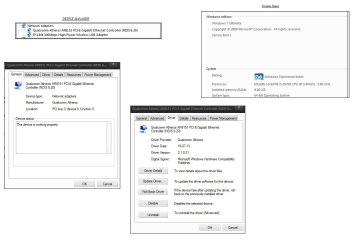
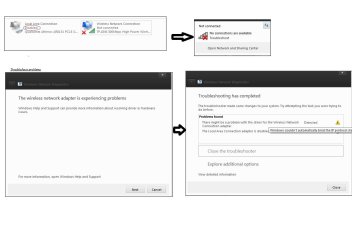
You can see in the pics what the problem is. Can anyone help me to get rid of the lan cable :
:
I have bought a new TP LINK Wireless adapter and trying installing it on my Desktop (OS: Windows 7 x64). Firstly, I am Dowloading the driver from the official site and installing it through device manager -> update driver of wifi adapter next giving the exact folder destination of x64 win7 driver I have downloaded. Although, the system says that it installed correctly when i try to search for new connection it did not find anything.
However, when i tried the same steps on my laptop it worked great.
You can see in the pics what the problem is. Can anyone help me to get rid of the lan cable
:Attachments

My Computer
- OS
- Windows 7 Ultimate 64-bit SP1
- CPU
- Intel Core i5-3570K 3.40GHz 6MB
- Motherboard
- Gigabyte Z77-D3H
- Memory
- Corsair Vengeance 8GB (2x4GB) DDR3 1600MHz (PC3 12800)
- Graphics Card(s)
- Gigabyte ATI Radeon HD 7850 2GB GDDR5
- Sound Card
- OnBoard
- Monitor(s) Displays
- LG IPS234
- Screen Resolution
- 1280x1024
- Hard Drives
- Samsung 830 Series 128GB 2.5" Sata III Basic Drive
- PSU
- Corsair Builder Series CX600 V2 600W 12cm Fan 80+ Bronze CP
- Keyboard
- Microsoft keyboard
- Mouse
- Microsoft Mouse
- Internet Speed
- 24/1
- Antivirus
- BitDefender
- Browser
- Google Chrome