SATA drivers - Load in Windows System Image Recovery

How to Load SATA Drivers in Windows System Image Recovery


   Information
This will show you how to load the SATA drivers in System Image Recovery in Windows 7.


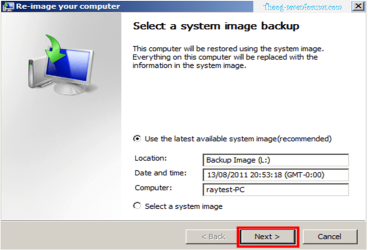
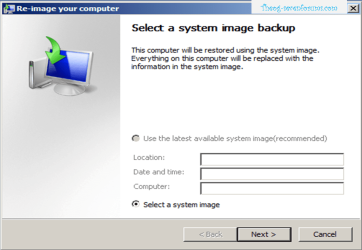
When you try to Re-Image in Windows 7 , Re-Image can not find your Backup Hard Drive.

ImageRecovery013.PNG

1) Copy your SATA driver to a disk. (Floppy, CD, USB)
NOTE: Keep this disk in a safe place.
NOTE: for this example, I am using a Floppy disk.
ImageRecovery001.PNG

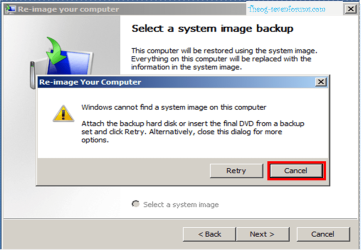
2) Click Cancel

ImageRecovery002.PNG

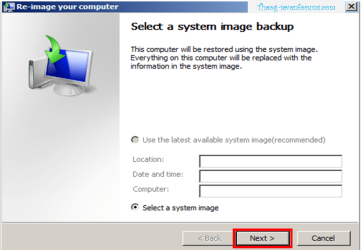
3) Click Next

ImageRecovery003.PNG

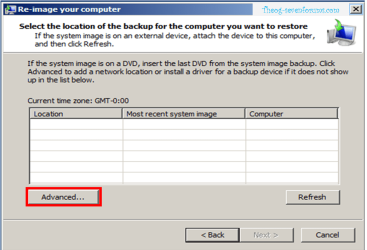
4) Click Advanced

ImageRecovery004.PNG

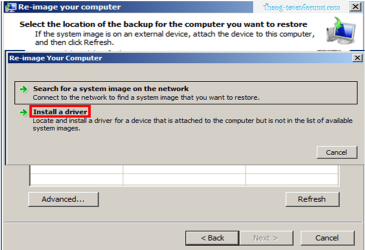
5) Click Install a Driver

ImageRecovery005.PNG

6) Click OK

ImageRecovery006.PNG

7) Click Computer.

ImageRecovery007.PNG ImageRecovery008.PNG

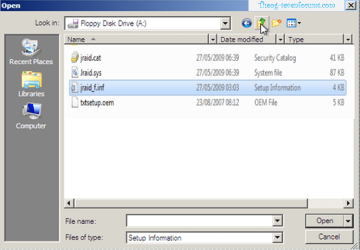
8) Choose your Sata Controller. Double Click on setup inf file.
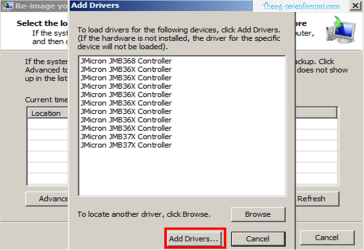
NOTE: for this example, I am using JMicron JMB36X SATA/RAID Controller card.
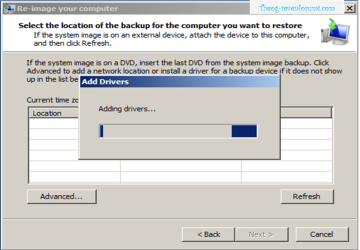
ImageRecovery009.PNG ImageRecovery010.PNG

9) Choose your Sata Controller. Click Add drivers.
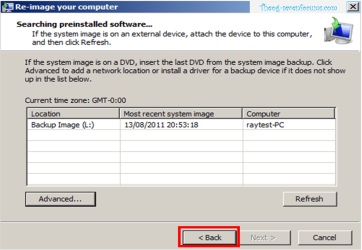
ImageRecovery011.PNG

10) Click Back

ImageRecovery012.PNG

11) Click Next & Continue with Re-imaging.


Last edited by a moderator:
Hello Ray.


This looks good, I'm sure it'll come in handy, thanks!
 

My Computer

Computer Manufacturer/Model Number
* BFK Customs *
OS
W 7 64-bit Ultimate
CPU
Intel Q9550 Yorkfield
Motherboard
ASUS P5Q Pro
Memory
8GB Dominator 8500C5D
Graphics Card(s)
ATI : XFX 5870
Sound Card
Realtek HD Audio 7-1
Monitor(s) Displays
1x 47" LCD HDMI & 3x 26" LCD HDMI
Screen Resolution
1920x1080P & 1920x1200
Hard Drives
1x 80GB Intel X25-M G2 SSD : 1x 500GB & 1x 640GB WD Caviar Black(s)
PSU
Corsair 620HX
Case
Cooler Master RC-690
Cooling
Tuniq Tower 120, 2x 140mm and 3x 120mm case fans
Keyboard
Microsoft 500
Mouse
Razer Diamondback 3G
Internet Speed
14 Mb/s
Other Info
1x Koutech 3Gb/s SATA HDD Hot Swap Rack
What a bloody good idea. I would rep, but need to spread... so have a thumbsup instead :thumbsup:
 

My Computer

Computer type
PC/Desktop
Computer Manufacturer/Model Number
Medion Erazer (note to self: insert model number) - with custom additions
OS
Windows 10 Pro x64
CPU
Intel Core i5 7400 @ 3.00GHz
Motherboard
OEM supllied with PC
Memory
8GB 2133Mhz DDR4 (OEM supplied)
Graphics Card(s)
Gygabyte Windforce GTX 1050Ti (Factory Overclocked)
Sound Card
Realtek
Monitor(s) Displays
Acer Al1980 + HKC
Screen Resolution
1360*768(HKC) / 1280*1024(Acer)
Hard Drives
1TB Toshiba
1TB WD Caviar Green
120GB Samsung Evo 840
PSU
OEM supplied (no power rating on case)
Case
OEM Supplied
Cooling
Stock
Keyboard
Logitech Wireless
Mouse
Logitect Wireless
Internet Speed
40Mb/s Down 10Mb/s Up
Antivirus
Defender
Browser
Firefox
Back
Top