Hello Helpo11, welcome to the Seven Forums.
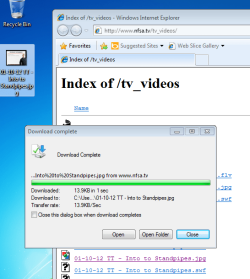
Downloading files from Internet using Internet Explorer is not replacing spaces with underscores, they are there to start with. It is not an error or bug but instead completely normal behavior. I will try to explain it, as well as tell you how to avoid those underscores. Please read patiently to the end, it is necessary first to understand why this happens so my explanation might be a bit long...

A so called Internet address is called
URL (Uniform Resource Locator,). For instance the Seven Forums URL is
http://www.sevenforums.com. A
URL consists of a protocol identifier and a domain name. Most common protocols are
HTTP (Hypertext Transfer Protocol),
HTTPS (Hypertext Transfer Protocol Secure),
FTP (File Transfer Protocol) and
FILE for internal file system.
More about
FILE protocol identifier to better understand my example below:
You can browse your Windows computer with any browser using URL, try for instance writing
file:///C:/ on your browser's addressbar and see what happens! Notice that URL starting with
FILE is followed by 3 shlashes ///, not two as other URLs. First two slashes belong to protocol identifier, the third one is to tell to system browsing starts from root.
When you click a download link on a web page, it is also a URL. Look for instance the
Giveaway of the Day site (gives daily one application for free), their freebie today is a program called Tilt Shift Generator. From the site you can find this download link:
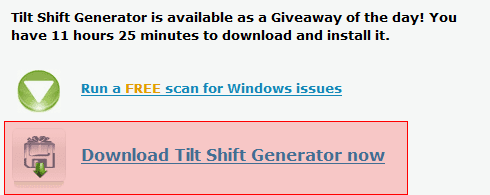
When you click the link it starts downloading. This is because when your browser does not recognize the extension of a link (URL) to be one that should be opened on browser, it correctly assumes that this URL is file to be downloaded. Typical extensions that just open a webpage are .
html, .
htm, .
php, .
asp and so on. Extensions .
exe, .
zip and .
rar are typical examples of "downloadable" extensions.
Now the most important thing regarding this matter:
A URL can not have spaces!. The same with the name of a downloadable file on a website, it can not contain spaces.
An example:
I am browsing my PC being at the moment in folder
I:\Recorded TV backup\TV. I want to continue browsing with browser. I simply right click Windows Explorer addressbar and copy the address:
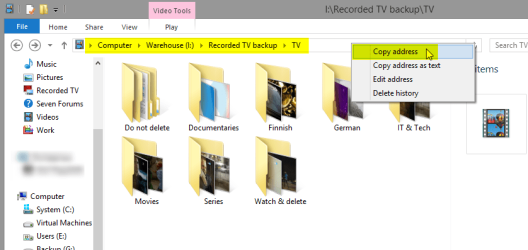
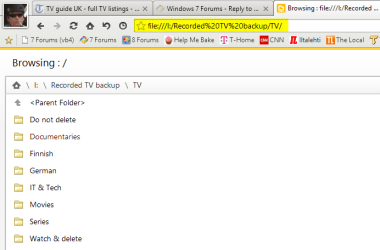
Now let's paste the address to browser addressbar. As this address (folder path) contains spaces which are not allowed in a URL, they must be converted to something a browser can understand before the folder path can be used as a
URL. This conversion is done by system, automatically. See the addressbar, the URL system has encoded every space to characters
%20,
ASCII code for a space:
This, replacing spaces and other special characters on URLs to something the system can understand is called
URL encoding or
Percent encoding. A complete list of ASCII codes for all characters as well as more information in this matter can be found on
this page.
Finally, your answer
:
Those underscores are there to start with. As an old school geek from the times when spaces in filenames were absolutely forbidden, I as well as most of the geeks still don't use them. We replace spaces in filenames with underscores to make them one word. See what I mean, scroll up to the one of the screenshots in this post, hover your cursor on top of the image to see the filename I gave to that image. See?
A clickable link is often underlined so it is easy
not to notice the underscore. Here a bogus link for example:
www.anexamplesite.com/download_this_file. Noticed the underscores?
When you click these downloadable links on IE8 and later notice that the filename contains underscores, it is because it was originally there. IE does not change the filename when you download it.
To get rid of underscores, do not select
Save when downloading. Select
Save As instead and replace underscores with spaces, or change the filename to whatever you'd like to.
Kari