

How to Change the Maximum Number of Recent Items to Display in Start Menu
InformationThis will show you how to set the maximum number of recent documents shortcuts to display in the Recent Items Start Menu button for all or specific users in Vista and Windows 7.
By default, Recent Items displays shortcuts up to the 10 most recently opened documents and files.
You must be logged in as an administrator to be able to do the steps in this tutorial.
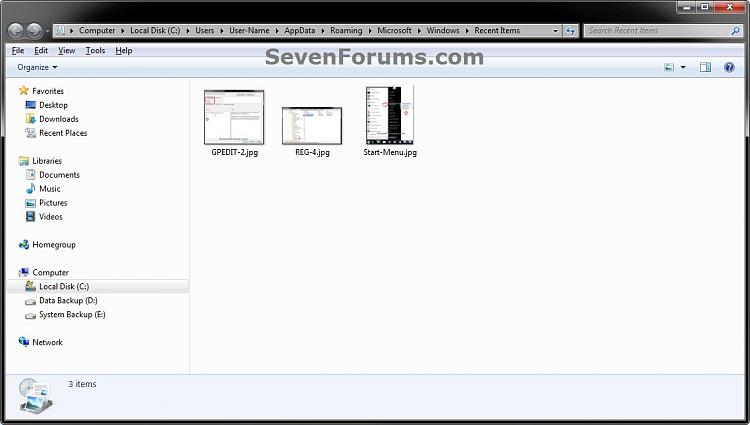
NoteThe hidden system folder Recent Items is located at:
C:\Users\(User Name)\AppData\Roaming\Microsoft\Windows\Recent Items
OR
%AppData%\Microsoft\Windows\Recent Items
If you go to the Recent Items folder location above and you have a yellow folder named Recent instead of one named Recent Items with a icon, then right click on the Recent folder and click Delete. Type shell:recent in the white line (Start Search) area of the Start Menu and press Enter. Logoff and logon, or restart the computer, to rebuild the folder back to the default Recent Items. Recent Items will not function correctly if is not set as the default Recent Items folder.
If this did not fix the Recent Items folder, then see the post at this link to make sure that the registry locations at the link have the correct locations entered for them.
EXAMPLE: Recent Items in Start Menu
OPTION ONEManually in Registry Editor
1. Open the Start Menu, then type regedit in the search line and press enter.
2. If prompted by UAC, then click on Yes (Windows 7) or Continue (Vista).
3. In regedit, navigate to: (see screenshot below)
HKEY_CURRENT_USER\Software\Microsoft\Windows\CurrentVersion\Policies\Explorer4. Do either step 5 or 6 below for what you would like to do.
5. To Change the Maximum Number of Recent Itemsfor Only Current User
A) In the right pane of Explorer, right click on a empty space, click on New and DWORD (32-bit), type MaxRecentDocs, and press Enter. (see screenshot below)6. To Restore Default Maximum Number of Recent Items for Only Current User
NOTE: If you already have MaxRecentDocs and just wanted to change the maximum number, then skip this step and continue on to step 5B instead.
B) In the right pane, double click on MaxRecentDocs. (see screenshot above)
C) Select (dot) Decimal, type in the maximum number of recent items you want to display, and click on OK. (see screenshot below)
D) Go to step 7.
NOTE: This is the default setting.
A) In the right pane of Explorer, right click on MaxRecentDocs and click on Delete. (see screenshot below)7. Close regedit.
B) Click on Yes to approve deletion. (see screenshot below)
C) Continue on to step 7.
8. Log off and log on, or restart the computer to apply.
OPTION TWOThrough the Local Group Policy Editor
1. Open the all users, specific users or groups, or all users except administrators Local Group Policy Editor for how you want this policy applied.That's it,
2. In the left pane, click on the arrow to expand User Configuration, Administrative Templates, Windows Components, then click on Windows Explorer. (see screenshot below)
3. In the right pane, right click on Maximum number of recent documents and click on Edit. (see screenshot above)
4. To Restore Default Maximum Number of Recent Items
NOTE: This is the default setting.
A) Select (dot) Not Configured or Disabled. (see screenshot below step 6)5. To Change the Maximum Number of Recent Items
B) Go to step 6.
A) Select (dot) Enabled, then under Options type in the maximum number of recent items you want to display. (see screenshot below step 6)6. Click on OK. (see screenshot below)
NOTE: This will also clear the recent items list to start over.
7. Close the Local Group Policy Editor.
Shawn
Related Tutorials
- How to Turn Recent Items On or Off in Windows 7
- How to Enable or Disable Recent Items in Windows 7 and Vista
- How to Change the Number of Recent Items to Display in Windows 7 Jump Lists
- How to Clear Recent Items and Documents on Exit of Windows 7
- How to Clear Recent Items List in Windows 7
- How to Change the Number of Recent Programs to Display in Windows 7 Start Menu
Recent Items - Change Maximum Number to Display in Start Menu
-
New #1
The "simple" method of changing the recent item max count doesn't seem to work: Start > Properties > Start Menu > Customize > jump list size. So I finally took the time to look up a different solution and found this page. I noticed from the Registry that I do not already have an Explorer key under Policies. Not wanting to mess that up I continued reading.
The solution using the Local Group Policy Editor does work. But one should note that when the Max number of recent documents is changed via the LGPE, the entire list or recent items is deleted and we start from scratch. I have no problem with that - other people might. I don't think we can copy/restore the recent items links. They're not "normal" shortcuts though I wish they were.
Perhaps someone will post a follow-up here about preserving that list?
HTH
-
New #2
Hello Tony, and welcome to Seven Forums.
For how many items display in Jump Lists, you would want to use the settings in the tutorial below instead.
You could make backup of the contents in the folder below to preserve the Recent Items list in the Start Menu button. To restore them, you would just need to reopen them again from the backup.
%AppData%\Microsoft\Windows\Recent ItemsHope this helps, :)
Shawn
-
New #3
Howdy Brink,
This kind tutorial of yours is very nice as always and all works fine technically but I'm surprised to fail increasing a number of Recent Items of Start Menu over 27.
Maybe there is some hidden Max value, huh? Otherwise it seems quite odd when I can set any value more that 27 in Group Policy, which is well auto corresponding to that registry DWORD, however actual visible number of Recent Items in Win7 Start Menu always remains 27 and 57 of shortcuts in Recent Items folder accordingly. When the values in Group Policy were set like 77, 97, 107...
Any good guess?
Appreciate!
P.S. Funny. The number of shortcuts for FILES in Recent Items folder is literarily 27, the remaining 30 of 57 total are shortcuts for FOLDERS.
-
New #4
Hello laidbacktokyo,
If I remember correctly, I think that's all the context menu will show, but if you open the folder, it will have the rest of them.
-
New #5
THANX
Howdy Shawn,
It's nice to hearing from you. Sorry for a some kind of odd custom of mine to contact you here maybe once in a couple of years with some stupid questions about Win7 Recent Items issues...
Anyhow, these Recent Items settings as kindly explained by you looks simple and clear, although as usual with M$ products are quite odd actually..
Well... finally I already got an acceptable for me result by playing with these damn settings... but in a very strange way...
I've set a crazy number in Policy Editor as 777, which is well reflected to a key value in Win7 registry... and got some 60 items in context menu of Start Menu > Recent Items, and some 90 of shortcuts total for both file & folders in Recent folder accordingly...
However it should be mentioned that there is some hidden custom of Win7 itself in adding file shortcuts to Recent Items context menu... when it's impossible to add all 60 of one type of file extension like JPG or PDF or TXT or etc... So it works but very much illogical
Anyhow, my question is closed.
Thanks again.
Wish you well.:)
-
-
New #7
Not Working
I added MaxRecentDocs to registry and put in 500. The Recent Docs folder is still limited to 149.
The group policy editor does not have "Windows Explorer" listed.
-
New #8
Hello Tom, and welcome to Seven Forums. :)
Just to verify, this will only affect "Recent Items" from the Start menu like in the example screenshot at the top of the tutorial.
Did you look under User Configuration, Administrative Templates, Windows Components in Local Group Policy?
-
New #9
I see that now and did find it under admin templates.
Any idea how to increase the number in the recent items folder? It is stuck at 149.
Recent Items - Change Maximum Number to Display in Start Menu
How to Change the Maximum Number of Recent Items to Display in Start MenuPublished by Brink


 Quote
Quote
Related Discussions