

How to Create a "Network Map" Shortcut in Windows 7
InformationThe network map is a graphical view of the computers and devices on your network that shows how they're connected.
This will show you how to create or download a Network Map shortcut to see the full map of your network.
NoteThis opens the same thing as if you clicked on the See full map link in the Network and Sharing Center.
EXAMPLE: Network Map
OPTION ONETo Download a "Network Map" Shortcut
1. Click on the Download button below to download the Network_Map.zip file.
2. Save the .zip file to the desktop.
3. Open the .zip file and extract the Network Map shortcut to the desktop.
4. Right click on the Network Map shortcut, and click on Properties, General tab, and on the Unblock button. (See screenshot below)
NOTE: If you do not have a Unblock button under the General tab, then the shortcut is already unblocked and you can continue on to step 5.
5. You can now Pin to Taskbar or Pin to Start Menu this shortcut, assign a keyboard shortcut to it, or move it where you like for easy use.
6. When done, you can delete the downloaded .zip file on the desktop if you like, or save it to use again.
OPTION TWOTo Manually Create a "Network Map" Shortcut
1. Right click on a empty area on desktop, and click on New and Shortcut.
2. Type the location below into the location area, and click on the Next button. (See screenshot below)
%windir%\explorer.exe shell:::{E7DE9B1A-7533-4556-9484-B26FB486475E}3. Type Network Map for the name, and click on the Finish button. (See screenshot below)That's it,
NOTE: You can name this anything you would like though.
4. Right click on the new Network Map shortcut on the Desktop and click on Properties.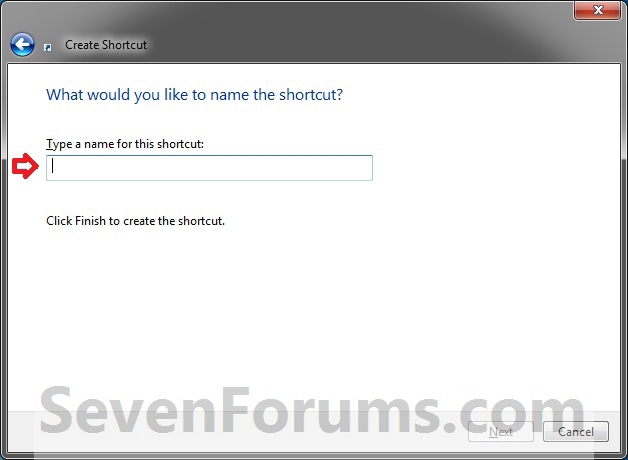
5. Click on the Shortcut tab, then click on the Change Icon button. (See screenshot below)
6. In the line under "Look for icons in this file", type the location below and press Enter. (See screenshot below)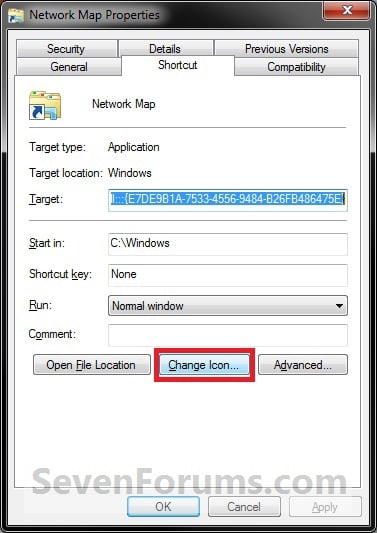
%SystemRoot%\system32\NetworkMap.dll7. Select the icon highlighted in blue above and click on OK. (See screenshot above)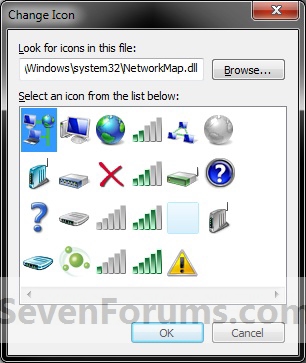
NOTE: You can use any icon that you would like instead though.
8. Click on OK. (See screenshot below)
9. You can now Pin to Taskbar or Pin to Start Menu this shortcut, assign a keyboard shortcut to it, or move it where you like for easy use.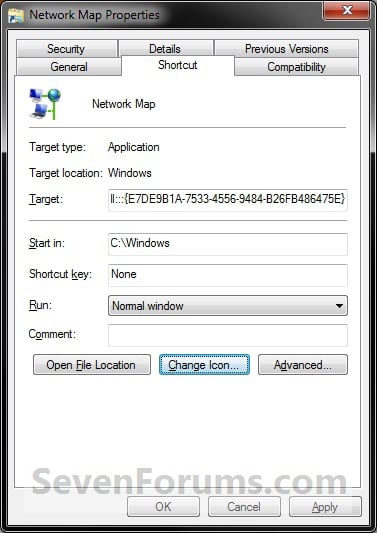
Shawn
Network Map Shortcut - Create
-
New #1
This is exactly what I was looking for. Works perfectly. I simply typed Network Map shortcut in Google search and you were the number 1 result. Thanks for all of the great information you supply concerning Windows 7.
-
-
New #3
Is there a way to get a map of network via command prompt?
-
New #4
Hello Gufo, and welcome to Seven Forums.
It's not the same as the network map, but you could use the Net View command to view a list of computer or network resources. The link below is for XP, but it's the same in Windows 7.
How to Use the NET VIEW Command in Windows XP
Hope this helps some,
Shawn
-
New #5
Thanks, but the command provides only the list of shared resources. No information about the router / gateway as the network infrastructure ...

Network Map Shortcut - Create
How to Create a "Network Map" Shortcut in Windows 7Published by Brink


 Quote
Quote
Related Discussions