I have Macrium Version 8 (Free Version) on my Win 10 laptop and want to run it also on my main Win 7 computer. I downloaded the installation file but it runs for one second and closes. I tried it a few times and the same thing happens. The Windows Installer in Services is marked "automatic" (see attachment). What am I doing wrong that it won't install it?
have you the following updates installed [FONT="]security updates [/FONT]KB4474419[FONT="] and [/FONT]KB4490628[FONT="] released to introduce SHA-2 code sign support.[/FONT]
My Computer
Computer type
PC/Desktop
Computer Manufacturer/Model Number
medionl/Aspire 6930G/acer x55a
OS
W7 home premium 32bit/W7HP 64bit/w10 tp insider ring
CPU
E5300 dual core
Motherboard
medion MS7366
Memory
3gb
Graphics Card(s)
Nvidia Geforce 7100 Nforce 630i
Monitor(s) Displays
avixc
Internet Speed
n (isp resticted to 72)
Antivirus
mse/pands
Browser
palemoon
Other Info
Belkin Fd7050 n USB using Railink RT2870 drivers, more upto date
Thank you but I don't understand. The descriptions say they're needed for Windows updates. They don't say non-Windows updates need them. And I haven't had any problem installing any other non-Windows software, only with Macrium.
I have Macrium Version 8 (Free Version) on my Win 10 laptop and want to run it also on my main Win 7 computer. I downloaded the installation file but it runs for one second and closes. I tried it a few times and the same thing happens....
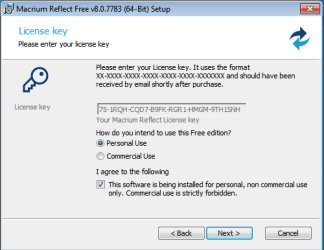
Run it and you can download the Free version installer, it will select the 32 or 64 bit option to suit your machine. By default it will run the installer after downloading it, but you can un-tick that option if you prefer to run the installer later.
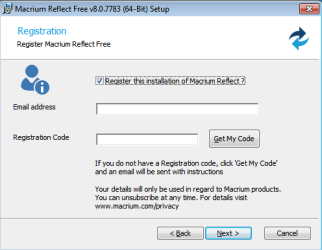
Select 'personal use' so that when you get to Registration you can un-tick the 'Register this...' box (registration is mandatory if you choose commercial use).
I also have W7 Pro on my System Two, and several W7 Hyper-V VMs. My other machines run Windows 10/11. Their specs are in my Ten Forums & Eleven Forum profiles.
Open a command prompt window and run this single-line command:
Code:
C:\Windows\System32\wbem\wmic qfe list brief /format:htable > c:\u.html & c:\u.html
This will query your system and list all installed updates in a "u.html" file, copied into the root of your C: drive. Depending on how your Windows defaults are configured, it might also open your browser and automatically display the u.html file. If it doesn't do it automatically, open your browser yourself, then find the c:\u.html file and drag it into a browser window.
Scan the list of updates for the two KB numbers. If they're there, the updates are installed. If the KB numbers aren't there, they aren't installed.
I've been away but I added a post last week. It's not here. I don't understand what happened to it. I'll try adding it again.
I used dg1261's query. It showed both updates are already installed (see attachement). Which brings me back to my original question: why is the Macrium installer failing to run?
I still have the problem that Macrium (free version 8) installer won't run even though Windows shows that I have I have both SHA-2 updates KB4474419 and KB4490628 installed (see attachment). Does no one have any idea as to why it's failing and/or how to get it installed? Has anyone successfully installed Version 8 (free version)?
I also have W7 Pro on my System Two, and several W7 Hyper-V VMs. My other machines run Windows 10/11. Their specs are in my Ten Forums & Eleven Forum profiles.
The download agent wouldn't work for me.
It downloaded the WinPE and claimed it downloaded the installer, but there wasn't any file where the log claimed.
I downloaded the major geeks installer and it still doesn't run.
- - - Updated - - -
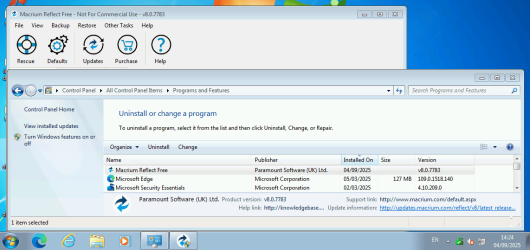
Found how to get it to run. Right click on downloaded installation software in the downloads folder. Select "Open". Not at all intuitive that this is what needs to be done. Macrium is now installed.