- Local time
- 3:24 AM
- Messages
- 256

Further instructions from Tweaking With Vishal:Make Firefox 3 or 3.5 look like the Firefox 3.7 new theme mockup
by Lee Mathews Jul 24th 2009 at 10:00AM
Well, that sure didn't take long.
Just days ago Mozilla posted a few conceptual images displaying a new default theme for Firefox 3.7. Thanks to DeviantArt user Boneyard Brew and his friends, you can now tweak your existing Firefox 3 install (provided you're not running 3.6) look pretty dang close to the mockups.
You'll need to grab a couple things to pull off the transformation:
The end result is pretty faithful to the mockup. Pull the switcheroo and confuse your pals - tell them you got your hands on an early pre-alpha (Make it more convincing with a quick Titlebar Tweak)!
- Personal Menu - One of my favorite add-ons. Needed to combine the bookmark and tools icons.
- All Glass - To add Vista / Windows 7 Aero Glass effects to the toolbars
- Stylish - To apply the provided UserStyle which tweaks inactive tab text
- The theme .JAR, from DeviantArt (of course)
If further support is needed, check out THIS forum or maybe someone here can help you.If you want the same look in your Firefox 3.0 or later, follow these simple steps:
STEP 1: First download the theme using following link:
Download Mozilla Firefox 3.7 Theme
Its a ZIP file. Extract it using WinRAR or 7-Zip (both can be found in our "Downloads" section). You'll get a .ZAR file which contains the actual theme. Drag-n-drop this file to "Add-ons" window in Firefox and it'll install the theme.
STEP 2: You'll also need to install the "All Glass Firefox" add-on to get the Glass effect which can be found here.
STEP 3: If you also want to get the "Tools" button near "Searchbox" as shown in the screenshot, install "Personal Menu" add-on using following link:
Install Personal Menu
It'll add the "Tools" button near searchbox. Now right-click on empty area near addressbar or searchbox and select "Customize" option. Now drag "Bookmarks" button between searchbox and Tools button.
Now go to "Tools -> Add-ons -> Extensions" menu and select "Personal Menu" from the list. Click on "Options" button and go to "Advanced" Tab. Enable "Hide Drop-Marker" option. Also enable "Hide Menus Toolbar" and "Show temporarily by pressing ALT key" options to hide menubar.
STEP 4: If you face problem while reading text on inactive tabs, you'll need to apply the code given in "newtabfix.txt" present in the downloaded ZIP file using "Stylish" add-on.
Install Stylish
Once installed, copy the code from TXT file, click on the "Stylish" icon present in Statusbar and select "Write new style -> Blank style" option. Now paste the code in text area. Provide a suitable name to the style and click on "Save" button. That's it.
After following these steps, you'll enjoy the same interface in your favorite browser.
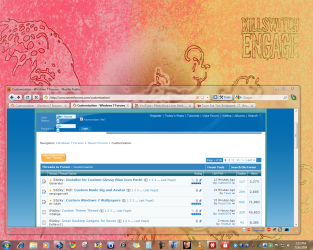
Here is how mine looks:
Attachments
My Computer
- Computer Manufacturer/Model Number
- Built
- OS
- Windows 7 RTM
- CPU
- Intel I7 920 2.67 ghz
- Motherboard
- EVGA X58
- Memory
- 6GB CORSAIR DOMINATOR
- Graphics Card(s)
- GeForce GTX 260 Core 216 896MB 448-bit GDDR3 PCI Express 2.0