Finally completed the download of the ZIP file from Taiwan. It unzips to VIA_XHCI_Driver_V4.50A_AP.exe.
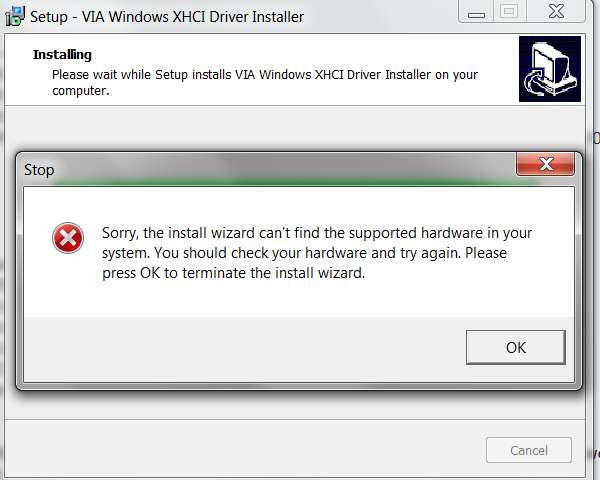
I ran this self-extracting installer (even though I don't have that particular card installed my machine), knowing it would fail because of the missing hardware. But I wanted to examine the expanded installer folders, to verify from the INF (which I expected to find somewhere down in the sub-folder structure) that it was for the Hardware ID we now know to be for this card.
The running of SETUP.EXE expanded into a \Appdata\Local\Temp\is-1DHFO.tmp folder. Inside of here are some sub-folders, and eventually I found the proper sub-folder which contained the INF files for both USB Root Hub and USB XCHI Host Controller.
And sure enough, that VEN_1106&DEV_3483 is present for XHCI:
; For XP and later
[VIA.NTamd64]
; DisplayName Section DeviceId
; ----------- ------- --------
%XHC.DRVDESC% = xHC_Inst, PCI\VEN_1106&DEV_9201
%XHC.DRVDESC% = xHC_Inst, PCI\VEN_1106&DEV_3432
%XHC.DRVDESC% = xHC_Inst, PCI\VEN_1106&DEV_3483
along with:
[Strings]
VIA = "VIA"
ClassName = "VIA USB eXtensible Host Controller"
xHC.SVCDESC = "VIA USB eXtensible Host Controller Service"
xHC.DRVDESC = "VIA USB eXtensible Host Controller"
DISK_NAME = "VIA USB eXtensible Host Controller Install Disk"
And for the Root Hub:
; For XP and later
[VIA.NTamd64]
; DisplayName Section DeviceId
; ----------- ------- --------
%VUSB3\ROOT_HUB30.DeviceDesc% = VUSB3HUB, USB\VIA_ROOT_HUB
%VUSB3\CLASS_09.DeviceDesc% = VUSB3HUB, VUSB3\CLASS_09
%VUSB2\CLASS_09.DeviceDesc% = VUSB3HUB, VUSB2\CLASS_09
%VUSB1\CLASS_09.DeviceDesc% = VUSB3HUB, VUSB1\CLASS_09
%VUSB2\CLASS_09&SUBCLASS_00&PROT_02.DeviceDesc% = VUSB3HUB, VUSB2\CLASS_09&SUBCLASS_00&PROT_02
and:
[Strings]
VIA = "VIA"
DISK_NAME = "USB3.0 HUB Installation Disk"
VUSB3\ROOT_HUB30.DeviceDesc = "VIA USB 3 Root Hub"
VUSB3\CLASS_09.DeviceDesc = "VIA USB 3 Hub"
VUSB2\CLASS_09.DeviceDesc = "VIA USB 2 Hub"
VUSB1\CLASS_09.DeviceDesc = "VIA USB 1 Hub"
VUSB2\CLASS_09&SUBCLASS_00&PROT_02.DeviceDesc = "VIA USB 2 MTT Hub"
VUSB3HUB.SvcDesc = "VIA USB 3 Root Hub Service"
So by downloading and running this EXE provided on the VIA driver download site, you should end up with two new devices showing up in Device Manager for USB:
(1) VIA USB 3 Root Hub
(2) VIA USB eXtensible Host Controller
This is ABSOLUTELY the driver file for this card. Should work. No need to return it... just give this driver file a shot and see if it works.
My money is on "it will work".
Note: finding out the Hardware IDs for the unknown item in Device Manager is how any such detective job should start, when drivers are missing and clearly required. That is the #1 most important and undisputable fact providing both the vendor and device code id, no matter what country the card was manufactured in.
Searching the
Microsoft Windows Update Driver Catalog site (must use IE, not Firefox) for the vendor\device will reveal if (a) the correct driver is available from Microsoft and can be downloaded using Windows Update (or directly from the MS site following the search with IE), or (b) if the correct driver is NOT available from Microsoft, where then hopefully it can be obtained from the manufacturer's driver download support site.
In this case, the required VIA drivers are NOT found on the MS Windows Update Driver Catalog site. So the VIA support site is the only place to find them.
==> They obviously should have been somewhere on that driver CD provided with the card, in my opinion. But who knows without looking through each folder for a README or something.



 17 hours later I decided to check out Ye Olde Windows 7 Forums and solved my problem within the hour.
  More importantly, usb 3.0 works front top and back! The wife will be impressed because she won't have to dual boot back to 8.1 to use all the hardware.


