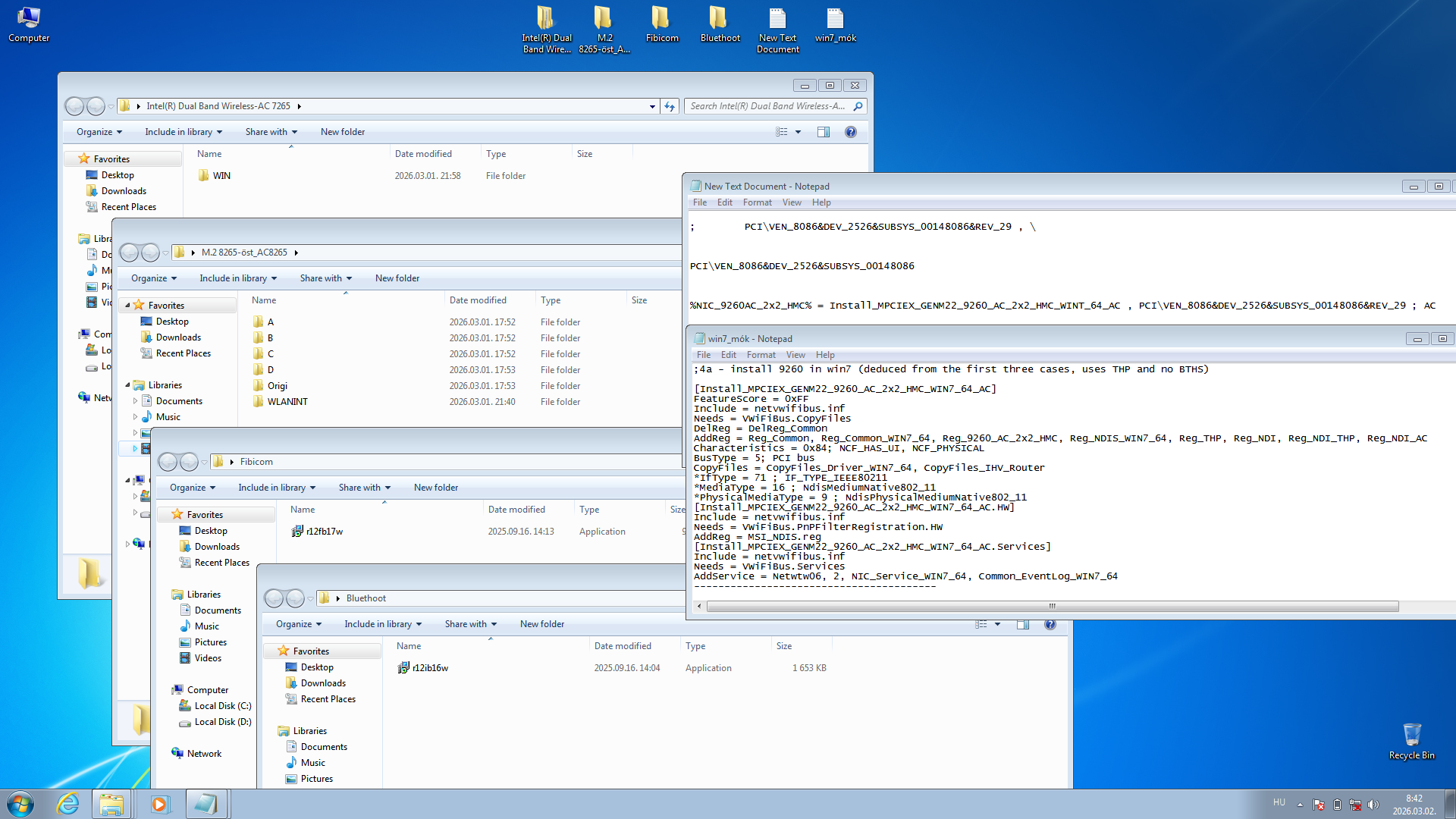
Windows 7 drivers for Intel Wireless AC-9260

yes the screenshot will help no matter what

the wireless adapter (if windows found it) should be somewhere on device manager as an unknown device, it might not be in the network section. It will stand out because it will be the only section that is expanded when you first load devmgmt.msc

also would be good to post a screenshot of start>run>msinfo32>components>problem devices
 

My Computer

Computer type
PC/Desktop
Computer Manufacturer/Model Number
diy
OS
Win7 pro x64
CPU
stock i7 7700k
Motherboard
Gigabyte Z270N-WIFI mini-ITX
Memory
Corsair Vengeance LPX 16GB (2x8GB) DDR4 @ 3200MHz
Graphics Card(s)
integrated Intel HD 630
Sound Card
onboard Realtek ALC1220
Monitor(s) Displays
two vertically mounted samsung 55" 4k un55mu8000
Screen Resolution
1920x1280
Hard Drives
256GB Samsung EVO 960 M.2 pci-e NVMe SSD
PSU
SilverStone Nightjar ST45NF 450Watt Fanless
Case
No case. Motherboard is mounted directly onto power supply
Cooling
Evercool low profile 815EP with Panaflow 12L fan at 7v
Keyboard
Ortek MCK-86 mini
Mouse
Belkin 5-button USB
Internet Speed
spectrum 400mbps
I edited the previous post while you were writing I think. I already added the screenshot just in case
Here it is again :)

Untitled — **************


you need to expand these sections and repost the screenshot

disk drives
display adapters
IDE ATA/ATAPI controller
Universal Serial Bus controllers
 

My Computer

Computer type
PC/Desktop
Computer Manufacturer/Model Number
diy
OS
Win7 pro x64
CPU
stock i7 7700k
Motherboard
Gigabyte Z270N-WIFI mini-ITX
Memory
Corsair Vengeance LPX 16GB (2x8GB) DDR4 @ 3200MHz
Graphics Card(s)
integrated Intel HD 630
Sound Card
onboard Realtek ALC1220
Monitor(s) Displays
two vertically mounted samsung 55" 4k un55mu8000
Screen Resolution
1920x1280
Hard Drives
256GB Samsung EVO 960 M.2 pci-e NVMe SSD
PSU
SilverStone Nightjar ST45NF 450Watt Fanless
Case
No case. Motherboard is mounted directly onto power supply
Cooling
Evercool low profile 815EP with Panaflow 12L fan at 7v
Keyboard
Ortek MCK-86 mini
Mouse
Belkin 5-button USB
Internet Speed
spectrum 400mbps
Have a look at the msinfo32 grab in my previous post


you need to expand these sections and repost the screenshot

disk drives
display adapters
IDE ATA/ATAPI controller
Universal Serial Bus controllers
 

My Computer

Computer type
PC/Desktop
Computer Manufacturer/Model Number
diy
OS
Win7 pro x64
CPU
stock i7 7700k
Motherboard
Gigabyte Z270N-WIFI mini-ITX
Memory
Corsair Vengeance LPX 16GB (2x8GB) DDR4 @ 3200MHz
Graphics Card(s)
integrated Intel HD 630
Sound Card
onboard Realtek ALC1220
Monitor(s) Displays
two vertically mounted samsung 55" 4k un55mu8000
Screen Resolution
1920x1280
Hard Drives
256GB Samsung EVO 960 M.2 pci-e NVMe SSD
PSU
SilverStone Nightjar ST45NF 450Watt Fanless
Case
No case. Motherboard is mounted directly onto power supply
Cooling
Evercool low profile 815EP with Panaflow 12L fan at 7v
Keyboard
Ortek MCK-86 mini
Mouse
Belkin 5-button USB
Internet Speed
spectrum 400mbps
Caveat - You may have a compatibility issue here in that you have a win10 system and installed win7 on it without heeding my post #14 which discussed the need for detailed specs first. So be prepared to re-install WIN10 if it comes to that.

But just going on your screenshots the first thing you need is a chipset driver. I don't know what chipset you have and whether it can run win7. Since you said in post #9 that you were getting a kaby lake system, presumably you do not have an intel 3xx chipset (which does not run win7). Your next steps are to install the appropriate win7 chipset driver, then the intel management engine driver for win7, then the 4508 beta display driver I posted earlier which allows kaby lake graphics on win7. It would REALLY help if you could post a link to your detailed specs, or to the driver download page for your system. Even if its a WIN10 page, it will show your detailed specs.
 

My Computer

Computer type
PC/Desktop
Computer Manufacturer/Model Number
diy
OS
Win7 pro x64
CPU
stock i7 7700k
Motherboard
Gigabyte Z270N-WIFI mini-ITX
Memory
Corsair Vengeance LPX 16GB (2x8GB) DDR4 @ 3200MHz
Graphics Card(s)
integrated Intel HD 630
Sound Card
onboard Realtek ALC1220
Monitor(s) Displays
two vertically mounted samsung 55" 4k un55mu8000
Screen Resolution
1920x1280
Hard Drives
256GB Samsung EVO 960 M.2 pci-e NVMe SSD
PSU
SilverStone Nightjar ST45NF 450Watt Fanless
Case
No case. Motherboard is mounted directly onto power supply
Cooling
Evercool low profile 815EP with Panaflow 12L fan at 7v
Keyboard
Ortek MCK-86 mini
Mouse
Belkin 5-button USB
Internet Speed
spectrum 400mbps
the clevo link leads to no specs whatsover. My recommendation is you download drivers for the newest intel hardware that is win7 compatible. So on this page try running the drivers for VGA (beta), USB 3, and chipset.

GA-Z270N-WIFI (rev. 1.0) | Motherboard - GIGABYTE Global

After that, try running the intel driver support assistant package

Intel(R) Driver & Support Assistant

After that, run the wufuc windows update utility

Download wufuc - MajorGeeks

btw the 8550 is not a Kaby Lake, it is Kaby Lake R. I am unaware as to whether or not it will run win7 (meaning hd6xx graphics that is, the core cpu is compatible, the driver is just for the graphics portion of the cpu). You will be able to find out by installing the 4508 VGA driver above AFTER you get the chipset driver working. If the 4508 vga driver installs correctly you will see HD 620/630/650 graphics under display adapter in control panel

After that, run windows update.
 

My Computer

Computer type
PC/Desktop
Computer Manufacturer/Model Number
diy
OS
Win7 pro x64
CPU
stock i7 7700k
Motherboard
Gigabyte Z270N-WIFI mini-ITX
Memory
Corsair Vengeance LPX 16GB (2x8GB) DDR4 @ 3200MHz
Graphics Card(s)
integrated Intel HD 630
Sound Card
onboard Realtek ALC1220
Monitor(s) Displays
two vertically mounted samsung 55" 4k un55mu8000
Screen Resolution
1920x1280
Hard Drives
256GB Samsung EVO 960 M.2 pci-e NVMe SSD
PSU
SilverStone Nightjar ST45NF 450Watt Fanless
Case
No case. Motherboard is mounted directly onto power supply
Cooling
Evercool low profile 815EP with Panaflow 12L fan at 7v
Keyboard
Ortek MCK-86 mini
Mouse
Belkin 5-button USB
Internet Speed
spectrum 400mbps
Your m.2 wifi card gets to the CPU through a PCI-E pathway which means its dependent on and controlled by the chipset, which means you have to have the correct chipset driver before windows can load a wifi driver. Aside from this, windows itself also needs software updates that are not a part of the SP1 install package in order to run your hardware. So for those reasons, you will need the correct chipset driver AND be up to date on windows update in order to get the wifi card recognized. Look under control panel > device manager > system devices. There will be about 50 line items there and several of them should say "Intel XXX series chipset PCI...." and another one of them should say "Intel Management Engine Interface".

I realize you are saying lets just focus on the wifi card. What I am saying is that everything I've said so far (other than the display driver stuff) is required in order to get your M.2 slot recognized. If you have anything at all within msinfo32>components>problem devices, that means you have hardware that windows is not loading correctly, which means any other hardware downstream from that hardware will not run correctly either.

Did intel driver assistant run correctly? If so your control panel and problem devices should look a lot different now.
 

My Computer

Computer type
PC/Desktop
Computer Manufacturer/Model Number
diy
OS
Win7 pro x64
CPU
stock i7 7700k
Motherboard
Gigabyte Z270N-WIFI mini-ITX
Memory
Corsair Vengeance LPX 16GB (2x8GB) DDR4 @ 3200MHz
Graphics Card(s)
integrated Intel HD 630
Sound Card
onboard Realtek ALC1220
Monitor(s) Displays
two vertically mounted samsung 55" 4k un55mu8000
Screen Resolution
1920x1280
Hard Drives
256GB Samsung EVO 960 M.2 pci-e NVMe SSD
PSU
SilverStone Nightjar ST45NF 450Watt Fanless
Case
No case. Motherboard is mounted directly onto power supply
Cooling
Evercool low profile 815EP with Panaflow 12L fan at 7v
Keyboard
Ortek MCK-86 mini
Mouse
Belkin 5-button USB
Internet Speed
spectrum 400mbps
cool, you're getting there. On your control panel system drivers your chipset drivers appear to be working which explains why your 9260 card is now appearing as a problem device. On your problem device list:

line 1 is the bluetooth half of your 9260. Looks like the bluetooth driver is okay but it still appears as a problem device because the wireless half of the 9260 is not running.

line 2 is the wireless half of your 9260 which to my knowledge no one has gotten to run on win7, so I still recommend replacing the 9260 with an 8265 that exactly matches its m.2 connecting pins (there are a dozen m.2 pin formats btw so be sure to match). Chances are the link below shows your existing 9260 as well as the 8265 you want to buy, but I would physically remove the 9260 to make sure it matches first since the link is just something I found at clevo so I do not know if those devices actually work in your machine.

Wireless – Clevoparts for Clevo laptop parts and barebones / chassis

line 3 of problem devices is your realtek card reader. Doing a search on the pci/Ven number, I believe the below link is the driver for it.

Card Reader Solutions > Card Reader Controllers Software - REALTEK
 

My Computer

Computer type
PC/Desktop
Computer Manufacturer/Model Number
diy
OS
Win7 pro x64
CPU
stock i7 7700k
Motherboard
Gigabyte Z270N-WIFI mini-ITX
Memory
Corsair Vengeance LPX 16GB (2x8GB) DDR4 @ 3200MHz
Graphics Card(s)
integrated Intel HD 630
Sound Card
onboard Realtek ALC1220
Monitor(s) Displays
two vertically mounted samsung 55" 4k un55mu8000
Screen Resolution
1920x1280
Hard Drives
256GB Samsung EVO 960 M.2 pci-e NVMe SSD
PSU
SilverStone Nightjar ST45NF 450Watt Fanless
Case
No case. Motherboard is mounted directly onto power supply
Cooling
Evercool low profile 815EP with Panaflow 12L fan at 7v
Keyboard
Ortek MCK-86 mini
Mouse
Belkin 5-button USB
Internet Speed
spectrum 400mbps
yes your chipset driver is now sorted out and working so windows does see the m.2 card, which is why it was even able to load the 9260 as a problem device. The only reason the 9260 is still a problem device is because there is no win7 driver for a 9260, which I have been saying all along. Had you not solved the chipset issue, even a 8265 card would not work. I recommend you load the realtek driver anyway, as if you have any device anywhere on your machine that windows does not load correctly, it can create problems elsewhere. I can't emphasize that point enough, you want a clean device manager if you want everything to run correctly. And just to be clear on the 9260, from the get go I have been asserting that the 9260 is not going to run on windows 7 and the 8265 was the way to go. Obviously a usb wireless card would also work (assuming your usb drivers are clean on device manager, I have not seen a clean screenshot of them so can't know), but you said early on that you do not want to use a usb wireless card. Maybe you can find someone on the net who has gotten a 9260 to work on win7. I tried and couldn't do it.


EDIT: If you do find a link to where someone has gotten a 9260 to run on win7, post the link here as that would be great news for others.
 

My Computer

Computer type
PC/Desktop
Computer Manufacturer/Model Number
diy
OS
Win7 pro x64
CPU
stock i7 7700k
Motherboard
Gigabyte Z270N-WIFI mini-ITX
Memory
Corsair Vengeance LPX 16GB (2x8GB) DDR4 @ 3200MHz
Graphics Card(s)
integrated Intel HD 630
Sound Card
onboard Realtek ALC1220
Monitor(s) Displays
two vertically mounted samsung 55" 4k un55mu8000
Screen Resolution
1920x1280
Hard Drives
256GB Samsung EVO 960 M.2 pci-e NVMe SSD
PSU
SilverStone Nightjar ST45NF 450Watt Fanless
Case
No case. Motherboard is mounted directly onto power supply
Cooling
Evercool low profile 815EP with Panaflow 12L fan at 7v
Keyboard
Ortek MCK-86 mini
Mouse
Belkin 5-button USB
Internet Speed
spectrum 400mbps
You have several lines under control panel system devices that say "Mobile 6th/7th Gen...." then PCI, PMC, SMBus - those are all chipset entries that say the chipset sees the PCI bus and therefore the M.2, which is why it was able to list the correct 9260 PCI\VEN number earlier. So from that I am deducing that your chipset drivers are good, although hopefully I'm not jumping the gun since I cannot see the rest of your control panel. Are there any "other devices" still listed in control panel? Also, can you expand the IDE ATA/ATAPI portion of control panel? That will show the chipset that is loaded. Probably the best way to know the status of your system is to run the Intel Driver Assistant program again and create a detailed html report (it gives you that option in your browser after you run it), and post/upload the html file here. Its probably got too much detail to cut and paste so just post the html file itself. That will show us the best detailed overview of your system.
 

My Computer

Computer type
PC/Desktop
Computer Manufacturer/Model Number
diy
OS
Win7 pro x64
CPU
stock i7 7700k
Motherboard
Gigabyte Z270N-WIFI mini-ITX
Memory
Corsair Vengeance LPX 16GB (2x8GB) DDR4 @ 3200MHz
Graphics Card(s)
integrated Intel HD 630
Sound Card
onboard Realtek ALC1220
Monitor(s) Displays
two vertically mounted samsung 55" 4k un55mu8000
Screen Resolution
1920x1280
Hard Drives
256GB Samsung EVO 960 M.2 pci-e NVMe SSD
PSU
SilverStone Nightjar ST45NF 450Watt Fanless
Case
No case. Motherboard is mounted directly onto power supply
Cooling
Evercool low profile 815EP with Panaflow 12L fan at 7v
Keyboard
Ortek MCK-86 mini
Mouse
Belkin 5-button USB
Internet Speed
spectrum 400mbps
You have several lines under control panel system devices that say "Mobile 6th/7th Gen...." then PCI, PMC, SMBus - those are all chipset entries that say the chipset sees the PCI bus. So from that I am deducing that your chipset drivers are good, although hopefully I'm not jumping the gun since I cannot see the rest of your control panel. Are there any "other devices" still listed in control panel? Also, can you expand the IDE ATA/ATAPI portion of control panel? That will show the chipset that is loaded. Probably the best way to know the status of your system is to run the Intel Driver Assistant program again and create a detailed html report (it gives you that option in your browser after you run it), and post/upload the html file here. Its probably got too much detail to cut and paste so just post the html file itself. That will show us the best detailed overview of your system.
What's the point whatever I show you you say it isn't enough & I should screengrab something else. What do you mean control panel? Do you mean the device manager? If you mean the device manager I already showed you the IDE ATA/ATAPI bit & it hasn't changed since the other grabs you had me do.
Here is the old grab that shows it.
1111111111ed — **************

IF I wanted to install chipset drivers manually what do I click on in device manager? Something under system devices
Something under ide ata/atapi?
Or under processors?

And how do you know it can see the m.2 socket? The line in problem devices which you say shows it can see the m.2 hasn't changed since before when you said it couldn't. I know I'm thick but that doesn't make sense to me
 
Last edited by a moderator:

My Computer

Computer type
PC/Desktop
OS
.
If you feel like posting the html file from intel support assistant, I might look at it.
 

My Computer

Computer type
PC/Desktop
Computer Manufacturer/Model Number
diy
OS
Win7 pro x64
CPU
stock i7 7700k
Motherboard
Gigabyte Z270N-WIFI mini-ITX
Memory
Corsair Vengeance LPX 16GB (2x8GB) DDR4 @ 3200MHz
Graphics Card(s)
integrated Intel HD 630
Sound Card
onboard Realtek ALC1220
Monitor(s) Displays
two vertically mounted samsung 55" 4k un55mu8000
Screen Resolution
1920x1280
Hard Drives
256GB Samsung EVO 960 M.2 pci-e NVMe SSD
PSU
SilverStone Nightjar ST45NF 450Watt Fanless
Case
No case. Motherboard is mounted directly onto power supply
Cooling
Evercool low profile 815EP with Panaflow 12L fan at 7v
Keyboard
Ortek MCK-86 mini
Mouse
Belkin 5-button USB
Internet Speed
spectrum 400mbps
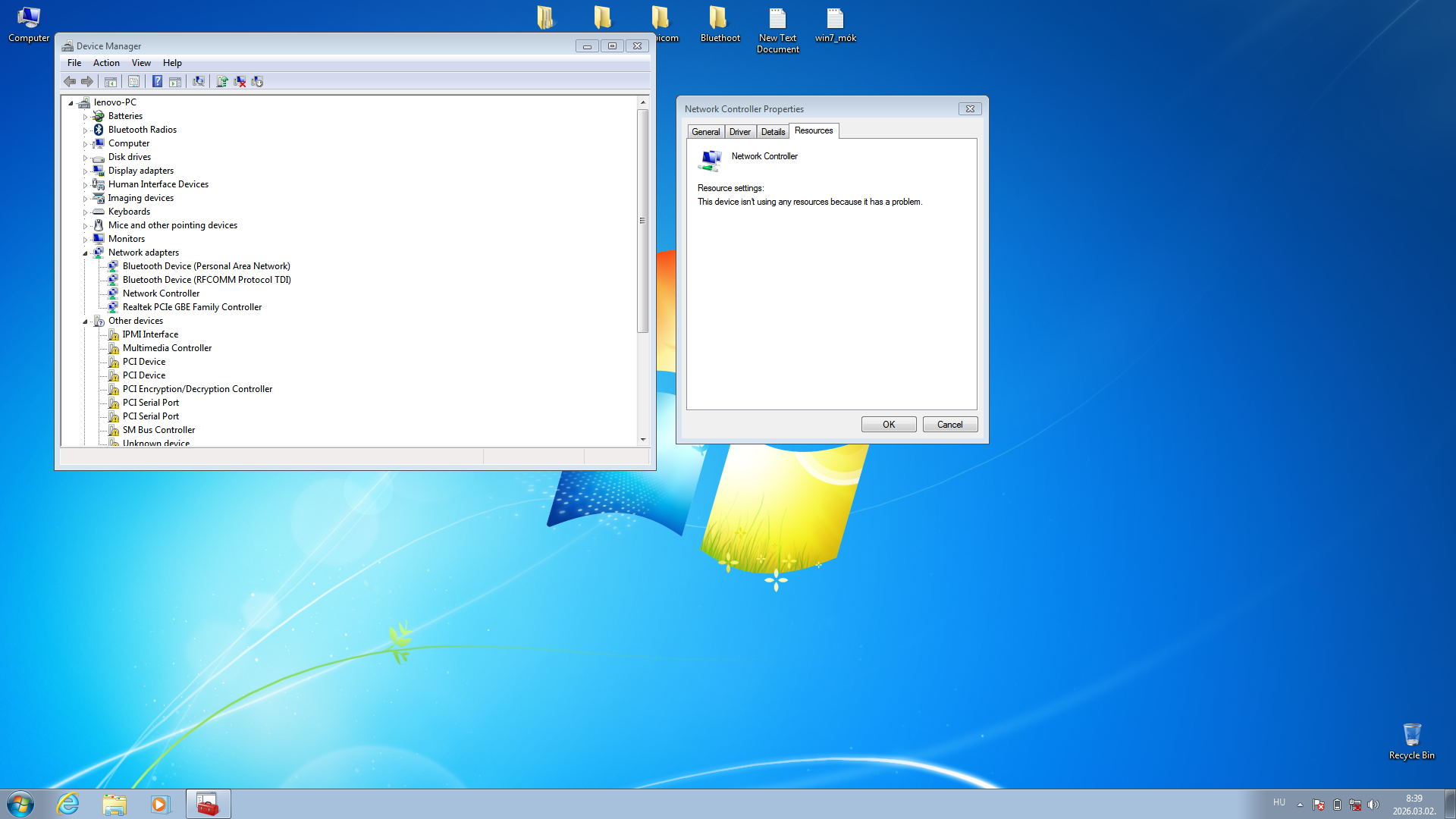
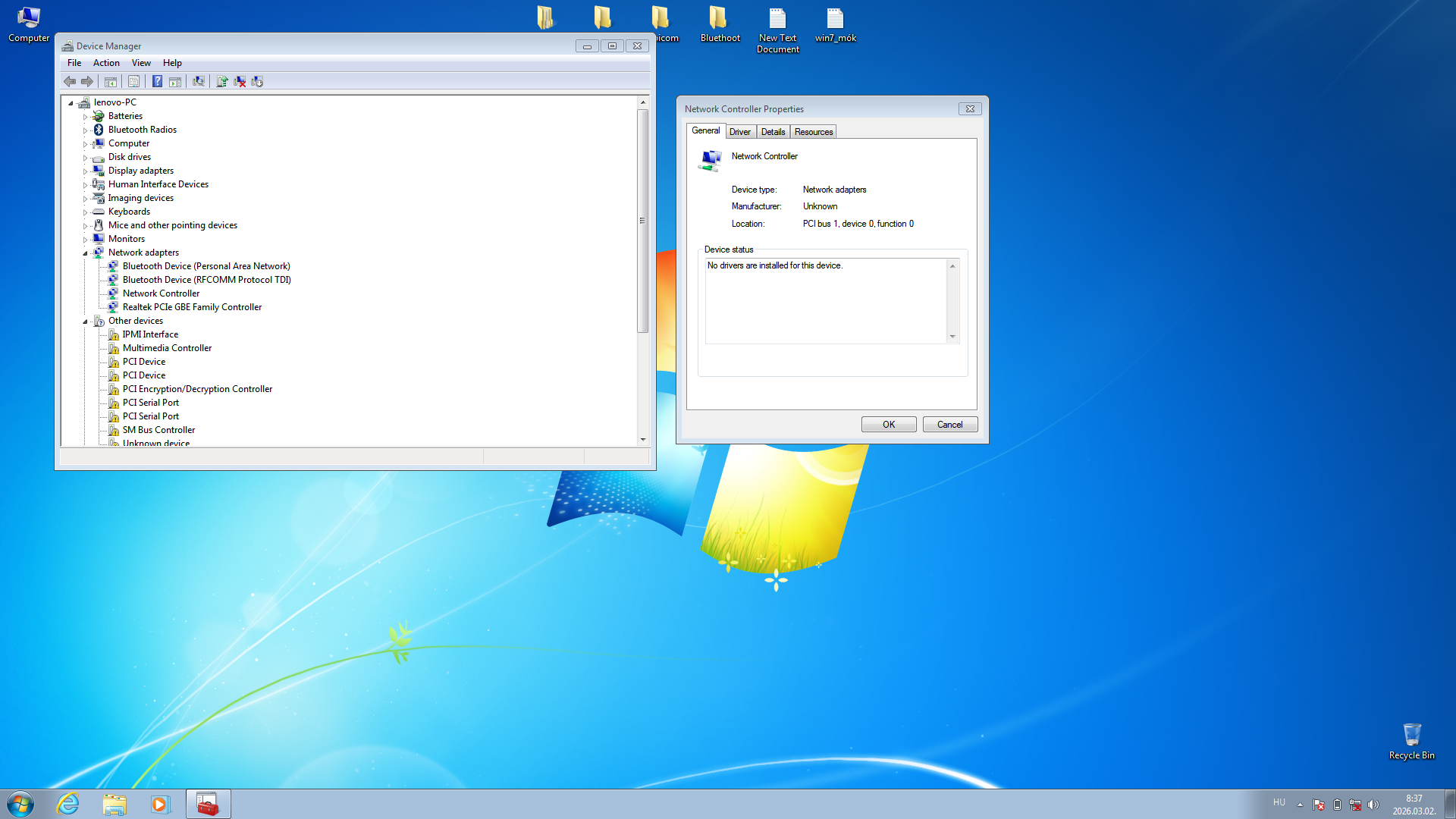
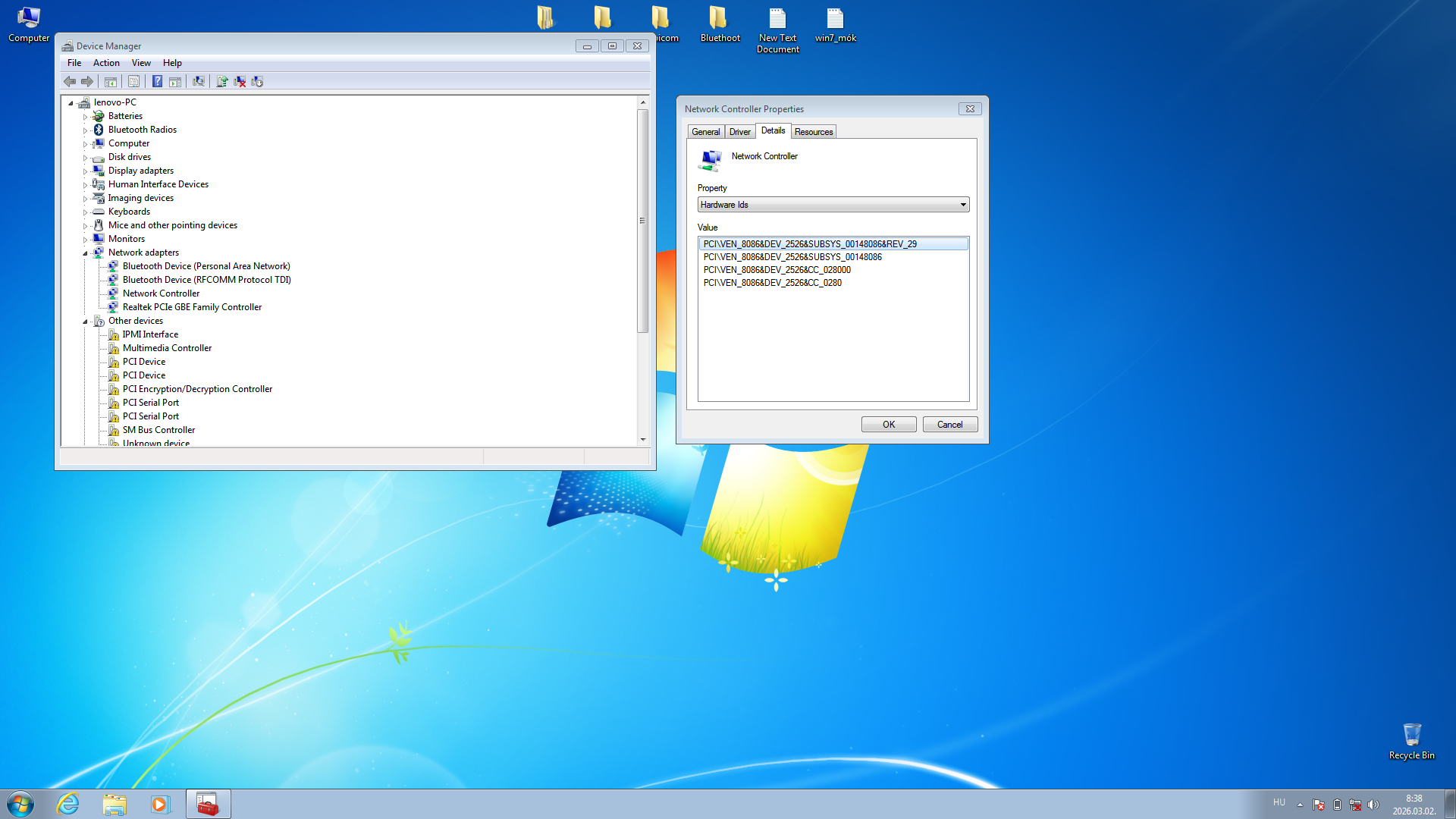
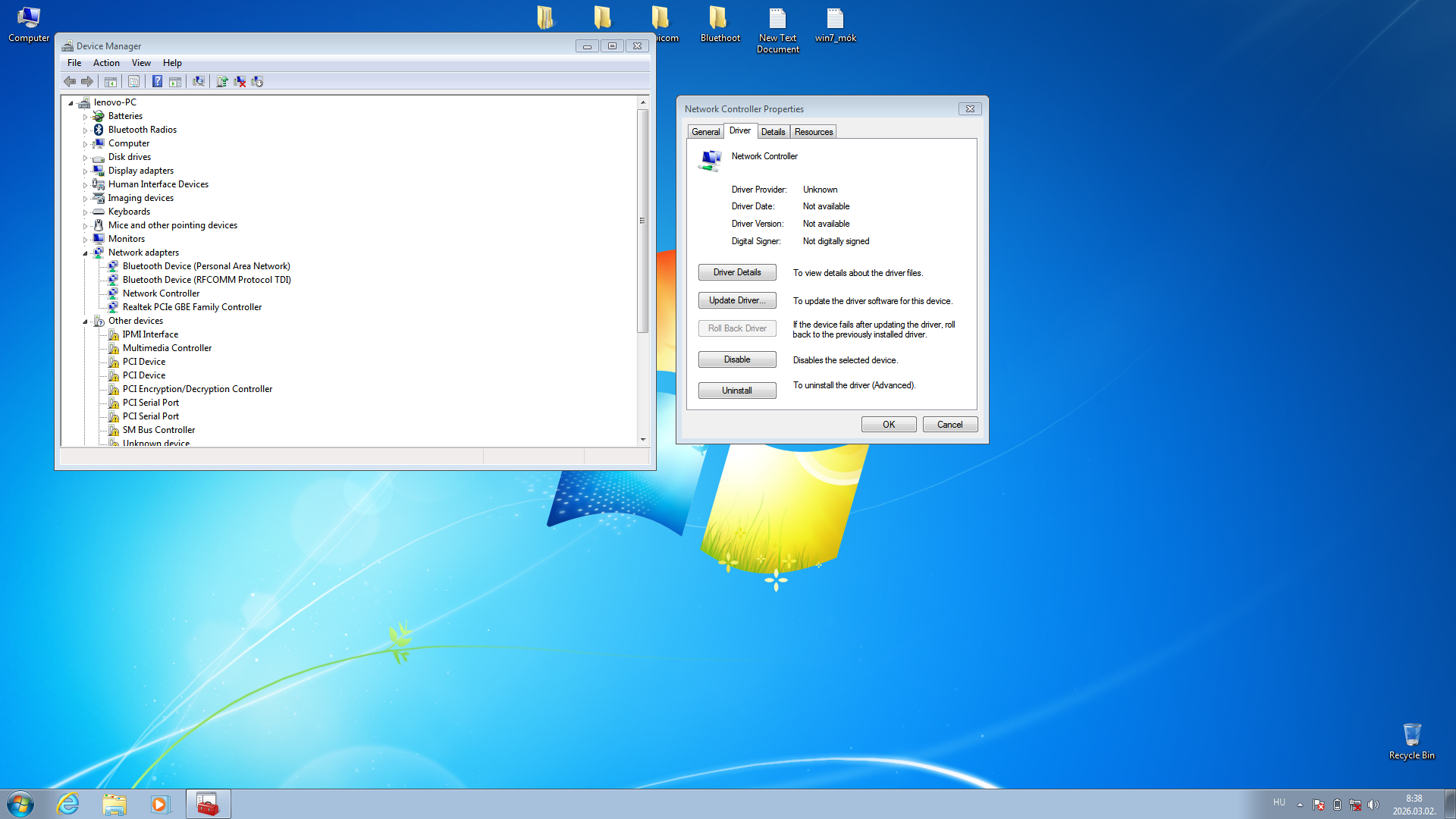
I got stuck too... :/ I couldn’t get from 5 to 6.I tried two drivers as well — one didn’t help at all, and the other one doesn’t run the network card.This is still a fresh installation, that’s why the other devices are marked in yellow!


My Computers

System One System Two

  • Computer type
    Laptop
    Computer Manufacturer/Model Number
    Lenovo ThinkPad X395
    OS
    now win 11, like back win7
    CPU
    amd 3500u
    Motherboard
    Lenovo X395
    Memory
    16GB DDR4 2400Mhz
    Graphics Card(s)
    Amd vega gfx 8
    Hard Drives
    SSD 256 GB Toshiba
    Antivirus
    Comodo
    Browser
    now crhome, later back firefox.
  • Computer type
    PC/Desktop
Back
Top