
Language Issues, japanese showing instead of English

Tricsun

New member
Local time
6:06 AM
Messages
1
I'm not entirely sure how this happened, and i'm pulling my hair out trying to fix it. Many installation programs are showing up in Japanese, as well as / showing as ¥. I've checked the region and languages settings in the control panel, under the keyboards and languages tab, "Display Language" option doesn't show up. Attachment shows the issue i'm having. Any help would be appreciated, if i need to provide more info, i'll try my best. Thanks.
 

Attachments
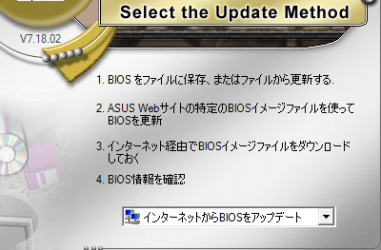
  • Language Problems.png
    Language Problems.png
    31.5 KB · Views: 2

My Computer My Computer

At a glance

Windows 7 Home Premium 64bit
OS
Windows 7 Home Premium 64bit
Same problem

Hey,

Even I am facing the same problem. I bought the parts in japan and assembled it but the OS is in English. While installing drivers the installer was in Japanese. Also my keyboard layout is japanese.

Now the programs which I had in English before are getting installed in Japanese when I am doing the installation. I manually changed the language of some programs but I can't find the option in other as they are all in Japanese. I thought it was taking the location from internet and installed without the internet but they still got installed in Japanese.

How do I stop this? Some help would be really appreciated.
 

My Computer My Computer

At a glance

Windows 7 Ultimate x32
OS
Windows 7 Ultimate x32

My Computer My Computer

At a glance

Windows 7 Ultimate x32
OS
Windows 7 Ultimate x32
Back
Top