baraka607
New member
Here is the Command lines to solve most of the network problems
Start your machine in SAFE MODE
Login as ADMINISTRATOR
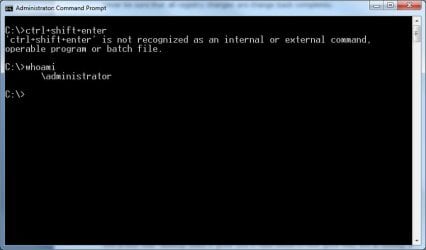
Open cmd.exe
Type in: ctrl+shift+enter" to allow elevation request
Type in again: netsh winsock reset" and press enter
After there you may restart your machine and the network problem will be gone.
Thank you for reading this and remember to vote on top of the thread
Start your machine in SAFE MODE
Login as ADMINISTRATOR
Open cmd.exe
Type in: ctrl+shift+enter" to allow elevation request
Type in again: netsh winsock reset" and press enter
After there you may restart your machine and the network problem will be gone.
Thank you for reading this and remember to vote on top of the thread
Last edited:
My Computer
At a glance
Windows 7 HOME PREMIUM 64-bitIntel(R) Core(TM) i3 CPU M 350 @2.270GHz (4 C...3Gb DDR3Intel HD Graphics
- Computer Manufacturer/Model Number
- P8 PACKARD BELL
- OS
- Windows 7 HOME PREMIUM 64-bit
- CPU
- Intel(R) Core(TM) i3 CPU M 350 @2.270GHz (4 CPUs), ~2.3GHz
- Memory
- 3Gb DDR3
- Graphics Card(s)
- Intel HD Graphics
- Monitor(s) Displays
- 15.6'' 16:9 HD LED LCD
- Hard Drives
- 320 GB