Chkdsk Results, can someone please help?

kbphoto615

New member
Local time
9:16 AM
Messages
21
Hey there guys, I'm new to this forum, hope I'm posting in the right place. Also hope you guys can help me out. Below are results of a read only Chkdsk I ran from a GUI program. It showed some results that I could not get from the standard chkdsk, my computer I believe has some corrupt registry files, although I cannot determine this for sure as I dont really have knowledge about Registry errors and stuff. I can provide more information if needed, just let me know what you guys need to help and again any and all help is appreciated. All info is below. :)

What I've already tried: CCleaner, to analyze, came up with tons of errors, If I knew how to or could I would save the results from that as well and list them here. Again only used to analyze havent cleaned anything yet. Chkdsk from cmd line, as well as from explorer, Tuneup utilities disk utility, all of them would not work. It counts down the chkdsk and freezes at one second. As you know from cmd line it will not run as the disk is in use. ( Drive in question is C: drive). I have ran hardware tests, such as SeaTools ( my hardrive is a Seagate ), Dell PRE boot diagnostics ( this checks RAM and other things, not sure what all exactly), all came up clean. Several virus and malware tests, again all clean. So I'm positive it's not a hardware issue. I have considered a clean install of windows 7, but again Id just like to know what these results mean, and/or any other steps I could take to repair, or figure out what is going on with my system. I have also done an upgrade install of windows 7, this did not fix the problem.

Errors I receive while using system:
Registry hot key errors with certain programs. Very SLOW system, sluggish programs, they stop responding and freeze constantly. My system has 4gigs of RAM and a core duo processor, I'm pretty sure it should handle daily use, and my photoshop program, but lately it does not. When I reboot my system I am automatically booted with a windows classic theme, like from Windows 2000. I can change it but it changes back when I restart. Startup is slow,and I have disabled most startup programs and it is still slow.

CHKDSK GUI Results:

Checkdisk of C: (Read only mode) started !

Started on : 2010/12/11 00:18:32

The type of the file system is NTFS.
The volume is in use by another process. Chkdsk
might report errors when no corruption is present.
Volume label is OS.
WARNING! F parameter not specified.
Running CHKDSK in read-only mode.
CHKDSK is verifying files (stage 1 of 3)...
508672 file records processed.
File verification completed.
8896 large file records processed.
0 bad file records processed.
0 EA records processed.
57 reparse records processed.
CHKDSK is verifying indexes (stage 2 of 3)...
Index entry SY0215~1.GTH in index $I30 of file 1077 is incorrect.
Index entry SY4584~1.CRW in index $I30 of file 1077 is incorrect.
Index entry SystemIndex.5.Crwl in index $I30 of file 1077 is incorrect.
Index entry SystemIndex.5.gthr in index $I30 of file 1077 is incorrect.
Index entry filter_raw.log.1 in index $I30 of file 474590 is incorrect.
Index entry FILTER~1.1 in index $I30 of file 474590 is incorrect.
Index entry SEC8A6~1.JS in index $I30 of file 507247 is incorrect.
Index entry sessionstore.js in index $I30 of file 507247 is incorrect.
615860 index entries processed.
Index verification completed.
Errors found. CHKDSK cannot continue in read-only mode.

Checkdisk of C: (Read only mode) completed !

Ended on : 2010/12/11 00:20:26

Time elapsed : 114 seconds

Also, I know it says corruption may be false while running, but I still dont understand the results. If ANYONE could take a stab at clarifying it would be awesome.
icon_smile.gif
 

My Computer My Computer

At a glance

Windows 7 Home Premium 64bit
Computer Manufacturer/Model Number
Dell Studio XPS 1640
OS
Windows 7 Home Premium 64bit
Hard Drives
320 Seagate

My Computer My Computer

At a glance

Windows 7 x64 pro/ Windows 7 x86 Pro/ XP SP3 x86
Computer Manufacturer/Model Number
Too many to describe...
OS
Windows 7 x64 pro/ Windows 7 x86 Pro/ XP SP3 x86

My Computer My Computer

At a glance

Windows 7 Home Premium 64bit
Computer Manufacturer/Model Number
Dell Studio XPS 1640
OS
Windows 7 Home Premium 64bit
Hard Drives
320 Seagate
If you insist....

1) First of all, why are you running chkdsk in read only mode? Run CHKDSK /R /F from an elevated Command Prompt (that way it'll fix any errors it finds). When it says it can't do it right now and asks if you'd like to do it at the next reboot, answer Y, then press Enter. Then reboot and let the test run.

http://www.sevenforums.com/tutorials/783-elevated-command-prompt.html?ltr=E

2) Regarding CCleaner, it has 2 cleaning modes- regular and registry. Regular cleans out temp files and other unnecessary files depending on what you have checked in the options. The registry scanner brings up obsolete and orphaned entries. These are left over entries from uninstalled programs, this is what you are seeing. In my experience these are completely safe to remove, but if you want to be extra careful you can backup before cleaning- CCleaner gives you that option.

3) As for other problems such as sluggish computer etc., these could be caused by any no. of issues such as driver conflicts, obsolete versions of programs, corrupted system files and malware. There are various diagnostic methods to help identify and fix such problems. E.g. a clean boot (starting windows with minimal drivers) or safe mode will help identify driver issues, sfc scan will fix whatever corrupted system files it can etc.
 

My Computer My Computer

At a glance

Windows 7 x64 pro/ Windows 7 x86 Pro/ XP SP3 x86
Computer Manufacturer/Model Number
Too many to describe...
OS
Windows 7 x64 pro/ Windows 7 x86 Pro/ XP SP3 x86
If you insist....

1) First of all, why are you running chkdsk in read only mode? Run CHKDSK /R /F from an elevated Command Prompt (that way it'll fix any errors it finds). When it says it can't do it right now and asks if you'd like to do it at the next reboot, answer Y, then press Enter. Then reboot and let the test run.

http://www.sevenforums.com/tutorials/783-elevated-command-prompt.html?ltr=E

2) Regarding CCleaner, it has 2 cleaning modes- regular and registry. Regular cleans out temp files and other unnecessary files depending on what you have checked in the options. The registry scanner brings up obsolete and orphaned entries. These are left over entries from uninstalled programs, this is what you are seeing. In my experience these are completely safe to remove, but if you want to be extra careful you can backup before cleaning- CCleaner gives you that option.

3) As for other problems such as sluggish computer etc., these could be caused by any no. of issues such as driver conflicts, obsolete versions of programs, corrupted system files and malware. There are various diagnostic methods to help identify and fix such problems. E.g. a clean boot (starting windows with minimal drivers) or safe mode will help identify driver issues, sfc scan will fix whatever corrupted system files it can etc.

Im convinced people refuse to answer registry issue questions, either lack of knowledge or lack of want to help, as i know the subject is a tricky and complicated one. :( But thanks for the info, unfortunately it's all useless and already well known. I stated the issues above, I also stated the steps Ive tried. I have ran chkdsk ALL ways. It does not run, from an elevated cmd promt, from c:>properties>chkdsk, from tuneup utilities disk checker, any way I try it, again as stated above i reboot, it starts, it counts down from " hit any key to skip scan in 3..2..1.. " and freezes at one. I do not hit any keys, I do nothing and yet it still skips or does not work at all. I either reboot or the system does it for me, but chkdsk does not run no matter how you slice it, unless I run it from a 3rd party GUI software I downloaded, and again I did read-only because that is the only way it would run. I KNOW it's a registry issue, error logs show it, what I dont know is how to identify said corrupted files, or what the results above mean. I cannot decipher these results, even if chkdsk had completed fully. I thought the results above would atleast give some insight to other members, and they would attempt to clarify what files/folders, and/or what section they are in, or how the files got corrupted. OR Even how to repair said files. ( without doing a clean install or reformat. ) Also it is most certainly not virus or malware.
So yeah, thanks, but doesnt help. Sry. You didnt at all attempt to clarify the errors, and I do not know how to restate the question or post in order for you to understand what information Im trying to get. Thanks again though. Maybe someone else can help me.
 

My Computer My Computer

At a glance

Windows 7 Home Premium 64bit
Computer Manufacturer/Model Number
Dell Studio XPS 1640
OS
Windows 7 Home Premium 64bit
Hard Drives
320 Seagate
Perform a SFC Scan

1. Click Start, click All Programs, click Accessories, right-click Command Prompt, and then click Run as administrator. If you are prompted for an administrator password or for a confirmation, type the password, or click Allow

2. Type the following command, and then press ENTER:

sfc /scannow

A message will appear stating that 'The system scan will begin'. Be patient because the scan may take some time

3. If any files require a replace SFC will replace them. You may be asked to insert your Windows 7 DVD for this process to continue

4. If everything is okay you should, after the scan, see the following message "Windows resource protection did not find any integrity violations"

5. After the scan has completed, close the command prompt window, restart the computer and check.

more information here :ar: How to use the System File Checker tool to troubleshoot missing or corrupted system files on Windows Vista or on Windows 7
 

My Computer My Computer

At a glance

Operating System : Windows 7 Home Premium Edi...Processor : Intel Core 2 Quad Q8300 @ 2500 MHzPhysical Memory :8GB Corsair4x 2GB 800MHz C5 ...Video Card : XFX 6700 AMD
Computer Manufacturer/Model Number
packard bell IXTREME M5722
OS
Operating System : Windows 7 Home Premium Edition 6.01.7600 SP1 (x64)
CPU
Processor : Intel Core 2 Quad Q8300 @ 2500 MHz
Motherboard
Mainboard : Packard Bell (Acer EG43M )
Memory
Physical Memory :8GB Corsair4x 2GB 800MHz C5 DDR2
Graphics Card(s)
Video Card : XFX 6700 AMD
Monitor(s) Displays
Maestro 234DL - BenQ V2220 - BenQ VW2420H
Screen Resolution
Current Display :1920x1080p pixels at 60 Hz in HD LED
Hard Drives
Hard Disks : WDC (1000 GB)
Drive C: (Hard Disk) : 428 GB available on 491 GB
Drive D: (Hard Disk) : 426 GB available on 492 GB
SAMSUNG spinpoint HD103SJ 1000.2 GB
(X 2) KINGSTON SSD NOW V 30GB
PSU
XFX ProSeries 550W PSU
Case
PACKARD BELL IXTREME
Cooling
System Blower Current: 150mA Air Flow16CFM ;Akasa 90mm rear
Keyboard
Gigabyte Aivia K8100
Mouse
TRUST-Wireless Laser Mouse - Carbon edition MI-7770C
Internet Speed
TP-LINK > TL-WN951N / AV500 Gigabit Powerline Adapters
Browser
chrome dev
Other Info
EXTRA COOLING>(FAN CONTROLLER) PC Bay Cooler 3 x 40mm fans; Akasa AK-HD-BL Blue hard drive cooler 2 x 40 mm fan 4500 rpm 29.7 dBA
Bios> American Megatrends Inc.
Version : P01-A1
Date : 08/31/2009
also have you ran a antivirus program complete scan of system and files?
 

My Computer My Computer

At a glance

Operating System : Windows 7 Home Premium Edi...Processor : Intel Core 2 Quad Q8300 @ 2500 MHzPhysical Memory :8GB Corsair4x 2GB 800MHz C5 ...Video Card : XFX 6700 AMD
Computer Manufacturer/Model Number
packard bell IXTREME M5722
OS
Operating System : Windows 7 Home Premium Edition 6.01.7600 SP1 (x64)
CPU
Processor : Intel Core 2 Quad Q8300 @ 2500 MHz
Motherboard
Mainboard : Packard Bell (Acer EG43M )
Memory
Physical Memory :8GB Corsair4x 2GB 800MHz C5 DDR2
Graphics Card(s)
Video Card : XFX 6700 AMD
Monitor(s) Displays
Maestro 234DL - BenQ V2220 - BenQ VW2420H
Screen Resolution
Current Display :1920x1080p pixels at 60 Hz in HD LED
Hard Drives
Hard Disks : WDC (1000 GB)
Drive C: (Hard Disk) : 428 GB available on 491 GB
Drive D: (Hard Disk) : 426 GB available on 492 GB
SAMSUNG spinpoint HD103SJ 1000.2 GB
(X 2) KINGSTON SSD NOW V 30GB
PSU
XFX ProSeries 550W PSU
Case
PACKARD BELL IXTREME
Cooling
System Blower Current: 150mA Air Flow16CFM ;Akasa 90mm rear
Keyboard
Gigabyte Aivia K8100
Mouse
TRUST-Wireless Laser Mouse - Carbon edition MI-7770C
Internet Speed
TP-LINK > TL-WN951N / AV500 Gigabit Powerline Adapters
Browser
chrome dev
Other Info
EXTRA COOLING>(FAN CONTROLLER) PC Bay Cooler 3 x 40mm fans; Akasa AK-HD-BL Blue hard drive cooler 2 x 40 mm fan 4500 rpm 29.7 dBA
Bios> American Megatrends Inc.
Version : P01-A1
Date : 08/31/2009
If you insist....

1) First of all, why are you running chkdsk in read only mode? Run CHKDSK /R /F from an elevated Command Prompt (that way it'll fix any errors it finds). When it says it can't do it right now and asks if you'd like to do it at the next reboot, answer Y, then press Enter. Then reboot and let the test run.

http://www.sevenforums.com/tutorials/783-elevated-command-prompt.html?ltr=E

2) Regarding CCleaner, it has 2 cleaning modes- regular and registry. Regular cleans out temp files and other unnecessary files depending on what you have checked in the options. The registry scanner brings up obsolete and orphaned entries. These are left over entries from uninstalled programs, this is what you are seeing. In my experience these are completely safe to remove, but if you want to be extra careful you can backup before cleaning- CCleaner gives you that option.

3) As for other problems such as sluggish computer etc., these could be caused by any no. of issues such as driver conflicts, obsolete versions of programs, corrupted system files and malware. There are various diagnostic methods to help identify and fix such problems. E.g. a clean boot (starting windows with minimal drivers) or safe mode will help identify driver issues, sfc scan will fix whatever corrupted system files it can etc.

this is sound advice to use from bill2 make sure you are using the windows repair options while you are in admin rights
 

My Computer My Computer

At a glance

Operating System : Windows 7 Home Premium Edi...Processor : Intel Core 2 Quad Q8300 @ 2500 MHzPhysical Memory :8GB Corsair4x 2GB 800MHz C5 ...Video Card : XFX 6700 AMD
Computer Manufacturer/Model Number
packard bell IXTREME M5722
OS
Operating System : Windows 7 Home Premium Edition 6.01.7600 SP1 (x64)
CPU
Processor : Intel Core 2 Quad Q8300 @ 2500 MHz
Motherboard
Mainboard : Packard Bell (Acer EG43M )
Memory
Physical Memory :8GB Corsair4x 2GB 800MHz C5 DDR2
Graphics Card(s)
Video Card : XFX 6700 AMD
Monitor(s) Displays
Maestro 234DL - BenQ V2220 - BenQ VW2420H
Screen Resolution
Current Display :1920x1080p pixels at 60 Hz in HD LED
Hard Drives
Hard Disks : WDC (1000 GB)
Drive C: (Hard Disk) : 428 GB available on 491 GB
Drive D: (Hard Disk) : 426 GB available on 492 GB
SAMSUNG spinpoint HD103SJ 1000.2 GB
(X 2) KINGSTON SSD NOW V 30GB
PSU
XFX ProSeries 550W PSU
Case
PACKARD BELL IXTREME
Cooling
System Blower Current: 150mA Air Flow16CFM ;Akasa 90mm rear
Keyboard
Gigabyte Aivia K8100
Mouse
TRUST-Wireless Laser Mouse - Carbon edition MI-7770C
Internet Speed
TP-LINK > TL-WN951N / AV500 Gigabit Powerline Adapters
Browser
chrome dev
Other Info
EXTRA COOLING>(FAN CONTROLLER) PC Bay Cooler 3 x 40mm fans; Akasa AK-HD-BL Blue hard drive cooler 2 x 40 mm fan 4500 rpm 29.7 dBA
Bios> American Megatrends Inc.
Version : P01-A1
Date : 08/31/2009
Perform a SFC Scan

1. Click Start, click All Programs, click Accessories, right-click Command Prompt, and then click Run as administrator. If you are prompted for an administrator password or for a confirmation, type the password, or click Allow

2. Type the following command, and then press ENTER:

sfc /scannow

A message will appear stating that 'The system scan will begin'. Be patient because the scan may take some time

3. If any files require a replace SFC will replace them. You may be asked to insert your Windows 7 DVD for this process to continue

4. If everything is okay you should, after the scan, see the following message "Windows resource protection did not find any integrity violations"

5. After the scan has completed, close the command prompt window, restart the computer and check.

more information here :ar: How to use the System File Checker tool to troubleshoot missing or corrupted system files on Windows Vista or on Windows 7

Ok this is my bad, I didnt list all the cmd lines I already tried. But I have tried that as well. To no success. This morning I FINALLY got Chkdsk to run from the GUI I mentioned about. No problems showed, again no problems. It said drive was clean and rebooted like normal. This cant be right, as I'm still having the slow and sluggish issues.
Also if you read the whole post, I have tried several manual and automatic virus and malware scans, searching files including but not limited to the system files. Again this isnt a virus type issue, nor a hardware one. :( Anyway I guess since chkdsk came up ok there isnt really anything else I can do huh?
The system is still messing up, same problems although Im not getting the hotkey errors anymore. I go to check my event viewer and for some reason it only shows up until 11/12/10, thats obviously not the date today, where are all my logs from then until 12/11/10?
 

My Computer My Computer

At a glance

Windows 7 Home Premium 64bit
Computer Manufacturer/Model Number
Dell Studio XPS 1640
OS
Windows 7 Home Premium 64bit
Hard Drives
320 Seagate
yes i have had funny things happen registry keys get messed up the best way sometimes is to system restore:mad:
 

My Computer My Computer

At a glance

Operating System : Windows 7 Home Premium Edi...Processor : Intel Core 2 Quad Q8300 @ 2500 MHzPhysical Memory :8GB Corsair4x 2GB 800MHz C5 ...Video Card : XFX 6700 AMD
Computer Manufacturer/Model Number
packard bell IXTREME M5722
OS
Operating System : Windows 7 Home Premium Edition 6.01.7600 SP1 (x64)
CPU
Processor : Intel Core 2 Quad Q8300 @ 2500 MHz
Motherboard
Mainboard : Packard Bell (Acer EG43M )
Memory
Physical Memory :8GB Corsair4x 2GB 800MHz C5 DDR2
Graphics Card(s)
Video Card : XFX 6700 AMD
Monitor(s) Displays
Maestro 234DL - BenQ V2220 - BenQ VW2420H
Screen Resolution
Current Display :1920x1080p pixels at 60 Hz in HD LED
Hard Drives
Hard Disks : WDC (1000 GB)
Drive C: (Hard Disk) : 428 GB available on 491 GB
Drive D: (Hard Disk) : 426 GB available on 492 GB
SAMSUNG spinpoint HD103SJ 1000.2 GB
(X 2) KINGSTON SSD NOW V 30GB
PSU
XFX ProSeries 550W PSU
Case
PACKARD BELL IXTREME
Cooling
System Blower Current: 150mA Air Flow16CFM ;Akasa 90mm rear
Keyboard
Gigabyte Aivia K8100
Mouse
TRUST-Wireless Laser Mouse - Carbon edition MI-7770C
Internet Speed
TP-LINK > TL-WN951N / AV500 Gigabit Powerline Adapters
Browser
chrome dev
Other Info
EXTRA COOLING>(FAN CONTROLLER) PC Bay Cooler 3 x 40mm fans; Akasa AK-HD-BL Blue hard drive cooler 2 x 40 mm fan 4500 rpm 29.7 dBA
Bios> American Megatrends Inc.
Version : P01-A1
Date : 08/31/2009

My Computer My Computer

At a glance

Windows7 Pro 64bit SP-1; Windows XP Pro 32bitIntel Core i7-870 Lynnfield 2.93GHz LGA 1156 ...8GB@1400MHz Crucial Ballistix DDR3-1600 4x2GBASUS ENGTX460 DirectCU/2DI/1GD5 1GB 256-bit G...
Computer Manufacturer/Model Number
Hopalong/ Godzilla
OS
Windows7 Pro 64bit SP-1; Windows XP Pro 32bit
CPU
Intel Core i7-870 Lynnfield 2.93GHz LGA 1156 95W Quad-Core
Motherboard
ASUS P7P55D-E PRO
Memory
8GB@1400MHz Crucial Ballistix DDR3-1600 4x2GB
Graphics Card(s)
ASUS ENGTX460 DirectCU/2DI/1GD5 1GB 256-bit GDDR5
Sound Card
VIA Onboard
Monitor(s) Displays
Asus VS248H-P 24"; Samsung SyncMaster 941BW 19"ws
Screen Resolution
1920x1080; 1440x900
Hard Drives
Samsung 830 120GB SSD
Intel 320 120GB SSD
Western Digital Caviar Black WD7501AALS 750GB 7200 RPM SATA 3.0Gb/s
Western Digital Caviar Black WD6401AALS 640GB 7200 RPM SATA 3.0Gb/s
PSU
COOLER MASTER Silent Pro RS850-AMBAJ3-US 850W Modular
Case
COOLER MASTER HAF 932 RC-932-KKN5-GP Black
Cooling
Scythe "Mugen-2 Rev.B" (2 ScytheKaze-Jyuni PWM fans)
Keyboard
Logitech K-320
Mouse
Kensington
Antivirus
Avast Inernet Suite
Browser
IE 9 ; Chrome
yes i have had funny things happen registry keys get messed up the best way sometimes is to system restore:mad:

I have located the right dates in my event viewer, my pc is def. still having problems. is there a way to save the even viewer logs in a text file and attatch them here so you guys can check it out?
 

My Computer My Computer

At a glance

Windows 7 Home Premium 64bit
Computer Manufacturer/Model Number
Dell Studio XPS 1640
OS
Windows 7 Home Premium 64bit
Hard Drives
320 Seagate
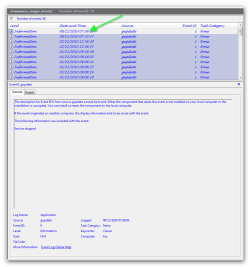
yes right click where the arrow is in my pic and choose save selected text in the context window and another window will open to save the file in documents etc. and name it, and save it, and upload the file
 

Attachments

  • Snap_2010.12.11 21.31.41_001.png
    Snap_2010.12.11 21.31.41_001.png
    21.5 KB · Views: 13

My Computer My Computer

At a glance

Operating System : Windows 7 Home Premium Edi...Processor : Intel Core 2 Quad Q8300 @ 2500 MHzPhysical Memory :8GB Corsair4x 2GB 800MHz C5 ...Video Card : XFX 6700 AMD
Computer Manufacturer/Model Number
packard bell IXTREME M5722
OS
Operating System : Windows 7 Home Premium Edition 6.01.7600 SP1 (x64)
CPU
Processor : Intel Core 2 Quad Q8300 @ 2500 MHz
Motherboard
Mainboard : Packard Bell (Acer EG43M )
Memory
Physical Memory :8GB Corsair4x 2GB 800MHz C5 DDR2
Graphics Card(s)
Video Card : XFX 6700 AMD
Monitor(s) Displays
Maestro 234DL - BenQ V2220 - BenQ VW2420H
Screen Resolution
Current Display :1920x1080p pixels at 60 Hz in HD LED
Hard Drives
Hard Disks : WDC (1000 GB)
Drive C: (Hard Disk) : 428 GB available on 491 GB
Drive D: (Hard Disk) : 426 GB available on 492 GB
SAMSUNG spinpoint HD103SJ 1000.2 GB
(X 2) KINGSTON SSD NOW V 30GB
PSU
XFX ProSeries 550W PSU
Case
PACKARD BELL IXTREME
Cooling
System Blower Current: 150mA Air Flow16CFM ;Akasa 90mm rear
Keyboard
Gigabyte Aivia K8100
Mouse
TRUST-Wireless Laser Mouse - Carbon edition MI-7770C
Internet Speed
TP-LINK > TL-WN951N / AV500 Gigabit Powerline Adapters
Browser
chrome dev
Other Info
EXTRA COOLING>(FAN CONTROLLER) PC Bay Cooler 3 x 40mm fans; Akasa AK-HD-BL Blue hard drive cooler 2 x 40 mm fan 4500 rpm 29.7 dBA
Bios> American Megatrends Inc.
Version : P01-A1
Date : 08/31/2009
yes right click where the arrow is in my pic and choose save selected text in the context window and another window will open to save the file in documents etc. and name it, and save it, and upload the file


I have attatched the text file the only way I know how, i hope this helps.
 

Attachments

My Computer My Computer

At a glance

Windows 7 Home Premium 64bit
Computer Manufacturer/Model Number
Dell Studio XPS 1640
OS
Windows 7 Home Premium 64bit
Hard Drives
320 Seagate
thats a lot of reports to read try and look at just the critical errors in the time stamp when your trouble began. are you using tuneup utilities ?
 

My Computer My Computer

At a glance

Operating System : Windows 7 Home Premium Edi...Processor : Intel Core 2 Quad Q8300 @ 2500 MHzPhysical Memory :8GB Corsair4x 2GB 800MHz C5 ...Video Card : XFX 6700 AMD
Computer Manufacturer/Model Number
packard bell IXTREME M5722
OS
Operating System : Windows 7 Home Premium Edition 6.01.7600 SP1 (x64)
CPU
Processor : Intel Core 2 Quad Q8300 @ 2500 MHz
Motherboard
Mainboard : Packard Bell (Acer EG43M )
Memory
Physical Memory :8GB Corsair4x 2GB 800MHz C5 DDR2
Graphics Card(s)
Video Card : XFX 6700 AMD
Monitor(s) Displays
Maestro 234DL - BenQ V2220 - BenQ VW2420H
Screen Resolution
Current Display :1920x1080p pixels at 60 Hz in HD LED
Hard Drives
Hard Disks : WDC (1000 GB)
Drive C: (Hard Disk) : 428 GB available on 491 GB
Drive D: (Hard Disk) : 426 GB available on 492 GB
SAMSUNG spinpoint HD103SJ 1000.2 GB
(X 2) KINGSTON SSD NOW V 30GB
PSU
XFX ProSeries 550W PSU
Case
PACKARD BELL IXTREME
Cooling
System Blower Current: 150mA Air Flow16CFM ;Akasa 90mm rear
Keyboard
Gigabyte Aivia K8100
Mouse
TRUST-Wireless Laser Mouse - Carbon edition MI-7770C
Internet Speed
TP-LINK > TL-WN951N / AV500 Gigabit Powerline Adapters
Browser
chrome dev
Other Info
EXTRA COOLING>(FAN CONTROLLER) PC Bay Cooler 3 x 40mm fans; Akasa AK-HD-BL Blue hard drive cooler 2 x 40 mm fan 4500 rpm 29.7 dBA
Bios> American Megatrends Inc.
Version : P01-A1
Date : 08/31/2009

My Computer My Computer

At a glance

Operating System : Windows 7 Home Premium Edi...Processor : Intel Core 2 Quad Q8300 @ 2500 MHzPhysical Memory :8GB Corsair4x 2GB 800MHz C5 ...Video Card : XFX 6700 AMD
Computer Manufacturer/Model Number
packard bell IXTREME M5722
OS
Operating System : Windows 7 Home Premium Edition 6.01.7600 SP1 (x64)
CPU
Processor : Intel Core 2 Quad Q8300 @ 2500 MHz
Motherboard
Mainboard : Packard Bell (Acer EG43M )
Memory
Physical Memory :8GB Corsair4x 2GB 800MHz C5 DDR2
Graphics Card(s)
Video Card : XFX 6700 AMD
Monitor(s) Displays
Maestro 234DL - BenQ V2220 - BenQ VW2420H
Screen Resolution
Current Display :1920x1080p pixels at 60 Hz in HD LED
Hard Drives
Hard Disks : WDC (1000 GB)
Drive C: (Hard Disk) : 428 GB available on 491 GB
Drive D: (Hard Disk) : 426 GB available on 492 GB
SAMSUNG spinpoint HD103SJ 1000.2 GB
(X 2) KINGSTON SSD NOW V 30GB
PSU
XFX ProSeries 550W PSU
Case
PACKARD BELL IXTREME
Cooling
System Blower Current: 150mA Air Flow16CFM ;Akasa 90mm rear
Keyboard
Gigabyte Aivia K8100
Mouse
TRUST-Wireless Laser Mouse - Carbon edition MI-7770C
Internet Speed
TP-LINK > TL-WN951N / AV500 Gigabit Powerline Adapters
Browser
chrome dev
Other Info
EXTRA COOLING>(FAN CONTROLLER) PC Bay Cooler 3 x 40mm fans; Akasa AK-HD-BL Blue hard drive cooler 2 x 40 mm fan 4500 rpm 29.7 dBA
Bios> American Megatrends Inc.
Version : P01-A1
Date : 08/31/2009

My Computer My Computer

At a glance

Operating System : Windows 7 Home Premium Edi...Processor : Intel Core 2 Quad Q8300 @ 2500 MHzPhysical Memory :8GB Corsair4x 2GB 800MHz C5 ...Video Card : XFX 6700 AMD
Computer Manufacturer/Model Number
packard bell IXTREME M5722
OS
Operating System : Windows 7 Home Premium Edition 6.01.7600 SP1 (x64)
CPU
Processor : Intel Core 2 Quad Q8300 @ 2500 MHz
Motherboard
Mainboard : Packard Bell (Acer EG43M )
Memory
Physical Memory :8GB Corsair4x 2GB 800MHz C5 DDR2
Graphics Card(s)
Video Card : XFX 6700 AMD
Monitor(s) Displays
Maestro 234DL - BenQ V2220 - BenQ VW2420H
Screen Resolution
Current Display :1920x1080p pixels at 60 Hz in HD LED
Hard Drives
Hard Disks : WDC (1000 GB)
Drive C: (Hard Disk) : 428 GB available on 491 GB
Drive D: (Hard Disk) : 426 GB available on 492 GB
SAMSUNG spinpoint HD103SJ 1000.2 GB
(X 2) KINGSTON SSD NOW V 30GB
PSU
XFX ProSeries 550W PSU
Case
PACKARD BELL IXTREME
Cooling
System Blower Current: 150mA Air Flow16CFM ;Akasa 90mm rear
Keyboard
Gigabyte Aivia K8100
Mouse
TRUST-Wireless Laser Mouse - Carbon edition MI-7770C
Internet Speed
TP-LINK > TL-WN951N / AV500 Gigabit Powerline Adapters
Browser
chrome dev
Other Info
EXTRA COOLING>(FAN CONTROLLER) PC Bay Cooler 3 x 40mm fans; Akasa AK-HD-BL Blue hard drive cooler 2 x 40 mm fan 4500 rpm 29.7 dBA
Bios> American Megatrends Inc.
Version : P01-A1
Date : 08/31/2009
I THINK YOUR PC IS INFECTED WITH A TROJAN SO I WOULD RE-INSTALL WINDOWS AND PUT A GOOD SECURITY PROGRAM ON LIKE MICROSOFT'S FREE ONE :ar: http://www.microsoft.com/security_essentials/

I believe the trojans are keygens I used. Gonna be honest here I didnt pay for photoshop. But it could be a trojan, although i doubt it. I have done SEVERAL virus and malware scans though guys. I mean tons. I use Microsoft security essentials, used to use Avira. Also cscanned on Trend Micros site. As for malware, I did a scan with Malwarebytes, as well as SUPERantispyware. Also in another forum a member told me download a Trojan remover, i scanned with it and the only thing it came up with was the keygen. Is there a way to find out if that trojan is a keygen or not? honestly guys im probably just gonna go ahead with the reinstall. There really are tons of errors. But before I do so. how can I ensure everything is backed up properly, and it does not backup the corrupted files/viruses if there are any?
 

My Computer My Computer

At a glance

Windows 7 Home Premium 64bit
Computer Manufacturer/Model Number
Dell Studio XPS 1640
OS
Windows 7 Home Premium 64bit
Hard Drives
320 Seagate
thats a lot of reports to read try and look at just the critical errors in the time stamp when your trouble began. are you using tuneup utilities ?

I do use TuneUp. Although since ive run into the problems lately ive only used it for themes. Nothing performance or cleaning wise. Is this a bad program? I've loved it, and I do not think it is what caused the problems. Even when I did use it to clean the registry, the errors were always missing shortcuts or something along those lines, me not being an IT Tech, I cant say for sure, but I dont think it ever deleted anything of importance. Could be wrong though.

Also If your leaning towards a registry restore, I have had no luck finding out how to do this with Tune Up registry backups, because I cannot find them. Is it possible? If so, will I loose any data if i do restore the registry ( edited photographs since the time of the backup, programs, but mainly my pictures ) ?
 

My Computer My Computer

At a glance

Windows 7 Home Premium 64bit
Computer Manufacturer/Model Number
Dell Studio XPS 1640
OS
Windows 7 Home Premium 64bit
Hard Drives
320 Seagate
i would uninstall and reinstall it wont hurt back up all your data you need of course i use this program Belarc Advisor - Free Personal PC Audit it will scan your system and give you a report of everything about your system so you no what programs you have etc comes in handy for reinstalls so you have a list of your programs you can just reinstall from there web sites i copy and print mine. the link here :ar: http://www.belarc.com/free_download.html
 

My Computer My Computer

At a glance

Operating System : Windows 7 Home Premium Edi...Processor : Intel Core 2 Quad Q8300 @ 2500 MHzPhysical Memory :8GB Corsair4x 2GB 800MHz C5 ...Video Card : XFX 6700 AMD
Computer Manufacturer/Model Number
packard bell IXTREME M5722
OS
Operating System : Windows 7 Home Premium Edition 6.01.7600 SP1 (x64)
CPU
Processor : Intel Core 2 Quad Q8300 @ 2500 MHz
Motherboard
Mainboard : Packard Bell (Acer EG43M )
Memory
Physical Memory :8GB Corsair4x 2GB 800MHz C5 DDR2
Graphics Card(s)
Video Card : XFX 6700 AMD
Monitor(s) Displays
Maestro 234DL - BenQ V2220 - BenQ VW2420H
Screen Resolution
Current Display :1920x1080p pixels at 60 Hz in HD LED
Hard Drives
Hard Disks : WDC (1000 GB)
Drive C: (Hard Disk) : 428 GB available on 491 GB
Drive D: (Hard Disk) : 426 GB available on 492 GB
SAMSUNG spinpoint HD103SJ 1000.2 GB
(X 2) KINGSTON SSD NOW V 30GB
PSU
XFX ProSeries 550W PSU
Case
PACKARD BELL IXTREME
Cooling
System Blower Current: 150mA Air Flow16CFM ;Akasa 90mm rear
Keyboard
Gigabyte Aivia K8100
Mouse
TRUST-Wireless Laser Mouse - Carbon edition MI-7770C
Internet Speed
TP-LINK > TL-WN951N / AV500 Gigabit Powerline Adapters
Browser
chrome dev
Other Info
EXTRA COOLING>(FAN CONTROLLER) PC Bay Cooler 3 x 40mm fans; Akasa AK-HD-BL Blue hard drive cooler 2 x 40 mm fan 4500 rpm 29.7 dBA
Bios> American Megatrends Inc.
Version : P01-A1
Date : 08/31/2009
Back
Top