HTC Home for Windows
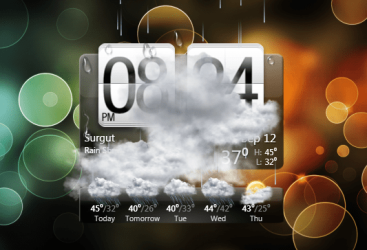
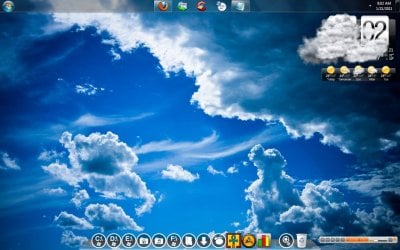
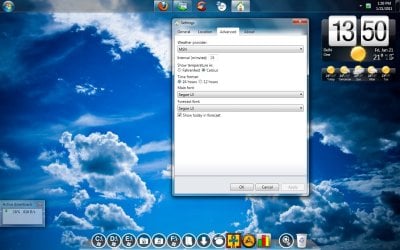
A nice clock and weather widget, which is the same as what's used on HTC mobile phones. It goes quite well with aero theme, and can be customised to start on startup, the size can be changed, the weather animation (the clouds you see on the image) can be disabled.
It's a nice looking gadget and worth a look.
It doesn't install like your normal gadgets, either. You need to run the .exe file that's in the .zip folder. So extract it to a folder and put the folder somewhere, then run the .exe.
A nice clock and weather widget, which is the same as what's used on HTC mobile phones. It goes quite well with aero theme, and can be customised to start on startup, the size can be changed, the weather animation (the clouds you see on the image) can be disabled.
It's a nice looking gadget and worth a look.
It doesn't install like your normal gadgets, either. You need to run the .exe file that's in the .zip folder. So extract it to a folder and put the folder somewhere, then run the .exe.
My Computer
- Computer type
- PC/Desktop
- Computer Manufacturer/Model Number
- Custom Built
- OS
- Windows 8.1 Pro x64
- CPU
- Intel Core i7 4790k
- Motherboard
- MSI Z97S Krait Edition
- Memory
- 8GB Corsair Dominator 1600MHz
- Graphics Card(s)
- MSI TwinFrozr GeForce GTX770
- Sound Card
- ASUS Xonar DX/XD 7.1
- Monitor(s) Displays
- Dell 24" S2409W + Dell 20" E207WFP
- Screen Resolution
- 1920x1080 + 1680x1050
- Hard Drives
- 1x 120GB OCZ Agility 3, 1x 750GB Western Digital Caviar Black, 1x 1TB Western Digital Caviar Blue
- PSU
- Corsair HX850 modular
- Case
- Fractal Design Define R4
- Cooling
- Corsair H60 w/ twin Corsair SP120 fans
- Keyboard
- Logitech G510S Keyboard
- Mouse
- Logitech G500S Laser Mouse
- Internet Speed
- 40Mbps
- Antivirus
- Microsoft Security Essentials
- Browser
- Google Chrome
- Other Info
- LG Blu-Ray player


 . With some cons

 :
: