Hi again everyone,
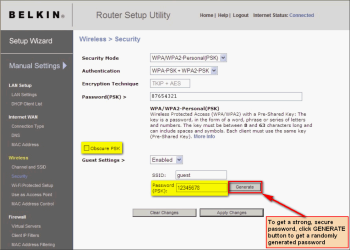
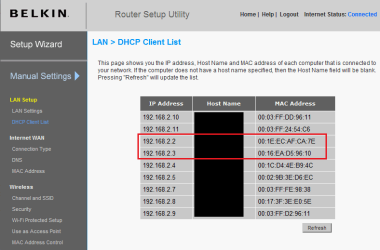
The story today is.. I was talking with an instructor in college about routers. I told him I have a Belkin which is both wire and wireless. I stated we were not using the wireless part and he asked if I had turned that part of it off. I said no, and began to look for the wireless mode (which I haven't found yet) and came across something else. We have 2 computers, and I can see them in the setup area but, there is also another address there: what is this ip address (192.168.3.5) host name (ours-ay4j91epjq) mac address (00-02-A5-B7-2F-F8)
Once we had HP's help service remotely connect to one of the computers. I'm wondering if that is what this is. I would of thought they would at least have (hp) somewhere in the address. Anyway, I tried to refresh as it instructs but it is still there... leaving me to believe that there is still a connection here. I do not want anything else connected to this router if possible.
Q: Is this necessary?
Thank you,
Simono1
Remote access is disabled and so is Guest.
The story today is.. I was talking with an instructor in college about routers. I told him I have a Belkin which is both wire and wireless. I stated we were not using the wireless part and he asked if I had turned that part of it off. I said no, and began to look for the wireless mode (which I haven't found yet) and came across something else. We have 2 computers, and I can see them in the setup area but, there is also another address there: what is this ip address (192.168.3.5) host name (ours-ay4j91epjq) mac address (00-02-A5-B7-2F-F8)
Once we had HP's help service remotely connect to one of the computers. I'm wondering if that is what this is. I would of thought they would at least have (hp) somewhere in the address. Anyway, I tried to refresh as it instructs but it is still there... leaving me to believe that there is still a connection here. I do not want anything else connected to this router if possible.
Q: Is this necessary?
Thank you,
Simono1
Remote access is disabled and so is Guest.
Last edited:
My Computer
At a glance
Windows 7 Pro- 32bit.Intel(R) Celeron(R) CPU 440 @ 2.00GHz, ~2.0GHz2038MB RAM DDR2Intel Corporation
- Computer Manufacturer/Model Number
- Gateway-Emachine, T-3656
- OS
- Windows 7 Pro- 32bit.
- CPU
- Intel(R) Celeron(R) CPU 440 @ 2.00GHz, ~2.0GHz
- Motherboard
- ELITEGROUP 945GCT-M3 3.1 V1.10 12/24/2007
- Memory
- 2038MB RAM DDR2
- Graphics Card(s)
- Intel Corporation
- Sound Card
- HdAudio.sys 6.00.6002.18005
- Monitor(s) Displays
- Generic PnP... 17''
- Screen Resolution
- 1440 x 900 (32bit) 75Hz
- Hard Drives
- 2
- Keyboard
- Tevion "wireless" HID
- Mouse
- Tevion "wireless" HID
- Internet Speed
- Download.... 3.11 mb/s Upload.... 0.64 mb/s
- Other Info
- BIOS Phoenix- AwardBios v600PG / DirectX 11