
Solved 2 Keys On Keyboard Not Working Properly

alfred01

New member
Local time
8:48 AM
Messages
1,311
Location
Toronto
Hi everyone. I know I have had this question posted here before and in the end I figured I would just get used to it. Wrong. It's pushing me past my usual point of insanity.

To refresh, a few weeks ago, I did a fresh install of W7 and since then 2 keys on my keyboard aren't working properly. One key, below the Esc button, I don't care about but the other is the apostrophe and quotations key. When I press this key, nothing happens until I hit the space bar, then it appears.

I have checked "Keyboard" in Control Panel, it says the keyboard is functioning properly. I tried updating driver and have the most up to date driver. I tried using the on screen keyboard and it has the same problem. I thought of doing another reinstall but that is no guarantee that the keys will be fixed and in fact may affect other keys for all I know.

Any suggestions would be appreciated.

Thanks, David
 

My Computer My Computer

Computer Manufacturer/Model Number
Acer Aspire 5532
OS
Windows 7 Home Premium 64 bit SP1
CPU
AMD Athlon 64 processor TF-20 1.6 GHz. 1 Core
Motherboard
MB.PGY02.001/MBPGY02001
Memory
3 GB (2.75 available)
Graphics Card(s)
ATI Radion HD 3200
Sound Card
Realtek High Definition Audio
Monitor(s) Displays
Generic PnP 15.6"
Screen Resolution
1366 x 768
Hard Drives
250 GB HDD (220 available)
PSU
?
Case
?
Cooling
Single cycling fan, on cooling stand
Keyboard
PNP Device ID ACPI\PNP0303\4&12734F14&0
Mouse
Microsoft Laser 7000
Internet Speed
Ultra high speed download 2500 kb/s upload 720 kb/s
Other Info
Norton Internet Security 2011
Sorry but this is the best I could do.
I used the tutorial for finding the missing info but still could not find it. Special Thanks to PooMan UK and DocBrown for their help in filling out these specs.
Turn your keyboard upside down and shake it. Dirt and crumbs get lodged in there.
I also use compressed air and blow dust out. You will be surprised at what comes out of it.
THW
 

My Computer My Computer

Computer Manufacturer/Model Number
HP M9077c
OS
Windows 7 Home Premium 64bit
CPU
Intel(R)Core(TM)2 quad [email protected] 2.39GHz
Motherboard
ASUSeK
Memory
6GB DDR2 6400
Graphics Card(s)
GeForce 8500/512MB
Sound Card
Realtek High Def Audio
Monitor(s) Displays
HP w2408 LCD 24" widescreen
Screen Resolution
1920x1200
Cooling
6 pack of Bud
Keyboard
MS wireless Inteli
Mouse
MS wireless Inteli
Turn your keyboard upside down and shake it. Dirt and crumbs get lodged in there.
I also use compressed air and blow dust out. You will be surprised at what comes out of it.
THW

Thank You Dennis, I am curious though, could dirt cause the key to not work until I hit the space bar? I am looking into getting some compressed air right now though.:)
 

My Computer My Computer

Computer Manufacturer/Model Number
Acer Aspire 5532
OS
Windows 7 Home Premium 64 bit SP1
CPU
AMD Athlon 64 processor TF-20 1.6 GHz. 1 Core
Motherboard
MB.PGY02.001/MBPGY02001
Memory
3 GB (2.75 available)
Graphics Card(s)
ATI Radion HD 3200
Sound Card
Realtek High Definition Audio
Monitor(s) Displays
Generic PnP 15.6"
Screen Resolution
1366 x 768
Hard Drives
250 GB HDD (220 available)
PSU
?
Case
?
Cooling
Single cycling fan, on cooling stand
Keyboard
PNP Device ID ACPI\PNP0303\4&12734F14&0
Mouse
Microsoft Laser 7000
Internet Speed
Ultra high speed download 2500 kb/s upload 720 kb/s
Other Info
Norton Internet Security 2011
Sorry but this is the best I could do.
I used the tutorial for finding the missing info but still could not find it. Special Thanks to PooMan UK and DocBrown for their help in filling out these specs.
also you say the keys don't work on your on-screen keyboard too? :confused:

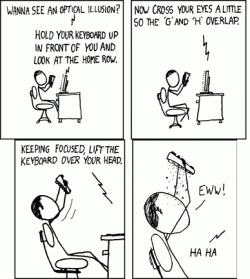
keyboards_are_disgusting.gif
 

My Computer My Computer

Computer Manufacturer/Model Number
mickey megabyte 1234
OS
ultimate 64 sp1
CPU
i5 2500K [email protected]
Motherboard
MSI P67A-GD53
Memory
8 gigs GSkill Ripjaws 1600
Graphics Card(s)
amd hd6950
Sound Card
creative x-fi gamer
Monitor(s) Displays
samsung 24"
Screen Resolution
1920x1080
Hard Drives
ocz vertex 2e 60 gig, samsung f3 1tb, buffalo 2tb ext
PSU
antec 550
Case
antec three hundred
Cooling
i'm a cooling fan
Keyboard
saitek eclipse ii
Mouse
logitech g3
Internet Speed
about 4 Mbps
Other Info
i love win7
also you say the keys don't work on your on-screen keyboard too? :confused:

Correct mickey ya:confused:

:roflmao:good cartoon, I did do that as you and Dennis suggested and nothing came out (except my frustration) I am very careful not to eat around my craptop laptop
 

My Computer My Computer

Computer Manufacturer/Model Number
Acer Aspire 5532
OS
Windows 7 Home Premium 64 bit SP1
CPU
AMD Athlon 64 processor TF-20 1.6 GHz. 1 Core
Motherboard
MB.PGY02.001/MBPGY02001
Memory
3 GB (2.75 available)
Graphics Card(s)
ATI Radion HD 3200
Sound Card
Realtek High Definition Audio
Monitor(s) Displays
Generic PnP 15.6"
Screen Resolution
1366 x 768
Hard Drives
250 GB HDD (220 available)
PSU
?
Case
?
Cooling
Single cycling fan, on cooling stand
Keyboard
PNP Device ID ACPI\PNP0303\4&12734F14&0
Mouse
Microsoft Laser 7000
Internet Speed
Ultra high speed download 2500 kb/s upload 720 kb/s
Other Info
Norton Internet Security 2011
Sorry but this is the best I could do.
I used the tutorial for finding the missing info but still could not find it. Special Thanks to PooMan UK and DocBrown for their help in filling out these specs.
Alfred,
I always start with the most obvious...Then, if you have an extra usb keyboard, plug it in and see of problem is still there or gone away.
THW
 

My Computer My Computer

Computer Manufacturer/Model Number
HP M9077c
OS
Windows 7 Home Premium 64bit
CPU
Intel(R)Core(TM)2 quad [email protected] 2.39GHz
Motherboard
ASUSeK
Memory
6GB DDR2 6400
Graphics Card(s)
GeForce 8500/512MB
Sound Card
Realtek High Def Audio
Monitor(s) Displays
HP w2408 LCD 24" widescreen
Screen Resolution
1920x1200
Cooling
6 pack of Bud
Keyboard
MS wireless Inteli
Mouse
MS wireless Inteli
Alfred,
I always start with the most obvious...Then, if you have an extra usb keyboard, plug it in and see of problem is still there or gone away.
THW

is your laptop turned on? :p
 

My Computer My Computer

Computer Manufacturer/Model Number
mickey megabyte 1234
OS
ultimate 64 sp1
CPU
i5 2500K [email protected]
Motherboard
MSI P67A-GD53
Memory
8 gigs GSkill Ripjaws 1600
Graphics Card(s)
amd hd6950
Sound Card
creative x-fi gamer
Monitor(s) Displays
samsung 24"
Screen Resolution
1920x1080
Hard Drives
ocz vertex 2e 60 gig, samsung f3 1tb, buffalo 2tb ext
PSU
antec 550
Case
antec three hundred
Cooling
i'm a cooling fan
Keyboard
saitek eclipse ii
Mouse
logitech g3
Internet Speed
about 4 Mbps
Other Info
i love win7
Alfred,
I always start with the most obvious...Then, if you have an extra usb keyboard, plug it in and see of problem is still there or gone away.
THW

is your laptop turned on? :p


THW, no, unfortunately I don't have access to any other keyboard, USB or other, and mickey, yes, fortunately the nurse turned it on before she put the ground glass in my mush.

:roflmao:
 

My Computer My Computer

Computer Manufacturer/Model Number
Acer Aspire 5532
OS
Windows 7 Home Premium 64 bit SP1
CPU
AMD Athlon 64 processor TF-20 1.6 GHz. 1 Core
Motherboard
MB.PGY02.001/MBPGY02001
Memory
3 GB (2.75 available)
Graphics Card(s)
ATI Radion HD 3200
Sound Card
Realtek High Definition Audio
Monitor(s) Displays
Generic PnP 15.6"
Screen Resolution
1366 x 768
Hard Drives
250 GB HDD (220 available)
PSU
?
Case
?
Cooling
Single cycling fan, on cooling stand
Keyboard
PNP Device ID ACPI\PNP0303\4&12734F14&0
Mouse
Microsoft Laser 7000
Internet Speed
Ultra high speed download 2500 kb/s upload 720 kb/s
Other Info
Norton Internet Security 2011
Sorry but this is the best I could do.
I used the tutorial for finding the missing info but still could not find it. Special Thanks to PooMan UK and DocBrown for their help in filling out these specs.
If nurse put ground glass in you mush then you won't mind putting your laptop in the washing machine.
Put it on short cycle and add a little vinegar to the water. Will make laptop nice and clean.........Wrap it in a towel and put it dryer under perma press material..........hheehehehhe
JUST JOKING AS USUAL.
 

My Computer My Computer

Computer Manufacturer/Model Number
HP M9077c
OS
Windows 7 Home Premium 64bit
CPU
Intel(R)Core(TM)2 quad [email protected] 2.39GHz
Motherboard
ASUSeK
Memory
6GB DDR2 6400
Graphics Card(s)
GeForce 8500/512MB
Sound Card
Realtek High Def Audio
Monitor(s) Displays
HP w2408 LCD 24" widescreen
Screen Resolution
1920x1200
Cooling
6 pack of Bud
Keyboard
MS wireless Inteli
Mouse
MS wireless Inteli
If nurse put ground glass in you mush then you won't mind putting your laptop in the washing machine.
Put it on short cycle and add a little vinegar to the water. Will make laptop nice and clean.........Wrap it in a towel and put it dryer under perma press material..........hheehehehhe
JUST JOKING AS USUAL.

:roflmao:and here I was going to use battery acid, caught me just in time :D
 

My Computer My Computer

Computer Manufacturer/Model Number
Acer Aspire 5532
OS
Windows 7 Home Premium 64 bit SP1
CPU
AMD Athlon 64 processor TF-20 1.6 GHz. 1 Core
Motherboard
MB.PGY02.001/MBPGY02001
Memory
3 GB (2.75 available)
Graphics Card(s)
ATI Radion HD 3200
Sound Card
Realtek High Definition Audio
Monitor(s) Displays
Generic PnP 15.6"
Screen Resolution
1366 x 768
Hard Drives
250 GB HDD (220 available)
PSU
?
Case
?
Cooling
Single cycling fan, on cooling stand
Keyboard
PNP Device ID ACPI\PNP0303\4&12734F14&0
Mouse
Microsoft Laser 7000
Internet Speed
Ultra high speed download 2500 kb/s upload 720 kb/s
Other Info
Norton Internet Security 2011
Sorry but this is the best I could do.
I used the tutorial for finding the missing info but still could not find it. Special Thanks to PooMan UK and DocBrown for their help in filling out these specs.
i think you have to start another thread alfred/david/whatever your name is :)
 

My Computer My Computer

Computer Manufacturer/Model Number
mickey megabyte 1234
OS
ultimate 64 sp1
CPU
i5 2500K [email protected]
Motherboard
MSI P67A-GD53
Memory
8 gigs GSkill Ripjaws 1600
Graphics Card(s)
amd hd6950
Sound Card
creative x-fi gamer
Monitor(s) Displays
samsung 24"
Screen Resolution
1920x1080
Hard Drives
ocz vertex 2e 60 gig, samsung f3 1tb, buffalo 2tb ext
PSU
antec 550
Case
antec three hundred
Cooling
i'm a cooling fan
Keyboard
saitek eclipse ii
Mouse
logitech g3
Internet Speed
about 4 Mbps
Other Info
i love win7
i think you have to start another thread alfred/david/whatever your name is :)

It's David, alfred was just in honor of my granddad. Curious why you think I should start a new thread mickey, have we just gone to off topic here? :)
 

My Computer My Computer

Computer Manufacturer/Model Number
Acer Aspire 5532
OS
Windows 7 Home Premium 64 bit SP1
CPU
AMD Athlon 64 processor TF-20 1.6 GHz. 1 Core
Motherboard
MB.PGY02.001/MBPGY02001
Memory
3 GB (2.75 available)
Graphics Card(s)
ATI Radion HD 3200
Sound Card
Realtek High Definition Audio
Monitor(s) Displays
Generic PnP 15.6"
Screen Resolution
1366 x 768
Hard Drives
250 GB HDD (220 available)
PSU
?
Case
?
Cooling
Single cycling fan, on cooling stand
Keyboard
PNP Device ID ACPI\PNP0303\4&12734F14&0
Mouse
Microsoft Laser 7000
Internet Speed
Ultra high speed download 2500 kb/s upload 720 kb/s
Other Info
Norton Internet Security 2011
Sorry but this is the best I could do.
I used the tutorial for finding the missing info but still could not find it. Special Thanks to PooMan UK and DocBrown for their help in filling out these specs.
Let's get back on topic and get you lappy keys to work right.
 

My Computer My Computer

Computer Manufacturer/Model Number
HP M9077c
OS
Windows 7 Home Premium 64bit
CPU
Intel(R)Core(TM)2 quad [email protected] 2.39GHz
Motherboard
ASUSeK
Memory
6GB DDR2 6400
Graphics Card(s)
GeForce 8500/512MB
Sound Card
Realtek High Def Audio
Monitor(s) Displays
HP w2408 LCD 24" widescreen
Screen Resolution
1920x1200
Cooling
6 pack of Bud
Keyboard
MS wireless Inteli
Mouse
MS wireless Inteli
now that we've all had our fun, david, if you want you could use the report button (report.PNG) and get the mods to delete all the silly posts, and just keep your original one.
 

My Computer My Computer

Computer Manufacturer/Model Number
mickey megabyte 1234
OS
ultimate 64 sp1
CPU
i5 2500K [email protected]
Motherboard
MSI P67A-GD53
Memory
8 gigs GSkill Ripjaws 1600
Graphics Card(s)
amd hd6950
Sound Card
creative x-fi gamer
Monitor(s) Displays
samsung 24"
Screen Resolution
1920x1080
Hard Drives
ocz vertex 2e 60 gig, samsung f3 1tb, buffalo 2tb ext
PSU
antec 550
Case
antec three hundred
Cooling
i'm a cooling fan
Keyboard
saitek eclipse ii
Mouse
logitech g3
Internet Speed
about 4 Mbps
Other Info
i love win7

My Computer My Computer

Computer Manufacturer/Model Number
Acer Aspire 5532
OS
Windows 7 Home Premium 64 bit SP1
CPU
AMD Athlon 64 processor TF-20 1.6 GHz. 1 Core
Motherboard
MB.PGY02.001/MBPGY02001
Memory
3 GB (2.75 available)
Graphics Card(s)
ATI Radion HD 3200
Sound Card
Realtek High Definition Audio
Monitor(s) Displays
Generic PnP 15.6"
Screen Resolution
1366 x 768
Hard Drives
250 GB HDD (220 available)
PSU
?
Case
?
Cooling
Single cycling fan, on cooling stand
Keyboard
PNP Device ID ACPI\PNP0303\4&12734F14&0
Mouse
Microsoft Laser 7000
Internet Speed
Ultra high speed download 2500 kb/s upload 720 kb/s
Other Info
Norton Internet Security 2011
Sorry but this is the best I could do.
I used the tutorial for finding the missing info but still could not find it. Special Thanks to PooMan UK and DocBrown for their help in filling out these specs.
if you get banned, you get banned...:huh:

not really...:p

i'm sure they'll understand :)
 

My Computer My Computer

Computer Manufacturer/Model Number
mickey megabyte 1234
OS
ultimate 64 sp1
CPU
i5 2500K [email protected]
Motherboard
MSI P67A-GD53
Memory
8 gigs GSkill Ripjaws 1600
Graphics Card(s)
amd hd6950
Sound Card
creative x-fi gamer
Monitor(s) Displays
samsung 24"
Screen Resolution
1920x1080
Hard Drives
ocz vertex 2e 60 gig, samsung f3 1tb, buffalo 2tb ext
PSU
antec 550
Case
antec three hundred
Cooling
i'm a cooling fan
Keyboard
saitek eclipse ii
Mouse
logitech g3
Internet Speed
about 4 Mbps
Other Info
i love win7
Try this....
On Screen Keyboard (Start > All Programs > Accessories > Ease of Access > On Screen Keyboard)
I read it on one of the posts at bottom of this page.

If the key darkens when you press it on the keyboard then its working, if not, then it's not.
 

My Computer My Computer

Computer Manufacturer/Model Number
HP M9077c
OS
Windows 7 Home Premium 64bit
CPU
Intel(R)Core(TM)2 quad [email protected] 2.39GHz
Motherboard
ASUSeK
Memory
6GB DDR2 6400
Graphics Card(s)
GeForce 8500/512MB
Sound Card
Realtek High Def Audio
Monitor(s) Displays
HP w2408 LCD 24" widescreen
Screen Resolution
1920x1200
Cooling
6 pack of Bud
Keyboard
MS wireless Inteli
Mouse
MS wireless Inteli
Try this....
On Screen Keyboard (Start > All Programs > Accessories > Ease of Access > On Screen Keyboard)
I read it on one of the posts at bottom of this page.

If the key darkens when you press it on the keyboard then its working, if not, then it's not.

Tried that but I didn't know about the darkness part. When I press that key it does go dark, but I tried using it to type on a Word document, and it still did the same thing, nothing, until I continued typing. I'm just going to leave it. It could be worse.
Thanks, David
 

My Computer My Computer

Computer Manufacturer/Model Number
Acer Aspire 5532
OS
Windows 7 Home Premium 64 bit SP1
CPU
AMD Athlon 64 processor TF-20 1.6 GHz. 1 Core
Motherboard
MB.PGY02.001/MBPGY02001
Memory
3 GB (2.75 available)
Graphics Card(s)
ATI Radion HD 3200
Sound Card
Realtek High Definition Audio
Monitor(s) Displays
Generic PnP 15.6"
Screen Resolution
1366 x 768
Hard Drives
250 GB HDD (220 available)
PSU
?
Case
?
Cooling
Single cycling fan, on cooling stand
Keyboard
PNP Device ID ACPI\PNP0303\4&12734F14&0
Mouse
Microsoft Laser 7000
Internet Speed
Ultra high speed download 2500 kb/s upload 720 kb/s
Other Info
Norton Internet Security 2011
Sorry but this is the best I could do.
I used the tutorial for finding the missing info but still could not find it. Special Thanks to PooMan UK and DocBrown for their help in filling out these specs.
Hmm...this thread is marked as solved but I don't see what the cure was.

I wondered if it was possible that your keyboard or input language was set to something other than English.

If you type the apostrophe and then the letter "e" did you get an accented "e" or a separate "e" and apostrophe?

Kent
 

My Computer My Computer

Computer type
PC/Desktop
Computer Manufacturer/Model Number
Custom Build
OS
Windows 7 Home Premium x64
CPU
Intel Core i7 5960X @3.0 GHz
Motherboard
Gigabyte GA-X99-SOC Force
Memory
4 x 4 GB G.Skill Ripjaws4 DDR4-2400
Graphics Card(s)
PNY GTX 780
Sound Card
Realtek on-board ALC1150
Monitor(s) Displays
HP Z30i + Asus PA246Q + Dell U2412M
Screen Resolution
2560x1600 + 1920x1200 + 1920x1200
Hard Drives
Samsung 830 256GB
PSU
Antec EarthWatts 650W
Case
Cooler Master HAF 932
Cooling
Corsair Hydro Series H105
Keyboard
Razer BlackWidow Tournament Edition Stealth
Mouse
Razer Naga
Hi there, I am Having the exact same problem as the OP, with exactly the same keys, Ive tried changing locales and Keyboard languages but still having the same problem, when Keyboard is attached to my Vista laptop I dont have this problem, KB is logitech mx 5500 bluetooth.

Lava King, yes I get the accented letters sometimes.

EDIT: SOLVED it was in the Keyboard Language settings, mine was on US international (Australia), had a fiddle with it and was fixed by changing it to Australia, with US Keyboard layout, rather than US International.
 

My Computer My Computer

OS
Windows 7 64 home
Back
Top