
Solved Taskbar's list of running programs squished

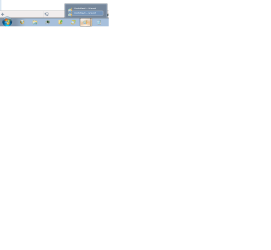
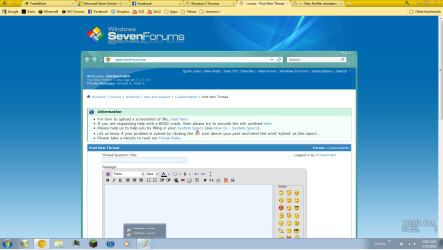
Kind of hard to explain in words, so here's some pics(attached). Is there any possible way to change the box sizes back to normal? This problem began a few months ago, and I really want to fix it.
 

Attachments

  • tabb.png
    tabb.png
    29 KB · Views: 35
  • tabb2.png
    tabb2.png
    290.5 KB · Views: 37
  • Utabb3.jpg
    Utabb3.jpg
    207.1 KB · Views: 35

My Computer

Computer Manufacturer/Model Number
HP Mini 210-1100
OS
Windows 7 Starter 32bit
CPU
Intel Atom
Memory
1024
Monitor(s) Displays
Acer
Screen Resolution
1600x900
Hard Drives
250GB
Keyboard
Logitech MK320
Mouse
Logitech
Internet Speed
802.11 b/g/n

My Computer

Computer type
PC/Desktop
Computer Manufacturer/Model Number
Self Built
OS
Win 10 Pro x64
CPU
Intel I5-2500K @3.3GHz
Motherboard
Asrock P67 Extreme4
Memory
16GB G.Skill Ripjaws X (4x4GB)
Graphics Card(s)
EVGA GeForce 750 Ti SC 2GB
Sound Card
ASUS Xonar DG 5.1 Channels 24-bit 96KHz PCI Interface Sound
Monitor(s) Displays
auria eq2367
Screen Resolution
1920 x 1080
Hard Drives
250GB Samsung 850 EVO SSD
1TB WD Blue
1TB Hitachi
PSU
SeaSonic X 650W 80 Plus Gold
Case
Corsair Obsidian 750D
Cooling
Corsair H60, Three 140mm case fans
Keyboard
Logitech Wireless Keyboard K520
Mouse
Logitech Wireless Mouse M310
Internet Speed
Wave Broadband ~ 100 dn 5 up
Antivirus
Windows Defender, Malwarebytes Premium
Browser
Edge, IE11, Chrome
Other Info
Laptop specs: HP g7-1365dx /
CPU: AMD A6-3420M APU with Radeon(tm) HD Graphics /
RAM: Crucial 8Gb (2x4Gb) /
SSD: Crucial M4-CT128M4SSD2 ATA Device/ FW 000F /
GFX: AMD Radeon HD 6520G /
OS: Windows 10 Pro x64
I don't mean that I used to have the nice window preview that other Win7 versions have, I just meant that the box for the text used to be larger.

I was digging through some tweaks I used, and found one that could've caused this: W7 Taskbar Tweaker. On this forum, others seem to be having the same problem. I'll contact the tweak's creator and see if he can help.
 

My Computer

Computer Manufacturer/Model Number
HP Mini 210-1100
OS
Windows 7 Starter 32bit
CPU
Intel Atom
Memory
1024
Monitor(s) Displays
Acer
Screen Resolution
1600x900
Hard Drives
250GB
Keyboard
Logitech MK320
Mouse
Logitech
Internet Speed
802.11 b/g/n
I don't mean that I used to have the nice window preview that other Win7 versions have, I just meant that the box for the text used to be larger.

I was digging through some tweaks I used, and found one that could've caused this: W7 Taskbar Tweaker. On this forum, others seem to be having the same problem. I'll contact the tweak's creator and see if he can help.


There you go, sounds like you solved your problem. ;)
 

My Computer

Computer type
PC/Desktop
Computer Manufacturer/Model Number
Self Built
OS
Win 10 Pro x64
CPU
Intel I5-2500K @3.3GHz
Motherboard
Asrock P67 Extreme4
Memory
16GB G.Skill Ripjaws X (4x4GB)
Graphics Card(s)
EVGA GeForce 750 Ti SC 2GB
Sound Card
ASUS Xonar DG 5.1 Channels 24-bit 96KHz PCI Interface Sound
Monitor(s) Displays
auria eq2367
Screen Resolution
1920 x 1080
Hard Drives
250GB Samsung 850 EVO SSD
1TB WD Blue
1TB Hitachi
PSU
SeaSonic X 650W 80 Plus Gold
Case
Corsair Obsidian 750D
Cooling
Corsair H60, Three 140mm case fans
Keyboard
Logitech Wireless Keyboard K520
Mouse
Logitech Wireless Mouse M310
Internet Speed
Wave Broadband ~ 100 dn 5 up
Antivirus
Windows Defender, Malwarebytes Premium
Browser
Edge, IE11, Chrome
Other Info
Laptop specs: HP g7-1365dx /
CPU: AMD A6-3420M APU with Radeon(tm) HD Graphics /
RAM: Crucial 8Gb (2x4Gb) /
SSD: Crucial M4-CT128M4SSD2 ATA Device/ FW 000F /
GFX: AMD Radeon HD 6520G /
OS: Windows 10 Pro x64
Last edited:

My Computer

Computer type
PC/Desktop
Computer Manufacturer/Model Number
Self built custom
OS
64-bit Windows 11 Pro for Workstations
CPU
Intel i7-8700K OC'd to 5 GHz
Motherboard
ASUS ROG Maximus XI Formula Z390
Memory
64 GB (4x16GB) G.SKILL TridentZ RGB DDR4 3600 MHz
Graphics Card(s)
ASUS ROG-STRIX-GTX1080TI-O11G-GAMING
Sound Card
Integrated
Monitor(s) Displays
2 x Samsung Odyssey G7 27"
Screen Resolution
2560x1440
Hard Drives
1TB Samsung 990 PRO M.2,
4TB Samsung 990 PRO PRO M.2,
TerraMaster F8 SSD Plus NAS
PSU
Seasonic Prime Titanium 850W
Case
Thermaltake Core P3
Cooling
Corsair Hydro H115i
Keyboard
Logitech wireless K800
Mouse
Logitech MX Master 4
Internet Speed
2 Gb/s Download and 100 Mb/s Upload
Antivirus
Malwarebyte Anti-Malware Premium
Browser
Google Chrome
Other Info
Logitech Z625 speaker system,
Logitech BRIO 4K Pro webcam,
HP Color LaserJet Pro MFP M477fdn,
APC SMART-UPS RT 1000 XL - SURT1000XLI,
Galaxy S23 Plus phone
Hello Matt,

I'm not sure if it's a issue specific to that program, but you might see if setting a larger minimum and maximum taskbar thumbnail window size using the tutorial below may be able to help. If not, you can use the "Undo" REG files to undo any changes made using it.

http://www.sevenforums.com/tutorials/81852-taskbar-thumbnail-previews-change-size.html

Hope this helps,
Shawn

Neither did anything... Thanks, though. I just hope that the W7 Taskbar Tweaker creator still checks his Facebook.
 

My Computer

Computer Manufacturer/Model Number
HP Mini 210-1100
OS
Windows 7 Starter 32bit
CPU
Intel Atom
Memory
1024
Monitor(s) Displays
Acer
Screen Resolution
1600x900
Hard Drives
250GB
Keyboard
Logitech MK320
Mouse
Logitech
Internet Speed
802.11 b/g/n
Any luck with this problem? Did uninstalling 7 Taskbar Tweaker do the trick?
 

My Computer

OS
Win 7 x64
No, turns out that I had to delete some registry entries(or, a program had to, which W7 Taksbar Tweaker's author wrote for me.) I could send it to you, if you have any of the problems I mentioned.
 

My Computer

Computer Manufacturer/Model Number
HP Mini 210-1100
OS
Windows 7 Starter 32bit
CPU
Intel Atom
Memory
1024
Monitor(s) Displays
Acer
Screen Resolution
1600x900
Hard Drives
250GB
Keyboard
Logitech MK320
Mouse
Logitech
Internet Speed
802.11 b/g/n
No, turns out that I had to delete some registry entries(or, a program had to, which W7 Taksbar Tweaker's author wrote for me.)


I'm glad to hear that the problem is fixed! Was the issue initially caused by 7 Taskbar Tweaker?
 

My Computer

OS
Win 7 x64
help i am having the exact same issue that was caused by W7TaskbarTweaker. please post the fix.
 

My Computer

OS
Windows 7 Home Premium 64bit
No, turns out that I had to delete some registry entries(or, a program had to, which W7 Taksbar Tweaker's author wrote for me.)


I'm glad to hear that the problem is fixed! Was the issue initially caused by 7 Taskbar Tweaker?

Yes: a bug caused it to write faulty registry entries, which made my text boxes small.

help i am having the exact same issue that was caused by W7TaskbarTweaker. please post the fix.

You want instructions or a program?
 

My Computer

Computer Manufacturer/Model Number
HP Mini 210-1100
OS
Windows 7 Starter 32bit
CPU
Intel Atom
Memory
1024
Monitor(s) Displays
Acer
Screen Resolution
1600x900
Hard Drives
250GB
Keyboard
Logitech MK320
Mouse
Logitech
Internet Speed
802.11 b/g/n
the proper registry settings or instructions on which values to delete would be just fine please. thanks!
 

My Computer

OS
Windows 7 Home Premium 64bit
In the registry, go to
HKEY_CURRENT_USER\Software\Microsoft\Windows\CurrentVersion\Explorer\Taskband
and if you see any of these data values, delete them:
NumThumbnails
MinThumbSizePx
MaxThumbSizePx
TextHeightPx
TopMarginPx
LeftMarginPx
RightMarginPx
BottomMarginPx
ThumbSpacingXPx
ThumbSpacingYPx
 

My Computer

Computer Manufacturer/Model Number
HP Mini 210-1100
OS
Windows 7 Starter 32bit
CPU
Intel Atom
Memory
1024
Monitor(s) Displays
Acer
Screen Resolution
1600x900
Hard Drives
250GB
Keyboard
Logitech MK320
Mouse
Logitech
Internet Speed
802.11 b/g/n
thanks.

TopMarginPx was the value causing the smashed list. i changed the value to 10 hexadecimal and the list now appears to be like it was before.
 

My Computer

OS
Windows 7 Home Premium 64bit
Back
Top