
Computer Wont Pass The "Welcome" screen

amitabh

New member
Local time
3:40 PM
Messages
18
Hello
I am having Problem with my Dell Inspiron Window 7 Home Premium
so today i turned on my computer, i tryed to login but it didnt work
i do not have a password for my computer
i just pressed enter and after i pressed enter
The "Welcome" screen came up and it did not login
It just kept loading and the Welcome screen did not go away
so can someone please help me as soon as possible
In the picture it says ultimate
But it actually is Home Premium
 

Attachments
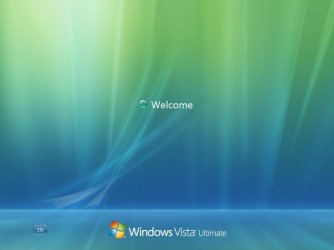
  • vista-welcome.JPG
    vista-welcome.JPG
    19.8 KB · Views: 13

My Computer My Computer

At a glance

Windows 7 Professional 32-Bit
OS
Windows 7 Professional 32-Bit
it also says vista. so are you running (7 or vista)?
did you try to start it in safemode?

scrooge
 

My Computer My Computer

At a glance

win 7 ( 64 bit)Intel Core i7-870 Lynnfield 2.93GHz 8MB L3 Ca...G.SKILL Sniper Series 16GB (4 x 4GB) 240-Pin ...ATI Radeon HD6800 Series
Computer Manufacturer/Model Number
home build
OS
win 7 ( 64 bit)
CPU
Intel Core i7-870 Lynnfield 2.93GHz 8MB L3 Cache LGA 1156 95
Motherboard
ASUS P7P55 LX LGA 1156
Memory
G.SKILL Sniper Series 16GB (4 x 4GB) 240-Pin DDR3 SDRAM
Graphics Card(s)
ATI Radeon HD6800 Series
Sound Card
hdmi
Monitor(s) Displays
42" lg 3d tv
Screen Resolution
1920 x 1080
Hard Drives
1 ssd pci-e revodrive
4 seagate 1.5 tb
PSU
Rosewill BRONZE Series RBR1000-M 1000W Continuous@40°C, 80Pl
Case
CoolMaster 922
Cooling
CORSAIR CWCH60 Hydro Series H60 High Performance Liquid CPU
Keyboard
logtech
Mouse
logitect
Internet Speed
5 mbit
More importantly, it doesn't say Windows 7 Home premuium, but Windows Vista Ultimate. Have you reinstalled the operating system lately, or done any major changes to the system software? How long have you had this computer? Did it originally come with Vista installed?
 

My Computer My Computer

At a glance

XP Professional, 7 Professional
OS
XP Professional, 7 Professional
it also says vista. so are you running (7 or vista)?
did you try to start it in safemode?

scrooge
Ok forget the picture
My dell is a Windows 7 Home Premium
:)
yes i tryed it in safemode
But it did the same thing
 

My Computer My Computer

At a glance

Windows 7 Professional 32-Bit
OS
Windows 7 Professional 32-Bit
More importantly, it doesn't say Windows 7 Home premuium, but Windows Vista Ultimate. Have you reinstalled the operating system lately, or done any major changes to the system software? How long have you had this computer? Did it originally come with Vista installed?
I got this picture from internet
My Laptop Is actually
Dell Inspiron Windows 7 Home Premium
I Got it before 1 year
 

My Computer My Computer

At a glance

Windows 7 Professional 32-Bit
OS
Windows 7 Professional 32-Bit
how long did you wait at the welcome screen? it maybe trying to update or recover.
also can you do a system restore?

scrooge
 

My Computer My Computer

At a glance

win 7 ( 64 bit)Intel Core i7-870 Lynnfield 2.93GHz 8MB L3 Ca...G.SKILL Sniper Series 16GB (4 x 4GB) 240-Pin ...ATI Radeon HD6800 Series
Computer Manufacturer/Model Number
home build
OS
win 7 ( 64 bit)
CPU
Intel Core i7-870 Lynnfield 2.93GHz 8MB L3 Cache LGA 1156 95
Motherboard
ASUS P7P55 LX LGA 1156
Memory
G.SKILL Sniper Series 16GB (4 x 4GB) 240-Pin DDR3 SDRAM
Graphics Card(s)
ATI Radeon HD6800 Series
Sound Card
hdmi
Monitor(s) Displays
42" lg 3d tv
Screen Resolution
1920 x 1080
Hard Drives
1 ssd pci-e revodrive
4 seagate 1.5 tb
PSU
Rosewill BRONZE Series RBR1000-M 1000W Continuous@40°C, 80Pl
Case
CoolMaster 922
Cooling
CORSAIR CWCH60 Hydro Series H60 High Performance Liquid CPU
Keyboard
logtech
Mouse
logitect
Internet Speed
5 mbit
how long did you wait at the welcome screen? it maybe trying to update or recover.
also can you do a system restore?

scrooge
The welcome did not go away
It just stayed thier
i did a system restore but the same thing happened
 

My Computer My Computer

At a glance

Windows 7 Professional 32-Bit
OS
Windows 7 Professional 32-Bit
Try accessing System Recovery Options to run Startup Repair repeatedly.

It should automate System Restore but run it manually from the Options list anyway if Startup Repair fails.

Then try options Command Line SFC -SCANNOW Run in Command Prompt at Boot

It is best to run the repairs from DVD Repair console or Repair CD which don't depend on possible corrupt System Files.

If necessary you can copy out your files with DVD/CD: Copy & Paste - in Windows Recovery Console

Then run Factory REcovery from boot or using Recovery Disks if you made them, or use a Win7 installation DVD to clean reinstall: Reinstalling Windows 7
 
also

to add to gregrocker's suggestions. If you've tried EVERYTHING else, then I would recommend creating a bootable USB and running an .ISO like UltimateBoot (which also can be setup on a CD), in order to restore to factory default.

But really, the system recovery/restore options are best. Restoring to factory default is more of measure of last resort.
 

My Computer My Computer

At a glance

XP Professional, 7 Professional
OS
XP Professional, 7 Professional
Back
Top