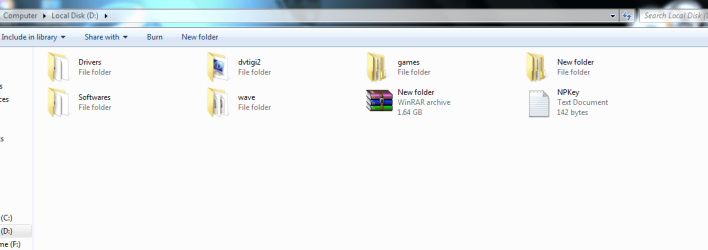
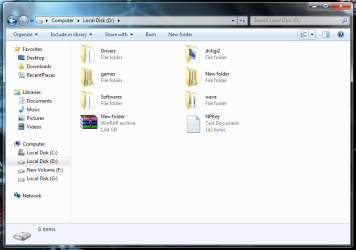
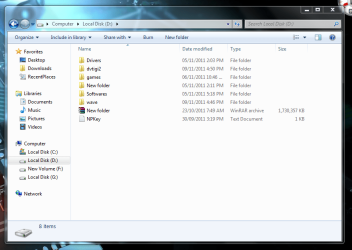
hay guyes plz help me about cclenear. i want my files and folders like image 1
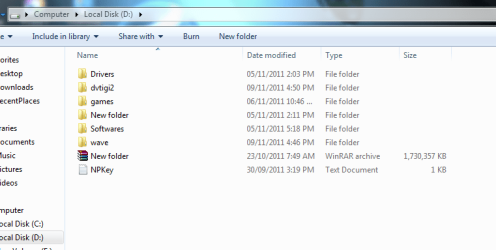
but every time i run the cclenear files and folders loks like the second image.
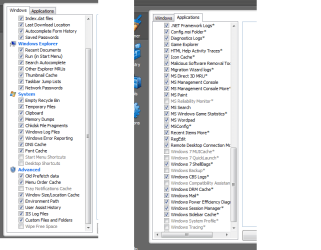
so plz tell me what option i shoud uncheck. and my start menu is also get cleared every time but i wnt to keep the resent items used in cc. plz help me i m posting my cclenear screen shot. plz help
Right click on Local Disk D in blank space and go to View -> Titles(it should be). ATM I'm on Linux and can't tell you what is the correct name. If it's not Title, change view to other untill you get that on first picture.
My Computer
At a glance
Windows 10 Pro x64Intel Core i5 4440 @Stock4 x 4GB HyperX Fury DDR3Gigabyte GTX 1050Ti O4G
Computer type
PC/Desktop
Computer Manufacturer/Model Number
Custom Build
OS
Windows 10 Pro x64
CPU
Intel Core i5 4440 @Stock
Motherboard
Gigabyte Z97 D3H
Memory
4 x 4GB HyperX Fury DDR3
Graphics Card(s)
Gigabyte GTX 1050Ti O4G
Sound Card
Integrated
Monitor(s) Displays
Dell P2417H
Screen Resolution
1920 x 1080
Hard Drives
Samsung EVO 850 120GB / Toshiba DT01ACA050 1TB 7200prm 32MB
PSU
Riotoro Onyx 750W
Case
NZXT H500 Black-Red
Cooling
Stock CPU + NZXT 120mm + 2x120mm red fans
Keyboard
Modecom Volcano Lanparty
Mouse
Asus ROG Gladius / DeepCool E-Pad Plus
Internet Speed
DOCSIS 50/3 Mbit
Browser
Google Chrome
Other Info
Asus K55VJ(i5 3210M, GT635M / 2GB, 8GB DDR3, 500GB HDD)
Microsoft Security Essentials and Malwarebytes Premium
Browser
Pale Moon
Other Info
All fans PWM; speeds at idle: CPU circa 500 rpm; intake circa 600 rpm; exhaust circa 600 rpm; CPU temps 27 idle and 47 C load in a warm room (27 C/81 F) when running Intel Extreme Tuning Utility stress test.
i have a probleam with it i want my files and folders like the first image. they will look like that even aftre restart but every time after i run cclenear folders looks like the second image.so every time i have to click view options and make it tiles view. i dont like to click every time and make icons big i want to keep them always like first image. but cclenear deleates ist settings or catche. i cant find the option to uncheck clenear can leave it as it is. anyone plz help me.
Uninstall ccleaner and delete its folder, then download and reinstall it with it's default settings.
You have it set to delete things that are not harmful and really don't take up much space or cause problems.
In fact you are causing many problems by having it over clean.
Last edited:
My Computer
At a glance
Windows 7 pro 64bit SP1i7 [email protected]8 GB DDR3 @ 665MHzATI Radeon HD 5700
Main Computer is Dell XPS 8300
Laptop is Sony
Netbook is Dell 1011,
Linksys E3200 router w/WPA2 , Comcast Cable, Avast, Malwarebytes free, SpywareBlaster, Super AntiSpyware free