Corsair Force Series 3 60GB install help

Kinetix

New member
Local time
5:08 PM
Messages
4
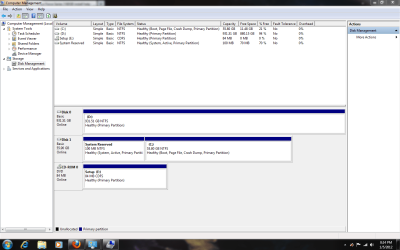
Hello, I put together a new computer, and I'm using a Corsair Force Series 3 SSD and a Seagate Barracuda 1TB HDD. I set my SSD as primary boot device and installed Windows 7 on it. Last night I noticed my HDD was showing up in Disk Management as Unpartitioned. I decided to go ahead and format it. This is what is currently showing.

I'd like to have Windows 7 and 1 game, Star Wars the Old Republic. on the SSD, and have the rest of my files load to my HDD. SWTOR did manage to load to my SSD automatically. But it seems everything else is going to SSD as well. I was going to reboot my computer and make the HDD my primary boot device, but I didn't know if it was cause a failure to boot. So did I do this correctly or did I screw up? Windows and SWTOR load blazing fast, so I think i'm on the right track. This is the extent of knowledge I have with hard drives.
Desktop1.PNG

Desktop2.PNG
 

My Computer My Computer

At a glance

Windows 7 x64Intel i5-2500kG-Skill DDR3 2133 MhzSapphire Radeon HD6950
Computer Manufacturer/Model Number
Custom
OS
Windows 7 x64
CPU
Intel i5-2500k
Motherboard
GIGABYTE Z68-D3H-B3
Memory
G-Skill DDR3 2133 Mhz
Graphics Card(s)
Sapphire Radeon HD6950
Sound Card
N/A
Monitor(s) Displays
19" Samsung
Hard Drives
Seagate Barracuda 1TB 7200 rpm
Corsair Force Series 3 60GB SATA III
PSU
Corsair HX 750w
Case
Corsair 600T
Cooling
Factory Air
Forgot to mention my motherboard is a GIGABYTE Z68-D3H-B3 if that helps any.
 

My Computer My Computer

At a glance

Windows 7 x64Intel i5-2500kG-Skill DDR3 2133 MhzSapphire Radeon HD6950
Computer Manufacturer/Model Number
Custom
OS
Windows 7 x64
CPU
Intel i5-2500k
Motherboard
GIGABYTE Z68-D3H-B3
Memory
G-Skill DDR3 2133 Mhz
Graphics Card(s)
Sapphire Radeon HD6950
Sound Card
N/A
Monitor(s) Displays
19" Samsung
Hard Drives
Seagate Barracuda 1TB 7200 rpm
Corsair Force Series 3 60GB SATA III
PSU
Corsair HX 750w
Case
Corsair 600T
Cooling
Factory Air
You should only have one drive/partition marked as active. The correct drive/partition is that 100MB System Reserved partition on Disk 1 (SSD).

The concern is that your Windows installation actually used the HDD to install the files necessary for startup. A quick, easy test for this is to simply disconnect the data cable from the HDD and boot. If Windows starts up then you are OK. If not then post back.

So if OK then it is just a matter of un-marking the HDD as Active. To do that you will use DISKPART.

**********
1 Start Orb > search box
2. Type "cmd"
3. At the prompt type "diskpart"
4. then after the ">" symbol type "list disk"
(looks like) DISKPART> list disk

You will see:
Disk ### Status Size Free Dyn Gpt
-------- ---------- ------- ------- --- ---
Disk 0 Online xxx GB xxxx KB
Disk 1 Online xxx GB xxxx KB


5.Now select the disk which you want to make INACTIVE (This would be your HDD. You determine which disk is the HDD by the size. Don't assume that DISKPART will show the HDD as Disk 0. Below instuctions assume it is.)

DISKPART> SELECT DISK 0
Disk 0 is now the selected disk.

6. Type "list partition"

DISKPART> list partition

Partition ### Type Size Offset
------------- ---------------- ------- -------
Partition 1 Primary xxx GB xxxx KB

7. Since there is a single partition on DISK 0, select it by issuing the command "select partition 1"

DISKPART> select partition 1

Partition 1 is now the selected partition.

8.Type "inactive" - this will mark disk 0 partition 1 as inactive

*********

Afterward you should go back into Disk Management and remove the Disk Label "System Reserved". That will confuse things in the future.

Or if there is no data on the drive, you could format it without a Disk Label.
 
Last edited:

My Computer My Computer

At a glance

Windows 7 64 Bit Home Premium SP1i7-3820GSkill F3-14900CL9Q - 16GBEVGA GeForce GTX660 - Driver 352.86
Computer type
PC/Desktop
Computer Manufacturer/Model Number
Home Built - Jan 2013
OS
Windows 7 64 Bit Home Premium SP1
CPU
i7-3820
Motherboard
Asus P9X79-PRO - Bios 4608
Memory
GSkill F3-14900CL9Q - 16GB
Graphics Card(s)
EVGA GeForce GTX660 - Driver 352.86
Sound Card
On board Realtek ALC898
Monitor(s) Displays
Acer S271HL
Screen Resolution
1920 x 1080
Hard Drives
#1- Samsung 840 Pro Series
#2- Western Digital WD1002FAEX Sata3 Black
#3- Western Digital WD1002FAEX Sata3 Black
PSU
Corsair CMPSU-850TX-V2 - 850 watt (by Seasonic)
Case
Corsair Obsidian 550D
Cooling
Standard 3 120mm case fans, Cooler Master Hyper 212 EVO
Keyboard
MS KC-0405
Mouse
Intellimouse 5-button
Internet Speed
56 Mbits/Sec (on a good day)
Antivirus
Avast & Malwarebytes
Browser
Firefox
Other Info
Asus DVD - DRW-24B1ST 24X
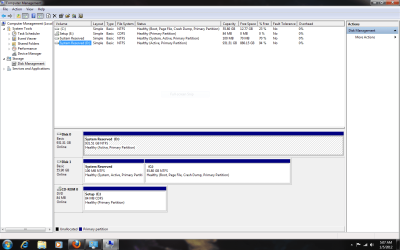
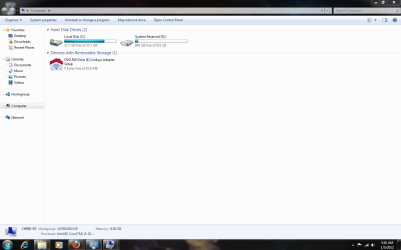
Thanks for the help TVeblen. I unplugged the HDD and Windows booted up fine. I plugged it back in, restarted, then ran the cmd lines you told me to. My HDD "disk 0 parition 1" is now marked inactive. Is this what you mean by remove "System Reserve" Disk Label? I deleted the name so now it only shows "( D: )" instead of "System Reserved ( D: )"?

So now that I did that, will files automatically go to my HDD or do I have put them there some other way? I already formatted it before doing all of this. My hard drive back up is stored on the HDD, and my Star Wars. I should have got a bigger SSD :)

Here is a snip of the end result
disko2.PNG
 

My Computer My Computer

At a glance

Windows 7 x64Intel i5-2500kG-Skill DDR3 2133 MhzSapphire Radeon HD6950
Computer Manufacturer/Model Number
Custom
OS
Windows 7 x64
CPU
Intel i5-2500k
Motherboard
GIGABYTE Z68-D3H-B3
Memory
G-Skill DDR3 2133 Mhz
Graphics Card(s)
Sapphire Radeon HD6950
Sound Card
N/A
Monitor(s) Displays
19" Samsung
Hard Drives
Seagate Barracuda 1TB 7200 rpm
Corsair Force Series 3 60GB SATA III
PSU
Corsair HX 750w
Case
Corsair 600T
Cooling
Factory Air
I'm wondering what you mean by "will files automatically go to my HDD".

Your files will be saved wherever you direct them to go, either by selecting the drive and folder when saving, or by using the "File Save" settings from inside a program. Even Windows system files can be redirected to the HDD.

But if you do nothing then Windows will save everything to your default User Folder on the C: drive the OS is on. And even that setting can be changed. Check out the SevenForums Tutorial section, everything you need is there. You can also use Advanced Search to find a Tutorial. Just type "My Documents" in the search box and select Tutorials.

BTW: Your Disk Management looks normal now. Good job!
 

My Computer My Computer

At a glance

Windows 7 64 Bit Home Premium SP1i7-3820GSkill F3-14900CL9Q - 16GBEVGA GeForce GTX660 - Driver 352.86
Computer type
PC/Desktop
Computer Manufacturer/Model Number
Home Built - Jan 2013
OS
Windows 7 64 Bit Home Premium SP1
CPU
i7-3820
Motherboard
Asus P9X79-PRO - Bios 4608
Memory
GSkill F3-14900CL9Q - 16GB
Graphics Card(s)
EVGA GeForce GTX660 - Driver 352.86
Sound Card
On board Realtek ALC898
Monitor(s) Displays
Acer S271HL
Screen Resolution
1920 x 1080
Hard Drives
#1- Samsung 840 Pro Series
#2- Western Digital WD1002FAEX Sata3 Black
#3- Western Digital WD1002FAEX Sata3 Black
PSU
Corsair CMPSU-850TX-V2 - 850 watt (by Seasonic)
Case
Corsair Obsidian 550D
Cooling
Standard 3 120mm case fans, Cooler Master Hyper 212 EVO
Keyboard
MS KC-0405
Mouse
Intellimouse 5-button
Internet Speed
56 Mbits/Sec (on a good day)
Antivirus
Avast & Malwarebytes
Browser
Firefox
Other Info
Asus DVD - DRW-24B1ST 24X
I'm wondering what you mean by "will files automatically go to my HDD".

Your files will be saved wherever you direct them to go, either by selecting the drive and folder when saving, or by using the "File Save" settings from inside a program. Even Windows system files can be redirected to the HDD.

But if you do nothing then Windows will save everything to your default User Folder on the C: drive the OS is on. And even that setting can be changed. Check out the SevenForums Tutorial section, everything you need is there. You can also use Advanced Search to find a Tutorial. Just type "My Documents" in the search box and select Tutorials.

BTW: Your Disk Management looks normal now. Good job!

I'll check out the tutorials. But yes, I want my normal HDD to be the default for where my files go. I'll have to do some research. Thanks again for your help.
 

My Computer My Computer

At a glance

Windows 7 x64Intel i5-2500kG-Skill DDR3 2133 MhzSapphire Radeon HD6950
Computer Manufacturer/Model Number
Custom
OS
Windows 7 x64
CPU
Intel i5-2500k
Motherboard
GIGABYTE Z68-D3H-B3
Memory
G-Skill DDR3 2133 Mhz
Graphics Card(s)
Sapphire Radeon HD6950
Sound Card
N/A
Monitor(s) Displays
19" Samsung
Hard Drives
Seagate Barracuda 1TB 7200 rpm
Corsair Force Series 3 60GB SATA III
PSU
Corsair HX 750w
Case
Corsair 600T
Cooling
Factory Air
Back
Top