Full crash to no power Playing COD:4

ossi

New member
Local time
6:48 PM
Messages
17
Hi gents,
When i play COD:4 for a about an hour it will crash to nil power.When i restart it will bsod. Then go through the repair, and eventually restart. My Video Card drivers are up to date. Im stuffedif i know.

Windows 7 Home Premium 64
Original OEM
Hardware Approx 1 year
Install Approx 1 year
Acer Aspire 5742g
i3 M370 @ 2.40GHz
4GB Ram
GT420m Cuda

Additional information about the problem:
BCCode: 50
BCP1: FFFFF8A00497B000
BCP2: 0000000000000000
BCP3: FFFFF88004204C02
BCP4: 0000000000000000
OS Version: 6_1_7601
Service Pack: 1_0
Product: 768_1

Files that help describe the problem:
C:\Windows\Minidump\012112-23946-01.dmp
C:\Users\dztrbdgod\AppData\Local\Temp\WER-259429-0.sysdata.xml


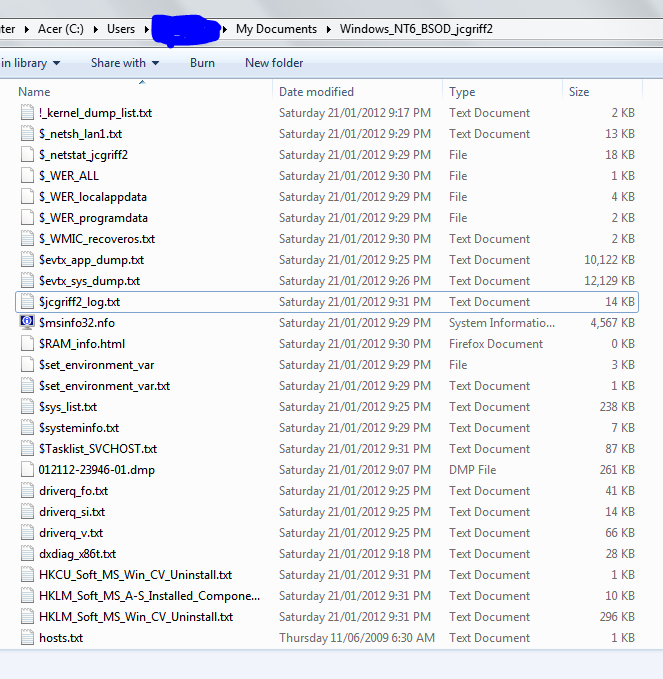
And which ones of these do i need.

VV4D6.png


i also have a 48mb zip file of the window dump file.

online backup storage


Thanks for your help gents.
 

My Computer My Computer

OS
Windows 7 Home Premium 64
wow lucky guy to have such a good graphics card

try to make screen resolution smaller

try to play in lower specs and be aware of your core temperatures

did you update directx? if so, try

don't be baffled by windows, make it your friend :) cheers

you can also make windows look stripped down so that you have more ram and cpu to use

i forgot what its called but it has gaming mode. windows looks like crap without aero but you get to enjoy the fun in your game
 

My Computer My Computer

OS
-
Code:
Loading Dump File [C:\Users\Mike\Downloads\BSODDmpFiles\ossi\012112-23946-01.dmp]
Mini Kernel Dump File: Only registers and stack trace are available

Symbol search path is: SRV*c:\users\mike\documents\symbols*http://msdl.microsoft.com/download/symbols
Executable search path is: 
Windows 7 Kernel Version 7601 (Service Pack 1) MP (4 procs) Free x64
Product: WinNt, suite: TerminalServer SingleUserTS Personal
Built by: 7601.17640.amd64fre.win7sp1_gdr.110622-1506
Machine Name:
Kernel base = 0xfffff800`0341d000 PsLoadedModuleList = 0xfffff800`03662670
Debug session time: Sat Jan 21 03:51:02.869 2012 (UTC - 7:00)
System Uptime: 0 days 0:00:15.570
Loading Kernel Symbols
...............................................................
..........................................................
Loading User Symbols
*******************************************************************************
*                                                                             *
*                        Bugcheck Analysis                                    *
*                                                                             *
*******************************************************************************

Use !analyze -v to get detailed debugging information.

BugCheck 50, {fffff8a00497b000, 0, fffff88004204c02, 0}

Unable to load image \??\C:\Windows\system32\drivers\acedrv09.sys, Win32 error 0n2
*** WARNING: Unable to verify timestamp for acedrv09.sys
*** ERROR: Module load completed but symbols could not be loaded for acedrv09.sys

Could not read faulting driver name
Probably caused by : acedrv09.sys ( acedrv09+4c02 )

Followup: MachineOwner
---------

2: kd> !analyze -v
*******************************************************************************
*                                                                             *
*                        Bugcheck Analysis                                    *
*                                                                             *
*******************************************************************************

PAGE_FAULT_IN_NONPAGED_AREA (50)
Invalid system memory was referenced.  This cannot be protected by try-except,
it must be protected by a Probe.  Typically the address is just plain bad or it
is pointing at freed memory.
Arguments:
Arg1: fffff8a00497b000, memory referenced.
Arg2: 0000000000000000, value 0 = read operation, 1 = write operation.
Arg3: fffff88004204c02, If non-zero, the instruction address which referenced the bad memory
	address.
Arg4: 0000000000000000, (reserved)

Debugging Details:
------------------


Could not read faulting driver name

READ_ADDRESS: GetPointerFromAddress: unable to read from fffff800036cc100
 fffff8a00497b000 

FAULTING_IP: 
acedrv09+4c02
fffff880`04204c02 450fb70452      movzx   r8d,word ptr [r10+rdx*2]

MM_INTERNAL_CODE:  0

CUSTOMER_CRASH_COUNT:  1

DEFAULT_BUCKET_ID:  VISTA_DRIVER_FAULT

BUGCHECK_STR:  0x50

PROCESS_NAME:  smss.exe

CURRENT_IRQL:  0

TRAP_FRAME:  fffff88006d84620 -- (.trap 0xfffff88006d84620)
NOTE: The trap frame does not contain all registers.
Some register values may be zeroed or incorrect.
rax=000000000000a85b rbx=0000000000000000 rcx=0000000000000000
rdx=0000000000000020 rsi=0000000000000000 rdi=0000000000000000
rip=fffff88004204c02 rsp=fffff88006d847b0 rbp=fffffa80080fc908
 r8=000000000000a810  r9=000000000000003a r10=fffff8a00497afc0
r11=0000000000007b80 r12=0000000000000000 r13=0000000000000000
r14=0000000000000000 r15=0000000000000000
iopl=0         nv up ei ng nz ac pe cy
acedrv09+0x4c02:
fffff880`04204c02 450fb70452      movzx   r8d,word ptr [r10+rdx*2] ds:c908:fffff8a0`0497b000=????
Resetting default scope

LAST_CONTROL_TRANSFER:  from fffff800034459fc to fffff80003499c40

STACK_TEXT:  
fffff880`06d844b8 fffff800`034459fc : 00000000`00000050 fffff8a0`0497b000 00000000`00000000 fffff880`06d84620 : nt!KeBugCheckEx
fffff880`06d844c0 fffff800`03497d6e : 00000000`00000000 fffff8a0`0497b000 fffff880`06d84700 00000000`000004fc : nt! ?? ::FNODOBFM::`string'+0x4611f
fffff880`06d84620 fffff880`04204c02 : 004e0052`0045004b 00320033`004c0045 004c004c`0044002e 00000000`00000000 : nt!KiPageFault+0x16e
fffff880`06d847b0 004e0052`0045004b : 00320033`004c0045 004c004c`0044002e 00000000`00000000 ffff0000`02f9b30f : acedrv09+0x4c02
fffff880`06d847b8 00320033`004c0045 : 004c004c`0044002e 00000000`00000000 ffff0000`02f9b30f 00000000`0015a000 : 0x4e0052`0045004b
fffff880`06d847c0 004c004c`0044002e : 00000000`00000000 ffff0000`02f9b30f 00000000`0015a000 0015d9dc`00000144 : 0x320033`004c0045
fffff880`06d847c8 00000000`00000000 : ffff0000`02f9b30f 00000000`0015a000 0015d9dc`00000144 fffff880`04204e18 : 0x4c004c`0044002e


STACK_COMMAND:  kb

FOLLOWUP_IP: 
acedrv09+4c02
fffff880`04204c02 450fb70452      movzx   r8d,word ptr [r10+rdx*2]

SYMBOL_STACK_INDEX:  3

SYMBOL_NAME:  acedrv09+4c02

FOLLOWUP_NAME:  MachineOwner

MODULE_NAME: acedrv09

IMAGE_NAME:  acedrv09.sys

DEBUG_FLR_IMAGE_TIMESTAMP:  45cc7c68

FAILURE_BUCKET_ID:  X64_0x50_acedrv09+4c02

BUCKET_ID:  X64_0x50_acedrv09+4c02

Followup: MachineOwner
---------

2: kd> lmvm acedrv09
start             end                 module name
fffff880`04200000 fffff880`04224000   acedrv09 T (no symbols)           
    Loaded symbol image file: acedrv09.sys
    Image path: \??\C:\Windows\system32\drivers\acedrv09.sys
    Image name: acedrv09.sys
    Timestamp:        Fri Feb 09 06:51:36 2007 (45CC7C68)
    CheckSum:         0002AAEE
    ImageSize:        00024000
    Translations:     0000.04b0 0000.04e4 0409.04b0 0409.04e4

Remove acedrv09.sys as it is quite old and blamed for the crash. The best method to remove the offending driver (from my Google research of the file) is to go into C:\Windows\System32\Drivers and rename acedrv09.sys to acedrv09.sys.bak to create a backup of it and prevent the system from loading the driver.

You will also want to find acedrv09.dll and rename it to acedrv09.dll.bak to prevent it from causing conflicts. To find acedrv09.dll, open an http://www.sevenforums.com/tutorials/783-elevated-command-prompt.html and type the following lines.
cd ..
cd ..
dir /s /b *acedrv09.dll*​
That will tell you which directory the .dll file is in and you can navigate to that directory through (Start Menu -> My Computer/Computer -> Double click C:) and then navigating the folders based on the path found by the command prompt.

If you need help or get stuck with the above process, let us know.
 

My Computer My Computer

Computer Manufacturer/Model Number
HP Pavilion e9110t
OS
Windows 7 Home Premium 64 Bit
CPU
Intel(R) Core(TM)2 Quad CPU Q9550 @ 2.83GHz
Motherboard
Pegatron IPIEL-LA3
Memory
6.00 GB Hundai HMT125U6BFR8C-H9
Graphics Card(s)
ATI Radeon HD 4850
Sound Card
Realtek High Definition Audio/ATI High Definition Audio
Monitor(s) Displays
Acer AL2216W
Screen Resolution
1680x1050
Hard Drives
Hitachi HDP725050GLA360 ATA Device 500 GB
PSU
Unknown/installed by HP
Case
HP generic case
Cooling
Intel Stock Cooling
Keyboard
HP Keyboard
Mouse
HP Mouse
Internet Speed
Download: 19.15 Mbps Upload: 1.67 Mbps
Other Info
Network Adapter Realtek RTL8168D/8111D Family PCI-E Gigabit Ethernet NIC (NDIS 6.20)
Network Adapter 802.11n Wireless PCI Express Card LAN Adapter
Ok thew *.sys file is done, but when i go elevated cmd and type dir /s /b *acedrv09.dll* = file not found
Also did it without the *

Thanks so much for your help to mate, much appreciated.
 

My Computer My Computer

OS
Windows 7 Home Premium 64
You need to run dir /s /b from the root directory (meaning from C: ) and not from a folder within C: to find the path. If you did so and did not find it, then I would not worry too much about it. If you continue to have crashes, post the .dmp files and we will see if there are any other conflicts.

Best wishes the system stays stable now.
 

My Computer My Computer

Computer Manufacturer/Model Number
HP Pavilion e9110t
OS
Windows 7 Home Premium 64 Bit
CPU
Intel(R) Core(TM)2 Quad CPU Q9550 @ 2.83GHz
Motherboard
Pegatron IPIEL-LA3
Memory
6.00 GB Hundai HMT125U6BFR8C-H9
Graphics Card(s)
ATI Radeon HD 4850
Sound Card
Realtek High Definition Audio/ATI High Definition Audio
Monitor(s) Displays
Acer AL2216W
Screen Resolution
1680x1050
Hard Drives
Hitachi HDP725050GLA360 ATA Device 500 GB
PSU
Unknown/installed by HP
Case
HP generic case
Cooling
Intel Stock Cooling
Keyboard
HP Keyboard
Mouse
HP Mouse
Internet Speed
Download: 19.15 Mbps Upload: 1.67 Mbps
Other Info
Network Adapter Realtek RTL8168D/8111D Family PCI-E Gigabit Ethernet NIC (NDIS 6.20)
Network Adapter 802.11n Wireless PCI Express Card LAN Adapter
Cant believe it was that easy, its been driving me nuts for ages now. lol. Again mate cheers.

P.S. Yeah i cd' back to c:. I shall see how she goes. I wonder what that file does?? *wanders of to google*:eek:
 

My Computer My Computer

OS
Windows 7 Home Premium 64
My apologies, I didnt wait long enough, it was in here

C:\Windows\SysWOW64
Dont know what its for but???? LOL
 

My Computer My Computer

OS
Windows 7 Home Premium 64
Cant believe it was that easy, its been driving me nuts for ages now. lol. Again mate cheers.

P.S. Yeah i cd' back to c:. I shall see how she goes. I wonder what that file does?? *wanders of to google*:eek:

I actually searched Google and was unable to determine the source of that driver. It does not seem to be a security threat, but to be safe, you may want to run a full scan using your antivirus software and also do the following steps to check for viruses.
Download and install the free version of Malwarebytes : Free anti-malware, anti-virus and spyware removal download (do not start the trial) and make sure it is updated. Do not run a scan yet.
Download VIPRE Rescue - VIPRE Computer Recovery Solution from Sunbelt Software but do not unzip it yet
Download the Fakerean removal tool but do not run it yet.
Start your computer in http://www.sevenforums.com/tutorials/69585-safe-mode.html
Unzip VIPRE Rescue and let it run.
Run a full scan with Malwarebytes.
Run the fakerean removal tool.
You may also run the Sophos Anti-Rootkit - Free Rootkit Detection and Removal Tool to more thoroughly check rootkits​
.
 

My Computer My Computer

Computer Manufacturer/Model Number
HP Pavilion e9110t
OS
Windows 7 Home Premium 64 Bit
CPU
Intel(R) Core(TM)2 Quad CPU Q9550 @ 2.83GHz
Motherboard
Pegatron IPIEL-LA3
Memory
6.00 GB Hundai HMT125U6BFR8C-H9
Graphics Card(s)
ATI Radeon HD 4850
Sound Card
Realtek High Definition Audio/ATI High Definition Audio
Monitor(s) Displays
Acer AL2216W
Screen Resolution
1680x1050
Hard Drives
Hitachi HDP725050GLA360 ATA Device 500 GB
PSU
Unknown/installed by HP
Case
HP generic case
Cooling
Intel Stock Cooling
Keyboard
HP Keyboard
Mouse
HP Mouse
Internet Speed
Download: 19.15 Mbps Upload: 1.67 Mbps
Other Info
Network Adapter Realtek RTL8168D/8111D Family PCI-E Gigabit Ethernet NIC (NDIS 6.20)
Network Adapter 802.11n Wireless PCI Express Card LAN Adapter
Geez, is someone payin you for this help, i get better help on here then i do at the shops round home. :P
Off to do it now
 

My Computer My Computer

OS
Windows 7 Home Premium 64
Geez, is someone payin you for this help, i get better help on here then i do at the shops round home. :P
Off to do it now

Nope, we volunteer our time on these forums to help users. :) Always glad when it is appreciated.
 

My Computer My Computer

Computer Manufacturer/Model Number
HP Pavilion e9110t
OS
Windows 7 Home Premium 64 Bit
CPU
Intel(R) Core(TM)2 Quad CPU Q9550 @ 2.83GHz
Motherboard
Pegatron IPIEL-LA3
Memory
6.00 GB Hundai HMT125U6BFR8C-H9
Graphics Card(s)
ATI Radeon HD 4850
Sound Card
Realtek High Definition Audio/ATI High Definition Audio
Monitor(s) Displays
Acer AL2216W
Screen Resolution
1680x1050
Hard Drives
Hitachi HDP725050GLA360 ATA Device 500 GB
PSU
Unknown/installed by HP
Case
HP generic case
Cooling
Intel Stock Cooling
Keyboard
HP Keyboard
Mouse
HP Mouse
Internet Speed
Download: 19.15 Mbps Upload: 1.67 Mbps
Other Info
Network Adapter Realtek RTL8168D/8111D Family PCI-E Gigabit Ethernet NIC (NDIS 6.20)
Network Adapter 802.11n Wireless PCI Express Card LAN Adapter
This is the first time I have recommended the Sophos Anti-Rootkit scanner as another one of the Gurus mentioned it, and I just tried it out myself.

A couple things to be aware of: to download the scanner, the company asks for quite a bit of information that I myself would not willingly give out, so if it makes you uncomfortable, the other virus/malware scanners I recommended should be sufficient. Also, if you do run the scanner, be judicious about what you select to remove. It found possible threats on my computer that I know are safe, so you will have to go through each file it marks and make sure it is not part of a program that you use. If you are unsure, do a Google search of the file and the program it is part of to see if they belong together, or ask us for our experience.
 

My Computer My Computer

Computer Manufacturer/Model Number
HP Pavilion e9110t
OS
Windows 7 Home Premium 64 Bit
CPU
Intel(R) Core(TM)2 Quad CPU Q9550 @ 2.83GHz
Motherboard
Pegatron IPIEL-LA3
Memory
6.00 GB Hundai HMT125U6BFR8C-H9
Graphics Card(s)
ATI Radeon HD 4850
Sound Card
Realtek High Definition Audio/ATI High Definition Audio
Monitor(s) Displays
Acer AL2216W
Screen Resolution
1680x1050
Hard Drives
Hitachi HDP725050GLA360 ATA Device 500 GB
PSU
Unknown/installed by HP
Case
HP generic case
Cooling
Intel Stock Cooling
Keyboard
HP Keyboard
Mouse
HP Mouse
Internet Speed
Download: 19.15 Mbps Upload: 1.67 Mbps
Other Info
Network Adapter Realtek RTL8168D/8111D Family PCI-E Gigabit Ethernet NIC (NDIS 6.20)
Network Adapter 802.11n Wireless PCI Express Card LAN Adapter
Still not working, still getting the crash. I had a look through the readme file for the game.
CRASH WITH REALTEK ONBOARD SOUND CARDS

Users with Realtek(TM) onboard sound cards and Windows(R) Vista will need to use Microsoft Audio Drivers 6.0, which can be found at Microsoft Corporation: Software, Smartphones, Online, Games, Cloud Computing, IT Business Technology, Downloads
I had a look around, my driver is definately up to date. Went through my laptop vendor, had a look at the realtek site, my driver is newer then what they have there.

6.0.1.6141 driver number.

I was up for 30 hours searching looking and using all my powers. I ran everything you told me twice, cleaned up a few trojans and so on. *pulling hair out*:confused::sleepy:
 

My Computer My Computer

OS
Windows 7 Home Premium 64
Still not working, still getting the crash. I had a look through the readme file for the game.
CRASH WITH REALTEK ONBOARD SOUND CARDS

Users with Realtek(TM) onboard sound cards and Windows(R) Vista will need to use Microsoft Audio Drivers 6.0, which can be found at Microsoft Corporation: Software, Smartphones, Online, Games, Cloud Computing, IT Business Technology, Downloads
I had a look around, my driver is definately up to date. Went through my laptop vendor, had a look at the realtek site, my driver is newer then what they have there.

6.0.1.6141 driver number.

I was up for 30 hours searching looking and using all my powers. I ran everything you told me twice, cleaned up a few trojans and so on. *pulling hair out*:confused::sleepy:

What is the date on your sound card driver? (Start Menu -> Right Click My Computer/Computer -> Manage -> Device Manager (from the list on the left) -> Sound, video and game controllers -> Right Click the Realtek device -> Properties -> Driver tab -> Driver Date: )

Oh, and it is not always a good idea to have a more up to date driver than what is on the site for your laptop manufacturer. The driver on the Acer site may work better with your computer. http://global-download.acer.com/GDF...ep3=Aspire 5742G&OS=721&LC=en&BC=Acer&SC=PA_6

To re-install, download the driver from the site using the link I gave you above. Then use the following steps to uninstall the newer driver and install the driver from the Acer site.

  1. Click Start Menu
  2. Right Click My Computer/Computer
  3. Click Manage
  4. Click Device Manager from the list on the left
  5. Expand Sound, video and game controllers
  6. Right click the Realtek device
  7. Click Uninstall (do not click OK in the dialog box that pops up after hitting Uninstall)
  8. Put a tick in Delete driver software for this device (if this option is available, otherwise just hit OK) and hit OK
  9. Restart your computer
  10. Install the Acer driver for the device once Windows starts.

Alternatively:
  1. Login as an adminstrative user.
  2. Click Start Menu
  3. Click Control Panel
  4. Click Hardware and Sound
  5. Click Device Manager (the last link under Devices and Printers)
  6. Expand Sound, video and game controllers
  7. Right click the Realtek device
  8. Click Uninstall (do not click OK in the dialog box that pops up after hitting Uninstall)
  9. Put a tick in Delete driver software for this device (if this option is available, otherwise just hit OK) and hit OK
  10. Restart your computer
  11. Install the Acer driver for the device once Windows starts.

Also, could you post the most recent crash report?
 

My Computer My Computer

Computer Manufacturer/Model Number
HP Pavilion e9110t
OS
Windows 7 Home Premium 64 Bit
CPU
Intel(R) Core(TM)2 Quad CPU Q9550 @ 2.83GHz
Motherboard
Pegatron IPIEL-LA3
Memory
6.00 GB Hundai HMT125U6BFR8C-H9
Graphics Card(s)
ATI Radeon HD 4850
Sound Card
Realtek High Definition Audio/ATI High Definition Audio
Monitor(s) Displays
Acer AL2216W
Screen Resolution
1680x1050
Hard Drives
Hitachi HDP725050GLA360 ATA Device 500 GB
PSU
Unknown/installed by HP
Case
HP generic case
Cooling
Intel Stock Cooling
Keyboard
HP Keyboard
Mouse
HP Mouse
Internet Speed
Download: 19.15 Mbps Upload: 1.67 Mbps
Other Info
Network Adapter Realtek RTL8168D/8111D Family PCI-E Gigabit Ethernet NIC (NDIS 6.20)
Network Adapter 802.11n Wireless PCI Express Card LAN Adapter
Okay, driver date is Tuesday 22/06/2010.
Sorry i didnt explain it correctly. My driver is the one from the acer website.

And here is the driver report.


Again thanks for your help, if im ever in your neck of the woods im buying the first couple of rounds, ill even bring you some aussie rum. :)

Ill be back soon, just want to see if it does it only in MP, or if it happens SP as well.
 

My Computer My Computer

OS
Windows 7 Home Premium 64
Ok i got it again. Even in single player. The thing is, i will be playing the game. Bout 20 mins in, it will just switch off completely, straight from the game, to being as though it wasnt turned on. The best way to describe it, would be if it was a desktop, like pulling the power cable. If i wait 5 mins before i turn it back on, it wil just boot into windows. But if i turn it on straight away, it will then bsod on bootup.
 

My Computer My Computer

OS
Windows 7 Home Premium 64
That sounds like a temperature issue. Start by blowing the dust out of the system.

To remove dust, follow the following general procedure. If you have a desktop bought from Dell, HP, Sony, Lenovo, etc. make sure removing the desktop casing will not void your warranty first. Call the company if you are still under warranty and ask if it is okay to remove the casing and blow dust out. The procedure described is fine for laptops; just make sure no stickers are on panels saying if you remove the panel it will void the warranty.
  1. Shut down and turn off your computer.
  2. Unplug all power supplies to the computer (AC Power then battery for laptops, AC power for desktops)
  3. Hold down the power button for 30 seconds to close the circuit and ensure all power drains from components.
  4. Remove the casing for a desktop, or remove any screwed on panels and disc drives for laptops.
  5. Blow out the dust inside by using a can of compressed air or a low pressure compressor. You will want to put the computer on a desk or table so you can maintain the can in an upright position if using a can of air. Blow into all crevices on the motherboard, heat sinks, cards, modules, etc. for a desktop. Blow into vents, opened panels, disc drive areas, USB ports, and the keyboard if it is a laptop. You may also want to blow inside the disc drive by replacing the drive to the laptop, starting the computer, opening the drive, and then turning off the computer and removing all power as described above including the 30 second power button step. For a desktop, you may also want to blow inside the disc drive by starting the computer, opening the drive, and then turning off the computer and removing all power as described above including the 30 second power button step.
  6. Replace casing for the desktop. Replace panels and disc drive (if you have not already done so) for the laptop.
  7. Plug power supplies in. AC adapter for the desktop. Battery and then AC Adapter for the laptop.
  8. Start the computer and see if performance is better.
 

My Computer My Computer

Computer Manufacturer/Model Number
HP Pavilion e9110t
OS
Windows 7 Home Premium 64 Bit
CPU
Intel(R) Core(TM)2 Quad CPU Q9550 @ 2.83GHz
Motherboard
Pegatron IPIEL-LA3
Memory
6.00 GB Hundai HMT125U6BFR8C-H9
Graphics Card(s)
ATI Radeon HD 4850
Sound Card
Realtek High Definition Audio/ATI High Definition Audio
Monitor(s) Displays
Acer AL2216W
Screen Resolution
1680x1050
Hard Drives
Hitachi HDP725050GLA360 ATA Device 500 GB
PSU
Unknown/installed by HP
Case
HP generic case
Cooling
Intel Stock Cooling
Keyboard
HP Keyboard
Mouse
HP Mouse
Internet Speed
Download: 19.15 Mbps Upload: 1.67 Mbps
Other Info
Network Adapter Realtek RTL8168D/8111D Family PCI-E Gigabit Ethernet NIC (NDIS 6.20)
Network Adapter 802.11n Wireless PCI Express Card LAN Adapter
Is there a reason it only happens on COD, doesnt do it on Cs:s or any strat games?
 

My Computer My Computer

OS
Windows 7 Home Premium 64
Is there a reason it only happens on COD, doesnt do it on Cs:s or any strat games?

Could be that application is more graphics/cpu intensive and causes more heat to need to be expelled.
 

My Computer My Computer

Computer Manufacturer/Model Number
HP Pavilion e9110t
OS
Windows 7 Home Premium 64 Bit
CPU
Intel(R) Core(TM)2 Quad CPU Q9550 @ 2.83GHz
Motherboard
Pegatron IPIEL-LA3
Memory
6.00 GB Hundai HMT125U6BFR8C-H9
Graphics Card(s)
ATI Radeon HD 4850
Sound Card
Realtek High Definition Audio/ATI High Definition Audio
Monitor(s) Displays
Acer AL2216W
Screen Resolution
1680x1050
Hard Drives
Hitachi HDP725050GLA360 ATA Device 500 GB
PSU
Unknown/installed by HP
Case
HP generic case
Cooling
Intel Stock Cooling
Keyboard
HP Keyboard
Mouse
HP Mouse
Internet Speed
Download: 19.15 Mbps Upload: 1.67 Mbps
Other Info
Network Adapter Realtek RTL8168D/8111D Family PCI-E Gigabit Ethernet NIC (NDIS 6.20)
Network Adapter 802.11n Wireless PCI Express Card LAN Adapter
Just pulled my lappy apart. There is nearly no dust in there. I looked at the fan and there is the tiniest bit of dust. But to be honest this is the least amount of dust i have ever seen. Its got me stumped.
 

My Computer My Computer

OS
Windows 7 Home Premium 64
Download and install HWiNFO64 to check hardware temperatures. Run in sensor-only mode and see what your temperatures are at idle. Post those temperatures here. Then, run the following tests and read the temperatures and post here when the computer is under stress.


Use FurMark: VGA Stress Test, Graphics Card and GPU Stability Test, Burn-in Test, OpenGL Benchmark and GPU Temperature | oZone3D.Net and |MG| Video Memory Stress Test 1.7.116 Download to test your graphics card.


Run http://www.sevenforums.com/tutorials/100352-hardware-stress-test-prime95.html to determine any hardware problems.
 

My Computer My Computer

Computer Manufacturer/Model Number
HP Pavilion e9110t
OS
Windows 7 Home Premium 64 Bit
CPU
Intel(R) Core(TM)2 Quad CPU Q9550 @ 2.83GHz
Motherboard
Pegatron IPIEL-LA3
Memory
6.00 GB Hundai HMT125U6BFR8C-H9
Graphics Card(s)
ATI Radeon HD 4850
Sound Card
Realtek High Definition Audio/ATI High Definition Audio
Monitor(s) Displays
Acer AL2216W
Screen Resolution
1680x1050
Hard Drives
Hitachi HDP725050GLA360 ATA Device 500 GB
PSU
Unknown/installed by HP
Case
HP generic case
Cooling
Intel Stock Cooling
Keyboard
HP Keyboard
Mouse
HP Mouse
Internet Speed
Download: 19.15 Mbps Upload: 1.67 Mbps
Other Info
Network Adapter Realtek RTL8168D/8111D Family PCI-E Gigabit Ethernet NIC (NDIS 6.20)
Network Adapter 802.11n Wireless PCI Express Card LAN Adapter
Back
Top