Unidentified Public Network With No Internet Access Help!

Rotsen3

New member
Local time
11:33 AM
Messages
1
Hey guys, I am new here and I saw how helpful you all were so I decided to ask for some help.
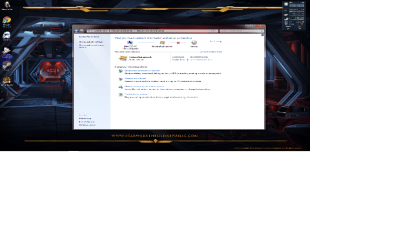
Just today I got a new E4200 router and for some reason I can not connect to the internet. Although on my old router I could connect just fine The Network and Sharing Center Says that I am connected to an Unidentified Public Network with no internet access. I am directly connected to the router via an Ethernet cable. When I run ipconfig/all this is what I get:
Microsoft Windows [Version 6.1.7601]
Copyright (c) 2009 Microsoft Corporation. All rights reserved.

C:\Users\Image 17>ipconfig/all

Windows IP Configuration

Host Name . . . . . . . . . . . . : Image17-PC
Primary Dns Suffix . . . . . . . :
Node Type . . . . . . . . . . . . : Hybrid
IP Routing Enabled. . . . . . . . : No
WINS Proxy Enabled. . . . . . . . : No

Ethernet adapter Local Area Connection 2:

Media State . . . . . . . . . . . : Media disconnected
Connection-specific DNS Suffix . :
Description . . . . . . . . . . . : NVIDIA nForce Networking Controller #2
Physical Address. . . . . . . . . : 00-04-4B-17-98-62
DHCP Enabled. . . . . . . . . . . : Yes
Autoconfiguration Enabled . . . . : Yes

Ethernet adapter Local Area Connection:

Connection-specific DNS Suffix . :
Description . . . . . . . . . . . : NVIDIA nForce Networking Controller
Physical Address. . . . . . . . . : 00-04-4B-17-98-63
DHCP Enabled. . . . . . . . . . . : Yes
Autoconfiguration Enabled . . . . : Yes
Link-local IPv6 Address . . . . . : fe80::d9ba:5947:603e:44f9%11(Preferred)
Autoconfiguration IPv4 Address. . : 169.254.68.249(Preferred)
Subnet Mask . . . . . . . . . . . : 255.255.0.0
Default Gateway . . . . . . . . . :
DHCPv6 IAID . . . . . . . . . . . : 234882123
DHCPv6 Client DUID. . . . . . . . : 00-01-00-01-15-AD-DB-D3-00-04-4B-17-98-63

DNS Servers . . . . . . . . . . . : fec0:0:0:ffff::1%1
fec0:0:0:ffff::2%1
fec0:0:0:ffff::3%1
NetBIOS over Tcpip. . . . . . . . : Enabled

Tunnel adapter isatap.{DAD3EE73-CCE5-4AFC-BFF9-6A5EBEE92BE9}:

Media State . . . . . . . . . . . : Media disconnected
Connection-specific DNS Suffix . :
Description . . . . . . . . . . . : Microsoft ISATAP Adapter
Physical Address. . . . . . . . . : 00-00-00-00-00-00-00-E0
DHCP Enabled. . . . . . . . . . . : No
Autoconfiguration Enabled . . . . : Yes

Tunnel adapter isatap.{1849B92A-42F9-4E3C-B6E9-694DA24508A0}:

Media State . . . . . . . . . . . : Media disconnected
Connection-specific DNS Suffix . :
Description . . . . . . . . . . . : Microsoft ISATAP Adapter #2
Physical Address. . . . . . . . . : 00-00-00-00-00-00-00-E0
DHCP Enabled. . . . . . . . . . . : No
Autoconfiguration Enabled . . . . : Yes

Tunnel adapter Local Area Connection* 12:

Media State . . . . . . . . . . . : Media disconnected
Connection-specific DNS Suffix . :
Description . . . . . . . . . . . : Teredo Tunneling Pseudo-Interface
Physical Address. . . . . . . . . : 00-00-00-00-00-00-00-E0
DHCP Enabled. . . . . . . . . . . : No
Autoconfiguration Enabled . . . . : Yes

C:\Users\Image 17>


C:\Users\Image 17>
Any help would be appreciated guys :D
 

Attachments

  • asd.png
    asd.png
    210.1 KB · Views: 119

My Computer My Computer

At a glance

Windows 7 64 BitIntel Core Quad CPU Q95506144MB RAMNvidia GTX 570
Computer Manufacturer/Model Number
Alienware
OS
Windows 7 64 Bit
CPU
Intel Core Quad CPU Q9550
Memory
6144MB RAM
Graphics Card(s)
Nvidia GTX 570
on the bottom of the router you will see a http:// address... load it into you web browser and setup for internet access. leave the ethernet cable connected to the router through port 1. and the internet port connected to the internet modem (if thats your access)
 

My Computer My Computer

At a glance

Windows 7 Ultimate 32bit
OS
Windows 7 Ultimate 32bit

My Computer My Computer

At a glance

Win7 & Win8 64bitIntel i5
Computer Manufacturer/Model Number
Lenovo Desktop/Samsung Laptop
OS
Win7 & Win8 64bit
CPU
Intel i5
Internet Speed
Charter-20 Mbps
Antivirus
Avast
Browser
FF, IE9 and Chrome
Rotsen,
Fluffing out your System Specs would be helpful:

UPDATE YOUR SEVENFORUMS SYSTEM SPECS


User CP (3rd item in the top menu bar) |
in left-hand column, under Your Profile, Edit System Spec |


Use Speccy - System Information - Free Download
and/or SIW to gather info for filling in the blanks.

Do me a favor. Please add the word laptop or desktop to the “system manufacturer” block.

Provide full windows version info, such as provided by Speccy:
MS Windows 7 Ultimate 64-bit SP1

Use the “Other Info” block for Optical Reader, Mouse, touchpad, wifi adapter, speakers, monitor

Scroll down and click on the SAVE CHANGES button.
 

My Computer My Computer

At a glance

MS Windows 7 Ultimate SP1 64-bitAMD A10-4600M6.00 GB Dual-Channel DDR3 @ 798MHz (11-11-12-28)AMD Radeon HD 7660G
Computer Manufacturer/Model Number
Toshiba Satellite S875D-S7239 laptop
OS
MS Windows 7 Ultimate SP1 64-bit
CPU
AMD A10-4600M
Motherboard
AMD Pumori (Socket FT1)
Memory
6.00 GB Dual-Channel DDR3 @ 798MHz (11-11-12-28)
Graphics Card(s)
AMD Radeon HD 7660G
Sound Card
High Definition Audio Device
Monitor(s) Displays
Generic PnP Monitor (1600x900@60Hz)
Screen Resolution
1600x900@60Hz
Hard Drives
SSD 119GB Corsair CSSD-V128GB2 ATA Device
Keyboard
Standard PS/2 Keyboard
Mouse
HP Wireless Optical Mobile Mouse Model FHA-3410
Internet Speed
What the local pub, local coffee shop offers.
Other Info
Optical Drive:MATSHITA BD-CMB UJ160B ATA Device


Also have an Asus ha1002xp netbook with Win 7 Ultimate installed.
Unidentified Public Network With No network Access Help!

hi. pliz help me, i am really stuck. my toshiba l670d will not access the network via the wired LAN cable. it how accesses the wireless network without a problem. have tried everything posted in other forums like putting "obtain ip automatically" in tcp/ipv4 properties, disabled bonjour in services, put in ip, dns n gateway values in tcp/ip4 properties but there is not change. i did the ipconfig /all and got this:

Microsoft Windows [Version 6.1.7601]
Copyright (c) 2009 Microsoft Corporation. All rights reserved.

C:\Users\USER>ipconfig /all

Windows IP Configuration

Host Name . . . . . . . . . . . . : UUSER-PC
Primary Dns Suffix . . . . . . . :
Node Type . . . . . . . . . . . . : Hybrid
IP Routing Enabled. . . . . . . . : No
WINS Proxy Enabled. . . . . . . . : No
DNS Suffix Search List. . . . . . : mshome.net
uz.ac.zw
System Quarantine State . . . . . : Not Restricted


Wireless LAN adapter Wireless Network Connection 2:

Media State . . . . . . . . . . . : Media disconnected
Connection-specific DNS Suffix . :
Description . . . . . . . . . . . : Microsoft Virtual WiFi Miniport Adapter
Physical Address. . . . . . . . . : 70-F1-A1-AA-0C-0D
DHCP Enabled. . . . . . . . . . . : Yes
Autoconfiguration Enabled . . . . : Yes

Wireless LAN adapter Wireless Network Connection:

Connection-specific DNS Suffix . : uz.ac.zw
Description . . . . . . . . . . . : Realtek RTL8191SE Wireless LAN 802.11n PC
I-E NIC
Physical Address. . . . . . . . . : 70-F1-A1-AA-0C-0D
DHCP Enabled. . . . . . . . . . . : Yes
Autoconfiguration Enabled . . . . : Yes
Link-local IPv6 Address . . . . . : fe80::585b:9a3d:e638:921c%12(Preferred)
IPv4 Address. . . . . . . . . . . : 10.70.44.231(Preferred)
Subnet Mask . . . . . . . . . . . : 255.255.0.0
Lease Obtained. . . . . . . . . . : Thursday, 16 February, 2012 7:58:47 AM
Lease Expires . . . . . . . . . . : Thursday, 16 February, 2012 5:58:47 PM
Default Gateway . . . . . . . . . : 10.70.1.100
DHCP Server . . . . . . . . . . . : 10.17.0.5
DHCPv6 IAID . . . . . . . . . . . : 326168993
DHCPv6 Client DUID. . . . . . . . : 00-01-00-01-13-DA-CC-86-88-AE-1D-52-C9-13

DNS Servers . . . . . . . . . . . : fe80::4956:a240:ca02:2b16%12
10.50.7.178
10.200.3.242
10.200.3.241
Primary WINS Server . . . . . . . : 10.17.1.150
NetBIOS over Tcpip. . . . . . . . : Enabled
Connection-specific DNS Suffix Search List :
mshome.net

Ethernet adapter Local Area Connection:

Connection-specific DNS Suffix . : uz.ac.zw
Description . . . . . . . . . . . : Realtek PCIe FE Family Controller
Physical Address. . . . . . . . . : 88-AE-1D-52-C9-13
DHCP Enabled. . . . . . . . . . . : Yes
Autoconfiguration Enabled . . . . : Yes
Link-local IPv6 Address . . . . . : fe80::d01c:7615:9eaa:dfaa%10(Preferred)
Autoconfiguration IPv4 Address. . : 169.254.223.170(Preferred)
Subnet Mask . . . . . . . . . . . : 255.255.0.0
Default Gateway . . . . . . . . . :
DHCPv6 IAID . . . . . . . . . . . : 243838493
DHCPv6 Client DUID. . . . . . . . : 00-01-00-01-13-DA-CC-86-88-AE-1D-52-C9-13

DNS Servers . . . . . . . . . . . : fec0:0:0:ffff::1%1
fec0:0:0:ffff::2%1
fec0:0:0:ffff::3%1
NetBIOS over Tcpip. . . . . . . . : Enabled

Tunnel adapter isatap.uz.ac.zw:

Media State . . . . . . . . . . . : Media disconnected
Connection-specific DNS Suffix . :
Description . . . . . . . . . . . : Microsoft ISATAP Adapter
Physical Address. . . . . . . . . : 00-00-00-00-00-00-00-E0
DHCP Enabled. . . . . . . . . . . : No
Autoconfiguration Enabled . . . . : Yes

Tunnel adapter isatap.{5CB8FC2C-6CEE-4603-AA12-498CE486D0F1}:

Media State . . . . . . . . . . . : Media disconnected
Connection-specific DNS Suffix . :
Description . . . . . . . . . . . : Microsoft ISATAP Adapter #2
Physical Address. . . . . . . . . : 00-00-00-00-00-00-00-E0
DHCP Enabled. . . . . . . . . . . : No
Autoconfiguration Enabled . . . . : Yes

Tunnel adapter Teredo Tunneling Pseudo-Interface:

Media State . . . . . . . . . . . : Media disconnected
Connection-specific DNS Suffix . :
Description . . . . . . . . . . . : Teredo Tunneling Pseudo-Interface
Physical Address. . . . . . . . . : 00-00-00-00-00-00-00-E0
DHCP Enabled. . . . . . . . . . . : No
Autoconfiguration Enabled . . . . : Yes

Tunnel adapter Reusable ISATAP Interface {EA07E182-F0BB-4522-A24C-5E419F2D3FC7}:


Media State . . . . . . . . . . . : Media disconnected
Connection-specific DNS Suffix . : uz.ac.zw
Description . . . . . . . . . . . : Microsoft ISATAP Adapter #3
Physical Address. . . . . . . . . : 00-00-00-00-00-00-00-E0
DHCP Enabled. . . . . . . . . . . : No
Autoconfiguration Enabled . . . . : Yes

Tunnel adapter Reusable ISATAP Interface {E2358B78-26DC-4023-834B-FEE95B1BF709}:


Media State . . . . . . . . . . . : Media disconnected
Connection-specific DNS Suffix . :
Description . . . . . . . . . . . : Microsoft ISATAP Adapter #4
Physical Address. . . . . . . . . : 00-00-00-00-00-00-00-E0
DHCP Enabled. . . . . . . . . . . : No
Autoconfiguration Enabled . . . . : Yes

there is a time it rarely gets access but it is short lived. pliz help me get connected onto my network
 

My Computer My Computer

At a glance

windows 7 64bit home premiumAMD Turion™ II Dual Core P5203GB
OS
windows 7 64bit home premium
CPU
AMD Turion™ II Dual Core P520
Memory
3GB
Welcome to Seven Forums,

Try assigning Static IP.
How to Assign a Static IP Address in XP, Vista, or Windows 7 - How-To Geek
hi. pliz help me, i am really stuck. my toshiba l670d will not access the network via the wired LAN cable. it how accesses the wireless network without a problem. have tried everything posted in other forums like putting "obtain ip automatically" in tcp/ipv4 properties, disabled bonjour in services, put in ip, dns n gateway values in tcp/ip4 properties but there is not change. i did the ipconfig /all and got this:

Microsoft Windows [Version 6.1.7601]
Copyright (c) 2009 Microsoft Corporation. All rights reserved.

C:\Users\USER>ipconfig /all

Windows IP Configuration

Host Name . . . . . . . . . . . . : UUSER-PC
Primary Dns Suffix . . . . . . . :
Node Type . . . . . . . . . . . . : Hybrid
IP Routing Enabled. . . . . . . . : No
WINS Proxy Enabled. . . . . . . . : No
DNS Suffix Search List. . . . . . : mshome.net
uz.ac.zw
System Quarantine State . . . . . : Not Restricted


Wireless LAN adapter Wireless Network Connection 2:

Media State . . . . . . . . . . . : Media disconnected
Connection-specific DNS Suffix . :
Description . . . . . . . . . . . : Microsoft Virtual WiFi Miniport Adapter
Physical Address. . . . . . . . . : 70-F1-A1-AA-0C-0D
DHCP Enabled. . . . . . . . . . . : Yes
Autoconfiguration Enabled . . . . : Yes

Wireless LAN adapter Wireless Network Connection:

Connection-specific DNS Suffix . : uz.ac.zw
Description . . . . . . . . . . . : Realtek RTL8191SE Wireless LAN 802.11n PC
I-E NIC
Physical Address. . . . . . . . . : 70-F1-A1-AA-0C-0D
DHCP Enabled. . . . . . . . . . . : Yes
Autoconfiguration Enabled . . . . : Yes
Link-local IPv6 Address . . . . . : fe80::585b:9a3d:e638:921c%12(Preferred)
IPv4 Address. . . . . . . . . . . : 10.70.44.231(Preferred)
Subnet Mask . . . . . . . . . . . : 255.255.0.0
Lease Obtained. . . . . . . . . . : Thursday, 16 February, 2012 7:58:47 AM
Lease Expires . . . . . . . . . . : Thursday, 16 February, 2012 5:58:47 PM
Default Gateway . . . . . . . . . : 10.70.1.100
DHCP Server . . . . . . . . . . . : 10.17.0.5
DHCPv6 IAID . . . . . . . . . . . : 326168993
DHCPv6 Client DUID. . . . . . . . : 00-01-00-01-13-DA-CC-86-88-AE-1D-52-C9-13

DNS Servers . . . . . . . . . . . : fe80::4956:a240:ca02:2b16%12
10.50.7.178
10.200.3.242
10.200.3.241
Primary WINS Server . . . . . . . : 10.17.1.150
NetBIOS over Tcpip. . . . . . . . : Enabled
Connection-specific DNS Suffix Search List :
mshome.net

Ethernet adapter Local Area Connection:

Connection-specific DNS Suffix . : uz.ac.zw
Description . . . . . . . . . . . : Realtek PCIe FE Family Controller
Physical Address. . . . . . . . . : 88-AE-1D-52-C9-13
DHCP Enabled. . . . . . . . . . . : Yes
Autoconfiguration Enabled . . . . : Yes
Link-local IPv6 Address . . . . . : fe80::d01c:7615:9eaa:dfaa%10(Preferred)
Autoconfiguration IPv4 Address. . : 169.254.223.170(Preferred)
Subnet Mask . . . . . . . . . . . : 255.255.0.0
Default Gateway . . . . . . . . . :
DHCPv6 IAID . . . . . . . . . . . : 243838493
DHCPv6 Client DUID. . . . . . . . : 00-01-00-01-13-DA-CC-86-88-AE-1D-52-C9-13

DNS Servers . . . . . . . . . . . : fec0:0:0:ffff::1%1
fec0:0:0:ffff::2%1
fec0:0:0:ffff::3%1
NetBIOS over Tcpip. . . . . . . . : Enabled

Tunnel adapter isatap.uz.ac.zw:

Media State . . . . . . . . . . . : Media disconnected
Connection-specific DNS Suffix . :
Description . . . . . . . . . . . : Microsoft ISATAP Adapter
Physical Address. . . . . . . . . : 00-00-00-00-00-00-00-E0
DHCP Enabled. . . . . . . . . . . : No
Autoconfiguration Enabled . . . . : Yes

Tunnel adapter isatap.{5CB8FC2C-6CEE-4603-AA12-498CE486D0F1}:

Media State . . . . . . . . . . . : Media disconnected
Connection-specific DNS Suffix . :
Description . . . . . . . . . . . : Microsoft ISATAP Adapter #2
Physical Address. . . . . . . . . : 00-00-00-00-00-00-00-E0
DHCP Enabled. . . . . . . . . . . : No
Autoconfiguration Enabled . . . . : Yes

Tunnel adapter Teredo Tunneling Pseudo-Interface:

Media State . . . . . . . . . . . : Media disconnected
Connection-specific DNS Suffix . :
Description . . . . . . . . . . . : Teredo Tunneling Pseudo-Interface
Physical Address. . . . . . . . . : 00-00-00-00-00-00-00-E0
DHCP Enabled. . . . . . . . . . . : No
Autoconfiguration Enabled . . . . : Yes

Tunnel adapter Reusable ISATAP Interface {EA07E182-F0BB-4522-A24C-5E419F2D3FC7}:


Media State . . . . . . . . . . . : Media disconnected
Connection-specific DNS Suffix . : uz.ac.zw
Description . . . . . . . . . . . : Microsoft ISATAP Adapter #3
Physical Address. . . . . . . . . : 00-00-00-00-00-00-00-E0
DHCP Enabled. . . . . . . . . . . : No
Autoconfiguration Enabled . . . . : Yes

Tunnel adapter Reusable ISATAP Interface {E2358B78-26DC-4023-834B-FEE95B1BF709}:


Media State . . . . . . . . . . . : Media disconnected
Connection-specific DNS Suffix . :
Description . . . . . . . . . . . : Microsoft ISATAP Adapter #4
Physical Address. . . . . . . . . : 00-00-00-00-00-00-00-E0
DHCP Enabled. . . . . . . . . . . : No
Autoconfiguration Enabled . . . . : Yes

there is a time it rarely gets access but it is short lived. pliz help me get connected onto my network
 

My Computer My Computer

At a glance

Win7 & Win8 64bitIntel i5
Computer Manufacturer/Model Number
Lenovo Desktop/Samsung Laptop
OS
Win7 & Win8 64bit
CPU
Intel i5
Internet Speed
Charter-20 Mbps
Antivirus
Avast
Browser
FF, IE9 and Chrome
hi. i tried the static ip but still no change. when i run the diagnostic tool, it says it cant identify the problem.
 

My Computer My Computer

At a glance

windows 7 64bit home premiumAMD Turion™ II Dual Core P5203GB
OS
windows 7 64bit home premium
CPU
AMD Turion™ II Dual Core P520
Memory
3GB
Have you ran any Anti-spyware/anti-malware software? I use superantispyware Free edition. If this didn't help, you might want to do an image restore if available or a Clean install.
hi. i tried the static ip but still no change. when i run the diagnostic tool, it says it cant identify the problem.
 

My Computer My Computer

At a glance

Win7 & Win8 64bitIntel i5
Computer Manufacturer/Model Number
Lenovo Desktop/Samsung Laptop
OS
Win7 & Win8 64bit
CPU
Intel i5
Internet Speed
Charter-20 Mbps
Antivirus
Avast
Browser
FF, IE9 and Chrome
I work in ISP technical support and we see things like this all the time.

A usual fix for this, assuming your familiar with Command Prompt - MAKE SURE TO RUN AS ADMINISTRATOR

Then run the following commands, one at a time.


netsh int ip reset
netsh int tcp reset
netsh advfirewall reset
netsh winsock reset

Then shut down your machine, unplug the power to both your modem and your router. Plug modem back in and WAIT FOR THE INTERNET LIGHT to come back on, then plug router back in. Boot up your computer and you should be able to connect to the internet. If this doesn't help let me know.
 

My Computer My Computer

At a glance

Windows 7 Ultimate X64AMD Phenom II 1090TNvidia Geforce GTX 550 Ti
OS
Windows 7 Ultimate X64
CPU
AMD Phenom II 1090T
Graphics Card(s)
Nvidia Geforce GTX 550 Ti
Sound Card
Integrated 5.1 Surround
Monitor(s) Displays
2 x Acer 23" Monitors Extended Desktop
Screen Resolution
1920x1080
Hard Drives
1TB Seagate 7200.12
hi Timmah
still not working.....
 

My Computer My Computer

At a glance

windows 7 64bit home premiumAMD Turion™ II Dual Core P5203GB
OS
windows 7 64bit home premium
CPU
AMD Turion™ II Dual Core P520
Memory
3GB
Before you ran the commands, did you right-click cmd first and choose Run as Administrator?
 

My Computer My Computer

At a glance

Windows 7 Ultimate SP1 64-BitIntel Core i7 870 @ 2.93GHz8Gb Dual-Channel DDR3 @ 664MHznVidia GeForce GTX 460 1024MB dedicated RAM
Computer Manufacturer/Model Number
HP Pavilion Elite 495UK
OS
Windows 7 Ultimate SP1 64-Bit
CPU
Intel Core i7 870 @ 2.93GHz
Motherboard
MSI 2A9C (CPU1)
Memory
8Gb Dual-Channel DDR3 @ 664MHz
Graphics Card(s)
nVidia GeForce GTX 460 1024MB dedicated RAM
Sound Card
Realtek HD Audio
Monitor(s) Displays
HP2310i
Screen Resolution
1920 x 1080
Hard Drives
1x1954GB Hitachi HDS22020ALA 330 (RAID), 1x1954GB Hitachi External for backup and storage
PSU
460W
Case
HP Elite
Cooling
Air cooled
Keyboard
Logitech K750 solar-powered keyboard
Mouse
Logitech Wireless M180 mouse
Internet Speed
2Mb
Other Info
Pure Avanti Flow Internet Radio with iPod Dock, 64Gb iPod, HP USB Speakers, Sony MDR-V500 Headphones, Sony Vaio F-Series Laptop

My Computer My Computer

At a glance

windows 7 64bit home premiumAMD Turion™ II Dual Core P5203GB
OS
windows 7 64bit home premium
CPU
AMD Turion™ II Dual Core P520
Memory
3GB
You might have to do this, my previous suggestion.
If this didn't help, you might want to do an image restore if available or a Clean install.
 

My Computer My Computer

At a glance

Win7 & Win8 64bitIntel i5
Computer Manufacturer/Model Number
Lenovo Desktop/Samsung Laptop
OS
Win7 & Win8 64bit
CPU
Intel i5
Internet Speed
Charter-20 Mbps
Antivirus
Avast
Browser
FF, IE9 and Chrome
Back
Top