64-bit OS = No 16-bit support

My Computer

OS
Windows 7 PRO x64
CPU
Phenom II 1090T @ 4.00GHz
Motherboard
Crosshair IV Formula
Memory
8gb DDR3
Graphics Card(s)
1x ATI Diamond 5850
Monitor(s) Displays
50in HDTV (HDMI)
Screen Resolution
1080P
Hard Drives
2x 1TB barracuda
1x 1TB WD Black
1x 2TB WD
1x OCZ Vertex 2 40GB
PSU
1000w Xion
Case
Armor+ VH6000BWS
Cooling
W/C
Internet Speed
60Mbps down, 7 up
I have 16 bit software that I have to use for work so it would have been nice to be able to run it on x64, however I just dual boot 32 & 64 to solve the problem.:)
 

My Computer

OS
Windows 7 64bit Home
CPU
Q9650
Motherboard
Asus P5Q E
Memory
Kingston Hyper X 4x2048
Graphics Card(s)
His 4870
Sound Card
Onboard
Monitor(s) Displays
Dell 2008WFP
Screen Resolution
1920x1200
Hard Drives
Velociraptor
PSU
Enermax Modu+ 625w
Case
Antec 300
yeah XP mode works great.
 

My Computer

Computer Manufacturer/Model Number
Built Myself
OS
Windows 7 7600.16384 x64
CPU
Intel Core i7 OC'd to 3.20 GHz
Motherboard
Gigabyte
Memory
6GB GSkillz Triple Channel DDR3 OC'd to 1600 MHz
Graphics Card(s)
Nvidia GTX 280
Sound Card
X-Fi Platinum
Monitor(s) Displays
Dual 2001FWP
Screen Resolution
1680x1050 x 2
Hard Drives
System - Dual 150GB Raptors Raid0
Doc Storage - 1TB SATA 32MB cache Samsung
TV Recordings - 1TB SATA 32MB cache Samsung
PSU
Gigawatt Antec
Case
Antec 900
Keyboard
Saitek
Mouse
logitech MX 10000
Internet Speed
30 mb/s
Why would you even want 16-bit in this day and age? But as others have said theres always virtualisation.
 

My Computer

Computer Manufacturer/Model Number
self built
OS
Windows 7 Professional 64-bit
CPU
Intel E8400 3GHz
Motherboard
Intel DX48BT2
Memory
Kingston PC3-10700H 4Gb
Graphics Card(s)
XFX Radeon HD 5850 BlackEd.
Sound Card
Asus Xonar DG
Monitor(s) Displays
2x Samsung SM-T220HD 22"
Screen Resolution
1680x1050 on two monitors
Hard Drives
OCZ Vertex 2 120gb 3.5" (OS)
Seagate Momentus XT 500gb
Samsung F3 1Tb (games)
2x Samsung F1 1Tb
PSU
Thermaltake ToughPower 850w
Case
Thermaltake Armor
Cooling
Scythe Mugen II
Keyboard
Microsoft Comfort Curve USB
Mouse
Razer Diamondback 3G
Internet Speed
8128/443
Why would you even want 16-bit in this day and age? But as others have said theres always virtualisation.

And why would you even create a thread with information we already know.
 

My Computer

OS
W7 7201
And why would you even create a thread with information we already know.

bum is simply looking for a way to run a 16bit he uses in the work environment on his home pc.

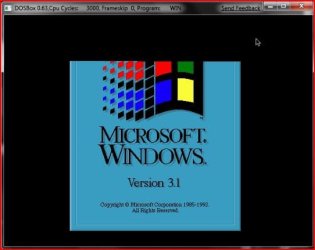
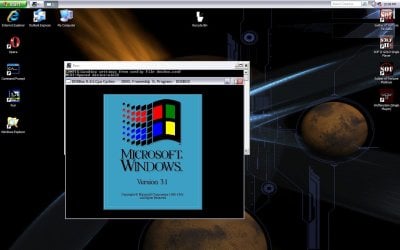
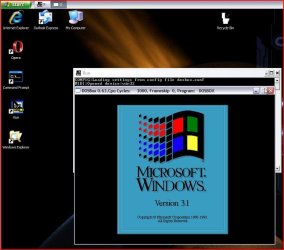
Another thought depending on the type of 16bit application is an emulator called DOSBox where you mount old dos apps, games on a virtual dos drive through the small window. The VPC is geared more towards XP Pro support Windows programs as a rule and may run into too many problems trying to get any 16bit app to work there.

98 on Virtual would be more of a thought for still offering 16bit support.
 

My Computers

System One System Two

  • Computer type
    PC/Desktop
    Computer Manufacturer/Model Number
    Custom builds = 2
    OS
    W7 Ultimate x64/W10 Pro x64/W11 Pro Triple Boot - Main PC W7 Remote PC Micro ATX W7 Pro x64/W11 Pro
    CPU
    AMD Phenom II X4 975 Deneb 3.6ghz - 965 2nd remote pc
    Motherboard
    Gigabyte GA-790XTA-UD4-Gigabyte GA-880GM-D2H remote pc
    Memory
    Kingston Hyper X DDR3 1600 1.5v 16gb - Hyper X Fury 8gb 2nd
    Graphics Card(s)
    MSI HD Radeon 5750 1gb - MSI HD Radeon 6450 on mini tower
    Sound Card
    Creative Labs X-Fi Xtreme Audio P - Realtek onooard 2nd case
    Monitor(s) Displays
    ASUS VW199T-P 19" HP 2082a Main-HP 2082a 20" remote pc
    Screen Resolution
    Asus 1440x900 - HP 1600x900
    Hard Drives
    WD Black 1TB HD per OS W7, W10, and pending W11 presently on 500gb OS Drive - Pending Triple 1TB HDs for Spanned Storage/backup volume
    Single 2TB external USB enclosure, single 1TB System 7 Host/Boot drive, Pending 8TB external HD for system image b
    PSU
    Corsair 750TX - primary / Corsair CX600 - second
    Case
    Antec 900-2 - SSD compatible / NZXT Vulcan mini tower
    Cooling
    Zalman CNPS9900A
    Keyboard
    AZIO L70 Backlit Letters Gaming - ONN Cordless/USB
    Mouse
    MSI DS200 Programmable, Logitech Cordless
    Internet Speed
    30mbps upgrade - primary hard wired - mini tower usb WiFi
    Antivirus
    GFI VIPRE Internet Security 2014 on W7 2016 beta on W10,
    Browser
    Cyberfox, WaterFox 64bit FF variants, FireFox x64, Pale Moon
    Other Info
    Accomdata fan cooled usb 2.0 PIDE/Sata II, III external enclosure.
    Sambient usb/eSata PATA/Sata II, III external enclosure.
  • Computer type
    PC/Desktop
    System Manufacturer/Model Number
    CUSTOM ASSEMBLY
    OS
    W7 Pro x64/W11 Pro
    CPU
    AMD Deneb 3.6ghz - 965
    Motherboard
    Gigabyte GA-880GM-D2H remote pc
    Memory
    Kingston Hyper X Fury 8gb
    Graphics Card(s)
    MSI HD Radeon 6450 DVI Output
    Sound Card
    Realtek onooard Creative or Other separate PENDING
    Monitor(s) Displays
    VIZIO 32" LCD TV Separate LCD Pending
    Screen Resolution
    1600x1080
    Hard Drives
    WD 500GB OS Host/Boot WD Green 1TB Storage/Backup
    PSU
    Corsair 600W - THERMALTAKE 600W spare case
    Case
    NZXT Vulcan mini tower
    Cooling
    Twin 120mm Top Fans - 240mm Side Cover
    Keyboard
    ONN Cordless/USB Logitech Cordless
    Mouse
    ONN USB/Cordless - Logitech Cordless
    Internet Speed
    DSL 5G
    Browser
    MS Edge, FireFox, WaterFox x64, FireFox Nightly
    Other Info
    OS Testing-Remote Access to Main TeamViewer
  • Like
Reactions: bum
I have 16 bit software that I have to use for work so it would have been nice to be able to run it on x64, however I just dual boot 32 & 64 to solve the problem.:)


Why not fire up a VM -- Even Windows 3.11 runs fine as a VM on W7 X-64 under Vmware. Haven't tried yet but it should also work on Virtual Box.

You can still download Windows 3.11 from Technet BTW.

Running XP as a VM poses utterly no problems either -- I run 3 of them daily using old legacy hardware and apps. With W7 X-64 you could probably equal or even surpass the Native speed of these OS'es due to the far superior compute power and processes of the 64 bit OS.

Cheers
jimbo
 

My Computer

Computer type
PC/Desktop
Computer Manufacturer/Model Number
Custom built, several laptops HP/ASUS
OS
Linux CENTOS 7 / various Windows OS'es and servers
CPU
Intel i7 Intel i5
Memory
8GB, 16GB
Graphics Card(s)
On Motherboard
Sound Card
Realtek HD audio
Monitor(s) Displays
Apple Cinema display, Samsung LCD
Screen Resolution
1920 X 1080
Hard Drives
4 X 1TB SATA
Mouse
Toshiba wireless laser
Internet Speed
> 20MB up
I tried to get 3.1 running here on the SUN Virtual Box to no go. You needed bootable media to go onto a Fat16 primary. I got so far starting the 3.1 setup and seeing the Windows directory created while Win 3.1 simply refused to load eventually. :(
 

Attachments

  • DUAL 7 WITH 31.jpg
    DUAL 7 WITH 31.jpg
    29.9 KB · Views: 21
  • DUAL BOOT 3.1-7.jpg
    DUAL BOOT 3.1-7.jpg
    123.7 KB · Views: 44
  • DUAL BOOT XP-31.jpg
    DUAL BOOT XP-31.jpg
    103.5 KB · Views: 36
  • DUAL XP WITH 31.jpg
    DUAL XP WITH 31.jpg
    55.1 KB · Views: 21

My Computers

System One System Two

  • Computer type
    PC/Desktop
    Computer Manufacturer/Model Number
    Custom builds = 2
    OS
    W7 Ultimate x64/W10 Pro x64/W11 Pro Triple Boot - Main PC W7 Remote PC Micro ATX W7 Pro x64/W11 Pro
    CPU
    AMD Phenom II X4 975 Deneb 3.6ghz - 965 2nd remote pc
    Motherboard
    Gigabyte GA-790XTA-UD4-Gigabyte GA-880GM-D2H remote pc
    Memory
    Kingston Hyper X DDR3 1600 1.5v 16gb - Hyper X Fury 8gb 2nd
    Graphics Card(s)
    MSI HD Radeon 5750 1gb - MSI HD Radeon 6450 on mini tower
    Sound Card
    Creative Labs X-Fi Xtreme Audio P - Realtek onooard 2nd case
    Monitor(s) Displays
    ASUS VW199T-P 19" HP 2082a Main-HP 2082a 20" remote pc
    Screen Resolution
    Asus 1440x900 - HP 1600x900
    Hard Drives
    WD Black 1TB HD per OS W7, W10, and pending W11 presently on 500gb OS Drive - Pending Triple 1TB HDs for Spanned Storage/backup volume
    Single 2TB external USB enclosure, single 1TB System 7 Host/Boot drive, Pending 8TB external HD for system image b
    PSU
    Corsair 750TX - primary / Corsair CX600 - second
    Case
    Antec 900-2 - SSD compatible / NZXT Vulcan mini tower
    Cooling
    Zalman CNPS9900A
    Keyboard
    AZIO L70 Backlit Letters Gaming - ONN Cordless/USB
    Mouse
    MSI DS200 Programmable, Logitech Cordless
    Internet Speed
    30mbps upgrade - primary hard wired - mini tower usb WiFi
    Antivirus
    GFI VIPRE Internet Security 2014 on W7 2016 beta on W10,
    Browser
    Cyberfox, WaterFox 64bit FF variants, FireFox x64, Pale Moon
    Other Info
    Accomdata fan cooled usb 2.0 PIDE/Sata II, III external enclosure.
    Sambient usb/eSata PATA/Sata II, III external enclosure.
  • Computer type
    PC/Desktop
    System Manufacturer/Model Number
    CUSTOM ASSEMBLY
    OS
    W7 Pro x64/W11 Pro
    CPU
    AMD Deneb 3.6ghz - 965
    Motherboard
    Gigabyte GA-880GM-D2H remote pc
    Memory
    Kingston Hyper X Fury 8gb
    Graphics Card(s)
    MSI HD Radeon 6450 DVI Output
    Sound Card
    Realtek onooard Creative or Other separate PENDING
    Monitor(s) Displays
    VIZIO 32" LCD TV Separate LCD Pending
    Screen Resolution
    1600x1080
    Hard Drives
    WD 500GB OS Host/Boot WD Green 1TB Storage/Backup
    PSU
    Corsair 600W - THERMALTAKE 600W spare case
    Case
    NZXT Vulcan mini tower
    Cooling
    Twin 120mm Top Fans - 240mm Side Cover
    Keyboard
    ONN Cordless/USB Logitech Cordless
    Mouse
    ONN USB/Cordless - Logitech Cordless
    Internet Speed
    DSL 5G
    Browser
    MS Edge, FireFox, WaterFox x64, FireFox Nightly
    Other Info
    OS Testing-Remote Access to Main TeamViewer
I just thought dual booting was the quickest way to go in case I had to format my os.
My current situation is vista 32 and 7 64 on a drive plus another drive where I have all my stuff (documents, pictures, etc.) If I format the windows 7 partition obviously the virtual machine gets wiped with it.
Is it possible to just back it up and then just install virtual box or other program, point it to my backup and bang! everything is back where it is supposed to be or will I have to reinstall the os in the virtual machine and every programme I use?
 

My Computer

OS
Windows 7 64bit Home
CPU
Q9650
Motherboard
Asus P5Q E
Memory
Kingston Hyper X 4x2048
Graphics Card(s)
His 4870
Sound Card
Onboard
Monitor(s) Displays
Dell 2008WFP
Screen Resolution
1920x1200
Hard Drives
Velociraptor
PSU
Enermax Modu+ 625w
Case
Antec 300
Well, I write simple C++ programs and compile them with DJGPP. Not possible on W7 x64 but I solved the problem by running them through DOSBox :P Could be done with Turbo C too
 

My Computer

Computer Manufacturer/Model Number
Custom Built
OS
Windows 7 Ultimate 64-bit (6.1, Build 7600)
CPU
Intel(R) Core(TM)2 Duo CPU E8400 @ 3.00GHz (2 CPUs), ~3.0GHz
Motherboard
ASUS P5-KPL/1600
Memory
Kingston ValueRAM 2GB DDR2-800 RAM Retail x2 (Total 4GB RAM)
Graphics Card(s)
XFX GeForce 9800GTX+ 512MB
Sound Card
VIA HD Audio rear output
Monitor(s) Displays
SyncMaster T220/T220G(Digital)
Screen Resolution
1680x1050
Hard Drives
Western Digital Caviar Black | 750 GB | S-ATA II | 32MB Cache Buffer
PSU
Enermax Tomahawk ETK500AWT
Case
CoolerMaster Centurion 590
Cooling
5 CoolerMaster 120mm LED fans
Keyboard
MobileGear KB17 Slim Multimedia Keyboard in Silver Colour
Mouse
Razer DeathAdder
Internet Speed
DL: 1Mb/s | UL: 512Kb/s
LOL! This post I think just made my day...
 

My Computer

Computer Manufacturer/Model Number
Toshiba L355D-7901
OS
Windows 7 X64
CPU
AMD Turion™ X2 Dual-Core Mobile Processor RM-72
Motherboard
AMD M780G chipset
Memory
4GB PC6400 DDR2 SDRAM
Graphics Card(s)
ATI Radeon™ 3100 Graphics
Sound Card
Realtek High Definition Audio
Monitor(s) Displays
17.0” diagonal widescreen TruBrite® TFT LCD
Screen Resolution
1440x900
Hard Drives
250GB (5400 RPM) Serial ATA
Mouse
Microsoft Bluetooth Notebook Mouse 5000
Well, I write simple C++ programs and compile them with DJGPP. Not possible on W7 x64 but I solved the problem by running them through DOSBox :P Could be done with Turbo C too

Use a better compiler.
 

My Computer

OS
Windows 7
News flash: Nobody misses 16-bit components, 16-bit processes, or 16-bit applications.

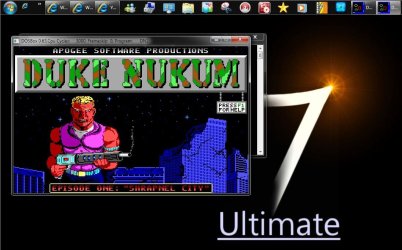
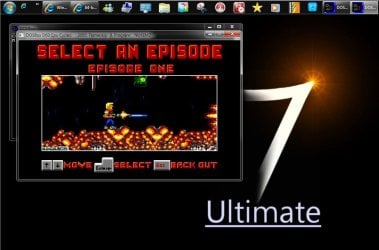
Nobody? No one at all? Let's see here how about an 8bit application or should I say an 8bit pc game? on the 64bit 7 RC that is.
 

Attachments

  • Duke Nukem Original 8bit on 64bit 7.jpg
    Duke Nukem Original 8bit on 64bit 7.jpg
    99.5 KB · Views: 99
  • Duke Nukem 2 Nukem.jpg
    Duke Nukem 2 Nukem.jpg
    81.8 KB · Views: 104

My Computers

System One System Two

  • Computer type
    PC/Desktop
    Computer Manufacturer/Model Number
    Custom builds = 2
    OS
    W7 Ultimate x64/W10 Pro x64/W11 Pro Triple Boot - Main PC W7 Remote PC Micro ATX W7 Pro x64/W11 Pro
    CPU
    AMD Phenom II X4 975 Deneb 3.6ghz - 965 2nd remote pc
    Motherboard
    Gigabyte GA-790XTA-UD4-Gigabyte GA-880GM-D2H remote pc
    Memory
    Kingston Hyper X DDR3 1600 1.5v 16gb - Hyper X Fury 8gb 2nd
    Graphics Card(s)
    MSI HD Radeon 5750 1gb - MSI HD Radeon 6450 on mini tower
    Sound Card
    Creative Labs X-Fi Xtreme Audio P - Realtek onooard 2nd case
    Monitor(s) Displays
    ASUS VW199T-P 19" HP 2082a Main-HP 2082a 20" remote pc
    Screen Resolution
    Asus 1440x900 - HP 1600x900
    Hard Drives
    WD Black 1TB HD per OS W7, W10, and pending W11 presently on 500gb OS Drive - Pending Triple 1TB HDs for Spanned Storage/backup volume
    Single 2TB external USB enclosure, single 1TB System 7 Host/Boot drive, Pending 8TB external HD for system image b
    PSU
    Corsair 750TX - primary / Corsair CX600 - second
    Case
    Antec 900-2 - SSD compatible / NZXT Vulcan mini tower
    Cooling
    Zalman CNPS9900A
    Keyboard
    AZIO L70 Backlit Letters Gaming - ONN Cordless/USB
    Mouse
    MSI DS200 Programmable, Logitech Cordless
    Internet Speed
    30mbps upgrade - primary hard wired - mini tower usb WiFi
    Antivirus
    GFI VIPRE Internet Security 2014 on W7 2016 beta on W10,
    Browser
    Cyberfox, WaterFox 64bit FF variants, FireFox x64, Pale Moon
    Other Info
    Accomdata fan cooled usb 2.0 PIDE/Sata II, III external enclosure.
    Sambient usb/eSata PATA/Sata II, III external enclosure.
  • Computer type
    PC/Desktop
    System Manufacturer/Model Number
    CUSTOM ASSEMBLY
    OS
    W7 Pro x64/W11 Pro
    CPU
    AMD Deneb 3.6ghz - 965
    Motherboard
    Gigabyte GA-880GM-D2H remote pc
    Memory
    Kingston Hyper X Fury 8gb
    Graphics Card(s)
    MSI HD Radeon 6450 DVI Output
    Sound Card
    Realtek onooard Creative or Other separate PENDING
    Monitor(s) Displays
    VIZIO 32" LCD TV Separate LCD Pending
    Screen Resolution
    1600x1080
    Hard Drives
    WD 500GB OS Host/Boot WD Green 1TB Storage/Backup
    PSU
    Corsair 600W - THERMALTAKE 600W spare case
    Case
    NZXT Vulcan mini tower
    Cooling
    Twin 120mm Top Fans - 240mm Side Cover
    Keyboard
    ONN Cordless/USB Logitech Cordless
    Mouse
    ONN USB/Cordless - Logitech Cordless
    Internet Speed
    DSL 5G
    Browser
    MS Edge, FireFox, WaterFox x64, FireFox Nightly
    Other Info
    OS Testing-Remote Access to Main TeamViewer

My Computer

Computer Manufacturer/Model Number
Custom Built
OS
Windows 7 Ultimate 64-bit (6.1, Build 7600)
CPU
Intel(R) Core(TM)2 Duo CPU E8400 @ 3.00GHz (2 CPUs), ~3.0GHz
Motherboard
ASUS P5-KPL/1600
Memory
Kingston ValueRAM 2GB DDR2-800 RAM Retail x2 (Total 4GB RAM)
Graphics Card(s)
XFX GeForce 9800GTX+ 512MB
Sound Card
VIA HD Audio rear output
Monitor(s) Displays
SyncMaster T220/T220G(Digital)
Screen Resolution
1680x1050
Hard Drives
Western Digital Caviar Black | 750 GB | S-ATA II | 32MB Cache Buffer
PSU
Enermax Tomahawk ETK500AWT
Case
CoolerMaster Centurion 590
Cooling
5 CoolerMaster 120mm LED fans
Keyboard
MobileGear KB17 Slim Multimedia Keyboard in Silver Colour
Mouse
Razer DeathAdder
Internet Speed
DL: 1Mb/s | UL: 512Kb/s
are you sure you can't do DJGPP with windopws 7's XP Mode? I was assured you do do this in XP Mode (but I am unsure).

doing DJGPP is critical for me as I do DOS development with a number of apps, including some bootable cd's and DVD's that run FreeDOS, all with apps I write using DJGPP.

If there's a better DOS cross-compiler out there that runs under windows 7, please let me know about it.

If you have a windows 7 64-bit machine, I have a test app I would like you to run that is written in DJGPP which you can unzip and run to test windows XP Mode. Phone (Autoit3,C,dos,win) - phone letters to digits
1.unzip it in your XP Mode filesystem.
2.start a cmd shell (start, type in cmd [Enter] or [windows-logo-flag-key]-R cmd [Enter])
3.cd \directory\Where\phone\is
4. cd dos
5. phone blop OR phone 1-800-NetZero

let me know if you get an error from the OS saying it won't run in XP Mode. it uses DPMI for memory access, so it should be just fine.
it converts phone letters to phone digits. (yes, there is a windows GUI app too - great if you have a smartphone with a keyboard that isn't a 10-key)

If this runs on a 64-bit windows 7 machine, it means I can get a 64-bit machine and a much needed 24GB of ram for working with panoramas. I do more than just programming.

 

My Computer

OS
win7ult64sp1retail
CPU
intel i7-3970x 6C, 12T
Motherboard
ASUS P9X79 Deluxe mobo
Memory
64GiB
Graphics Card(s)
Gigabyte GTX 670
Sound Card
onboard
Monitor(s) Displays
NEC LCD195WXM, AcerS231HL, NEC LCD195WXM
Screen Resolution
1440x900, 1920x1080, 1440x900
Hard Drives
2x4TB, 1xsamsung 840 Pro 256GB,
backups and virus scans are a bear.
PSU
Corsair AX850
Case
Corsair 500r
Cooling
6 fans
Keyboard
cheap (but useful layout) keyboard:GE WK 3013
Mouse
$9 mouse
Internet Speed
50Mbps/10Mbps
Other Info
hard disk is always the limiting factor... :-) oh look! something faster just came out. I will stick with what I got.
I tried to get 3.1 running here on the SUN Virtual Box to no go. You needed bootable media to go onto a Fat16 primary. I got so far starting the 3.1 setup and seeing the Windows directory created while Win 3.1 simply refused to load eventually. :(

You installed DOS first, right?
 

My Computer

Computer type
PC/Desktop
Computer Manufacturer/Model Number
Home Built
OS
Windows 10 Education 64 bit
CPU
AMD Phenom II X4 980 Black Edition Deneb 3.7GHz
Motherboard
Asus M4N68T-M V2 µATX Motherboard
Memory
8GB 4GBx2 Kingston PC10600 DDR3 1333 Memory
Graphics Card(s)
Zotac NVIDIA Geforce GT640 2 Gig DDR3 PCIe
Sound Card
VIA VT1708s High Definition Audio 8-channel Onboard
Monitor(s) Displays
22" LG E2242 1080p and 2 19" I-INC AG191D
Screen Resolution
1280x1024 - 1920x1080 - 1280x1024
Hard Drives
Crucial M100 256 GB SSD and 500 GB WD Blue SATA
PSU
Thermaltake TR 620
Case
Power Up Black ATX Mid-Tower Case
Cooling
Stock heatsink and fan
Keyboard
Logitech Wireless K350 Wave
Mouse
Logitech Wireless M570 Trackman Wheel
Internet Speed
80 Mbps Down 30 Mbps Up
Antivirus
Windows Defender
Browser
Internet Explorer 11
Other Info
HP DVD1040e Lightscribe - External USB2
I got my answer, and the answer is 16-bit DOS apps run fine under xp mode on 64-bit 7. no, you don't need to install dos first.
 

My Computer

OS
win7ult64sp1retail
CPU
intel i7-3970x 6C, 12T
Motherboard
ASUS P9X79 Deluxe mobo
Memory
64GiB
Graphics Card(s)
Gigabyte GTX 670
Sound Card
onboard
Monitor(s) Displays
NEC LCD195WXM, AcerS231HL, NEC LCD195WXM
Screen Resolution
1440x900, 1920x1080, 1440x900
Hard Drives
2x4TB, 1xsamsung 840 Pro 256GB,
backups and virus scans are a bear.
PSU
Corsair AX850
Case
Corsair 500r
Cooling
6 fans
Keyboard
cheap (but useful layout) keyboard:GE WK 3013
Mouse
$9 mouse
Internet Speed
50Mbps/10Mbps
Other Info
hard disk is always the limiting factor... :-) oh look! something faster just came out. I will stick with what I got.
Back
Top