HDD's - the Advertized size vs the Actual size.

@ignatzatsonic

nope, laptop is brand new..
will post later, i didnt bring my personal laptop at the office, currently working...

thanks though for the response..
 

My Computer My Computer

At a glance

win7 ultimate 64bit
OS
win7 ultimate 64bit

My Computer My Computer

At a glance

Windows 7 Ultimate X64 SP1Intel i5-2550K, Differing ~4.4-4.8GHz No buil...16GB G.Skill Sniper 1866MHz @ 2133MHz 2x8GBASUS GTX650TIB-DC2OC-2GD5, (650TI Boost)
Computer type
PC/Desktop
Computer Manufacturer/Model Number
Home Built Desktop By DataTech
OS
Windows 7 Ultimate X64 SP1
CPU
Intel i5-2550K, Differing ~4.4-4.8GHz No built in GPU
Motherboard
ASUS P8Z68-V PRO/GEN3
Memory
16GB G.Skill Sniper 1866MHz @ 2133MHz 2x8GB
Graphics Card(s)
ASUS GTX650TIB-DC2OC-2GD5, (650TI Boost)
Sound Card
Onboard Realtek 5-1
Monitor(s) Displays
Samsung P2570HD
Screen Resolution
1920x1080
Hard Drives
Samsung 840 Pro 256GB SSD for OS, 500GB Seagate Constellation (Enterprise drive) for Data
PSU
Corsair HX650W
Case
Inwin Dragon Rider
Cooling
Hyper 212 EVO w/two Noctua fans, push-pull, @1300 RPM
Keyboard
E-Z Eyes, bright yellow keys with large characters
Mouse
steelseries SENSEI Laser Pro Gaming
Internet Speed
48-51Mbs Mbs down, 11 Mbs up Xfinity Cable
Antivirus
Norton Internet Security 2013
Browser
IE 10, Opera, Pale Moon if needed
Other Info
4 case fans, LG BluRay-RE, ASUS DVD-RW, Mr. Fusion power supply, 1.21 gigawatts.
@ignatzatsonic

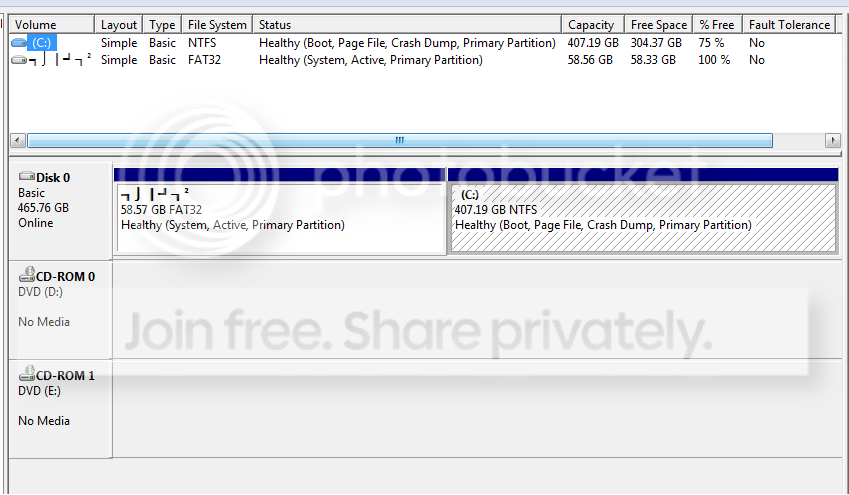
pls see snapshot...

DISK_M.png
 

My Computer My Computer

At a glance

win7 ultimate 64bit
OS
win7 ultimate 64bit
i have right click it and click "change drive and letter path" to F... it is now accessible... inside is the DOS... but its still is FAT32...

and, could i shrink it from 58G to 1G??
 

My Computer My Computer

At a glance

win7 ultimate 64bit
OS
win7 ultimate 64bit
i have right click it and click "change drive and letter path" to F... it is now accessible... inside is the DOS... but its still is FAT32...

and, could i shrink it from 58G to 1G??

As Britton asked, please fill out your system specs so we know more details about your laptop.

You have DOS on the 58 GB partition?? Why?

Did you make that 58 GB partition or was it there when you bought the laptop?
 

My Computer My Computer

At a glance

Windows 7 Home Premium SP1, 64-bitIntel Skylake i5-6600K, not overclocked8 GB HyperX DDR4-2666 (2 x 4 GB)none; graphics are integrated on CPU
Computer type
PC/Desktop
Computer Manufacturer/Model Number
Ignatz Special; 4 speed manual gearbox; factory air conditioning; one of one
OS
Windows 7 Home Premium SP1, 64-bit
CPU
Intel Skylake i5-6600K, not overclocked
Motherboard
AsRock Z170M Extreme 4, micro ATX
Memory
8 GB HyperX DDR4-2666 (2 x 4 GB)
Graphics Card(s)
none; graphics are integrated on CPU
Sound Card
onboard: Realtek ALC1150; external: USB Behringer UF0-202
Monitor(s) Displays
Dell S2340M 23 inch IPS
Screen Resolution
1600 x 900
Hard Drives
System: Crucial MX100 series SSD, 128 GB;
Data: Samsung Spinpoint 103SJ, 1 TB;
Backup: WD Caviar Green WD30EZRX-00D8PB0, 3 TB
PSU
Rosewill SilentNight 500 watt fanless, semi-modular
Case
Antec Solo II
Cooling
Noctua NH-U12S; Noctua F12 intake, Noctua S12A exhaust
Keyboard
Microsoft 200 6JH-00001 USB
Mouse
Dell or Microsoft optical wired; USB
Antivirus
Microsoft Security Essentials and Malwarebytes Premium
Browser
Pale Moon
Other Info
All fans PWM; speeds at idle: CPU circa 500 rpm; intake circa 600 rpm; exhaust circa 600 rpm; CPU temps 27 idle and 47 C load in a warm room (27 C/81 F) when running Intel Extreme Tuning Utility stress test.
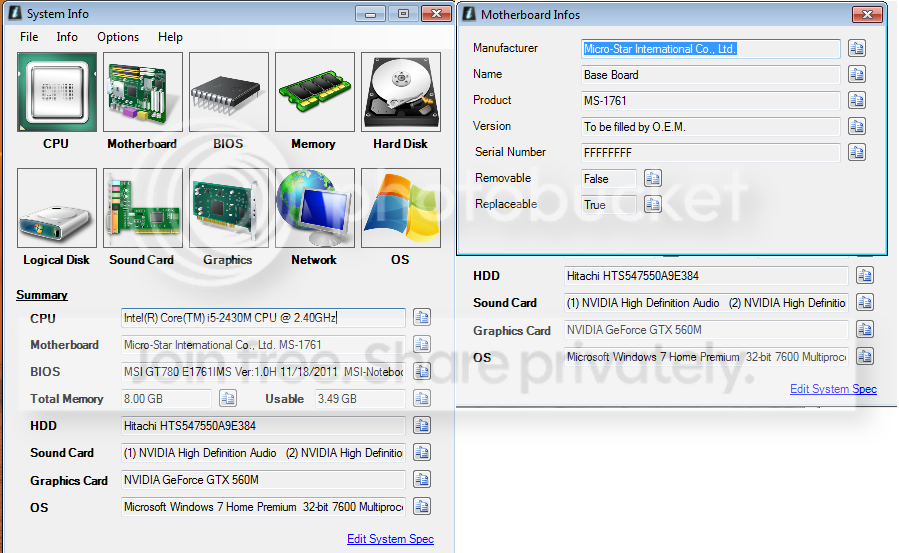
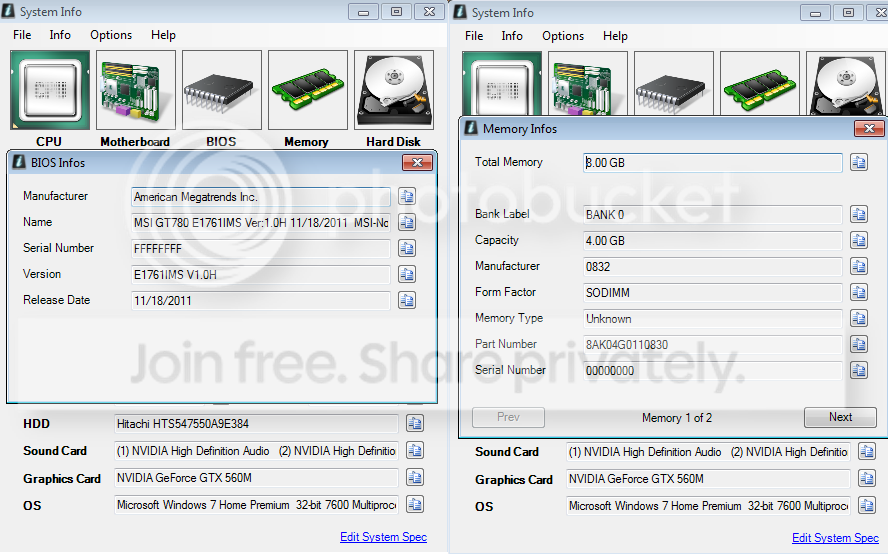
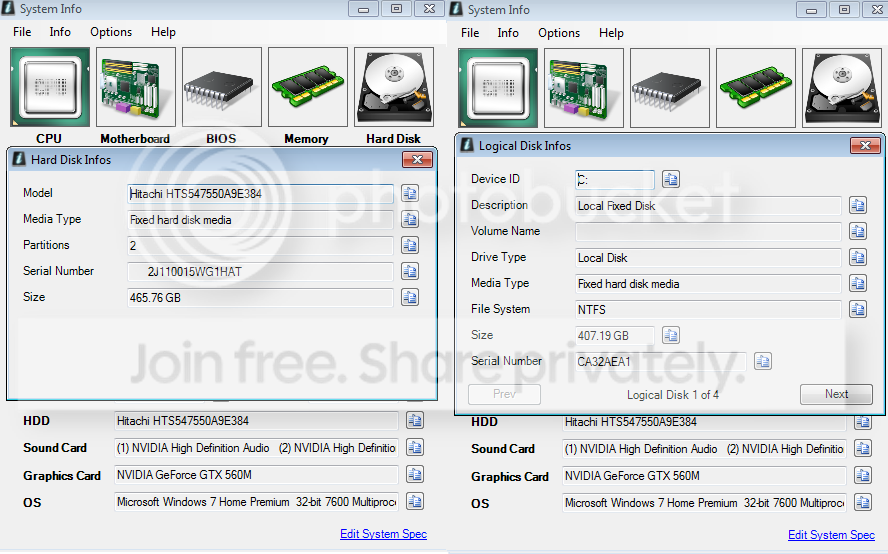
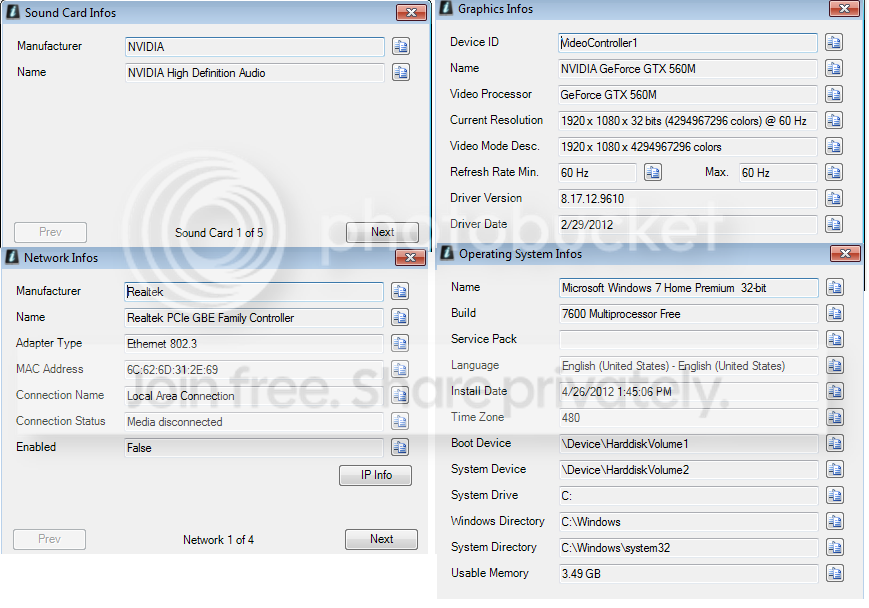
here the info...

1.png


2.png


3.png


4.png


32bit win7 is temporary OS... ive already availed the 64bit win7 OS...
DOS is free after i bought this laptop...

no,i didnt make this partition...
 

My Computer My Computer

At a glance

win7 ultimate 64bit
OS
win7 ultimate 64bit
You did not need to post those pictures.

You do need to fill out your system specifications through the user control panel.

Did you build this PC? If it is laptop, what is the make and model?

Why do you need DOS?
 

My Computer My Computer

At a glance

Windows 7 Home Premium SP1, 64-bitIntel Skylake i5-6600K, not overclocked8 GB HyperX DDR4-2666 (2 x 4 GB)none; graphics are integrated on CPU
Computer type
PC/Desktop
Computer Manufacturer/Model Number
Ignatz Special; 4 speed manual gearbox; factory air conditioning; one of one
OS
Windows 7 Home Premium SP1, 64-bit
CPU
Intel Skylake i5-6600K, not overclocked
Motherboard
AsRock Z170M Extreme 4, micro ATX
Memory
8 GB HyperX DDR4-2666 (2 x 4 GB)
Graphics Card(s)
none; graphics are integrated on CPU
Sound Card
onboard: Realtek ALC1150; external: USB Behringer UF0-202
Monitor(s) Displays
Dell S2340M 23 inch IPS
Screen Resolution
1600 x 900
Hard Drives
System: Crucial MX100 series SSD, 128 GB;
Data: Samsung Spinpoint 103SJ, 1 TB;
Backup: WD Caviar Green WD30EZRX-00D8PB0, 3 TB
PSU
Rosewill SilentNight 500 watt fanless, semi-modular
Case
Antec Solo II
Cooling
Noctua NH-U12S; Noctua F12 intake, Noctua S12A exhaust
Keyboard
Microsoft 200 6JH-00001 USB
Mouse
Dell or Microsoft optical wired; USB
Antivirus
Microsoft Security Essentials and Malwarebytes Premium
Browser
Pale Moon
Other Info
All fans PWM; speeds at idle: CPU circa 500 rpm; intake circa 600 rpm; exhaust circa 600 rpm; CPU temps 27 idle and 47 C load in a warm room (27 C/81 F) when running Intel Extreme Tuning Utility stress test.
i did post the disk management.. pls see above, right after britton30 comment...

i did not build this.. it is a laptop...

buying this unit comes with no OS but free DOS.. but i dont need the DOS anyway..

it is an MSI GT780 laptop..

heres a sample link model.. MSI Global ? Notebook - GT780

btw, mine is i5 8G ram variant...

im just asking why there's a need for this 58G to be FAT32... i did some experiments and i have already access it and can be formatted to NTFS...
 

My Computer My Computer

At a glance

win7 ultimate 64bit
OS
win7 ultimate 64bit
and, i didnt availed the free DOS.. it was already built-in inside the laptop once bought..
 

My Computer My Computer

At a glance

win7 ultimate 64bit
OS
win7 ultimate 64bit
I know nothing about Free DOS, but it may require FAT 32. I have no idea.

I seriously doubt the 58 GB drive needs to be that large. You could shrink it and then reassign the saved space to the other drive, using Partition Wizard bootable disk.

If you have a Windows 7 installation disc and a valid Product Key, you could start over and get rid of the FAT 32 partition entirely.

If you don't have an installation disk, you can download an ISO.

I don't know what would happen if you convert the FAT32 partition to NTFS. Maybe that would work fine, but I am wondering why the manufacturer used FAT32.

If I had an install disc and no need for Free DOS, I would probably start over.

If you don't want to start over, you should certainly be able to shrink the 58 GB partition way down--maybe to 1 GB or less.

I'm not sure what you mean by "availed".

The 58 GB partition also appears to contain your boot files, so it cannot simply be deleted unless you do a clean installation.

 

My Computer My Computer

At a glance

Windows 7 Home Premium SP1, 64-bitIntel Skylake i5-6600K, not overclocked8 GB HyperX DDR4-2666 (2 x 4 GB)none; graphics are integrated on CPU
Computer type
PC/Desktop
Computer Manufacturer/Model Number
Ignatz Special; 4 speed manual gearbox; factory air conditioning; one of one
OS
Windows 7 Home Premium SP1, 64-bit
CPU
Intel Skylake i5-6600K, not overclocked
Motherboard
AsRock Z170M Extreme 4, micro ATX
Memory
8 GB HyperX DDR4-2666 (2 x 4 GB)
Graphics Card(s)
none; graphics are integrated on CPU
Sound Card
onboard: Realtek ALC1150; external: USB Behringer UF0-202
Monitor(s) Displays
Dell S2340M 23 inch IPS
Screen Resolution
1600 x 900
Hard Drives
System: Crucial MX100 series SSD, 128 GB;
Data: Samsung Spinpoint 103SJ, 1 TB;
Backup: WD Caviar Green WD30EZRX-00D8PB0, 3 TB
PSU
Rosewill SilentNight 500 watt fanless, semi-modular
Case
Antec Solo II
Cooling
Noctua NH-U12S; Noctua F12 intake, Noctua S12A exhaust
Keyboard
Microsoft 200 6JH-00001 USB
Mouse
Dell or Microsoft optical wired; USB
Antivirus
Microsoft Security Essentials and Malwarebytes Premium
Browser
Pale Moon
Other Info
All fans PWM; speeds at idle: CPU circa 500 rpm; intake circa 600 rpm; exhaust circa 600 rpm; CPU temps 27 idle and 47 C load in a warm room (27 C/81 F) when running Intel Extreme Tuning Utility stress test.
i just thought after i said "laptop comes with no OS but with free DOS", i was thinking that you think i bought this laptop with no OS but i avail the free DOS....

anyway, DOS is already built-in when i bought this laptop..


i did right click ths 58G FAT32, change the drive letter path and now it is accessible...

but i cannot click the shrink button...

this is all for now, im late for work.. will be back once i access the forums at the office..
thanks..
 

My Computer My Computer

At a glance

win7 ultimate 64bit
OS
win7 ultimate 64bit
i did right click ths 58G FAT32, change the drive letter path and now it is accessible...

but i cannot click the shrink button...

There is not much point in using Windows Disk Management to shrink that partition. Even if you could shrink it, you could not reassign the space to the other drive with Windows Disk Management.

Use the bootable version of Partition Wizard to shrink and reassign the space--if that is what you want to do.

I would probably just start over and reinstall Windows, deleting all existing partitions in the process. You would end up with a very small "System Reserved" NTFS partition (no more than 200 MB in size) and a large C partition containing the entire remainder of the drive, formatted NTFS.

You may be confused about the meaning of "avail"?
 

My Computer My Computer

At a glance

Windows 7 Home Premium SP1, 64-bitIntel Skylake i5-6600K, not overclocked8 GB HyperX DDR4-2666 (2 x 4 GB)none; graphics are integrated on CPU
Computer type
PC/Desktop
Computer Manufacturer/Model Number
Ignatz Special; 4 speed manual gearbox; factory air conditioning; one of one
OS
Windows 7 Home Premium SP1, 64-bit
CPU
Intel Skylake i5-6600K, not overclocked
Motherboard
AsRock Z170M Extreme 4, micro ATX
Memory
8 GB HyperX DDR4-2666 (2 x 4 GB)
Graphics Card(s)
none; graphics are integrated on CPU
Sound Card
onboard: Realtek ALC1150; external: USB Behringer UF0-202
Monitor(s) Displays
Dell S2340M 23 inch IPS
Screen Resolution
1600 x 900
Hard Drives
System: Crucial MX100 series SSD, 128 GB;
Data: Samsung Spinpoint 103SJ, 1 TB;
Backup: WD Caviar Green WD30EZRX-00D8PB0, 3 TB
PSU
Rosewill SilentNight 500 watt fanless, semi-modular
Case
Antec Solo II
Cooling
Noctua NH-U12S; Noctua F12 intake, Noctua S12A exhaust
Keyboard
Microsoft 200 6JH-00001 USB
Mouse
Dell or Microsoft optical wired; USB
Antivirus
Microsoft Security Essentials and Malwarebytes Premium
Browser
Pale Moon
Other Info
All fans PWM; speeds at idle: CPU circa 500 rpm; intake circa 600 rpm; exhaust circa 600 rpm; CPU temps 27 idle and 47 C load in a warm room (27 C/81 F) when running Intel Extreme Tuning Utility stress test.
will get back to you once i have re-installed the OS later this night..

thanks a lot..
 

My Computer My Computer

At a glance

win7 ultimate 64bit
OS
win7 ultimate 64bit
Back
Top