High Pings in Windows 7 gaming?

paramore

New member
Local time
5:26 AM
Messages
6
I am currently using the Windows 7 RTM not the RC...I am very very happy with it it runs very smooth alot better than vista but their is 1 problem in games such as counter-strike source or call of duty 4 or pretty much any online pc game I am getting high pings not ''HIGH'' pings but on vista I would stay in the 70 - 90 area constant no extreme number jumps or anything like that but on 7 I am getting ping jumps all the time I get about a average of about 110 now and it jumps all the way up to 160 and never stays constant I was wondering how can I fix this? I really don't want to go back to vista thanks in advance...and im using windows 7 ultimate..I have 2 gigs of ram..32 bit version..and my connection is fine..and no other programs running while I attempt to play any online games.
 

My Computer My Computer

At a glance

Windows 7
OS
Windows 7
it happens to me too but mostly on wow but i'm sorta gettin used to it i would also like a solution to it jus so i can feel better
 

My Computer My Computer

At a glance

Windows 7 build 7600 32bit x86Intel P4 3.30ghz2.5gbati sapphire hd3850 512mb 256-bit
Computer Manufacturer/Model Number
Custom
OS
Windows 7 build 7600 32bit x86
CPU
Intel P4 3.30ghz
Motherboard
asus p4p800-e deluxe
Memory
2.5gb
Graphics Card(s)
ati sapphire hd3850 512mb 256-bit
Sound Card
onboard
PSU
580 watts demon
Case
custom
Cooling
air
Internet Speed
optimum online boost
high pings

we could use some info.

What else is running, ayatem specs, network setup, etc

Ken
 

My Computer My Computer

At a glance

Win 8 Release candidate 8400[email protected]4 gigsNvidia 9600M
Computer Manufacturer/Model Number
HP Pavillion dv-7 1005 Tx
OS
Win 8 Release candidate 8400
CPU
[email protected]
Memory
4 gigs
Graphics Card(s)
Nvidia 9600M
Sound Card
HD built-in
Monitor(s) Displays
17" Wxga
Screen Resolution
1440x900
Cooling
none
Internet Speed
45Mb down 5Mb up
I have the excact same problem. I tried shutting down everything but the system-processes and the game-related but it did not help. I didn't have this problem on XP or Vista, it workes just fine in those. It's like I can play like 1min then I start getting these ping raises. Then it stops for 1 min and comes back.

It's very annoying especially in Counter-Strike where you can't let your guard down for a second. I get the same problem too when my friends are playing on my local server through internet. I mean that they get big ping there.

It would be really nice if someone would come up with a conclusion to this, so I don't have to reinstall Xp again.

PS:
I am currently using Windows 7 Ultimate 64bit RTM
Nvidia GeForce 8600 gt GPU
Intel Celeron 420 1.60GHz CPU
3gb ram
 

My Computer My Computer

At a glance

Windows 7 UltimateIntel Celeron 420 1.60GHz3Gb DDR2NVIDIA GeForce 8600 GT
Computer Manufacturer/Model Number
Compaq
OS
Windows 7 Ultimate
CPU
Intel Celeron 420 1.60GHz
Motherboard
ASUSTek Computer INC. Leonite2
Memory
3Gb DDR2
Graphics Card(s)
NVIDIA GeForce 8600 GT
Monitor(s) Displays
1
Screen Resolution
1680x1050
Mouse
Razer DeathAdder
I have the excact same problem. I tried shutting down everything but the system-processes and the game-related but it did not help. I didn't have this problem on XP or Vista, it workes just fine in those. It's like I can play like 1min then I start getting these ping raises. Then it stops for 1 min and comes back.

It's very annoying especially in Counter-Strike where you can't let your guard down for a second. I get the same problem too when my friends are playing on my local server through internet. I mean that they get big ping there.

It would be really nice if someone would come up with a conclusion to this, so I don't have to reinstall Xp again.

PS: I am currently using Windows 7 Ultimate RTM

Zond Hi and welcome to sevenforums

first things first. Like I asked the 2 others we need your system specs, etc

Ken
 

My Computer My Computer

At a glance

Win 8 Release candidate 8400[email protected]4 gigsNvidia 9600M
Computer Manufacturer/Model Number
HP Pavillion dv-7 1005 Tx
OS
Win 8 Release candidate 8400
CPU
[email protected]
Memory
4 gigs
Graphics Card(s)
Nvidia 9600M
Sound Card
HD built-in
Monitor(s) Displays
17" Wxga
Screen Resolution
1440x900
Cooling
none
Internet Speed
45Mb down 5Mb up
Zond Hi and welcome to sevenforums

first things first. Like I asked the 2 others we need your system specs, etc

Ken
Particularly what network adaptor you are using.
 

My Computer My Computer

At a glance

Windows 7 x64Intel Core 2 Quad Q6700 @ 3.2 GHz4 GigATI Radeon HD 4870
Computer Manufacturer/Model Number
Home Built
OS
Windows 7 x64
CPU
Intel Core 2 Quad Q6700 @ 3.2 GHz
Motherboard
Gigabyte GA-965P-DQ6
Memory
4 Gig
Graphics Card(s)
ATI Radeon HD 4870
Sound Card
Creative X-Fi XtremeMusic
Monitor(s) Displays
Samsung SyncMaster 226BW
Screen Resolution
1680 x 1050
PSU
Antec TruePower TP-550
Case
Antec P180
Cooling
Zalman CNPS9700, 3 Antec TriCool 120mm
Keyboard
Logitech G15
When I was playing world of warcraft I would have to disable all the checksum offloads in the properties on my network card.
 

My Computer My Computer

At a glance

Windows 7 Ultimate x64 SP1AMD A8-3500M8 gigsATI 6620G
Computer type
Laptop
Computer Manufacturer/Model Number
HP 6145DX
OS
Windows 7 Ultimate x64 SP1
CPU
AMD A8-3500M
Memory
8 gigs
Graphics Card(s)
ATI 6620G
my system specs are on the my system specs button n nothin else is running i have optimum boost with the xtreme-n d-link router dgl-4500
 

My Computer My Computer

At a glance

Windows 7 build 7600 32bit x86Intel P4 3.30ghz2.5gbati sapphire hd3850 512mb 256-bit
Computer Manufacturer/Model Number
Custom
OS
Windows 7 build 7600 32bit x86
CPU
Intel P4 3.30ghz
Motherboard
asus p4p800-e deluxe
Memory
2.5gb
Graphics Card(s)
ati sapphire hd3850 512mb 256-bit
Sound Card
onboard
PSU
580 watts demon
Case
custom
Cooling
air
Internet Speed
optimum online boost
Thanks :)

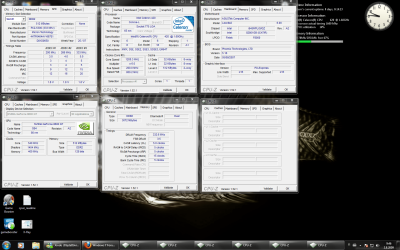
I'm fairly new to the "fantastic world of the computers" so I will just take a pic of all the Cpu-z windows open, how that gives even some information.

Oh and my NIC is: Intel PRO/100 VE Newtowrk Connection
Drivers are up to date according to Windows.
 

Attachments

  • cpu-z.png
    cpu-z.png
    154.3 KB · Views: 832

My Computer My Computer

At a glance

Windows 7 UltimateIntel Celeron 420 1.60GHz3Gb DDR2NVIDIA GeForce 8600 GT
Computer Manufacturer/Model Number
Compaq
OS
Windows 7 Ultimate
CPU
Intel Celeron 420 1.60GHz
Motherboard
ASUSTek Computer INC. Leonite2
Memory
3Gb DDR2
Graphics Card(s)
NVIDIA GeForce 8600 GT
Monitor(s) Displays
1
Screen Resolution
1680x1050
Mouse
Razer DeathAdder
No-one can help us? :S
 

My Computer My Computer

At a glance

Windows 7 UltimateIntel Celeron 420 1.60GHz3Gb DDR2NVIDIA GeForce 8600 GT
Computer Manufacturer/Model Number
Compaq
OS
Windows 7 Ultimate
CPU
Intel Celeron 420 1.60GHz
Motherboard
ASUSTek Computer INC. Leonite2
Memory
3Gb DDR2
Graphics Card(s)
NVIDIA GeForce 8600 GT
Monitor(s) Displays
1
Screen Resolution
1680x1050
Mouse
Razer DeathAdder
You could try Faster Ping. It may help lower your ping. It works wonders in World of Warrcaft.

Unzip and dont't bother with the setup. Go in the fasterPing_0_1_1_11 folder, run FasterPing.exe as Administrator. Just click Apply. Reboot. Done
 

My Computer My Computer

At a glance

Win7 Win 10, Win 8.1AMD FX-8350, Corsair H100i16GB G.SKILL Ripjaws DDR3EVGA GTX 980, EVGA GTX 860
Computer type
PC/Desktop
Computer Manufacturer/Model Number
Made by Dixon Butz
OS
Win7 Win 10, Win 8.1
CPU
AMD FX-8350, Corsair H100i
Motherboard
ASUS Crosshair V Formula-Z
Memory
16GB G.SKILL Ripjaws DDR3
Graphics Card(s)
EVGA GTX 980, EVGA GTX 860
Sound Card
Denon x4200 Dolby AMOS!
Monitor(s) Displays
65" Samsung 4K, +3 27inch
Screen Resolution
4K, 1080x3
Hard Drives
2TB Samsung hd204ui

1X Samsung 850 SSD
PSU
1000w EVGA, 2000VA UPS, 1000VA UPS and many others
Case
Lian Li
Cooling
Corsair H100i
Keyboard
Logitech K800
Mouse
Logitech Couch Mouse
Internet Speed
Gigabit!
Antivirus
Defender
Browser
Slimjet Chrome
Nope, that didn't fix it.

Do you know any other ways to fix it? It is really starting to bother me, I don't want to downgrade back to xp just because of that. I love the look and performace of 7 but at this moment I regret buying it. Please help me!
 

My Computer My Computer

At a glance

Windows 7 UltimateIntel Celeron 420 1.60GHz3Gb DDR2NVIDIA GeForce 8600 GT
Computer Manufacturer/Model Number
Compaq
OS
Windows 7 Ultimate
CPU
Intel Celeron 420 1.60GHz
Motherboard
ASUSTek Computer INC. Leonite2
Memory
3Gb DDR2
Graphics Card(s)
NVIDIA GeForce 8600 GT
Monitor(s) Displays
1
Screen Resolution
1680x1050
Mouse
Razer DeathAdder

My Computer My Computer

At a glance

Windows 7 x64Intel Core 2 Quad Q6700 @ 3.2 GHz4 GigATI Radeon HD 4870
Computer Manufacturer/Model Number
Home Built
OS
Windows 7 x64
CPU
Intel Core 2 Quad Q6700 @ 3.2 GHz
Motherboard
Gigabyte GA-965P-DQ6
Memory
4 Gig
Graphics Card(s)
ATI Radeon HD 4870
Sound Card
Creative X-Fi XtremeMusic
Monitor(s) Displays
Samsung SyncMaster 226BW
Screen Resolution
1680 x 1050
PSU
Antec TruePower TP-550
Case
Antec P180
Cooling
Zalman CNPS9700, 3 Antec TriCool 120mm
Keyboard
Logitech G15
I've had those drivers installed already, still no fix for the latency. I really wonder what causes it, maybe a some kind of hidden program running in Windows 7?

I know I have no viruses/spywares etc because I have only downloaded Steam and Firefox (excluding that ping-program) and drivers from official sites.

I feel so frustrated.
 

My Computer My Computer

At a glance

Windows 7 UltimateIntel Celeron 420 1.60GHz3Gb DDR2NVIDIA GeForce 8600 GT
Computer Manufacturer/Model Number
Compaq
OS
Windows 7 Ultimate
CPU
Intel Celeron 420 1.60GHz
Motherboard
ASUSTek Computer INC. Leonite2
Memory
3Gb DDR2
Graphics Card(s)
NVIDIA GeForce 8600 GT
Monitor(s) Displays
1
Screen Resolution
1680x1050
Mouse
Razer DeathAdder
zond

the cpu-z's are actually a good idea, but there is an area in your user cp where you can put them. the reason that is better is the next time you have a porblem they would still be there as apposed to having to tak cpu-z pics every time. If you need help feel free to ask

Ken
 

My Computer My Computer

At a glance

Win 8 Release candidate 8400[email protected]4 gigsNvidia 9600M
Computer Manufacturer/Model Number
HP Pavillion dv-7 1005 Tx
OS
Win 8 Release candidate 8400
CPU
[email protected]
Memory
4 gigs
Graphics Card(s)
Nvidia 9600M
Sound Card
HD built-in
Monitor(s) Displays
17" Wxga
Screen Resolution
1440x900
Cooling
none
Internet Speed
45Mb down 5Mb up
When I was playing world of warcraft I would have to disable all the checksum offloads in the properties on my network card.

Have you tried that?
 

My Computer My Computer

At a glance

Windows 7 x64Intel Core 2 Quad Q6700 @ 3.2 GHz4 GigATI Radeon HD 4870
Computer Manufacturer/Model Number
Home Built
OS
Windows 7 x64
CPU
Intel Core 2 Quad Q6700 @ 3.2 GHz
Motherboard
Gigabyte GA-965P-DQ6
Memory
4 Gig
Graphics Card(s)
ATI Radeon HD 4870
Sound Card
Creative X-Fi XtremeMusic
Monitor(s) Displays
Samsung SyncMaster 226BW
Screen Resolution
1680 x 1050
PSU
Antec TruePower TP-550
Case
Antec P180
Cooling
Zalman CNPS9700, 3 Antec TriCool 120mm
Keyboard
Logitech G15
I'm having similar problems. I'm trying to play Diablo II and all of my drivers are up to date. It should be running perfectly. I read somewhere, but now can't find the site, where people reported the same issue in Vista.

Basically it came down to it being a problem with Windows automatically checking for wireless networks every 60 seconds. Does your lag follow this pattern?

If so we're having the same problem.

I would also like to fix this problem, since like you said, Windows 7 is superior to XP and Vista, of course.

It seems to me we must find a way to disable Windows from automatically checking for wireless networks.
 

My Computer My Computer

At a glance

Windows 7 (duh)AMD Dual Core 64 bit2 GBnvidia mobile chip
Computer Manufacturer/Model Number
HP
OS
Windows 7 (duh)
CPU
AMD Dual Core 64 bit
Motherboard
AMD
Memory
2 GB
Graphics Card(s)
nvidia mobile chip
Disable WLAN AutoConfig in services. I always do.
 

My Computer My Computer

At a glance

Win7 Win 10, Win 8.1AMD FX-8350, Corsair H100i16GB G.SKILL Ripjaws DDR3EVGA GTX 980, EVGA GTX 860
Computer type
PC/Desktop
Computer Manufacturer/Model Number
Made by Dixon Butz
OS
Win7 Win 10, Win 8.1
CPU
AMD FX-8350, Corsair H100i
Motherboard
ASUS Crosshair V Formula-Z
Memory
16GB G.SKILL Ripjaws DDR3
Graphics Card(s)
EVGA GTX 980, EVGA GTX 860
Sound Card
Denon x4200 Dolby AMOS!
Monitor(s) Displays
65" Samsung 4K, +3 27inch
Screen Resolution
4K, 1080x3
Hard Drives
2TB Samsung hd204ui

1X Samsung 850 SSD
PSU
1000w EVGA, 2000VA UPS, 1000VA UPS and many others
Case
Lian Li
Cooling
Corsair H100i
Keyboard
Logitech K800
Mouse
Logitech Couch Mouse
Internet Speed
Gigabit!
Antivirus
Defender
Browser
Slimjet Chrome
How then do you connect to a wireless network?
 

My Computer My Computer

At a glance

Windows 7 (duh)AMD Dual Core 64 bit2 GBnvidia mobile chip
Computer Manufacturer/Model Number
HP
OS
Windows 7 (duh)
CPU
AMD Dual Core 64 bit
Motherboard
AMD
Memory
2 GB
Graphics Card(s)
nvidia mobile chip
Only disable it if your not using wireless.
 

My Computer My Computer

At a glance

Win7 Win 10, Win 8.1AMD FX-8350, Corsair H100i16GB G.SKILL Ripjaws DDR3EVGA GTX 980, EVGA GTX 860
Computer type
PC/Desktop
Computer Manufacturer/Model Number
Made by Dixon Butz
OS
Win7 Win 10, Win 8.1
CPU
AMD FX-8350, Corsair H100i
Motherboard
ASUS Crosshair V Formula-Z
Memory
16GB G.SKILL Ripjaws DDR3
Graphics Card(s)
EVGA GTX 980, EVGA GTX 860
Sound Card
Denon x4200 Dolby AMOS!
Monitor(s) Displays
65" Samsung 4K, +3 27inch
Screen Resolution
4K, 1080x3
Hard Drives
2TB Samsung hd204ui

1X Samsung 850 SSD
PSU
1000w EVGA, 2000VA UPS, 1000VA UPS and many others
Case
Lian Li
Cooling
Corsair H100i
Keyboard
Logitech K800
Mouse
Logitech Couch Mouse
Internet Speed
Gigabit!
Antivirus
Defender
Browser
Slimjet Chrome
Back
Top