

I am more in love with Windows 7 than ever now having the experience I ahd over the weekend. I could run through the whole story, but I'll give you the shortened version.
I'm a project manager by profession. Needless to say, I was out of the office with a major deadline on my hands. This is one of those "do it or your fired" moments!
There were several files on our shared drive that I needed access to. We are currently able to access the shared drive while out of the office using Citrix. I would normally do this using my my work laptop. Problem is, I didn't bring it with me out of town. I brought my personal laptop with Windows 7 x64 (RTM). Citrix won't install on Windows 7 x64. So I'm panicking! I can't get to the office (I was out of town), there is nobody there who can send me the files I need (closed on weekends), and now I can't access the shared drive (oh crap!).
Thinking I was done for, I had a sudden revelation, I remembered this thing about having a virtual XP mode in Windows 7. But I had never toyed with anything like that. Could it actually work for me?
I found an article on Lifehacker.com explaining how to set it up and run it. It worked flawlessly. In less than 20 minutes, I had a real live virtual copy of XP running. I was still worried that it may not work. It just seemed to be too easy and perfect. One of those "where's the next punch coming from" kind of feelings.
Fortunately, I found out that the virtual copy of XP is 32-bit (THANK YOU GOD!). I was able to install our Citrix client using the virtual XP OS, e-mail the files to myself, from within the client, and then access them from within Windows 7 by simply checking my e-mail and downloading them. WOO HOO! JOB SAVED!
On top of that, I had been having issues syncing my iPod Shuffle (Gen. 2). It didn't work with Windows 7 - - for god knows what reason. Even Apple Tech. Support couldn't figure it out. Well, while in my virtual XP environment, I downloaded and installed iTunes and was able to grab the music I wanted (from my Windows 7 C: drive no less) and sync it with my iPod. Now I finally have a small iPod that I can take to the *** with me -- something I have been dying to have.
Sadly, this seems like an awful lot to go through to do this stuff, but oh well. I made my deadline and am happy nonetheless.
THANK YOU MICROSOFT FOR THE VIRTUAL XP MODE. You not only saved my ass, but you also made me happy by fixing my iPod woes. Now if this could all be managed from the Windows 7 environment, all the better.
http://www.sevenforums.com/tutorials/8247-windows-xp-mode-install-setup.html
I'm a project manager by profession. Needless to say, I was out of the office with a major deadline on my hands. This is one of those "do it or your fired" moments!
There were several files on our shared drive that I needed access to. We are currently able to access the shared drive while out of the office using Citrix. I would normally do this using my my work laptop. Problem is, I didn't bring it with me out of town. I brought my personal laptop with Windows 7 x64 (RTM). Citrix won't install on Windows 7 x64. So I'm panicking! I can't get to the office (I was out of town), there is nobody there who can send me the files I need (closed on weekends), and now I can't access the shared drive (oh crap!).
Thinking I was done for, I had a sudden revelation, I remembered this thing about having a virtual XP mode in Windows 7. But I had never toyed with anything like that. Could it actually work for me?
I found an article on Lifehacker.com explaining how to set it up and run it. It worked flawlessly. In less than 20 minutes, I had a real live virtual copy of XP running. I was still worried that it may not work. It just seemed to be too easy and perfect. One of those "where's the next punch coming from" kind of feelings.
Fortunately, I found out that the virtual copy of XP is 32-bit (THANK YOU GOD!). I was able to install our Citrix client using the virtual XP OS, e-mail the files to myself, from within the client, and then access them from within Windows 7 by simply checking my e-mail and downloading them. WOO HOO! JOB SAVED!
On top of that, I had been having issues syncing my iPod Shuffle (Gen. 2). It didn't work with Windows 7 - - for god knows what reason. Even Apple Tech. Support couldn't figure it out. Well, while in my virtual XP environment, I downloaded and installed iTunes and was able to grab the music I wanted (from my Windows 7 C: drive no less) and sync it with my iPod. Now I finally have a small iPod that I can take to the *** with me -- something I have been dying to have.
Sadly, this seems like an awful lot to go through to do this stuff, but oh well. I made my deadline and am happy nonetheless.
THANK YOU MICROSOFT FOR THE VIRTUAL XP MODE. You not only saved my ass, but you also made me happy by fixing my iPod woes. Now if this could all be managed from the Windows 7 environment, all the better.
http://www.sevenforums.com/tutorials/8247-windows-xp-mode-install-setup.html
Last edited by a moderator:
My Computer
- Computer Manufacturer/Model Number
- Homebrew called "The Beastmaster"
- OS
- Windows 7 x64 (Build 7600 RTM)
- CPU
- AMD Athlon X2 5000+ Black Edition (OC'd to 3.3gHz)
- Motherboard
- MSI K9A2 790FX SB600
- Memory
- 4GB (2x2GB) OCZ SLI-Edition DDR2 800
- Graphics Card(s)
- Visiontek ATi HD4850
- Sound Card
- Creative X-Fi Xtrememusic
- Monitor(s) Displays
- 17" Samsung 740n
- Screen Resolution
- 1280x1024
- Hard Drives
- 250GB Western Digital Caviar
- PSU
- Corsair HX520
- Case
- Lian-Li PC61
- Cooling
- Xigmatek S1283 Rifle CPU Cooler
- Keyboard
- Microsoft Comfort Curve 2000
- Mouse
- Logitech MX518
- Internet Speed
- Crappy AT&T DSL
- Other Info
- I just love your brain!


 )
)


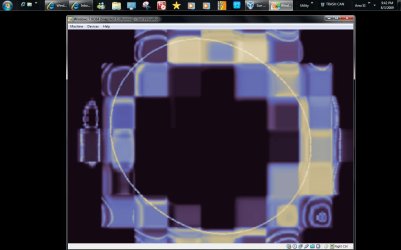


 Yet the Virtual PC seeing the XP mode along with the 32bit RC on another vhd and Vista even on another one just keeps going and going!