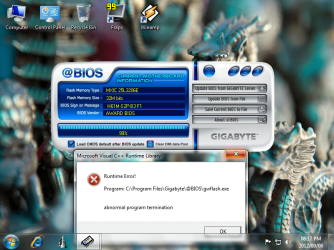
Here is what I did to flash my BIOS on a Gigabyte board.
Note: I am not advising you to update your BIOS. There is an excellent chance it will serve no purpose, and there is always a chance of it going wrong--in which case you would likely have to buy a new motherboard.
I've heard it said that it is best to upgrade only a couple of versions at a time. Go from F1 to F3 to F5, rather than from F1 to F5 in one flash. I'm not sure how important that is.
Having said that, here is what I did:
Format a USB drive to Fat 32.
Download the new BIOS, which is an exe. Poke it to extract 3 files (the bios file, autoexec.bat, and flashspi.exe). Put all 3 on the USB drive.
Go into your BIOS and choose "load optimized defaults".
Enable "Legacy USB Storage Detect" in the Integrated Peripherals page of the BIOS.
Save the changes, reboot with the USB drive plugged in.
Use “END” key during reboot to load qflash (or choose F8 within the BIOS). The USB drive will probably be recognized as an HDD, which is OK. Navigate to the BIOS file (ending in f2, f3, etc). You are asked if you want to flash or words to that effect. One bios is erased and another is installed. It’s a bit unclear what to do when done, but “reset” means to reboot, which is what you want to do when the flash is done.
Once you have rebooted back into the BIOS, choose Load Optimized defaults and save and apply. This is a required step to complete the flash and load the new BIOS. Will probably be asked if you want to load AHCI drivers. Say yes. Windows should boot OK.