Most user-friendly way to return 64-bit system to factory settings

nealcall

New member
Local time
2:08 PM
Messages
11
I run a refurbished Windows 7 64-bit Home Premium system on my Dell Inspiron 620 MT. Also, I'm not tech savvy, sorry for dumb questions. I've browsed forums, but can't always tell if my specific situation mimics other stuff I see.

I recently tried to install a couple legacy programs through compatibility mode that are causing some weird glitches and I'm also having a hard time removing them from my computer.

I have all my personal data backed up on a separate external hard drive, so I'm not particularly worried about my data.

I was going to try a system restore point prior to the glitchy program installations, but discovered that my system recovery was set to "off" instead of "on" for the system protection, and so hasn't been setting restore points since I bought the thing less than a year ago. It would have been nice to do a restore that would keep my personal data on the machine, but it's not that big of a deal.

So, as far as I can tell, my next option to get rid of these glitchy programs is to do a "clean install"? I'm not sure what media I should use, or what order to do things in, so maybe someone can give me some tips.

I don't have any physical media discs. I DO have a partition on my computer labelled "Recovery (D:)" with 7.12 G out of 13.6 G free.

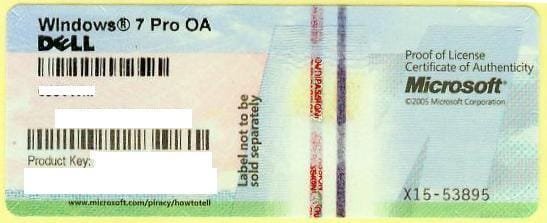
Do I need to burn DVDs and recovery media? Do I need to contact the manufacturer for recovery discs? Is using the "Recovery (D:)" drive the same thing as doing a clean install? What is the easiest way to return my system to an earlier setup? Will all options require me to input the windows authentication code thing that's on a sticker on my desktop? Is that the only code I need?

Thanks for any help, and again, sorry for all the noob questions.
 

My Computer My Computer

At a glance

w 7 home 64 bit
OS
w 7 home 64 bit
You could try downloading and installing a app called Total Uninstaller. It does a very good job of uninstalling unwanted programs. Although it is paid software you can try it out for 30 days, before having to purchase it.

http://www.martau.com/
 

My Computer My Computer

At a glance

Windows 7 Home Premium 64bit SP 1Intel i5 2500k8 gigabytes Corsair PC3-12800 DDR3EVGA GeForce GTX 460 superclocked
Computer Manufacturer/Model Number
Customized build from CyberPower
OS
Windows 7 Home Premium 64bit SP 1
CPU
Intel i5 2500k
Motherboard
Asus P8P67 Deluxe
Memory
8 gigabytes Corsair PC3-12800 DDR3
Graphics Card(s)
EVGA GeForce GTX 460 superclocked
Sound Card
Integrated
Monitor(s) Displays
ViewSonic 23" LCD
Screen Resolution
1980 x 1080
Hard Drives
120 Gb Samsung 840 Pro SSD
120 Gb Kingston Hyper X SSD
1 Tb WD Caviar Black HDD
PSU
Coolermaster 1000 watt modular
Case
Coolermaster HAF X full tower
Cooling
Coolermaster Hyper 212 plus
Keyboard
Logitech USB
Mouse
Microsoft 3 button
Internet Speed
download 1.5 Mb/sec upload 300Kb/sec
Little Jay, thanks for the tip. I'm gonna look into that.

But I'd also like to learn the best/easiest way to restore my system. I like the idea of being able to "start fresh."

Thanks!
 

My Computer My Computer

At a glance

w 7 home 64 bit
OS
w 7 home 64 bit
OK then. Since I am not familiar with Dell computers and their recovery partitions, I will leave that to someone else to advise you on.
 

My Computer My Computer

At a glance

Windows 7 Home Premium 64bit SP 1Intel i5 2500k8 gigabytes Corsair PC3-12800 DDR3EVGA GeForce GTX 460 superclocked
Computer Manufacturer/Model Number
Customized build from CyberPower
OS
Windows 7 Home Premium 64bit SP 1
CPU
Intel i5 2500k
Motherboard
Asus P8P67 Deluxe
Memory
8 gigabytes Corsair PC3-12800 DDR3
Graphics Card(s)
EVGA GeForce GTX 460 superclocked
Sound Card
Integrated
Monitor(s) Displays
ViewSonic 23" LCD
Screen Resolution
1980 x 1080
Hard Drives
120 Gb Samsung 840 Pro SSD
120 Gb Kingston Hyper X SSD
1 Tb WD Caviar Black HDD
PSU
Coolermaster 1000 watt modular
Case
Coolermaster HAF X full tower
Cooling
Coolermaster Hyper 212 plus
Keyboard
Logitech USB
Mouse
Microsoft 3 button
Internet Speed
download 1.5 Mb/sec upload 300Kb/sec
Very simple - from the recovery partition. Here is the procedure:

· Save all your important files.

· Unplug all the devices and drivers from your CPU (except the keyboard and the mouse), including your printer, camera and memory stick.

· Shut off the computer and then turn it on, or simply restart it.

· As soon as you see the Dell logo at the start keep on hitting the F8 key repeatedly. Do not stop until you see the screen that says "Repair your computer." There will be other options too but chose this option and hit Enter.

· Next you will see a prompt window giving you options to select the keyboard layout select from the drop-down menu "US" and click "OK."

· On the next screen you will be asked to select the user ID and the password of your Windows account. Select your user account, but make sure your user account has administrative functions. Type in your password. If you don't have a password, leave it blank and click "OK."

· Now you will come to a window with multiple options. Choose the one at the bottom that reads, "Dell Factory Image Restore." By clicking "Dell Factory Image Restore" , it will generate an operation that will take about 45 minutes to complete.
 

My Computer My Computer

At a glance

Vista, Windows7, Mint Mate, Zorin, Windows 8from 1.6GHz Duo to i7
Computer Manufacturer/Model Number
HP, Dell, Gateway, Toshiba - 4 laptops and 2 desktops
OS
Vista, Windows7, Mint Mate, Zorin, Windows 8
CPU
from 1.6GHz Duo to i7
Monitor(s) Displays
2x HP w2207
Hard Drives
5x HDD, 7x SSD, 12x Externals
Keyboard
with trackball - no mices
Mouse
Trackball mice
Internet Speed
DSL 6000
Thanks whs! Now, is what you're suggesting the same thing as a "clean install"? Does it require the windows 7 authentication code thing?
 

My Computer My Computer

At a glance

w 7 home 64 bit
OS
w 7 home 64 bit
It will be restored back like it left the factory.
The OS and original programs that were on it. No product ID required.

Windows 7 PC Restore | Dell
 

My Computer My Computer

At a glance

Windows 7 Professional SP1 64-bitIntel Core 2 Duo Processor E8300 @ 2.83GHz4.00 GB Dual-Channel DDR2 @ 332MHz (5-5-5-15)Intel(R) G33/G31 Express Chipset Family
Computer type
PC/Desktop
Computer Manufacturer/Model Number
Dell Inspiron 530
OS
Windows 7 Professional SP1 64-bit
CPU
Intel Core 2 Duo Processor E8300 @ 2.83GHz
Motherboard
Dell Inc. 0RY007 (Socket 775)
Memory
4.00 GB Dual-Channel DDR2 @ 332MHz (5-5-5-15)
Graphics Card(s)
Intel(R) G33/G31 Express Chipset Family
Sound Card
Integrated 7.1 Channel Audio
Monitor(s) Displays
Acer G245HQL 23.6" LED(1920x1080@60Hz)
Screen Resolution
1920 x 1080
Hard Drives
Disk 0 HITACHI 1TB OS Installed - Disk 1 HITACHI 1TB For Backups
Keyboard
Dell USB Keyboard
Mouse
Dell Optical USB Mouse
Internet Speed
DSL 10 meg
Antivirus
Symantec(SEP)
Browser
Pale Moon
C-11 is right. You get exactly the same as it came out of the box. It activates automatically.
 

My Computer My Computer

At a glance

Vista, Windows7, Mint Mate, Zorin, Windows 8from 1.6GHz Duo to i7
Computer Manufacturer/Model Number
HP, Dell, Gateway, Toshiba - 4 laptops and 2 desktops
OS
Vista, Windows7, Mint Mate, Zorin, Windows 8
CPU
from 1.6GHz Duo to i7
Monitor(s) Displays
2x HP w2207
Hard Drives
5x HDD, 7x SSD, 12x Externals
Keyboard
with trackball - no mices
Mouse
Trackball mice
Internet Speed
DSL 6000
cool. Thanks C-11 and whs. You've answered the questions I really needed. Still curious, though, if there's a difference between this and what people call a "clean install", which I assume is another way of saying "re-installing" the OS.
 

My Computer My Computer

At a glance

w 7 home 64 bit
OS
w 7 home 64 bit
Clean install usually means using the MS installation media - thereby not getting any crapware included.

What you are doing is restoring the factory image - it includes a ton of useless junk, probably.

Dell are better than the others usually, so you maybe fine - also, newer Dells have an option to restore just the o/s - without any junk at all.
 

My Computers My Computers

  • At a glance

    7 X64i5 84002x8gb 3200mhz
    Computer type
    PC/Desktop
    OS
    7 X64
    CPU
    i5 8400
    Motherboard
    gigabyte b365m ds3h
    Memory
    2x8gb 3200mhz
    Hard Drives
    various
    PSU
    pure power 11 400w cm
    Case
    Coolermaster
    Cooling
    cryorig m9i
  • At a glance

    7x64g54008gb ddr4 2400
    Computer type
    PC/Desktop
    OS
    7x64
    CPU
    g5400
    Motherboard
    ga b365m ds3h
    Memory
    8gb ddr4 2400
    PSU
    xfx pro 450w

My Computer My Computer

At a glance

Windows 7x64 Home Premium SP1Intel i7 2600kG.Skill Ripjaws (DDR3-1600) 2x4GBNvidia GeForce GTS 450; Intel HD Graphics 300...
Computer type
PC/Desktop
Computer Manufacturer/Model Number
Own build
OS
Windows 7x64 Home Premium SP1
CPU
Intel i7 2600k
Motherboard
ASUS P8Z68 Deluxe
Memory
G.Skill Ripjaws (DDR3-1600) 2x4GB
Graphics Card(s)
Nvidia GeForce GTS 450; Intel HD Graphics 3000(GT2+)
Monitor(s) Displays
Dell Ultrasharp IPS panel U2311H, Samsung SyncMaster P2350
Screen Resolution
1920x1080
Hard Drives
Samsung 850 Pro SSD 256GB, Samsung SSD 840 120GB, Seagates 1TB Barracuda ST31000528AS x2
PSU
Seasonic M12II 520W
Case
Lian Li Lancool PC-K60
Cooling
Case: 1x120mm, 3x140mm CPU: Hyper 212+
Keyboard
Logitech MK520 (wireless)
Mouse
Logitech MK520
Internet Speed
6-7 Mbps
Antivirus
Norton Security Premium, Malwarebytes on 2 (MSE on 3rd PC)
Browser
FireFox
Other Info
Audio: Logitech Z523 2.1
this might work....


sorry...just couldn't resist...
 

My Computer My Computer

At a glance

Windows 7 Ultimate 64 bitAMD Phenom II X4 965 Black EditionGSkill 4 X 2 GB PC 8500XFX Radeon HD 6790 D
Computer Manufacturer/Model Number
Custom built
OS
Windows 7 Ultimate 64 bit
CPU
AMD Phenom II X4 965 Black Edition
Motherboard
Gigabyte GA-MA790X-DS4
Memory
GSkill 4 X 2 GB PC 8500
Graphics Card(s)
XFX Radeon HD 6790 D
Sound Card
On board RealTek HD
Monitor(s) Displays
Dual monitors:Samsung SyncMaster S20B300
Screen Resolution
1600 X 900
Hard Drives
Seagate Barracuda 1TB (primary)
Seagate Barracuda 2 X 320 GB
PSU
Ultra X4 750 watt fully modular
Case
Thermaltake Overseer RX 1 full tower
Cooling
Core-Contact 92 mm CPU Cooler
Keyboard
Logitech G510
Mouse
Razor DeathAdder
Internet Speed
50/5 Mbps UL/DL
Other Info
Optical: Super Muliti DVD burner w/lightscribe, Hauppauge WinTV HVR-1800
cool, thanks, SIW2. Here's another question: should I be burning some sort of recovery DVD? It seems there is more than one kind of option for the recovery stuff you can burn.
 

My Computer My Computer

At a glance

w 7 home 64 bit
OS
w 7 home 64 bit
You have to be careful with a 'clean install'. It may not fit all environments. Very often the manufacturer provided programs (often referred to as junkware) are required to operate the PC.

I give you an example. I had a Sony Vaio with a backlit keyboard. The settings for the backlighting could only be made with a Sony provided program.

But some manufacturers exaggerate with what they provide - Toshiba is one of the culprits.
 

My Computer My Computer

At a glance

Vista, Windows7, Mint Mate, Zorin, Windows 8from 1.6GHz Duo to i7
Computer Manufacturer/Model Number
HP, Dell, Gateway, Toshiba - 4 laptops and 2 desktops
OS
Vista, Windows7, Mint Mate, Zorin, Windows 8
CPU
from 1.6GHz Duo to i7
Monitor(s) Displays
2x HP w2207
Hard Drives
5x HDD, 7x SSD, 12x Externals
Keyboard
with trackball - no mices
Mouse
Trackball mice
Internet Speed
DSL 6000
There should an option to run off the manufacturer dvd's. Those are a copy of what is on the recovery partition. You need those if you can't access the recovery partition - very important.

There is also a windows 7 repair disc you can run off - it is just for repairing - you can't reinstall with it - but it does fit on one cd or a small flash.

Alternatively, you can download the entire MS installation .iso from digital river - use it with your product key off the sticker if you are doing clean reinstall.

As whs says - it is possible you may have a specific keyboard or nic driver for your machine.

You can download those free from the manufacturer website before you try reinstalling and pop them on cd in case you need them in future.

I
 

My Computers My Computers

  • At a glance

    7 X64i5 84002x8gb 3200mhz
    Computer type
    PC/Desktop
    OS
    7 X64
    CPU
    i5 8400
    Motherboard
    gigabyte b365m ds3h
    Memory
    2x8gb 3200mhz
    Hard Drives
    various
    PSU
    pure power 11 400w cm
    Case
    Coolermaster
    Cooling
    cryorig m9i
  • At a glance

    7x64g54008gb ddr4 2400
    Computer type
    PC/Desktop
    OS
    7x64
    CPU
    g5400
    Motherboard
    ga b365m ds3h
    Memory
    8gb ddr4 2400
    PSU
    xfx pro 450w

My Computers My Computers

  • At a glance

    7 X64i5 84002x8gb 3200mhz
    Computer type
    PC/Desktop
    OS
    7 X64
    CPU
    i5 8400
    Motherboard
    gigabyte b365m ds3h
    Memory
    2x8gb 3200mhz
    Hard Drives
    various
    PSU
    pure power 11 400w cm
    Case
    Coolermaster
    Cooling
    cryorig m9i
  • At a glance

    7x64g54008gb ddr4 2400
    Computer type
    PC/Desktop
    OS
    7x64
    CPU
    g5400
    Motherboard
    ga b365m ds3h
    Memory
    8gb ddr4 2400
    PSU
    xfx pro 450w
cool. Thanks, guys, for all the useful and speedy responses!
 

My Computer My Computer

At a glance

w 7 home 64 bit
OS
w 7 home 64 bit
this might work....


sorry...just couldn't resist...
Well you've got me :confused:
MS will provide most of the drivers you need. If that fails you obviously go to the manufacturer's website and download them. Or go into the recovery partition and save the drivers/utilities before doing a clean install.
 

My Computer My Computer

At a glance

Windows 7x64 Home Premium SP1Intel i7 2600kG.Skill Ripjaws (DDR3-1600) 2x4GBNvidia GeForce GTS 450; Intel HD Graphics 300...
Computer type
PC/Desktop
Computer Manufacturer/Model Number
Own build
OS
Windows 7x64 Home Premium SP1
CPU
Intel i7 2600k
Motherboard
ASUS P8Z68 Deluxe
Memory
G.Skill Ripjaws (DDR3-1600) 2x4GB
Graphics Card(s)
Nvidia GeForce GTS 450; Intel HD Graphics 3000(GT2+)
Monitor(s) Displays
Dell Ultrasharp IPS panel U2311H, Samsung SyncMaster P2350
Screen Resolution
1920x1080
Hard Drives
Samsung 850 Pro SSD 256GB, Samsung SSD 840 120GB, Seagates 1TB Barracuda ST31000528AS x2
PSU
Seasonic M12II 520W
Case
Lian Li Lancool PC-K60
Cooling
Case: 1x120mm, 3x140mm CPU: Hyper 212+
Keyboard
Logitech MK520 (wireless)
Mouse
Logitech MK520
Internet Speed
6-7 Mbps
Antivirus
Norton Security Premium, Malwarebytes on 2 (MSE on 3rd PC)
Browser
FireFox
Other Info
Audio: Logitech Z523 2.1
Back
Top