Ian Chattan
New member
- Local time
- 7:10 AM
- Messages
- 10
So I finally bought a new MEDION AKOYA 2.70GHz PC to replace my 10 year old XP.
Brilliant so far except when it comes to partitioning the hard drive.
The OEM has a 50 GB Recovery partition D which I want to leave but when I go to Computer Management and shrink the C: by an equal 50GB for my own drive images I am left with a 50GB unallocated space which I am told...
"There is insufficient space on the drive to create a new drive." Or some such.
I see from the colors that there is no 'standard' extended partition just the C: and D: drives.
Any pointers on this one? I get the same problem using BootIT NG, a 50GB space with no possibility of making a drive in it or formatting it.
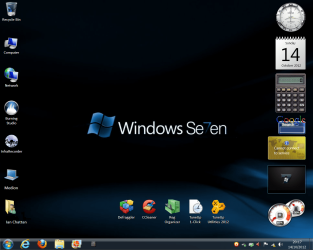
On the Gadgets problem, (I see that MS in its infinite 'wisdom' is not hosting the gadgets anymore, btw) well, I deleted the gadgets thinking that I could get them back by right-clicking the desktop and then 'gadgets' but no. Gadgets doesn't appear at all and I really wanted the alarm clock gadget. Drat!
Any way of getting them back?
Nice to be here.
Thanks for your help.
Ian
Brilliant so far except when it comes to partitioning the hard drive.
The OEM has a 50 GB Recovery partition D which I want to leave but when I go to Computer Management and shrink the C: by an equal 50GB for my own drive images I am left with a 50GB unallocated space which I am told...
"There is insufficient space on the drive to create a new drive." Or some such.
I see from the colors that there is no 'standard' extended partition just the C: and D: drives.
Any pointers on this one? I get the same problem using BootIT NG, a 50GB space with no possibility of making a drive in it or formatting it.
On the Gadgets problem, (I see that MS in its infinite 'wisdom' is not hosting the gadgets anymore, btw) well, I deleted the gadgets thinking that I could get them back by right-clicking the desktop and then 'gadgets' but no. Gadgets doesn't appear at all and I really wanted the alarm clock gadget. Drat!
Any way of getting them back?
Nice to be here.
Thanks for your help.
Ian
My Computer
- OS
- XP Pro MUI 32-bit Windows Seven Home Premium 32-bit


 rimary,