
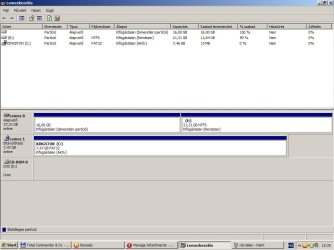
Please post back a screenshot of your maximized Disk Management drive map and listings:
1. Type Disk Management in Start Search box.
2. Open Disk Mgmt. window and maximize it.
3. Type Snipping Tool in Start Search box.
4. Open Snipping Tool, choose Rectangular Snip, click New, draw a box around full drive map and all listings.
5, Save Snip, attach using paper clip in Reply Box.
Tell us what is on each partition.
I attach the file from printscreen.
Attachments
My Computer
At a glance
Windows 7 Ultimate 32b
- OS
- Windows 7 Ultimate 32b
