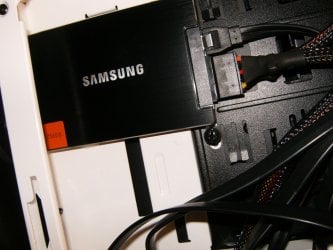
Are SSDs the new RAM for boosting system performance?

Brink

Administrator
Staff member
Local time
3:06 PM
Messages
74,848
Location
Oklahoma
RAM was once the king of the system performance boost. Now, there's a new kid in town that's usurping the throne: SSDs.

SSDs are the new performance panacea. But, when SSDs first hit the scene a few years ago, we hated them. They were small--too small to be useful and too slow for anything but Netbooks. Technology took hold and now SSDs are our new heroes. They are the new RAM. Still a little pricey for widespread consumer use; servers, high-end laptops and ultrabooks come equipped with them. And, they're fast. They're cool. Sure, they're cool in the vernacular sense of the word but they're also cool in the Fahrenheit/Celsius sense too. No moving parts means cooler temps and cooler laps under them. My favorite thing to say about SSDs is that, "They toil not and neither do they spin."

Read more at source:
Are SSDs the new RAM for boosting system performance? | ZDNet
 

My Computer My Computer

Computer type
PC/Desktop
Computer Manufacturer/Model Number
Self built custom
OS
64-bit Windows 11 Pro for Workstations
CPU
Intel i7-8700K OC'd to 5 GHz
Motherboard
ASUS ROG Maximus XI Formula Z390
Memory
64 GB (4x16GB) G.SKILL TridentZ RGB DDR4 3600 MHz
Graphics Card(s)
ASUS ROG-STRIX-GTX1080TI-O11G-GAMING
Sound Card
Integrated
Monitor(s) Displays
2 x Samsung Odyssey G7 27"
Screen Resolution
2560x1440
Hard Drives
1TB Samsung 990 PRO M.2,
4TB Samsung 990 PRO PRO M.2,
TerraMaster F8 SSD Plus NAS
PSU
Seasonic Prime Titanium 850W
Case
Thermaltake Core P3
Cooling
Corsair Hydro H115i
Keyboard
Logitech wireless K800
Mouse
Logitech MX Master 4
Internet Speed
2 Gb/s Download and 100 Mb/s Upload
Antivirus
Malwarebyte Anti-Malware Premium
Browser
Google Chrome
Other Info
Logitech Z625 speaker system,
Logitech BRIO 4K Pro webcam,
HP Color LaserJet Pro MFP M477fdn,
APC SMART-UPS RT 1000 XL - SURT1000XLI,
Galaxy S23 Plus phone
I remember paying at least £80 for 2GB of Ram many years ago, you can get a nice 128gb SSD for that now.

I certainly always recommend SSD's to people as a source of speeding their PC's up.
 

My Computer My Computer

OS
Windows 7 Professional 64 bit
SSD's are the better option for increasing performance, although when you want a cheap and easy performance boost, then adding RAM could still be the option which consumers choose.
 

My Computer My Computer

Computer type
Laptop
Unless you have less then 4GBs of RAM adding more won't really help. Thus you have to look at other places to increase performance. SSDs are the next logical step. My new computer is going to come with 16 GB of Quad-channel memory, while enough for my intended purpose gaming, adding more will not improve performance for most of my application except running VMs. Thus, I'm throwing a small 256 GB SSD into this computer...or I haven't fully decided yet but I have been offered 512 GB SSD + 1 TB storage drive for an extra $400 (plus the cost of the 256 SSD, single 512 SSD is an extra $300). But we will see.
 

My Computer My Computer

Computer type
PC/Desktop
Computer Manufacturer/Model Number
Alienware Aurora ALX R4
OS
Windows 10 Pro (x64)
CPU
Intel Core i7-3930K (3.2GHz - 4.5GHz)
Motherboard
Alienware Aurora-R4 x79
Memory
4x Samsung 4GB PC3-12800 DDR3 (16GB 1600MHz)
Graphics Card(s)
Nvidia Geforce GTX 690
Sound Card
SteelSeries Siberia Elite
Monitor(s) Displays
Dell UltraSharp U3011
Screen Resolution
2560x1600
Hard Drives
Samsung 850 Pro 256 GB, Seagate 1TB Desktop Hybrid HDD, 2x Western Digital 4TB Green HDD
PSU
875W Some Dell PSU <.<
Case
Alienware Aurora ALX
Cooling
Custom Liquid Cooling (EK CPU & GPU blocks) dual EK 480RAD
Keyboard
Logitech G710+ Mechanical
Mouse
Logitech G700s
Internet Speed
Verizon Fios (50 mbps average)
Other Info
Server: Intel NUC D54250WYK: i5-4250U, 16GB, 256 GB mSATA, Windows Server 2012 R2
How reliable are SSD drives? Horror stories of corrupted files lost - or is that just a USB device thing? On my part I've also been able to recover lost and raw partoons from my flash drive but not without some damaged goods. Imagination, heavy disk use maybe?

I have also wondered what is seek time like on SSD. I know USB is not the swiftest tool in the shed but what time cost savings could you expect from say - a comparable 7200 rpm?

And I hear you say no need to defrag - ahh what's this? I would like one to get rid of all the heat excess - when will a decent size (80+ GB works for me) at a decent price be on market?
 

My Computer My Computer

OS
Window 7 ult x64
Hi there
in theory if the SSD is fast enough then you wouldn't need RAM at all -- apart from a small amount of RAM in the BIOS to bootstrap the OS and initialize the SSD driver to load the OS on to and prepare the user logon screen.

The MOBOS would have to be changed but gone would be the days of buying extra RAM -- a fast 256 GB SSD should be plenty for the next generation of PC's.

It probably will be a race between memory chip makers and SSD designers who can make the cheapest, fastest devices.

Cheers
jimbo
 

My Computer My Computer

Computer type
PC/Desktop
Computer Manufacturer/Model Number
Custom built, several laptops HP/ASUS
OS
Linux CENTOS 7 / various Windows OS'es and servers
CPU
Intel i7 Intel i5
Memory
8GB, 16GB
Graphics Card(s)
On Motherboard
Sound Card
Realtek HD audio
Monitor(s) Displays
Apple Cinema display, Samsung LCD
Screen Resolution
1920 X 1080
Hard Drives
4 X 1TB SATA
Mouse
Toshiba wireless laser
Internet Speed
> 20MB up
Besides access speeds, of which RAM still holds a clear advantage over other data storage mediums, RAM also holds the advantage of having unlimited write cycles which is essential in "scratch paper"-esque data storage mediums like RAM where data is constantly being written and rewritten. While we've always used swap files/virtual memory on our HDDs (which also have unlimited write cycles) to complement RAM, I'm not sure if swap files/virtual memory would be healthy for SSDs; at the very least they would be relatively short-lived.
 

My Computer My Computer

Computer type
PC/Desktop
Computer Manufacturer/Model Number
N/A (custom-built)
OS
Windows 7 Ultimate x64 SP1
CPU
Intel Core i7 2700K @ 3.5GHz (TurboBoost disabled)
Motherboard
ASUS P8Z68-V/GEN3
Memory
16GB (4x4GB) Kingston HyperX DDR3 1600MHz @ 1333MHz
Graphics Card(s)
Nvidia EVGA GeForce GTX 1060 6GB
Sound Card
Realtek High Definition Audio (motherboard integrated)
Monitor(s) Displays
NEC Multisync EX231W
Screen Resolution
1920x1080 @ 60Hz via DVI-D
Hard Drives
2x Western Digital 1TB SATA3 Caviar Black Internal HDD // 1x WD 500GB USB 3.0 "My Passport Essential" External HDD // 1x WD 1TB USB 3.0 "My Passport Essential" External HDD // 2x WD 2TB USB 3.0 "My Passport Essential" External HDD
PSU
Corsair Professional Series Gold AX850
Case
Antec 300
Cooling
Air-cooling
Keyboard
Steelseries 6Gv2
Mouse
Steelseries Sensei RAW Glossy, Logitech M500
Internet Speed
DSL (AT&T)
Antivirus
Microsoft Security Essentials
Browser
Pale Moon, Mozilla Firefox 12, Opera 12, Chromium, IE9
Other Info
Virtual Machines (VirtualBox):
* Japanese Windows XP Professional SP3
* Japanese Windows 7 Professional SP1
I think the balance of power between the two is the key, but it sounds like the balance has swung to the SSD and with capacities upping with street prices falling it's a great and natural upgrade. The SSD is in my opinion the greatest singular upgrade one can make to their modern system currently. I started with a Crucial 64gb and (5) SSD's later I'm over the moon with the latest 256gb Samsung 830 in my rig.
HPIM2655.jpg
 

My Computer My Computer

Computer type
PC/Desktop
Computer Manufacturer/Model Number
A blend of brains, brawn and dumb luck.
OS
Windows 7 Ultimate 64
CPU
i7 3770k OC'd 4.6 @ 1.17v, also FX 8120 & i5 miniITX
Motherboard
MSI P67A-GD80 b3
Memory
32 gb G.Skill Sniper DDR3 10-12-12-31 @ 2133
Graphics Card(s)
XFX Radeon 7870 2GB DDR5
Sound Card
Sound Blaster Z Series Card
Monitor(s) Displays
(2) LG LED 23" 1920 x 1080 2ms Monitors via mini d-port
Screen Resolution
1680 X 1050 p
Hard Drives
Samsung 256 gb 830 SSD sata III
(1) 1 tb WD Black
(2) 1 tb Hitachi deskmates/sata II
(2) 1 tb WD green/sata II
(2) 3 tb Seagate Barracuda
(1) 120 gb OCZ Vertex SS
(1) Drobo 5N w/5 Seagate 3tb
PSU
EVGA modular 1000G2 80% gold rating & APC 1200 RS
Case
CoolerMaster Storm Styker
Cooling
7 case fans 140mm & 120mm, NZXT Kraken X60
Keyboard
(2) Logitech Illuminated Keyboards (1) usb (1) wireless
Mouse
Logitech G700 & T-BC21 - nano nx for the laptop
Internet Speed
Basic 120mbps down
Antivirus
Trend Micro Titanium Max Security & Malwarebytes Premium
Browser
Chrome and IE 10
Other Info
5 Noctua case fans + 3 Noctua in p/p on NZXT cooler
Integrated hot swap drive bays for 2.5" Drives
(2) Lite-on dvd/cd/Blu Ray optical 22X
Integrated fan controller and led on/off
HP Officejet Pro 8630 all-n-one
Hot-swappable 3.5" hard drive bay
Netgear Nighthawk router
Asus USB 3 & sata 6 PCIe card
Vantec IDE to sata adptr./Ultra sata adptr
Lenovo L420 i5 lappy with m sata
Drobo 5N advanced NAS
Microsoft needs to rethink the disk/file/path structure. Perhaps move the MyDocuments/MyPicture/MyMusic/Downloads etc to D drive along with optional maybe for program installs to manually choose C drive installs or not. Make the system a fast boot at least... Then most standard users can get by with a small say 64 or maybe 32gb ssd c: drive and a larger d: spinning drive with ample room to have a system image for when that ssd craps out.
 

My Computer My Computer

OS
win7
How reliable are SSD drives? Horror stories of corrupted files lost - or is that just a USB device thing? On my part I've also been able to recover lost and raw partoons from my flash drive but not without some damaged goods. Imagination, heavy disk use maybe?

I have also wondered what is seek time like on SSD. I know USB is not the swiftest tool in the shed but what time cost savings could you expect from say - a comparable 7200 rpm?

And I hear you say no need to defrag - ahh what's this? I would like one to get rid of all the heat excess - when will a decent size (80+ GB works for me) at a decent price be on market?

These horror stories are just that, "stories". Many people on here have SSD's and I have not heard of one that has a problem. In my opinion, they are every bit as reliable as a HDD. == You ask about "seek time". If you put your OS and programs on your SSD, you will be amazed how fast they are. From the time you click your mouse on an icon until the program opens is one second. That is speed.
 

My Computer My Computer

Computer type
PC/Desktop
Computer Manufacturer/Model Number
Custom Build
OS
Windows 7 Home Premium 32-Bit - Build 7600 SP1
CPU
Intel Core i3-2120 3.30Ghz
Motherboard
Asus P8Z68-V LX Intel Z68 Socket H2 ATX
Memory
Kingston 4 GB DDR3 1333 mhz
Graphics Card(s)
AMD Radeon HD6670
Sound Card
Sound Blaster Audigy SE 24-Bit
Monitor(s) Displays
Asus VE228
Screen Resolution
1440 X 900
Hard Drives
OCZ Vertex 3 120 GB Sata 3 SSD ==
Kingston SH103/S3 120 G Hyper X 120 GB SSD ==
Western Digital 500 GB Caviar Green 7200 RPM ==
PSU
Corsair CX600M == 600 Watt
Case
NZXT Apollo - Silver with Clear Side Panel
Cooling
Three 120 mm Fans
Keyboard
Microsoft Natural 4000
Mouse
Microsoft Custom Optical 3000
Internet Speed
AT&T Fiber Optic Wireless Network
Antivirus
Microsoft Security Essentials
Browser
Chrome
Other Info
120 mm Blue LED Fan -- Three Blue LED Lazer Light Sticks
How reliable are SSD drives? Horror stories of corrupted files lost - or is that just a USB device thing? On my part I've also been able to recover lost and raw partoons from my flash drive but not without some damaged goods. Imagination, heavy disk use maybe?

I have also wondered what is seek time like on SSD. I know USB is not the swiftest tool in the shed but what time cost savings could you expect from say - a comparable 7200 rpm?

And I hear you say no need to defrag - ahh what's this? I would like one to get rid of all the heat excess - when will a decent size (80+ GB works for me) at a decent price be on market?
A SSD has no "seek time" since there is no moving parts. A 7200RPM HDD has an average latency of 417ms, micro seconds. The time it takes bit of data to pass through the read/write heads until the next bit from the file arrives.
A SSD's access time, similar to seek time, is less than .1ms.

No need to defrag because the access time stays the same no matter where a file's bit are located.
 

My Computer My Computer

Computer type
PC/Desktop
Computer Manufacturer/Model Number
Home Built Desktop By DataTech
OS
Windows 7 Ultimate X64 SP1
CPU
Intel i5-2550K, Differing ~4.4-4.8GHz No built in GPU
Motherboard
ASUS P8Z68-V PRO/GEN3
Memory
16GB G.Skill Sniper 1866MHz @ 2133MHz 2x8GB
Graphics Card(s)
ASUS GTX650TIB-DC2OC-2GD5, (650TI Boost)
Sound Card
Onboard Realtek 5-1
Monitor(s) Displays
Samsung P2570HD
Screen Resolution
1920x1080
Hard Drives
Samsung 840 Pro 256GB SSD for OS, 500GB Seagate Constellation (Enterprise drive) for Data
PSU
Corsair HX650W
Case
Inwin Dragon Rider
Cooling
Hyper 212 EVO w/two Noctua fans, push-pull, @1300 RPM
Keyboard
E-Z Eyes, bright yellow keys with large characters
Mouse
steelseries SENSEI Laser Pro Gaming
Internet Speed
48-51Mbs Mbs down, 11 Mbs up Xfinity Cable
Antivirus
Norton Internet Security 2013
Browser
IE 10, Opera, Pale Moon if needed
Other Info
4 case fans, LG BluRay-RE, ASUS DVD-RW, Mr. Fusion power supply, 1.21 gigawatts.
Microsoft needs to rethink the disk/file/path structure. Perhaps move the MyDocuments/MyPicture/MyMusic/Downloads etc to D drive along with optional maybe for program installs to manually choose C drive installs or not. Make the system a fast boot at least... Then most standard users can get by with a small say 64 or maybe 32gb ssd c: drive and a larger d: spinning drive with ample room to have a system image for when that ssd craps out.
I would call that the standard installation scenario today for a desktop - 60GB SSD plus user files on the HDD. For laptops 128 or 256GB SSDs are more advisable.

I still don't understand why people install big SSDs on desktops - a waste of money. My desktop 60GB SSDs are always half empty. I even have enough space to run at least 1 virtual partition on them.
 

My Computer My Computer

Computer Manufacturer/Model Number
HP, Dell, Gateway, Toshiba - 4 laptops and 2 desktops
OS
Vista, Windows7, Mint Mate, Zorin, Windows 8
CPU
from 1.6GHz Duo to i7
Monitor(s) Displays
2x HP w2207
Hard Drives
5x HDD, 7x SSD, 12x Externals
Keyboard
with trackball - no mices
Mouse
Trackball mice
Internet Speed
DSL 6000
I still don't understand why people install big SSDs on desktops - a waste of money. My desktop 60GB SSDs are always half empty. I even have enough space to run at least 1 virtual partition on them.

Some people prefer to have lots of free space available on the system partition, I believe Windows also simply performs better when it has lots of free space to work with.

I don't use an SSD since I don't see nor have a need for one, but I still partitioned 200GB of a 1TB HDD for my Windows partition; it currently has ~99GB free right now and I'm glad I partitioned a large portion for Windows to "om nom nom" on.
 

My Computer My Computer

Computer type
PC/Desktop
Computer Manufacturer/Model Number
N/A (custom-built)
OS
Windows 7 Ultimate x64 SP1
CPU
Intel Core i7 2700K @ 3.5GHz (TurboBoost disabled)
Motherboard
ASUS P8Z68-V/GEN3
Memory
16GB (4x4GB) Kingston HyperX DDR3 1600MHz @ 1333MHz
Graphics Card(s)
Nvidia EVGA GeForce GTX 1060 6GB
Sound Card
Realtek High Definition Audio (motherboard integrated)
Monitor(s) Displays
NEC Multisync EX231W
Screen Resolution
1920x1080 @ 60Hz via DVI-D
Hard Drives
2x Western Digital 1TB SATA3 Caviar Black Internal HDD // 1x WD 500GB USB 3.0 "My Passport Essential" External HDD // 1x WD 1TB USB 3.0 "My Passport Essential" External HDD // 2x WD 2TB USB 3.0 "My Passport Essential" External HDD
PSU
Corsair Professional Series Gold AX850
Case
Antec 300
Cooling
Air-cooling
Keyboard
Steelseries 6Gv2
Mouse
Steelseries Sensei RAW Glossy, Logitech M500
Internet Speed
DSL (AT&T)
Antivirus
Microsoft Security Essentials
Browser
Pale Moon, Mozilla Firefox 12, Opera 12, Chromium, IE9
Other Info
Virtual Machines (VirtualBox):
* Japanese Windows XP Professional SP3
* Japanese Windows 7 Professional SP1
These horror stories are just that, "stories". Many people on here have SSD's and I have not heard of one that has a problem. In my opinion, they are every bit as reliable as a HDD. == You ask about "seek time". If you put your OS and programs on your SSD, you will be amazed how fast they are. From the time you click your mouse on an icon until the program opens is one second. That is speed.

Sorry to chime in here, but, I had a OCZ Vertex 3 120GB. It lasted 8 months. It had my OS and programs on it. All user data is on a spinner. It was used on my server, so it was not heavily used. Basically it ran WSUS, IIS and little else.

The SSD is being replaced under warranty. At the time I purchased it the cost was $278.00. Now a 128GB vertex 4 is under $100.

In my case, the SSD was either not detected at boot up, or if it was detected it could not boot.
 

My Computer My Computer

Computer type
PC/Desktop
Computer Manufacturer/Model Number
Home Made
OS
Linux Mint 17 Cinnamon | Win 7 Ult x64
CPU
Intel I7-3770K @ 4.2ghz
Motherboard
ASRock Extreme 4
Memory
32GB G-Skill C10Q
Graphics Card(s)
EVGA GTX 670 2GB SC
Sound Card
Creative Fatality ExtremeGamer
Monitor(s) Displays
LG E2742V x 2
Screen Resolution
1920x1080
Hard Drives
256GB Vertex 4 SSD
2TB Seagate ST2000DM001
1TB Seagate ST1000DM003
PSU
Corsair HX 650
Case
HAF 932 advanced
Cooling
Corsair H100i liquid cooler
Keyboard
Logitech Wireless
Mouse
Logitech Wireless
Internet Speed
OptusNet NBN 100/40
Antivirus
Malwarebytes
Browser
Firefox 30
Other Info
Router: Sagemcom F@st 3846 Crippled by Optus.
I have 3 operating systems, so 60 GB probably wouldn't be big enough.
I run Win7, Win8 and Ubuntu on a 60GB SSD and have 10GB freespace. But that is tight. I still would recommend a 120GB SSD. They are cheap these days.
 

My Computer My Computer

Computer Manufacturer/Model Number
HP, Dell, Gateway, Toshiba - 4 laptops and 2 desktops
OS
Vista, Windows7, Mint Mate, Zorin, Windows 8
CPU
from 1.6GHz Duo to i7
Monitor(s) Displays
2x HP w2207
Hard Drives
5x HDD, 7x SSD, 12x Externals
Keyboard
with trackball - no mices
Mouse
Trackball mice
Internet Speed
DSL 6000
I'm thinking most people that buy a Windows 7 computer don't know and don't care to know about MSI installers, moving users around, changing page filing ect. They also don't know what a Linux or Ubuntu is and don't want to know. Windows 7 was made for millions and millions of users that just want a few ticks or keys to use it or install it. To give Windows options that a few tweakers want is not going to happen. Where would Microsoft stop. They could never put all the little tweaks in a operating system that tweakers could come with. Besides it would just raise the cost of the operating system to the millions and millions that wouldn't use them or even know what tweaks are included in the operating system. Does anybody know of a company that has 90 % of the market share of operating systems or any other product sold to the masses that does a better job than Microsoft?
 

My Computer My Computer

Computer type
PC/Desktop
Computer Manufacturer/Model Number
Home made Desktop
OS
Windows 10 Pro. 64/ version 1709 Windows 7 Pro/64
CPU
Intel i7-6800K @ 4.3
Motherboard
ASUS X-99 Deluxe II
Memory
Corsair Platinum 16 gig @2400
Graphics Card(s)
EVGA GTX 1070 OC
Monitor(s) Displays
Asus 27" LED LCD/VE278Q
Screen Resolution
1920-1080 or 1280-720 HDMI
Hard Drives
INTEL SSD 730-240 Gb Sata 3.0/
PSU
EVGA Platium 1200W
Case
Phanteks Luxe Tempered Glass 8 fans/ one radiator
Cooling
XSPC/ Water Cooled CPU
Keyboard
Das 4 Professional
Mouse
Logitech M705/MX Anywhere 2-S
Internet Speed
100 mbits
Antivirus
Microsoft Security Essentials/ Malwarebytes Premium 3.0/ SAS
Browser
I.E. 11 default/Firefox/ ISP Time Warner Cable/Spectrum
Other Info
LG BluRay Burner/
Sound system-KLipsch-THX/
Icy Dock ssd Hot Swap bays.
In all fairness, a lot of installers for consumer applications provide for either a "Standard" or "Quick" one-click install solution and an "Advanced" option where you can change things like installation directory and installed components. It's not as extreme an idea as you suggest it is.
 

My Computer My Computer

Computer type
PC/Desktop
Computer Manufacturer/Model Number
N/A (custom-built)
OS
Windows 7 Ultimate x64 SP1
CPU
Intel Core i7 2700K @ 3.5GHz (TurboBoost disabled)
Motherboard
ASUS P8Z68-V/GEN3
Memory
16GB (4x4GB) Kingston HyperX DDR3 1600MHz @ 1333MHz
Graphics Card(s)
Nvidia EVGA GeForce GTX 1060 6GB
Sound Card
Realtek High Definition Audio (motherboard integrated)
Monitor(s) Displays
NEC Multisync EX231W
Screen Resolution
1920x1080 @ 60Hz via DVI-D
Hard Drives
2x Western Digital 1TB SATA3 Caviar Black Internal HDD // 1x WD 500GB USB 3.0 "My Passport Essential" External HDD // 1x WD 1TB USB 3.0 "My Passport Essential" External HDD // 2x WD 2TB USB 3.0 "My Passport Essential" External HDD
PSU
Corsair Professional Series Gold AX850
Case
Antec 300
Cooling
Air-cooling
Keyboard
Steelseries 6Gv2
Mouse
Steelseries Sensei RAW Glossy, Logitech M500
Internet Speed
DSL (AT&T)
Antivirus
Microsoft Security Essentials
Browser
Pale Moon, Mozilla Firefox 12, Opera 12, Chromium, IE9
Other Info
Virtual Machines (VirtualBox):
* Japanese Windows XP Professional SP3
* Japanese Windows 7 Professional SP1
Back
Top