Solved Have to boot twice to get into Windows.

Soulfly

New member
Local time
3:35 AM
Messages
30
Hey guys,

For quite a few months, I've had this problem where I needed to boot twice to boot into Windows. For example, the first time I would boot in the morning, it would shut off by itself halfway, but when I booted it up a second time, it would go into Windows like it should.

And also, for some weird reason, If I turned off and back on the power supply switch, I had a 80% chance of it booting into Windows on the first try. And lately, on rare occasions, while using the computer, it would shut off on its own.

I don't think it's a problem with the memory as I've used the Windows memory diagnostic tool to check for problems, and it has given me none. Could it just be the PSU? This computer is old as dirt by the way.

And since I'm such a dumbass to wait at the last minute to fix a problem, could all those failed bootings damage any components of my PC?

Thanks in advance guys!
 

My Computer My Computer

At a glance

Windows 7 Professional x64Intel Core i5 4670K @ 3.40GHz8.00GB Dual-Channel DDR3 @ 665MHz2047MB NVIDIA GeForce GTX 760 (Gigabyte)
OS
Windows 7 Professional x64
CPU
Intel Core i5 4670K @ 3.40GHz
Motherboard
Gigabyte Technology Co., Ltd. Z97X-UD5H
Memory
8.00GB Dual-Channel DDR3 @ 665MHz
Graphics Card(s)
2047MB NVIDIA GeForce GTX 760 (Gigabyte)
Monitor(s) Displays
Asus VG248
Screen Resolution
1920X1080
Hard Drives
232GB Samsung SSD 840 EVO 250G SCSI Disk Device (SSD)
PSU
650 watts Corsair Bronze
You may have a bad power supply unit.
 

My Computer My Computer

At a glance

Windows 7 Ultimate 32bit SP1Intel(R) Core(TM)2 Quad CPU @ 2.40GHz, 2400 MHz4 GBATI Radeon HD 2600 Pro
Computer type
PC/Desktop
Computer Manufacturer/Model Number
Bruce ... somewhere in his 40's
OS
Windows 7 Ultimate 32bit SP1
CPU
Intel(R) Core(TM)2 Quad CPU @ 2.40GHz, 2400 MHz
Motherboard
INTEL/D975XBX2
Memory
4 GB
Graphics Card(s)
ATI Radeon HD 2600 Pro
Monitor(s) Displays
Samsung SyncMaster 914v
Screen Resolution
1280 x 1024
Hard Drives
2/500GB each ... ST3500630AS ATA Device.
One is not connected
PSU
Rocketfish 700 W
Case
G.Skill Gigabyte Chassis
Keyboard
Standard PS/2 Keyboard
Mouse
Microsoft PS/2 Mouse
Internet Speed
DSL
Antivirus
Avira Internet Security
Browser
IE 11
Other Info
ATI HDMI Audio

My Computer My Computer

At a glance

Microsoft Windows 7 Home Premium 64-bit 7601 ...Intel(R) Core(TM) i7-3770 CPU @ 3.40GHz8.00 GBIntel(R) HD Graphics 4000
Computer type
PC/Desktop
OS
Microsoft Windows 7 Home Premium 64-bit 7601 Multiprocessor Free Service Pack 1
CPU
Intel(R) Core(TM) i7-3770 CPU @ 3.40GHz
Motherboard
ASUSTeK COMPUTER INC. P8H77-M
Memory
8.00 GB
Graphics Card(s)
Intel(R) HD Graphics 4000
Sound Card
On Board
Monitor(s) Displays
Dell 24"
Screen Resolution
1920 x 1080
Hard Drives
(1) INTEL SSDSC2CT180A3 ATA Device (2) ST500DM002-1BD142 ATA Device (3) WDC WD3200AAKS-75L9A0 ATA Device (4) Generic- Compact Flash USB Device (5) Generic- MS/MS-Pro USB Device (6) Generic- SD/MMC USB Device (7) Generic- SM/xD-Picture USB
PSU
500w Corsair
Case
Cooler Master
Cooling
3 Fans
Keyboard
Logitech MK300
Mouse
Logitech WOM
Internet Speed
75Mb
Antivirus
Norton 360
Browser
Firefox, Opera, IE
If you were interested in testing the PSU have a look here:
How Do I Test the Power Supply in My Computer?
If you do go down this road TAKE NOTE OF THE DANGER WARNINGS!

Thank you, I'll check it out! I forgot to mention that also before this problem started, sometimes when I would boot the comp, it wouldn't fully start but instead would kind of stutter like if you were trying to start up your car and hear a "chuggah chuggah chuggah", and the led lights on the fans would be stuttering, so I also believe that this could be related to the PSU.
 

My Computer My Computer

At a glance

Windows 7 Professional x64Intel Core i5 4670K @ 3.40GHz8.00GB Dual-Channel DDR3 @ 665MHz2047MB NVIDIA GeForce GTX 760 (Gigabyte)
OS
Windows 7 Professional x64
CPU
Intel Core i5 4670K @ 3.40GHz
Motherboard
Gigabyte Technology Co., Ltd. Z97X-UD5H
Memory
8.00GB Dual-Channel DDR3 @ 665MHz
Graphics Card(s)
2047MB NVIDIA GeForce GTX 760 (Gigabyte)
Monitor(s) Displays
Asus VG248
Screen Resolution
1920X1080
Hard Drives
232GB Samsung SSD 840 EVO 250G SCSI Disk Device (SSD)
PSU
650 watts Corsair Bronze
Certainly souns like it to me but DO TAKE CARE YOU WILL BE WORKING WITH LIVE ELECTRICS!!!!!!
 

My Computer My Computer

At a glance

Microsoft Windows 7 Home Premium 64-bit 7601 ...Intel(R) Core(TM) i7-3770 CPU @ 3.40GHz8.00 GBIntel(R) HD Graphics 4000
Computer type
PC/Desktop
OS
Microsoft Windows 7 Home Premium 64-bit 7601 Multiprocessor Free Service Pack 1
CPU
Intel(R) Core(TM) i7-3770 CPU @ 3.40GHz
Motherboard
ASUSTeK COMPUTER INC. P8H77-M
Memory
8.00 GB
Graphics Card(s)
Intel(R) HD Graphics 4000
Sound Card
On Board
Monitor(s) Displays
Dell 24"
Screen Resolution
1920 x 1080
Hard Drives
(1) INTEL SSDSC2CT180A3 ATA Device (2) ST500DM002-1BD142 ATA Device (3) WDC WD3200AAKS-75L9A0 ATA Device (4) Generic- Compact Flash USB Device (5) Generic- MS/MS-Pro USB Device (6) Generic- SD/MMC USB Device (7) Generic- SM/xD-Picture USB
PSU
500w Corsair
Case
Cooler Master
Cooling
3 Fans
Keyboard
Logitech MK300
Mouse
Logitech WOM
Internet Speed
75Mb
Antivirus
Norton 360
Browser
Firefox, Opera, IE
Certainly souns like it to me but DO TAKE CARE YOU WILL BE WORKING WITH LIVE ELECTRICS!!!!!!

Will do, thanks. Will be updating as soon as I can...If I didn't get electrocuted to death. :P
 

My Computer My Computer

At a glance

Windows 7 Professional x64Intel Core i5 4670K @ 3.40GHz8.00GB Dual-Channel DDR3 @ 665MHz2047MB NVIDIA GeForce GTX 760 (Gigabyte)
OS
Windows 7 Professional x64
CPU
Intel Core i5 4670K @ 3.40GHz
Motherboard
Gigabyte Technology Co., Ltd. Z97X-UD5H
Memory
8.00GB Dual-Channel DDR3 @ 665MHz
Graphics Card(s)
2047MB NVIDIA GeForce GTX 760 (Gigabyte)
Monitor(s) Displays
Asus VG248
Screen Resolution
1920X1080
Hard Drives
232GB Samsung SSD 840 EVO 250G SCSI Disk Device (SSD)
PSU
650 watts Corsair Bronze
Safer way of testing the power supply is. Taking it to your friends house plug in the 24-PIN and the 4 or 8-pin cable to the motherboard and see if it starts up . You don't want to mess inside the Power Supply.

   Note
Another way of testing the power supply is using a PAPER CLIP . Yes a Paper Clip. Turn it to a U shape . Put one end of the paper clip to the green cable and the other end to any of the black cables on the 20 or 24-pin connector depending on your Power Supply. Then plug in the Power Cord to the wall.


   Tip
Unplug the power Cable from the wall and power supply before you do anything . IF there is a switch on the back of the Power supply be sure to turn that off as well . After you have the Paper clip inside the green and black wire of the Connector plug in the power cable and turn the switch on
 

My Computer My Computer

At a glance

Windows 7 Ultimate 32-Bit & Windows 7 Ultimat...Intel Core i7 CPU 950 @ 3.07GHzOCZ 6GB (3 x 2GB) 240-Pin DDR3 SDRAM DDR3 160...ATI Radeon HD 5700 Series
Computer Manufacturer/Model Number
Custom Built
OS
Windows 7 Ultimate 32-Bit & Windows 7 Ultimate 64-Bit
CPU
Intel Core i7 CPU 950 @ 3.07GHz
Motherboard
ASUS P6T DELUXE V2
Memory
OCZ 6GB (3 x 2GB) 240-Pin DDR3 SDRAM DDR3 1600 OCZ3X1600R2
Graphics Card(s)
ATI Radeon HD 5700 Series
Sound Card
OnBoard
Hard Drives
WD6400AACS-00M3B0 (640GB SATA )
PSU
CORSAIR 850w
Case
NZXT LEXA
Cooling
Intel Stock Heatsink Fan
Keyboard
Microsoft Wireless Laser Keyboard 7000
Mouse
Microsoft Wireless Laser Mouse 7000

Attachments

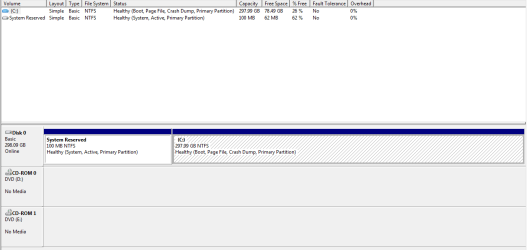
  • Disk Management.PNG
    Disk Management.PNG
    10.6 KB · Views: 7

My Computer My Computer

At a glance

Windows 7 Professional x64Intel Core i5 4670K @ 3.40GHz8.00GB Dual-Channel DDR3 @ 665MHz2047MB NVIDIA GeForce GTX 760 (Gigabyte)
OS
Windows 7 Professional x64
CPU
Intel Core i5 4670K @ 3.40GHz
Motherboard
Gigabyte Technology Co., Ltd. Z97X-UD5H
Memory
8.00GB Dual-Channel DDR3 @ 665MHz
Graphics Card(s)
2047MB NVIDIA GeForce GTX 760 (Gigabyte)
Monitor(s) Displays
Asus VG248
Screen Resolution
1920X1080
Hard Drives
232GB Samsung SSD 840 EVO 250G SCSI Disk Device (SSD)
PSU
650 watts Corsair Bronze
Old As Dirt

You said it was "old as dirt".

Have you cleaned it to remove dirt/fluff from the fans, heatsinks and vents?

Have you made sure that all of your components and cables are properly seated in their sockets?

:eek: I
f you are going to play around with your PC's internal components, remember to turn the power off and to take anti-static precautions. :eek:

You may need to remove the heatsinks, clean the old heatsink compound off of them and the chips and apply new compound.

:eek: Remember to read the handling/usage instructions. :eek:
 

My Computer My Computer

At a glance

W7 Ultimate SP1, LM19.2 MATE, W10 Home 1703, ...AMD Phenom II x6 1100T, 3.3 GHz12GB DDR3 1333 G-Skill (4GB x 2), G-Skill (2G...NVIDIA GeForce GTX 660
Computer type
PC/Desktop
Computer Manufacturer/Model Number
n/a
OS
W7 Ultimate SP1, LM19.2 MATE, W10 Home 1703, W10 Pro 1703 VM, #All 64 bit
CPU
AMD Phenom II x6 1100T, 3.3 GHz
Motherboard
ASUS M4A88T-M/USB3 (AM3)
Memory
12GB DDR3 1333 G-Skill (4GB x 2), G-Skill (2GB x 2)
Graphics Card(s)
NVIDIA GeForce GTX 660
Sound Card
Realtek?
Monitor(s) Displays
Samsung S23B350
Screen Resolution
1920x1080
Hard Drives
WD Green 2TB (SATA), WD Green 3TB (SATA), WD Blue 4TB (SATA), WD Blue 6TB (SATA)
PSU
Cooler Master
Case
Antec GX300 Tower
Cooling
3x Antec TRICOOL 120mm Fans
Mouse
Wired Optical
Internet Speed
DSL
Antivirus
Avast
Browser
Pale Moon (64 bit)
Other Info
2018-12-27 Upgraded HDDs
2015-12-10 Upgraded case, graphics card, storage
2015-08-15 Upgraded motherboard & RAM
2015-07-15 Upgraded LM17.1 to LM17.2
Hey guys, been a while.

So, it turned out to be the PSU. I did the paperclip test on the old PSU, and nothing happened, only heard a faint humming noise. Put it back into the case, and the computer wouldn't power up anymore. I guess it gave out its last breath when I took it out to test it or I did something to screw it up even worse, haha.

But all is good now, I have a new PSU and I no longer have the problems described in my first post; no longer have to boot twice to go into Windows, doesn't randomly shutdown anymore.

I'd like to thank you guys for your help, you rock!
 

My Computer My Computer

At a glance

Windows 7 Professional x64Intel Core i5 4670K @ 3.40GHz8.00GB Dual-Channel DDR3 @ 665MHz2047MB NVIDIA GeForce GTX 760 (Gigabyte)
OS
Windows 7 Professional x64
CPU
Intel Core i5 4670K @ 3.40GHz
Motherboard
Gigabyte Technology Co., Ltd. Z97X-UD5H
Memory
8.00GB Dual-Channel DDR3 @ 665MHz
Graphics Card(s)
2047MB NVIDIA GeForce GTX 760 (Gigabyte)
Monitor(s) Displays
Asus VG248
Screen Resolution
1920X1080
Hard Drives
232GB Samsung SSD 840 EVO 250G SCSI Disk Device (SSD)
PSU
650 watts Corsair Bronze
Back
Top