Solved .url Internet Shortcuts - Icons appearing blank (w/ Chrome)

Viper3773

New member
Local time
9:29 AM
Messages
6
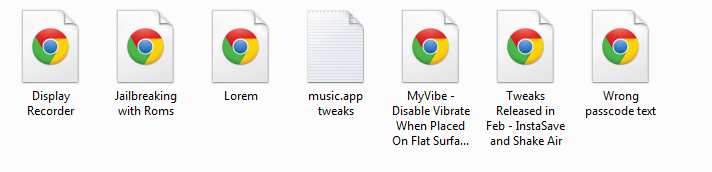
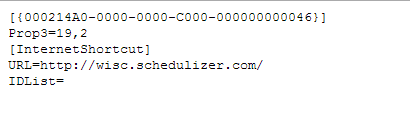
Here is what I am talking about. On my main computer, my icons for my internet shortcuts are appearing like this:
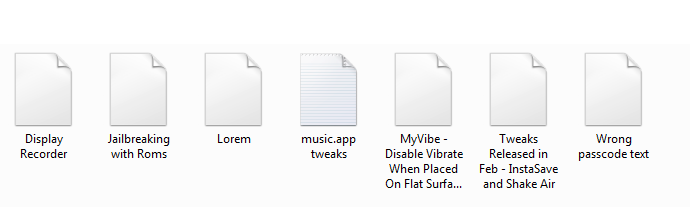
M61y9p1.png


When they should be appearing like this: (from my netbook)

HJq56g9.png


Funny thing is, If I uninstall/reinstall Chrome, the shortcuts look normal. However, once I restart my computer they go back to looking blank.

I've been searching for a solution FOREVER and I just can't seem to find it. Does any one have any suggestions?
 

My Computer My Computer

At a glance

Windows 7 Home Premium 64bit
Computer type
PC/Desktop
OS
Windows 7 Home Premium 64bit
The only thing I can think of is making sure Chrome is set as the default browser. Although, I don't know if this will work.
 

My Computer My Computer

Computer type
PC/Desktop
Hello Viper, and welcome to Seven Forums.

Do the .url shortcuts still work other than the icon not displaying properly?

For now, you might see if rebuilding the icon cache may help.

Hope this helps, :)
Shawn
 

My Computer My Computer

At a glance

64-bit Windows 11 Pro for WorkstationsIntel i7-8700K OC'd to 5 GHz64 GB (4x16GB) G.SKILL TridentZ RGB DDR4 3600...ASUS ROG-STRIX-GTX1080TI-O11G-GAMING
Computer type
PC/Desktop
Computer Manufacturer/Model Number
Self built custom
OS
64-bit Windows 11 Pro for Workstations
CPU
Intel i7-8700K OC'd to 5 GHz
Motherboard
ASUS ROG Maximus XI Formula Z390
Memory
64 GB (4x16GB) G.SKILL TridentZ RGB DDR4 3600 MHz
Graphics Card(s)
ASUS ROG-STRIX-GTX1080TI-O11G-GAMING
Sound Card
Integrated
Monitor(s) Displays
2 x Samsung Odyssey G7 27"
Screen Resolution
2560x1440
Hard Drives
1TB Samsung 990 PRO M.2,
4TB Samsung 990 PRO PRO M.2,
TerraMaster F8 SSD Plus NAS
PSU
Seasonic Prime Titanium 850W
Case
Thermaltake Core P3
Cooling
Corsair Hydro H115i
Keyboard
Logitech wireless K800
Mouse
Logitech MX Master 4
Internet Speed
2 Gb/s Download and 100 Mb/s Upload
Antivirus
Malwarebyte Anti-Malware Premium
Browser
Google Chrome
Other Info
Logitech Z625 speaker system,
Logitech BRIO 4K Pro webcam,
HP Color LaserJet Pro MFP M477fdn,
APC SMART-UPS RT 1000 XL - SURT1000XLI,
Galaxy S23 Plus phone
Manually set the file association. Control Panel > Default Programs > Associate a file type... Scroll down to find .url on the left, click, hit Change Program button, select Google Chrome (you may have to Browse for it).
 

My Computer My Computer

At a glance

Windows 7 Home Premium 64bit SP1AMD FX 8120 3.10GHz8GB
Computer Manufacturer/Model Number
Asus CM1831 Tower
OS
Windows 7 Home Premium 64bit SP1
CPU
AMD FX 8120 3.10GHz
Memory
8GB
Browser
Google Chrome
Other Info
xplorer2; Office 2007
The only thing I can think of is making sure Chrome is set as the default browser. Although, I don't know if this will work.

Yes, chrome is default

Hello Viper, and welcome to Seven Forums.

Do the .url shortcuts still work other than the icon not displaying properly?

For now, you might see if rebuilding the icon cache may help.

Hope this helps, :)
Shawn

Thank you for the welcome. I have tried the icon cache rebuilt before, but I tried it again and yeah it didn't work unfortunately :/

Manually set the file association. Control Panel > Default Programs > Associate a file type... Scroll down to find .url on the left, click, hit Change Program button, select Google Chrome (you may have to Browse for it).

Not exactly the same, but at least it's stands out
HoqMIKc.png


Edit:
Dang, not really effective; it just brings this up :/

WcRckaQ.png


The .url is currently associated to the default "Internet Browser"
 

My Computer My Computer

At a glance

Windows 7 Home Premium 64bit
Computer type
PC/Desktop
OS
Windows 7 Home Premium 64bit
OK I set IE as default then Chrome back to default and rebooted, and it worked? Wonder how long it will stay; assume it would be good to go?

0pUaHra.png
 

My Computer My Computer

At a glance

Windows 7 Home Premium 64bit
Computer type
PC/Desktop
OS
Windows 7 Home Premium 64bit
OK I set IE as default then Chrome back to default and rebooted, and it worked? Wonder how long it will stay; assume it would be good to go?

0pUaHra.png

Interesting.

Now I recommend opening the Internet Options control panel and doing this:

  1. Switch to the Programs tab
  2. Disable the option that is at the very top of the tab labeled Tell me if Internet Explorer is not the default web browser.
  3. Click OK.
I don't know if this will prevent the icons from going blank again, but it certainly won't hurt.


   Tip

You can open the Internet Options control panel by opening the Start Menu and typing internet op, and then press Enter.


My Computer My Computer

Computer type
PC/Desktop
Thanks TwoCables; It's still working so I'm assuming all's good! Thanks guys.
 

My Computer My Computer

At a glance

Windows 7 Home Premium 64bit
Computer type
PC/Desktop
OS
Windows 7 Home Premium 64bit
Back
Top