Reconnect my desktop pc and now its running slow and jerky

pr1970

New member
Member
Local time
3:15 PM
Messages
45
Hi All

I moved my desktop PC to another room the other day, it was running fine prior to the move. But now I`ve just reconnected everything and started using it i`m getting really bad performance when doing cpu intensive tasks. Ie the mouse, keyboard (typing) is really slow and jerky when the cpu is near 100% use. It never did this before.
I tried moving the mouse and keyboard to different usb ports but it still the same.

Any ideas what could have happened?

Thanks alot

Paul
 

My Computer My Computer

At a glance

windows 7 ultimate x64Intel Core i7-2600K8GB Kingston DDR3 666.7mhzZotac nVIDIA GeForce GTX 465
Computer Manufacturer/Model Number
n/a
OS
windows 7 ultimate x64
CPU
Intel Core i7-2600K
Motherboard
Asus P8 P67 Pro
Memory
8GB Kingston DDR3 666.7mhz
Graphics Card(s)
Zotac nVIDIA GeForce GTX 465
Sound Card
Intel Cougar Point PCH - High Definition Audio Controller
Monitor(s) Displays
Samsung
Hard Drives
Crucial SSD 128GB (C300-CTFDDAC128MAG)
Western Digital 1TB HD (WDC WD1002FAEX-00Z3A0)
PSU
750W
Case
Nvidia Coolermaster
Cooling
Coolermaster Hyper 212 Plus
Hi All

I moved my desktop PC to another room the other day, it was running fine prior to the move. But now I`ve just reconnected everything and started using it i`m getting really bad performance when doing cpu intensive tasks. Ie the mouse, keyboard (typing) is really slow and jerky when the cpu is near 100% use. It never did this before.
I tried moving the mouse and keyboard to different usb ports but it still the same.

Any ideas what could have happened?

Thanks alot

Paul

What programs do you be using when this does be happening?
 

My Computer My Computer

At a glance

Windows 7 Ultimate 64-bitIntel Core 2 Duo E6550 @2.33GHz4GB DDR"NVIDIA GeForce 8600 GS
Computer type
PC/Desktop
Computer Manufacturer/Model Number
Dell / Lenovo g550
OS
Windows 7 Ultimate 64-bit
CPU
Intel Core 2 Duo E6550 @2.33GHz
Motherboard
foxconn g33m02
Memory
4GB DDR"
Graphics Card(s)
NVIDIA GeForce 8600 GS
Hard Drives
HDD 1 = 150GB
HDD 2 = 1.5TB
PSU
450W
Cooling
Stock fan
Internet Speed
12Mb
Antivirus
AVG Internet Security
Whole host of programs but its mainly when 3d rendering in Maya that causes the jerkiness.

Thanks
 

My Computer My Computer

At a glance

windows 7 ultimate x64Intel Core i7-2600K8GB Kingston DDR3 666.7mhzZotac nVIDIA GeForce GTX 465
Computer Manufacturer/Model Number
n/a
OS
windows 7 ultimate x64
CPU
Intel Core i7-2600K
Motherboard
Asus P8 P67 Pro
Memory
8GB Kingston DDR3 666.7mhz
Graphics Card(s)
Zotac nVIDIA GeForce GTX 465
Sound Card
Intel Cougar Point PCH - High Definition Audio Controller
Monitor(s) Displays
Samsung
Hard Drives
Crucial SSD 128GB (C300-CTFDDAC128MAG)
Western Digital 1TB HD (WDC WD1002FAEX-00Z3A0)
PSU
750W
Case
Nvidia Coolermaster
Cooling
Coolermaster Hyper 212 Plus
Maybe a memory problem. Could you post a screen shot of resource monitor with CPU Memory and hard disk expanded. To get to resource monitor. In the search bar at the bottom of the start menu type resource monitor
 

My Computer My Computer

At a glance

Windows 7 Ultimate 64-bitIntel Core 2 Duo E6550 @2.33GHz4GB DDR"NVIDIA GeForce 8600 GS
Computer type
PC/Desktop
Computer Manufacturer/Model Number
Dell / Lenovo g550
OS
Windows 7 Ultimate 64-bit
CPU
Intel Core 2 Duo E6550 @2.33GHz
Motherboard
foxconn g33m02
Memory
4GB DDR"
Graphics Card(s)
NVIDIA GeForce 8600 GS
Hard Drives
HDD 1 = 150GB
HDD 2 = 1.5TB
PSU
450W
Cooling
Stock fan
Internet Speed
12Mb
Antivirus
AVG Internet Security
Hi

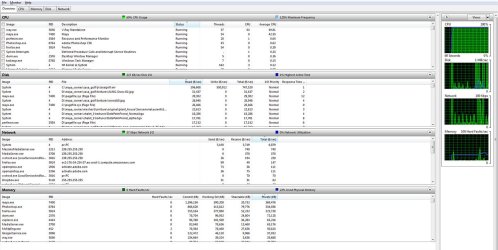
i have been trying a few things (removing drivers/startup programs) but without any success.I download latest drivers for my AHCI , video, mouse and network controllers.

Have attached a screen shot asnyway. Not sure how much it will help because i know what causes the high processor usuage and hogs resources (maya/vray) but they never use to cause the mouse to stutter.
i remember now i had this problem about a year ago and i ended up re-installing windows 7 which fixed it. I really dont want to have to do that again though.

Thanks
 

Attachments

  • resources_shot.JPG
    resources_shot.JPG
    133.9 KB · Views: 10
Last edited:

My Computer My Computer

At a glance

windows 7 ultimate x64Intel Core i7-2600K8GB Kingston DDR3 666.7mhzZotac nVIDIA GeForce GTX 465
Computer Manufacturer/Model Number
n/a
OS
windows 7 ultimate x64
CPU
Intel Core i7-2600K
Motherboard
Asus P8 P67 Pro
Memory
8GB Kingston DDR3 666.7mhz
Graphics Card(s)
Zotac nVIDIA GeForce GTX 465
Sound Card
Intel Cougar Point PCH - High Definition Audio Controller
Monitor(s) Displays
Samsung
Hard Drives
Crucial SSD 128GB (C300-CTFDDAC128MAG)
Western Digital 1TB HD (WDC WD1002FAEX-00Z3A0)
PSU
750W
Case
Nvidia Coolermaster
Cooling
Coolermaster Hyper 212 Plus
bump
 

My Computer My Computer

At a glance

windows 7 ultimate x64Intel Core i7-2600K8GB Kingston DDR3 666.7mhzZotac nVIDIA GeForce GTX 465
Computer Manufacturer/Model Number
n/a
OS
windows 7 ultimate x64
CPU
Intel Core i7-2600K
Motherboard
Asus P8 P67 Pro
Memory
8GB Kingston DDR3 666.7mhz
Graphics Card(s)
Zotac nVIDIA GeForce GTX 465
Sound Card
Intel Cougar Point PCH - High Definition Audio Controller
Monitor(s) Displays
Samsung
Hard Drives
Crucial SSD 128GB (C300-CTFDDAC128MAG)
Western Digital 1TB HD (WDC WD1002FAEX-00Z3A0)
PSU
750W
Case
Nvidia Coolermaster
Cooling
Coolermaster Hyper 212 Plus
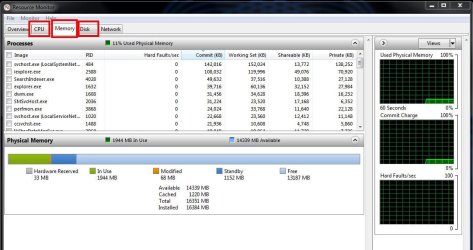
Please post the snips as requested, it will be 3 of them. example of the Memory tab expanded.

remon.JPG
 

My Computer My Computer

At a glance

Windows 7 Ultimate X64 SP1Intel i5-2550K, Differing ~4.4-4.8GHz No buil...16GB G.Skill Sniper 1866MHz @ 2133MHz 2x8GBASUS GTX650TIB-DC2OC-2GD5, (650TI Boost)
Computer type
PC/Desktop
Computer Manufacturer/Model Number
Home Built Desktop By DataTech
OS
Windows 7 Ultimate X64 SP1
CPU
Intel i5-2550K, Differing ~4.4-4.8GHz No built in GPU
Motherboard
ASUS P8Z68-V PRO/GEN3
Memory
16GB G.Skill Sniper 1866MHz @ 2133MHz 2x8GB
Graphics Card(s)
ASUS GTX650TIB-DC2OC-2GD5, (650TI Boost)
Sound Card
Onboard Realtek 5-1
Monitor(s) Displays
Samsung P2570HD
Screen Resolution
1920x1080
Hard Drives
Samsung 840 Pro 256GB SSD for OS, 500GB Seagate Constellation (Enterprise drive) for Data
PSU
Corsair HX650W
Case
Inwin Dragon Rider
Cooling
Hyper 212 EVO w/two Noctua fans, push-pull, @1300 RPM
Keyboard
E-Z Eyes, bright yellow keys with large characters
Mouse
steelseries SENSEI Laser Pro Gaming
Internet Speed
48-51Mbs Mbs down, 11 Mbs up Xfinity Cable
Antivirus
Norton Internet Security 2013
Browser
IE 10, Opera, Pale Moon if needed
Other Info
4 case fans, LG BluRay-RE, ASUS DVD-RW, Mr. Fusion power supply, 1.21 gigawatts.
Also try opening up your case and resetting your ram etc. Sometimes movement can cause what is referred to as chip creep.
 

My Computer My Computer

At a glance

Windows 10 Pro X64Intel(R) Core(TM) i5-3570K CPU OC@ 4.5GHZ Turbo8.00 GB DDR3 1600MhzMSI Gaming X GTX 1070
Computer type
PC/Desktop
Computer Manufacturer/Model Number
Dude Build
OS
Windows 10 Pro X64
CPU
Intel(R) Core(TM) i5-3570K CPU OC@ 4.5GHZ Turbo
Motherboard
MSI Z77A-G45 Gaming
Memory
8.00 GB DDR3 1600Mhz
Graphics Card(s)
MSI Gaming X GTX 1070
Sound Card
Realtek High Definition
Monitor(s) Displays
Dell S23O9W, HP L1710
Screen Resolution
DELL-1920 x 1080 HP-1280 x1024
Hard Drives
Crucial m4 256 SSD, WD 7200RPM 500GB WD 1TB
PSU
Seasonic X650 GOLD
Case
Zalman Z12
Cooling
Antec Kuhler 920
Keyboard
Logitech
Mouse
MSI DS100 Interceptor
Internet Speed
50 down and 5 up
Antivirus
MSE
Browser
Chrome, IE 11
Other Info
Logitech X-620 Speakers
Hi

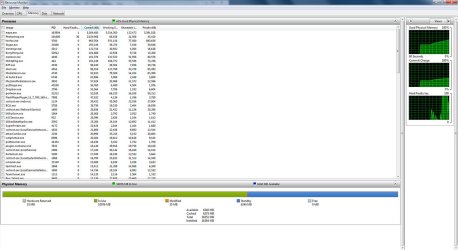
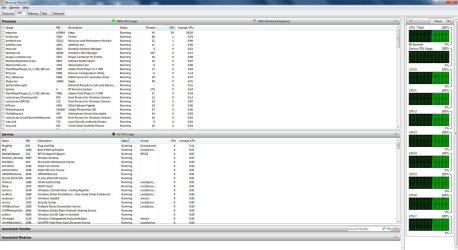
Sorry heres 3 screenshots, this is when i am doing maya rendering. But the mouse pauses/stutters i`m getting can appear at other times aswell. Theres just a general sluggishness to things, opening file browser and listing files makes things stutter occasionally for example. Or scrolling through a webpage it will stutter every now and then.

I have a feeling its something to do with the sata controller drivers. I uninstalled them completely and used that basic windows drivers and although it ran slow the mouse stutter didnt seam to occur anymore. Once I put back the recommended AHCI Sata drivers things went bad again.

Thanks
 

Attachments

  • 1disk.JPG
    1disk.JPG
    164.1 KB · Views: 5
  • 1mem.JPG
    1mem.JPG
    126.4 KB · Views: 7
  • 1cpu.JPG
    1cpu.JPG
    156.9 KB · Views: 2

My Computer My Computer

At a glance

windows 7 ultimate x64Intel Core i7-2600K8GB Kingston DDR3 666.7mhzZotac nVIDIA GeForce GTX 465
Computer Manufacturer/Model Number
n/a
OS
windows 7 ultimate x64
CPU
Intel Core i7-2600K
Motherboard
Asus P8 P67 Pro
Memory
8GB Kingston DDR3 666.7mhz
Graphics Card(s)
Zotac nVIDIA GeForce GTX 465
Sound Card
Intel Cougar Point PCH - High Definition Audio Controller
Monitor(s) Displays
Samsung
Hard Drives
Crucial SSD 128GB (C300-CTFDDAC128MAG)
Western Digital 1TB HD (WDC WD1002FAEX-00Z3A0)
PSU
750W
Case
Nvidia Coolermaster
Cooling
Coolermaster Hyper 212 Plus
Moving a computer from one place to another should not of changes any setting. It could of jarred (knocked) something loose; such as ram, video card or harness connectors.

What do you have running that is using 10 gigs of ram?
 

My Computer My Computer

At a glance

Windows 10 Pro. 64/ version 1709 Windows 7 Pr...Intel i7-6800K @ 4.3Corsair Platinum 16 gig @2400EVGA GTX 1070 OC
Computer type
PC/Desktop
Computer Manufacturer/Model Number
Home made Desktop
OS
Windows 10 Pro. 64/ version 1709 Windows 7 Pro/64
CPU
Intel i7-6800K @ 4.3
Motherboard
ASUS X-99 Deluxe II
Memory
Corsair Platinum 16 gig @2400
Graphics Card(s)
EVGA GTX 1070 OC
Monitor(s) Displays
Asus 27" LED LCD/VE278Q
Screen Resolution
1920-1080 or 1280-720 HDMI
Hard Drives
INTEL SSD 730-240 Gb Sata 3.0/
PSU
EVGA Platium 1200W
Case
Phanteks Luxe Tempered Glass 8 fans/ one radiator
Cooling
XSPC/ Water Cooled CPU
Keyboard
Das 4 Professional
Mouse
Logitech M705/MX Anywhere 2-S
Internet Speed
100 mbits
Antivirus
Microsoft Security Essentials/ Malwarebytes Premium 3.0/ SAS
Browser
I.E. 11 default/Firefox/ ISP Time Warner Cable/Spectrum
Other Info
LG BluRay Burner/
Sound system-KLipsch-THX/
Icy Dock ssd Hot Swap bays.
Maya, PS, and Forefox are using nearly 8GB of RAM there. I don't think it would be a SATA controller issue.

I was going to suggest what Layback Bear did. Check all your internal connections, all of them and the cables on the back of the case. The Hyper 212 cooler may have worked loose too and maybe pulled the CPU out of its socket a bit.
 

My Computer My Computer

At a glance

Windows 7 Ultimate X64 SP1Intel i5-2550K, Differing ~4.4-4.8GHz No buil...16GB G.Skill Sniper 1866MHz @ 2133MHz 2x8GBASUS GTX650TIB-DC2OC-2GD5, (650TI Boost)
Computer type
PC/Desktop
Computer Manufacturer/Model Number
Home Built Desktop By DataTech
OS
Windows 7 Ultimate X64 SP1
CPU
Intel i5-2550K, Differing ~4.4-4.8GHz No built in GPU
Motherboard
ASUS P8Z68-V PRO/GEN3
Memory
16GB G.Skill Sniper 1866MHz @ 2133MHz 2x8GB
Graphics Card(s)
ASUS GTX650TIB-DC2OC-2GD5, (650TI Boost)
Sound Card
Onboard Realtek 5-1
Monitor(s) Displays
Samsung P2570HD
Screen Resolution
1920x1080
Hard Drives
Samsung 840 Pro 256GB SSD for OS, 500GB Seagate Constellation (Enterprise drive) for Data
PSU
Corsair HX650W
Case
Inwin Dragon Rider
Cooling
Hyper 212 EVO w/two Noctua fans, push-pull, @1300 RPM
Keyboard
E-Z Eyes, bright yellow keys with large characters
Mouse
steelseries SENSEI Laser Pro Gaming
Internet Speed
48-51Mbs Mbs down, 11 Mbs up Xfinity Cable
Antivirus
Norton Internet Security 2013
Browser
IE 10, Opera, Pale Moon if needed
Other Info
4 case fans, LG BluRay-RE, ASUS DVD-RW, Mr. Fusion power supply, 1.21 gigawatts.
Moving a computer from one place to another should not of changes any setting. It could of jarred (knocked) something loose; such as ram, video card or harness connectors.

What do you have running that is using 10 gigs of ram?

I`ve tried resetting the ram and checked connectors. I ran a ram test this morning which passed ok.

Maya and Photoshop was using about 10gb ram at the time of those shots. I`m use to running both and using photoshop whilst maya was rendering was always a breeze. But now I get small pauses every 5-10seconds when using it whilst maya is running in the background.
 

My Computer My Computer

At a glance

windows 7 ultimate x64Intel Core i7-2600K8GB Kingston DDR3 666.7mhzZotac nVIDIA GeForce GTX 465
Computer Manufacturer/Model Number
n/a
OS
windows 7 ultimate x64
CPU
Intel Core i7-2600K
Motherboard
Asus P8 P67 Pro
Memory
8GB Kingston DDR3 666.7mhz
Graphics Card(s)
Zotac nVIDIA GeForce GTX 465
Sound Card
Intel Cougar Point PCH - High Definition Audio Controller
Monitor(s) Displays
Samsung
Hard Drives
Crucial SSD 128GB (C300-CTFDDAC128MAG)
Western Digital 1TB HD (WDC WD1002FAEX-00Z3A0)
PSU
750W
Case
Nvidia Coolermaster
Cooling
Coolermaster Hyper 212 Plus
Maya, PS, and Forefox are using nearly 8GB of RAM there. I don't think it would be a SATA controller issue.

I was going to suggest what Layback Bear did. Check all your internal connections, all of them and the cables on the back of the case. The Hyper 212 cooler may have worked loose too and maybe pulled the CPU out of its socket a bit.

I should state that i get the slowdown and jerkiness even when windows is booting up. So it seems that when there is heavy drive usage that there seems to be a conflict somewhere aswell. But its alot worse with heavy cpu usage aswell. I have to reduce the priority of the process to improve things, i didnt have that before.

I did have this issue about a year ago, and resulted in me doing a re-install of windows.
 

My Computer My Computer

At a glance

windows 7 ultimate x64Intel Core i7-2600K8GB Kingston DDR3 666.7mhzZotac nVIDIA GeForce GTX 465
Computer Manufacturer/Model Number
n/a
OS
windows 7 ultimate x64
CPU
Intel Core i7-2600K
Motherboard
Asus P8 P67 Pro
Memory
8GB Kingston DDR3 666.7mhz
Graphics Card(s)
Zotac nVIDIA GeForce GTX 465
Sound Card
Intel Cougar Point PCH - High Definition Audio Controller
Monitor(s) Displays
Samsung
Hard Drives
Crucial SSD 128GB (C300-CTFDDAC128MAG)
Western Digital 1TB HD (WDC WD1002FAEX-00Z3A0)
PSU
750W
Case
Nvidia Coolermaster
Cooling
Coolermaster Hyper 212 Plus
Using Maya and Photoshop at the same time is very demanding and both will enjoy more ram.
If both these programs are started at boot it will cause your problem in my opinion.
If both of those programs are run off of the hard drive that will also cause problems you are having.
Are you using Raid?
 

My Computer My Computer

At a glance

Windows 10 Pro. 64/ version 1709 Windows 7 Pr...Intel i7-6800K @ 4.3Corsair Platinum 16 gig @2400EVGA GTX 1070 OC
Computer type
PC/Desktop
Computer Manufacturer/Model Number
Home made Desktop
OS
Windows 10 Pro. 64/ version 1709 Windows 7 Pro/64
CPU
Intel i7-6800K @ 4.3
Motherboard
ASUS X-99 Deluxe II
Memory
Corsair Platinum 16 gig @2400
Graphics Card(s)
EVGA GTX 1070 OC
Monitor(s) Displays
Asus 27" LED LCD/VE278Q
Screen Resolution
1920-1080 or 1280-720 HDMI
Hard Drives
INTEL SSD 730-240 Gb Sata 3.0/
PSU
EVGA Platium 1200W
Case
Phanteks Luxe Tempered Glass 8 fans/ one radiator
Cooling
XSPC/ Water Cooled CPU
Keyboard
Das 4 Professional
Mouse
Logitech M705/MX Anywhere 2-S
Internet Speed
100 mbits
Antivirus
Microsoft Security Essentials/ Malwarebytes Premium 3.0/ SAS
Browser
I.E. 11 default/Firefox/ ISP Time Warner Cable/Spectrum
Other Info
LG BluRay Burner/
Sound system-KLipsch-THX/
Icy Dock ssd Hot Swap bays.
Using Maya and Photoshop at the same time is very demanding and both will enjoy more ram.
If both these programs are started at boot it will cause your problem in my opinion.
If both of those programs are run off of the hard drive that will also cause problems you are having.
Are you using Raid?

Thanks. But its not Maya or Photoshop thats the problem. I can completely clean out my msconfig.exe of startup programs but i will still get mouse freezes upon boot up. You have to realise I`ve had this PC for over a year and this is a new problem. I`m always using photoshop and maya together. Actually I probably run 10+ programs at the same time without any issues prior to this problem.
 

My Computer My Computer

At a glance

windows 7 ultimate x64Intel Core i7-2600K8GB Kingston DDR3 666.7mhzZotac nVIDIA GeForce GTX 465
Computer Manufacturer/Model Number
n/a
OS
windows 7 ultimate x64
CPU
Intel Core i7-2600K
Motherboard
Asus P8 P67 Pro
Memory
8GB Kingston DDR3 666.7mhz
Graphics Card(s)
Zotac nVIDIA GeForce GTX 465
Sound Card
Intel Cougar Point PCH - High Definition Audio Controller
Monitor(s) Displays
Samsung
Hard Drives
Crucial SSD 128GB (C300-CTFDDAC128MAG)
Western Digital 1TB HD (WDC WD1002FAEX-00Z3A0)
PSU
750W
Case
Nvidia Coolermaster
Cooling
Coolermaster Hyper 212 Plus
You said it only started after you moved it, has it been happening before the move then?
Have you checked connections?
 

My Computer My Computer

At a glance

Windows 7 Ultimate X64 SP1Intel i5-2550K, Differing ~4.4-4.8GHz No buil...16GB G.Skill Sniper 1866MHz @ 2133MHz 2x8GBASUS GTX650TIB-DC2OC-2GD5, (650TI Boost)
Computer type
PC/Desktop
Computer Manufacturer/Model Number
Home Built Desktop By DataTech
OS
Windows 7 Ultimate X64 SP1
CPU
Intel i5-2550K, Differing ~4.4-4.8GHz No built in GPU
Motherboard
ASUS P8Z68-V PRO/GEN3
Memory
16GB G.Skill Sniper 1866MHz @ 2133MHz 2x8GB
Graphics Card(s)
ASUS GTX650TIB-DC2OC-2GD5, (650TI Boost)
Sound Card
Onboard Realtek 5-1
Monitor(s) Displays
Samsung P2570HD
Screen Resolution
1920x1080
Hard Drives
Samsung 840 Pro 256GB SSD for OS, 500GB Seagate Constellation (Enterprise drive) for Data
PSU
Corsair HX650W
Case
Inwin Dragon Rider
Cooling
Hyper 212 EVO w/two Noctua fans, push-pull, @1300 RPM
Keyboard
E-Z Eyes, bright yellow keys with large characters
Mouse
steelseries SENSEI Laser Pro Gaming
Internet Speed
48-51Mbs Mbs down, 11 Mbs up Xfinity Cable
Antivirus
Norton Internet Security 2013
Browser
IE 10, Opera, Pale Moon if needed
Other Info
4 case fans, LG BluRay-RE, ASUS DVD-RW, Mr. Fusion power supply, 1.21 gigawatts.
You said it only started after you moved it, has it been happening before the move then?
Have you checked connections?

Yeah it happened about a year ago, and I never figured it out. So I re-installed windows and that fixed the issue. Just really dont fancy doing that again, too busy at the moment.
Thats why i`m suspicious of some driver problem. or perhaps it could be a usb problem when I reconnected all my usb cables. But I tried different slots and only keyboard and mouse but didnt see any difference.
 

My Computer My Computer

At a glance

windows 7 ultimate x64Intel Core i7-2600K8GB Kingston DDR3 666.7mhzZotac nVIDIA GeForce GTX 465
Computer Manufacturer/Model Number
n/a
OS
windows 7 ultimate x64
CPU
Intel Core i7-2600K
Motherboard
Asus P8 P67 Pro
Memory
8GB Kingston DDR3 666.7mhz
Graphics Card(s)
Zotac nVIDIA GeForce GTX 465
Sound Card
Intel Cougar Point PCH - High Definition Audio Controller
Monitor(s) Displays
Samsung
Hard Drives
Crucial SSD 128GB (C300-CTFDDAC128MAG)
Western Digital 1TB HD (WDC WD1002FAEX-00Z3A0)
PSU
750W
Case
Nvidia Coolermaster
Cooling
Coolermaster Hyper 212 Plus

My Computer My Computer

At a glance

Windows 7 Ultimate X64 SP1Intel i5-2550K, Differing ~4.4-4.8GHz No buil...16GB G.Skill Sniper 1866MHz @ 2133MHz 2x8GBASUS GTX650TIB-DC2OC-2GD5, (650TI Boost)
Computer type
PC/Desktop
Computer Manufacturer/Model Number
Home Built Desktop By DataTech
OS
Windows 7 Ultimate X64 SP1
CPU
Intel i5-2550K, Differing ~4.4-4.8GHz No built in GPU
Motherboard
ASUS P8Z68-V PRO/GEN3
Memory
16GB G.Skill Sniper 1866MHz @ 2133MHz 2x8GB
Graphics Card(s)
ASUS GTX650TIB-DC2OC-2GD5, (650TI Boost)
Sound Card
Onboard Realtek 5-1
Monitor(s) Displays
Samsung P2570HD
Screen Resolution
1920x1080
Hard Drives
Samsung 840 Pro 256GB SSD for OS, 500GB Seagate Constellation (Enterprise drive) for Data
PSU
Corsair HX650W
Case
Inwin Dragon Rider
Cooling
Hyper 212 EVO w/two Noctua fans, push-pull, @1300 RPM
Keyboard
E-Z Eyes, bright yellow keys with large characters
Mouse
steelseries SENSEI Laser Pro Gaming
Internet Speed
48-51Mbs Mbs down, 11 Mbs up Xfinity Cable
Antivirus
Norton Internet Security 2013
Browser
IE 10, Opera, Pale Moon if needed
Other Info
4 case fans, LG BluRay-RE, ASUS DVD-RW, Mr. Fusion power supply, 1.21 gigawatts.
It seems logical then that you did/have done something both times to cause it. do you have a restore point to try?
http://www.sevenforums.com/tutorials/700-system-restore.html#post4405

Not that far back unfortunately. i moved my PC a few weeks ago but i only have 6 restore points for the last few days.

I just tried the version of windows that came installed on my pc that I kept in case of issues. And i noticed that too has the same problem and its pretty bare bones setup on that. So perhaps there is something hardware related. Think i`ll try disconnecting everything and removing some ram and drives to see if that helps.
 

My Computer My Computer

At a glance

windows 7 ultimate x64Intel Core i7-2600K8GB Kingston DDR3 666.7mhzZotac nVIDIA GeForce GTX 465
Computer Manufacturer/Model Number
n/a
OS
windows 7 ultimate x64
CPU
Intel Core i7-2600K
Motherboard
Asus P8 P67 Pro
Memory
8GB Kingston DDR3 666.7mhz
Graphics Card(s)
Zotac nVIDIA GeForce GTX 465
Sound Card
Intel Cougar Point PCH - High Definition Audio Controller
Monitor(s) Displays
Samsung
Hard Drives
Crucial SSD 128GB (C300-CTFDDAC128MAG)
Western Digital 1TB HD (WDC WD1002FAEX-00Z3A0)
PSU
750W
Case
Nvidia Coolermaster
Cooling
Coolermaster Hyper 212 Plus
Have you tried taking out the video card and putting it back into its PCIE slot, and you could also try reinstalling the video drivers. The reason I mention video card is because you mentioned that after you moved it, your 3d rendering is causing the issues.
 

My Computer My Computer

At a glance

Windows 7 Ultimate x64FX 8350 @ 4.8ghz, turbo clocked to 5.4ghzMushkin Enhanced Blackline 16GB 1760mhz 10-10...Gigabyte-660 Windforce OC- GPU Clock 1212MHz ...
Computer type
PC/Desktop
Computer Manufacturer/Model Number
Custom Build
OS
Windows 7 Ultimate x64
CPU
FX 8350 @ 4.8ghz, turbo clocked to 5.4ghz
Motherboard
Asus Sabertooth FX990 Gen 3.0 R2.0
Memory
Mushkin Enhanced Blackline 16GB 1760mhz 10-10-9-24 T1
Graphics Card(s)
Gigabyte-660 Windforce OC- GPU Clock 1212MHz /3504MHz ram
Sound Card
Creative Sound Blaster Recon3D PCIe Sound Card
Monitor(s) Displays
Samsung SyncMaster S27B350H (HDMI)
Screen Resolution
1920x1080 60HZ
Hard Drives
1 x SSD Crucial M4 256GB (Primary OS)
3 x HDD WD 1TB
4 x HDD 2TB
1 x HDD 160GB (Secondary Backup OS)
Raid SATA III 6GB/s 4-port PCI-e Controller Card, Marvel 88SE9215 chipset
PSU
Chieftec-650-14CS (Modular) 80 Plus Gold-650 Watt
Case
Akasa Venom Toxic Gaming Big tower ( Custom Black ) Ver 2.0
Cooling
Water 2.0 PRO / GEIL Cyclone VRM / 6x120mm 2x220mm 2x140mm
Keyboard
Logitech G19
Mouse
Wireless Notebook Presenter Mouse 8000
Internet Speed
Fiber GBS
Antivirus
Don't Announce it to the world :)
Browser
Gotta have at least 1!
Back
Top