
Computer reverted it's settings like the day after reformatting it.

Rain08

New member
Member
VIP
Local time
8:34 PM
Messages
265
Location
Manila, Philippines
Hey guys I have a weird problem here, my computer reverted it's settings like the day after reformatting it which was 2 weeks ago, don't know why. My installed applications still here but the desktop shortcuts, pinned programs in the taskbar are missing, browsers are still here but the history, cache, add-ons, extensions and every settings for the browsers are deleted, it's like a newly installed one. Also a weird problem with the theme, currently on safe mode (just wanted to go to safe mode), my theme is like Windows XP, don't know that status in normal mode yet. Also before I can get to the desktop, it say's "Welcome" and then after that, this word appeared "Preparing your Desktop". I didn't do anything that will restore the PC to the date of reformatting it.

Edit: I know the reason, my PC did a system recover not restore without my interaction or anyone's interaction, what I did earlier was, plug the cables to the socket, turn on the PC and then selected safe mode (just wanted), while loading files, I went away for a while (don't know what's happening), after coming back, it was on the desktop, noticed shortcuts are missing but files are still there (working), restarted it, noticed that the "Preparing your Desktop" is appearing on the welcome screen. Will do system restore now, and see if every settings, files, etc., is restored, if it works, I need to know what caused my PC to do a system recover without my interaction or anyone's interaction.
 

Attachments
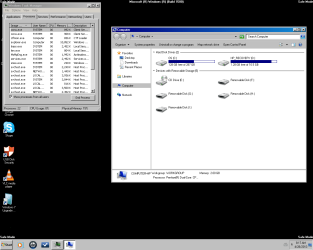
  • XP Style.png
    XP Style.png
    32.9 KB · Views: 7
Last edited:

My Computer My Computer

At a glance

Windows 7 Professional 64-bit (6.1, Build 7601)Intel Pentium G3258 @ 3.80 GHz (OC'd)Team Elite 4 GB DDR3 1600 MHzPalit GTX 1060 6 GB Super JetStream
Computer type
PC/Desktop
Computer Manufacturer/Model Number
Built
OS
Windows 7 Professional 64-bit (6.1, Build 7601)
CPU
Intel Pentium G3258 @ 3.80 GHz (OC'd)
Motherboard
Gigabyte Z97-HD3
Memory
Team Elite 4 GB DDR3 1600 MHz
Graphics Card(s)
Palit GTX 1060 6 GB Super JetStream
Monitor(s) Displays
HP x20 LED Series Wide LCD Monitor
Screen Resolution
1600x900 pixels
Hard Drives
Western Digital Caviar Blue WD10EZRZ 1TB @ 7200 RPM,
Western Digital 3200BEV External HDD 298.09 GB, WD Elements WDBUZG0010BBK-05 External HDD 1TB
PSU
Seasonic G-550 550W 80+ Gold
Keyboard
Corsair K70 Rapidfire RGB
Mouse
Logitech G300S and G502
Internet Speed
2.00 Mbps
Antivirus
MSE, MBAM, MBAE
Browser
IE, Google Chrome, FF, Safari.
Other Info
Old PC:
HP Pavilion P6640D, Windows 7 Ultimate 32-bit (6.1, Build 7601), Intel Pentium Dual Core CPU E6700 @ 3.20 GHz, Foxconn 2A8C, Kingmax 2 GB DDR3 1066 MHz, Palit NVIDIA GeForce GT 610 2048 MB, Western Digital WD Blue WD5000AAKX 500 GB @ 7200 RPM, Seagate Barracuda ST3320418AS 320 GB @ 7200 RPM (former drive), Bestec ATX-250-12Z 250 Watts
Ok, just a sitrep, I'm on normal mode now, every setting and shortcuts are restored thanks to system restore, now I only need to know is why recovery manager did it's job without my interaction or anyones interaction.
 

My Computer My Computer

At a glance

Windows 7 Professional 64-bit (6.1, Build 7601)Intel Pentium G3258 @ 3.80 GHz (OC'd)Team Elite 4 GB DDR3 1600 MHzPalit GTX 1060 6 GB Super JetStream
Computer type
PC/Desktop
Computer Manufacturer/Model Number
Built
OS
Windows 7 Professional 64-bit (6.1, Build 7601)
CPU
Intel Pentium G3258 @ 3.80 GHz (OC'd)
Motherboard
Gigabyte Z97-HD3
Memory
Team Elite 4 GB DDR3 1600 MHz
Graphics Card(s)
Palit GTX 1060 6 GB Super JetStream
Monitor(s) Displays
HP x20 LED Series Wide LCD Monitor
Screen Resolution
1600x900 pixels
Hard Drives
Western Digital Caviar Blue WD10EZRZ 1TB @ 7200 RPM,
Western Digital 3200BEV External HDD 298.09 GB, WD Elements WDBUZG0010BBK-05 External HDD 1TB
PSU
Seasonic G-550 550W 80+ Gold
Keyboard
Corsair K70 Rapidfire RGB
Mouse
Logitech G300S and G502
Internet Speed
2.00 Mbps
Antivirus
MSE, MBAM, MBAE
Browser
IE, Google Chrome, FF, Safari.
Other Info
Old PC:
HP Pavilion P6640D, Windows 7 Ultimate 32-bit (6.1, Build 7601), Intel Pentium Dual Core CPU E6700 @ 3.20 GHz, Foxconn 2A8C, Kingmax 2 GB DDR3 1066 MHz, Palit NVIDIA GeForce GT 610 2048 MB, Western Digital WD Blue WD5000AAKX 500 GB @ 7200 RPM, Seagate Barracuda ST3320418AS 320 GB @ 7200 RPM (former drive), Bestec ATX-250-12Z 250 Watts
In Safe Mode there is no theme and only minimal drivers will load. It looks normal for Safe mode. Since you saw "Preparing your Desktop" it seems the install wasn't completed right.
 

My Computer My Computer

At a glance

Windows 7 Ultimate X64 SP1Intel i5-2550K, Differing ~4.4-4.8GHz No buil...16GB G.Skill Sniper 1866MHz @ 2133MHz 2x8GBASUS GTX650TIB-DC2OC-2GD5, (650TI Boost)
Computer type
PC/Desktop
Computer Manufacturer/Model Number
Home Built Desktop By DataTech
OS
Windows 7 Ultimate X64 SP1
CPU
Intel i5-2550K, Differing ~4.4-4.8GHz No built in GPU
Motherboard
ASUS P8Z68-V PRO/GEN3
Memory
16GB G.Skill Sniper 1866MHz @ 2133MHz 2x8GB
Graphics Card(s)
ASUS GTX650TIB-DC2OC-2GD5, (650TI Boost)
Sound Card
Onboard Realtek 5-1
Monitor(s) Displays
Samsung P2570HD
Screen Resolution
1920x1080
Hard Drives
Samsung 840 Pro 256GB SSD for OS, 500GB Seagate Constellation (Enterprise drive) for Data
PSU
Corsair HX650W
Case
Inwin Dragon Rider
Cooling
Hyper 212 EVO w/two Noctua fans, push-pull, @1300 RPM
Keyboard
E-Z Eyes, bright yellow keys with large characters
Mouse
steelseries SENSEI Laser Pro Gaming
Internet Speed
48-51Mbs Mbs down, 11 Mbs up Xfinity Cable
Antivirus
Norton Internet Security 2013
Browser
IE 10, Opera, Pale Moon if needed
Other Info
4 case fans, LG BluRay-RE, ASUS DVD-RW, Mr. Fusion power supply, 1.21 gigawatts.
In Safe Mode there is no theme and only minimal drivers will load. It looks normal for Safe mode. Since you saw "Preparing your Desktop" it seems the install wasn't completed right.

Can you define "Install"? My HDD reformat was 2 weeks ago.
 

My Computer My Computer

At a glance

Windows 7 Professional 64-bit (6.1, Build 7601)Intel Pentium G3258 @ 3.80 GHz (OC'd)Team Elite 4 GB DDR3 1600 MHzPalit GTX 1060 6 GB Super JetStream
Computer type
PC/Desktop
Computer Manufacturer/Model Number
Built
OS
Windows 7 Professional 64-bit (6.1, Build 7601)
CPU
Intel Pentium G3258 @ 3.80 GHz (OC'd)
Motherboard
Gigabyte Z97-HD3
Memory
Team Elite 4 GB DDR3 1600 MHz
Graphics Card(s)
Palit GTX 1060 6 GB Super JetStream
Monitor(s) Displays
HP x20 LED Series Wide LCD Monitor
Screen Resolution
1600x900 pixels
Hard Drives
Western Digital Caviar Blue WD10EZRZ 1TB @ 7200 RPM,
Western Digital 3200BEV External HDD 298.09 GB, WD Elements WDBUZG0010BBK-05 External HDD 1TB
PSU
Seasonic G-550 550W 80+ Gold
Keyboard
Corsair K70 Rapidfire RGB
Mouse
Logitech G300S and G502
Internet Speed
2.00 Mbps
Antivirus
MSE, MBAM, MBAE
Browser
IE, Google Chrome, FF, Safari.
Other Info
Old PC:
HP Pavilion P6640D, Windows 7 Ultimate 32-bit (6.1, Build 7601), Intel Pentium Dual Core CPU E6700 @ 3.20 GHz, Foxconn 2A8C, Kingmax 2 GB DDR3 1066 MHz, Palit NVIDIA GeForce GT 610 2048 MB, Western Digital WD Blue WD5000AAKX 500 GB @ 7200 RPM, Seagate Barracuda ST3320418AS 320 GB @ 7200 RPM (former drive), Bestec ATX-250-12Z 250 Watts
Sure, in this instance install means to add an operating system (OS) ex: w7, to a hard drive. Many people use the term "reformat" to mean a new install.
 

My Computer My Computer

At a glance

Windows 7 Ultimate X64 SP1Intel i5-2550K, Differing ~4.4-4.8GHz No buil...16GB G.Skill Sniper 1866MHz @ 2133MHz 2x8GBASUS GTX650TIB-DC2OC-2GD5, (650TI Boost)
Computer type
PC/Desktop
Computer Manufacturer/Model Number
Home Built Desktop By DataTech
OS
Windows 7 Ultimate X64 SP1
CPU
Intel i5-2550K, Differing ~4.4-4.8GHz No built in GPU
Motherboard
ASUS P8Z68-V PRO/GEN3
Memory
16GB G.Skill Sniper 1866MHz @ 2133MHz 2x8GB
Graphics Card(s)
ASUS GTX650TIB-DC2OC-2GD5, (650TI Boost)
Sound Card
Onboard Realtek 5-1
Monitor(s) Displays
Samsung P2570HD
Screen Resolution
1920x1080
Hard Drives
Samsung 840 Pro 256GB SSD for OS, 500GB Seagate Constellation (Enterprise drive) for Data
PSU
Corsair HX650W
Case
Inwin Dragon Rider
Cooling
Hyper 212 EVO w/two Noctua fans, push-pull, @1300 RPM
Keyboard
E-Z Eyes, bright yellow keys with large characters
Mouse
steelseries SENSEI Laser Pro Gaming
Internet Speed
48-51Mbs Mbs down, 11 Mbs up Xfinity Cable
Antivirus
Norton Internet Security 2013
Browser
IE 10, Opera, Pale Moon if needed
Other Info
4 case fans, LG BluRay-RE, ASUS DVD-RW, Mr. Fusion power supply, 1.21 gigawatts.
I would start over and follow these steps to get a perfect Clean Reinstall - Factory OEM Windows 7 as the HP preinstall or Factory Recovery is the worst possible install with the worst load of corrupting crapware in the industry.

If its available HP System Recovery may have on some models a "Minimal Recovery" option which is very close to a Clean Reinstall.

But you'd be better off making your Recovery disks, then wiping the HD of all code using Diskpart Clean Command to start fresh with the vastly superior Clean Reinstall.
 
Sure, in this instance install means to add an operating system (OS) ex: w7, to a hard drive. Many people use the term "reformat" to mean a new install.

I don't get it why would the install be now even though the reformat was 2 weeks ago? I don't get it.

I would start over and follow these steps to get a perfect Clean Reinstall - Factory OEM Windows 7 as the HP preinstall or Factory Recovery is the worst possible install with the worst load of corrupting crapware in the industry.

If its available HP System Recovery may have on some models a "Minimal Recovery" option which is very close to a Clean Reinstall.

But you'd be better off making your Recovery disks, then wiping the HD of all code using Diskpart Clean Command to start fresh with the vastly superior Clean Reinstall.

I'll just return my PC to the repair shop, some BSOD's/problems are coming back, I'll let them do their job and reformat the PC again. +1 for you for trying to help me :)
 

My Computer My Computer

At a glance

Windows 7 Professional 64-bit (6.1, Build 7601)Intel Pentium G3258 @ 3.80 GHz (OC'd)Team Elite 4 GB DDR3 1600 MHzPalit GTX 1060 6 GB Super JetStream
Computer type
PC/Desktop
Computer Manufacturer/Model Number
Built
OS
Windows 7 Professional 64-bit (6.1, Build 7601)
CPU
Intel Pentium G3258 @ 3.80 GHz (OC'd)
Motherboard
Gigabyte Z97-HD3
Memory
Team Elite 4 GB DDR3 1600 MHz
Graphics Card(s)
Palit GTX 1060 6 GB Super JetStream
Monitor(s) Displays
HP x20 LED Series Wide LCD Monitor
Screen Resolution
1600x900 pixels
Hard Drives
Western Digital Caviar Blue WD10EZRZ 1TB @ 7200 RPM,
Western Digital 3200BEV External HDD 298.09 GB, WD Elements WDBUZG0010BBK-05 External HDD 1TB
PSU
Seasonic G-550 550W 80+ Gold
Keyboard
Corsair K70 Rapidfire RGB
Mouse
Logitech G300S and G502
Internet Speed
2.00 Mbps
Antivirus
MSE, MBAM, MBAE
Browser
IE, Google Chrome, FF, Safari.
Other Info
Old PC:
HP Pavilion P6640D, Windows 7 Ultimate 32-bit (6.1, Build 7601), Intel Pentium Dual Core CPU E6700 @ 3.20 GHz, Foxconn 2A8C, Kingmax 2 GB DDR3 1066 MHz, Palit NVIDIA GeForce GT 610 2048 MB, Western Digital WD Blue WD5000AAKX 500 GB @ 7200 RPM, Seagate Barracuda ST3320418AS 320 GB @ 7200 RPM (former drive), Bestec ATX-250-12Z 250 Watts
If you're interested enough in tech to visit us here, then why not do the reinstall yourself? You'll learn a lot about your PC and WIn7, save a lot of money, and we're here to help you along the way.

It's really not that hard to do the Clean Reinstall - Factory OEM Windows 7

You can always take it to the shop if you're not happy with the way that turns out.

Either way let us know how it goes.
 
If you're interested enough in tech to visit us here, then why not do the reinstall yourself? You'll learn a lot about your PC and WIn7, save a lot of money, and we're here to help you along the way.

It's really not that hard to do the Clean Reinstall - Factory OEM Windows 7

You can always take it to the shop if you're not happy with the way that turns out.

Either way let us know how it goes.
I can but there are some problems, one, there's no W7 Home Basic (32 or 64), two, I have a slow internet speed, this could take a while.

Edit: Other reasons, because it's still under warranty from the repair shop and our country has one of the slowest internet speed if I can remember from the news, if I'm gonna download it from a cyber café then it would be the same, will take a while
 
Last edited:

My Computer My Computer

At a glance

Windows 7 Professional 64-bit (6.1, Build 7601)Intel Pentium G3258 @ 3.80 GHz (OC'd)Team Elite 4 GB DDR3 1600 MHzPalit GTX 1060 6 GB Super JetStream
Computer type
PC/Desktop
Computer Manufacturer/Model Number
Built
OS
Windows 7 Professional 64-bit (6.1, Build 7601)
CPU
Intel Pentium G3258 @ 3.80 GHz (OC'd)
Motherboard
Gigabyte Z97-HD3
Memory
Team Elite 4 GB DDR3 1600 MHz
Graphics Card(s)
Palit GTX 1060 6 GB Super JetStream
Monitor(s) Displays
HP x20 LED Series Wide LCD Monitor
Screen Resolution
1600x900 pixels
Hard Drives
Western Digital Caviar Blue WD10EZRZ 1TB @ 7200 RPM,
Western Digital 3200BEV External HDD 298.09 GB, WD Elements WDBUZG0010BBK-05 External HDD 1TB
PSU
Seasonic G-550 550W 80+ Gold
Keyboard
Corsair K70 Rapidfire RGB
Mouse
Logitech G300S and G502
Internet Speed
2.00 Mbps
Antivirus
MSE, MBAM, MBAE
Browser
IE, Google Chrome, FF, Safari.
Other Info
Old PC:
HP Pavilion P6640D, Windows 7 Ultimate 32-bit (6.1, Build 7601), Intel Pentium Dual Core CPU E6700 @ 3.20 GHz, Foxconn 2A8C, Kingmax 2 GB DDR3 1066 MHz, Palit NVIDIA GeForce GT 610 2048 MB, Western Digital WD Blue WD5000AAKX 500 GB @ 7200 RPM, Seagate Barracuda ST3320418AS 320 GB @ 7200 RPM (former drive), Bestec ATX-250-12Z 250 Watts
You should have asked about WIn7 Basic so we could have told you that you need to download Home Premium, then unlock all versions in the installer by running the eicfg removal tool on the ISO file until it confirms it's been removed. You can then burn the DVD or write teh flash stick using the tool provided in Step 2 of Clean Reinstall - Factory OEM Windows 7.

If your PC is under warranty I can understand how you'd want to get it running perfectly before the warranty period expires. See if the shop will make you a disk.
 
You should have asked about WIn7 Basic so we could have told you that you need to download Home Premium, then unlock all versions in the installer by running the eicfg removal tool on the ISO file until it confirms it's been removed. You can then burn the DVD or write teh flash stick using the tool provided in Step 2 of Clean Reinstall - Factory OEM Windows 7.

If your PC is under warranty I can understand how you'd want to get it running perfectly before the warranty period expires. See if the shop will make you a disk.

Gonna return it on Friday, and according to Heidoc.net, that website that's posted in step #1 at clean reinstall, I can turn my 32-bit to 64-bit with the same key? Anyways, thank you for helping me.
 

My Computer My Computer

At a glance

Windows 7 Professional 64-bit (6.1, Build 7601)Intel Pentium G3258 @ 3.80 GHz (OC'd)Team Elite 4 GB DDR3 1600 MHzPalit GTX 1060 6 GB Super JetStream
Computer type
PC/Desktop
Computer Manufacturer/Model Number
Built
OS
Windows 7 Professional 64-bit (6.1, Build 7601)
CPU
Intel Pentium G3258 @ 3.80 GHz (OC'd)
Motherboard
Gigabyte Z97-HD3
Memory
Team Elite 4 GB DDR3 1600 MHz
Graphics Card(s)
Palit GTX 1060 6 GB Super JetStream
Monitor(s) Displays
HP x20 LED Series Wide LCD Monitor
Screen Resolution
1600x900 pixels
Hard Drives
Western Digital Caviar Blue WD10EZRZ 1TB @ 7200 RPM,
Western Digital 3200BEV External HDD 298.09 GB, WD Elements WDBUZG0010BBK-05 External HDD 1TB
PSU
Seasonic G-550 550W 80+ Gold
Keyboard
Corsair K70 Rapidfire RGB
Mouse
Logitech G300S and G502
Internet Speed
2.00 Mbps
Antivirus
MSE, MBAM, MBAE
Browser
IE, Google Chrome, FF, Safari.
Other Info
Old PC:
HP Pavilion P6640D, Windows 7 Ultimate 32-bit (6.1, Build 7601), Intel Pentium Dual Core CPU E6700 @ 3.20 GHz, Foxconn 2A8C, Kingmax 2 GB DDR3 1066 MHz, Palit NVIDIA GeForce GT 610 2048 MB, Western Digital WD Blue WD5000AAKX 500 GB @ 7200 RPM, Seagate Barracuda ST3320418AS 320 GB @ 7200 RPM (former drive), Bestec ATX-250-12Z 250 Watts
Yes, you can install either 32- or 64-bit with each license, just not both at the same time.
 
Back
Top