
thadius856
New member
- Local time
- 2:05 PM
- Messages
- 15
Repair Install Fails, Then Reverts - "The upgrade was not successful."
Posted this on other websites without much luck. Hopefully there's some hope posting here.
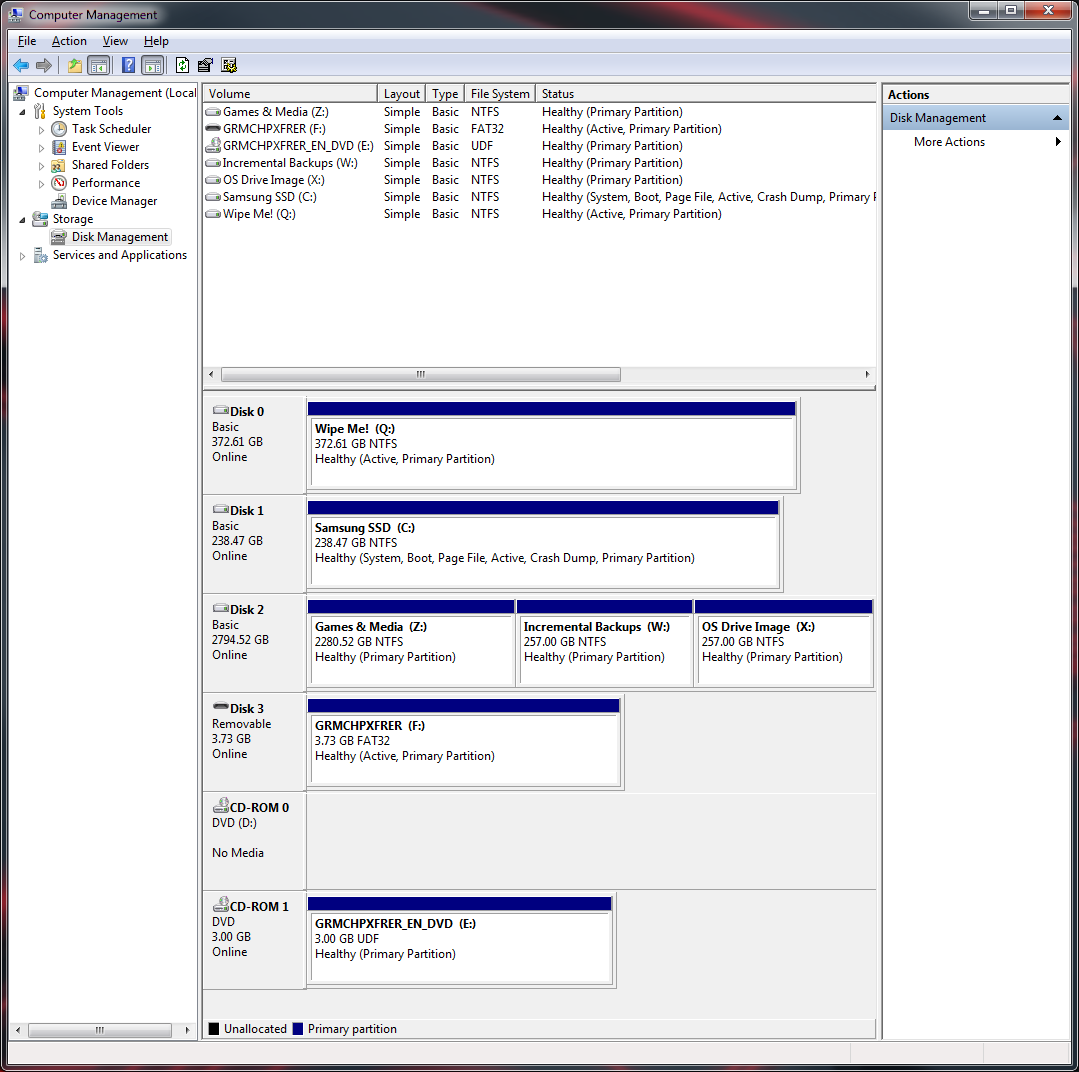
As titled, I'm trying to do a repair install of Windows 7. Current install and license are from Win 7 Family Pack (Home Prem x64). Installed SP1 since then. Attempting to perform a repair install from the Home Prem x64 TechNet ISO (X17-24209.iso), burned to a flash drive. Everything works great, up until it fails nearing the end of the upgrade and then rolls back.
It gets through several reboots, all the way up to the 4th phase, "Installing Features and Updates" before giving up. It then gives the message "The upgrade was not successful. Your previous version of Windows is being restored. Do not restart your computer during this time." Thankfully, it successfully restores, boots back up, and then gives a bubble to that effect.
Another site suggested it could be Windows Update failing. I installed a patch to ensure it was functioning. So I doubt it's Windows Update.
Perhaps these logs help:
C:\$WINDOWS.~BT\Sources\Panther\setuperr.log:
setuperr.log - Pastebin.com
C:\$UPGRADE.~OS\OfflineUpgradeStore\File\C$\Windows\WindowsUpdate.log:
WindowsUpdate.log - Pastebin.com
Any ideas?
Posted this on other websites without much luck. Hopefully there's some hope posting here.
As titled, I'm trying to do a repair install of Windows 7. Current install and license are from Win 7 Family Pack (Home Prem x64). Installed SP1 since then. Attempting to perform a repair install from the Home Prem x64 TechNet ISO (X17-24209.iso), burned to a flash drive. Everything works great, up until it fails nearing the end of the upgrade and then rolls back.
It gets through several reboots, all the way up to the 4th phase, "Installing Features and Updates" before giving up. It then gives the message "The upgrade was not successful. Your previous version of Windows is being restored. Do not restart your computer during this time." Thankfully, it successfully restores, boots back up, and then gives a bubble to that effect.
Another site suggested it could be Windows Update failing. I installed a patch to ensure it was functioning. So I doubt it's Windows Update.
Perhaps these logs help:
C:\$WINDOWS.~BT\Sources\Panther\setuperr.log:
setuperr.log - Pastebin.com
C:\$UPGRADE.~OS\OfflineUpgradeStore\File\C$\Windows\WindowsUpdate.log:
WindowsUpdate.log - Pastebin.com
Any ideas?
Last edited:
My Computer
At a glance
Win 7 Home Prem x64Intel i5-4670k2x8gb DDR3 1600Crossfired ASUS DirectCU II 7970 / Sapphire O...
- Computer type
- PC/Desktop
- Computer Manufacturer/Model Number
- Custom
- OS
- Win 7 Home Prem x64
- CPU
- Intel i5-4670k
- Motherboard
- ASUS Z87-A
- Memory
- 2x8gb DDR3 1600
- Graphics Card(s)
- Crossfired ASUS DirectCU II 7970 / Sapphire OC Dual-X 7970
- Sound Card
- Onboard
- Monitor(s) Displays
- 5x Dell U2412Mb
- Screen Resolution
- 6000x1920
- Hard Drives
- Samsung Pro 840 256gb SSD
Seagate 3tb HDD
- PSU
- Sparkle 850W 80 Plus Gold
- Case
- Cooler Master Storm Trooper
- Cooling
- Cooler Master 212 Evo
- Keyboard
- Monoprice Mechanical (
- Mouse
- Logitech G600 MMO Mouse
- Internet Speed
- Comcast 60mbit/8mbit
- Antivirus
- BitDefender
- Browser
- Chrome


 daily incremental backups (Y
