DWreck
New member
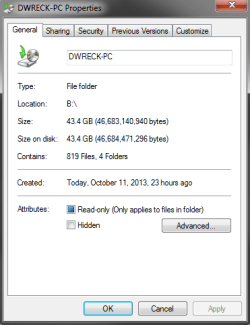
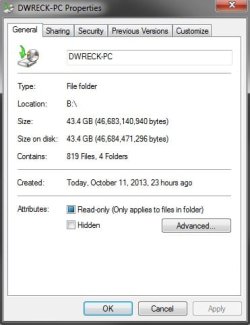
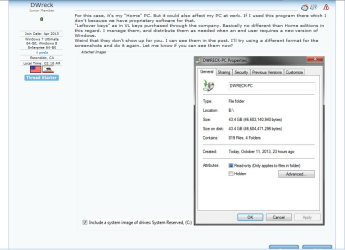
Personally, even though everyone will disagree, I'd like not to use Macrium Reflect or another 3rd party utility. I (for now) want to use the default Windows Backup program. My issue here is the image I'm creating is actually bigger than the files it's copying. I'd like to know if it's copying a file multiple times, or taking files from other connected HDD's? That's all I can come up with. I've made it clear to Windows I only want my C drive, I even excluded the System Reserved (which is only 500MB) out to see if that was it. The HDD I use for backups I also have for big files that I don't need on my 512GB SSD. So it could be taking things from that but I can't really remove it since its only separated by a partition. Any ideas?
Thanks, DWreck.
Thanks, DWreck.
Last edited:
My Computer
At a glance
Windows 7 Ultimate 64-Bit, Windows 8 Enterpri...Intel Core i7-3770kKingston HyperX Beast 8GB @ 2600MhzASUS Direct CUII GTX 660 Ti 3GB Edition
- Computer type
- PC/Desktop
- Computer Manufacturer/Model Number
- Custom Built
- OS
- Windows 7 Ultimate 64-Bit, Windows 8 Enterprise 64-Bit
- CPU
- Intel Core i7-3770k
- Motherboard
- ASUS Maxmius V Formaula
- Memory
- Kingston HyperX Beast 8GB @ 2600Mhz
- Graphics Card(s)
- ASUS Direct CUII GTX 660 Ti 3GB Edition
- Hard Drives
- Western Digital Black 4TB
Corsair Neutron GTX 480GB SSD
- PSU
- XFX 750W 80 Plus Gold
- Case
- Cooler Master HAF XB
- Cooling
- Corsair H100i
- Internet Speed
- 12MB/s, not to be mistaken for Mbps.
- Antivirus
- ESET Smart Security 6, SpyHunter 4, Advanced System Care Ult
- Browser
- Google Chrome