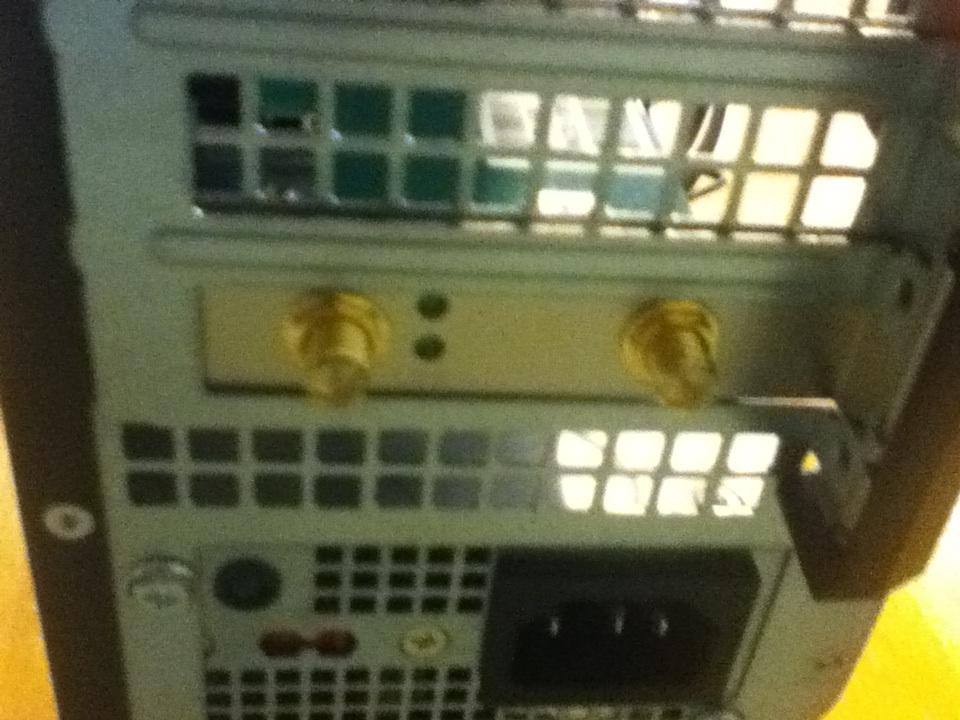
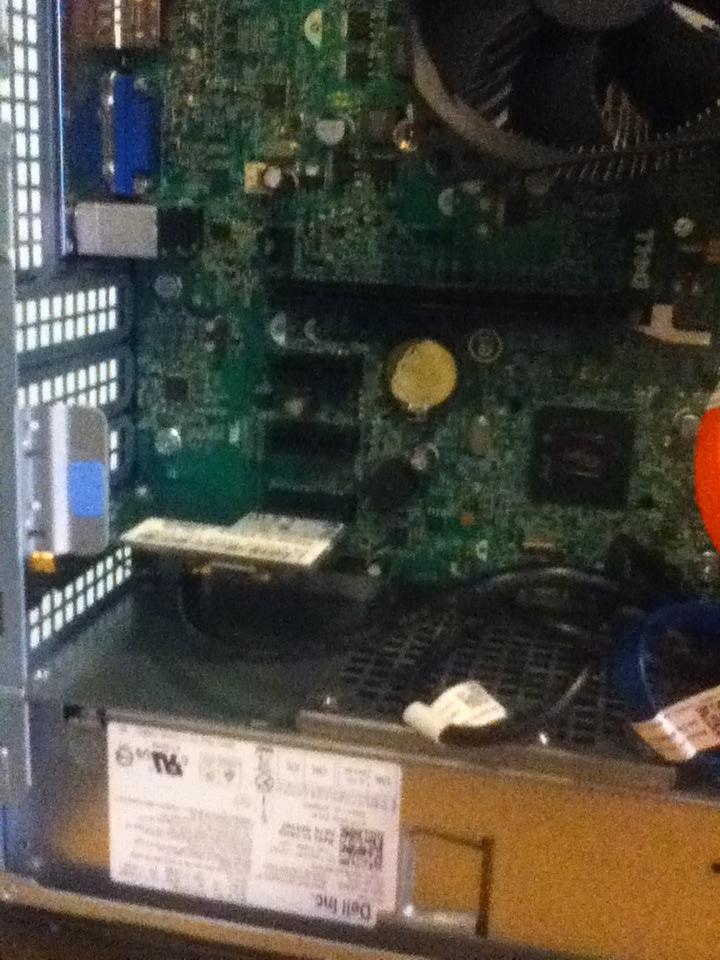
No sign of output from computer

randomperson1

New member
Member
Local time
3:13 AM
Messages
28
I have a dell inspiron 620s as a media computer under my TV. I press the power button to turn it on, like I always do, but my TV gives no response, it continues to say no signal. I have a dvi cable running directly to my TV and I know that everything is set up right, it worked fine two days ago. The light on my mouse does not go on like it normally does and my receiver gets no audio input (I have it hooked up to my PC via HDMI). I did get it to show the BIOS loading screen just once, but it hung there for several minutes until I held the power button to try again. I'm guessing the problem is hardware related, but I'm still clueless. It could probably be a plethora of things. Any help is appreciated!
 

My Computer My Computer

At a glance

Windows 7 Home Premium 64bitIntel core i3
Computer type
PC/Desktop
Computer Manufacturer/Model Number
Dell Inspiron 620s
OS
Windows 7 Home Premium 64bit
CPU
Intel core i3
Try disconnecting all external devices and hook up a VGA monitor, wired mouse and wired keyboard.
I won't be able to help you much if you can't see what's going on with your machine. So the first step is get a base system and then go from there.
 

My Computer My Computer

At a glance

x64 (6.3.9600) Win8.1 Pro & soon dual boot x6...AMD A6-3420M APU with Radeon(tm) HD Graphics6.00 GBAMD Radeon(TM) HD 6520G
Computer type
Laptop
Computer Manufacturer/Model Number
HP Pavilion dv6-6c10us
OS
x64 (6.3.9600) Win8.1 Pro & soon dual boot x64 (6.1.7601) Win7_SP1 HomePrem
CPU
AMD A6-3420M APU with Radeon(tm) HD Graphics
Motherboard
Hewlett-Packard 1805
Memory
6.00 GB
Graphics Card(s)
AMD Radeon(TM) HD 6520G
Sound Card
(1) AMD High Definition Audio Device (2) IDT High Definiti
Monitor(s) Displays
HP W2072a 20" LCD (1600 x 900) @ 60 Hz
Screen Resolution
1366 x 768 x 32 bits (4294967296 colors) @ 60 Hz
Hard Drives
ST640LM0 00 HM641JI SATA Disk Device
Keyboard
Logitech k520 wireless KB
Mouse
Logitech m320 wireless mouse (bundled with KB)
Internet Speed
15/5 | 54 MB Wireless 'n'
Antivirus
Realtime: Defender or Avast | On-demand: Malwarebytes, ESET
Browser
IE 11 on Win8, IE 10 on win 7
Other Info
Media: [Gimp, Audacity, VLC] || Comm: [WEmail 2012, Skype] || Productivity: [OpenOffice,| Textpad] || Utils: [Sysinternals, cCleaner, Speccy, Defraggler]
I have a dell inspiron 620s as a media computer under my TV. I press the power button to turn it on, like I always do, but my TV gives no response, it continues to say no signal. I have a dvi cable running directly to my TV and I know that everything is set up right, it worked fine two days ago. The light on my mouse does not go on like it normally does and my receiver gets no audio input (I have it hooked up to my PC via HDMI). I did get it to show the BIOS loading screen just once, but it hung there for several minutes until I held the power button to try again. I'm guessing the problem is hardware related, but I'm still clueless. It could probably be a plethora of things. Any help is appreciated!

Hi randomperson1,

Welcome to Seven forums.

Please let us know what is the color of the led on power button for the system. If you happen to see the BIOS screen you should be able to access diagnostic partition as well. Check this video to perform diagnostics on the system:

http://dell.to/18xQpRy

Also, remove all the devices from the system except mouse,keyboard and TV to check if system boots properly.

Make sure there is no remavable media like CD or Media card inside the system. Kindly update your system specs here by following this.


Keep us posted with the results so we can advise you further.
 

My Computer My Computer

At a glance

Winndows 7 32 bit
Computer type
PC/Desktop
OS
Winndows 7 32 bit
Hi randomperson1,

Welcome to Seven forums.

Please let us know what is the color of the led on power button for the system. If you happen to see the BIOS screen you should be able to access diagnostic partition as well. Check this video to perform diagnostics on the system:

http://dell.to/18xQpRy

Also, remove all the devices from the system except mouse,keyboard and TV to check if system boots properly.

Make sure there is no remavable media like CD or Media card inside the system. Kindly update your system specs here by following this.


Keep us posted with the results so we can advise you further.

The led on the power button is orange for a split second after pressing it then it changes to its normal bluish white. I left it on for four+ hours and nothing changed. I can not get the BIOS screen to pop up again. I removed everything from all the ports and drives except the display and used a wired mouse and keyboard. I would update my specs but as it will not boot I went on what I can remember. Also I took the same vga (I know I said dvi previously, I meant vga. Sorry for the confusion) cable I am currently using with my pc and plugged it into my laptop. It showed up on the TV immediately so there are no problems there. I can't think of any other useful information I can give you. If you know of anything I could try, please let me know. Thank you for helping me.
 

My Computer My Computer

At a glance

Windows 7 Home Premium 64bitIntel core i3
Computer type
PC/Desktop
Computer Manufacturer/Model Number
Dell Inspiron 620s
OS
Windows 7 Home Premium 64bit
CPU
Intel core i3
Do you hear any POST beep codes?
Beep Code Possible Problem
One Possible system board failure — BIOS ROM checksum failure
Two No RAM detected
NOTE: If you installed or replaced the memory module, ensure that the memory module is seated properly.
Three Possible system board failure — Chipset error
Four RAM read/write failure
Five Real Time Clock failure
Six Video card or chip failure
Seven Processor failure
[pdf]ftp://ftp.dell.com/Manuals/all-products/esuprt_desktop/esuprt_inspiron_desktop/inspiron-620s_Setup%20Guide_en-us.pdf[/pdf]
Do you hear the HD spin up?

You might try clearing the CMOS. SandeepP might know exactly how to do this, but some mfrs tell you to
remove the power cord (and battery)
press and hold the power button for two minutes

Not sure if that works on a Dell Inspiron, the other sure fire way is to remove the CMOS battery for about 20 minutes and replace it in the machine. You'll need to check the manual or search Dell, I didn't see it when I skimmed the manual.
[pdf]ftp://ftp.dell.com/Manuals/all-products/esuprt_desktop/esuprt_inspiron_desktop/inspiron-620s_Service%20Manual_en-us.pdf[/pdf]

After yu find the information - Ask first - SandeepP might have some other suggestions.

Bill
 

My Computer My Computer

At a glance

x64 (6.3.9600) Win8.1 Pro & soon dual boot x6...AMD A6-3420M APU with Radeon(tm) HD Graphics6.00 GBAMD Radeon(TM) HD 6520G
Computer type
Laptop
Computer Manufacturer/Model Number
HP Pavilion dv6-6c10us
OS
x64 (6.3.9600) Win8.1 Pro & soon dual boot x64 (6.1.7601) Win7_SP1 HomePrem
CPU
AMD A6-3420M APU with Radeon(tm) HD Graphics
Motherboard
Hewlett-Packard 1805
Memory
6.00 GB
Graphics Card(s)
AMD Radeon(TM) HD 6520G
Sound Card
(1) AMD High Definition Audio Device (2) IDT High Definiti
Monitor(s) Displays
HP W2072a 20" LCD (1600 x 900) @ 60 Hz
Screen Resolution
1366 x 768 x 32 bits (4294967296 colors) @ 60 Hz
Hard Drives
ST640LM0 00 HM641JI SATA Disk Device
Keyboard
Logitech k520 wireless KB
Mouse
Logitech m320 wireless mouse (bundled with KB)
Internet Speed
15/5 | 54 MB Wireless 'n'
Antivirus
Realtime: Defender or Avast | On-demand: Malwarebytes, ESET
Browser
IE 11 on Win8, IE 10 on win 7
Other Info
Media: [Gimp, Audacity, VLC] || Comm: [WEmail 2012, Skype] || Productivity: [OpenOffice,| Textpad] || Utils: [Sysinternals, cCleaner, Speccy, Defraggler]
The led on the power button is orange for a split second after pressing it then it changes to its normal bluish white. I left it on for four+ hours and nothing changed. I can not get the BIOS screen to pop up again. I removed everything from all the ports and drives except the display and used a wired mouse and keyboard. I would update my specs but as it will not boot I went on what I can remember. Also I took the same vga (I know I said dvi previously, I meant vga. Sorry for the confusion) cable I am currently using with my pc and plugged it into my laptop. It showed up on the TV immediately so there are no problems there. I can't think of any other useful information I can give you. If you know of anything I could try, please let me know. Thank you for helping me.

Hi randomperson1,

Thanks for your reply. I appreciate the time and effort that you took to troubleshoot the issue.

Your post is little confusing. Can you please confirm if the system worked fine with the VGA cable when you connected it to the TV.

First of all you need to isolate if it is an issue with the System, Cable or the TV. Check the system with different video cable and with different TV and let us know the results so we can advise you further.

Keep us posted with the results so we can advise you further.
 

My Computer My Computer

At a glance

Winndows 7 32 bit
Computer type
PC/Desktop
OS
Winndows 7 32 bit
SandeepP,

I have been using this computer in this connection set up with no problems for almost a year.

Like I said I connected my laptop (not the broken desktop) to the same vga cord hooked up to the same tv that the broken desktop was hooked up to and there were no problems. I think this is enough to isolate that it is a problem with the computer.

If you think it is necessary I will haul down my monitor and vga cable from my upstairs computer and try with that.


Slartybart,

I do not remember hearing any beeps on start up, but I will listen carefully when I get home this afternoon.

I will also try what you said about holding the power button when I get home and post the results.

I'm not sure what the CMOS battery is or where to find it, but I will research that and try that as well.

Thank you both. I will be sure to keep you updated.
 

My Computer My Computer

At a glance

Windows 7 Home Premium 64bitIntel core i3
Computer type
PC/Desktop
Computer Manufacturer/Model Number
Dell Inspiron 620s
OS
Windows 7 Home Premium 64bit
CPU
Intel core i3
Just looked again at the service manual (2nd pdf in previous post)

1) Hold off on BIOS - the manual lists that fairly early.

2) Coin-cell battery is the reference in the manual. Don't worry about replacing it yet, just pull it to reset CMOS. Again, there might be a simple "hold the power button" option so you don't have to open the hood. The manual does mention the power button to ground the Mobo, but that might not discharge the capacitors to the point where CMOS is reset.

If you read something and aren't certain, please ask first. There's a good chance that some piece of HW is preventing the POST to complete. So, you've removed all external devices (yes?) except those you need (Monitor, KB, mouse). The next step, if the beep codes don't tell you anything, is to try the internal devices (memory, pci boards...)

Since you can't get the machine up, we can't stress test the components with SW.

I'll suggest things starting with the easiest - beep codes and CMOS

Then you can try reseating components inside - but first things first.

Bill
 
Last edited:

My Computer My Computer

At a glance

x64 (6.3.9600) Win8.1 Pro & soon dual boot x6...AMD A6-3420M APU with Radeon(tm) HD Graphics6.00 GBAMD Radeon(TM) HD 6520G
Computer type
Laptop
Computer Manufacturer/Model Number
HP Pavilion dv6-6c10us
OS
x64 (6.3.9600) Win8.1 Pro & soon dual boot x64 (6.1.7601) Win7_SP1 HomePrem
CPU
AMD A6-3420M APU with Radeon(tm) HD Graphics
Motherboard
Hewlett-Packard 1805
Memory
6.00 GB
Graphics Card(s)
AMD Radeon(TM) HD 6520G
Sound Card
(1) AMD High Definition Audio Device (2) IDT High Definiti
Monitor(s) Displays
HP W2072a 20" LCD (1600 x 900) @ 60 Hz
Screen Resolution
1366 x 768 x 32 bits (4294967296 colors) @ 60 Hz
Hard Drives
ST640LM0 00 HM641JI SATA Disk Device
Keyboard
Logitech k520 wireless KB
Mouse
Logitech m320 wireless mouse (bundled with KB)
Internet Speed
15/5 | 54 MB Wireless 'n'
Antivirus
Realtime: Defender or Avast | On-demand: Malwarebytes, ESET
Browser
IE 11 on Win8, IE 10 on win 7
Other Info
Media: [Gimp, Audacity, VLC] || Comm: [WEmail 2012, Skype] || Productivity: [OpenOffice,| Textpad] || Utils: [Sysinternals, cCleaner, Speccy, Defraggler]
Slartybart,

I have disconnected everything and removed the cd and sd card except for the mouse, keyboard and TV. (I've tried with everything unplugged as well, and then plugging them in after turning it on.)

I listened carefully and did not hear any beep codes. I did hear either the hd or fan spin and continue to spin until I shut it off. (I've always heard this)

When it was off, I held the power button for several minutes. Immediately the hd started spinning and then died immediately after. It did this about every 30 seconds while I was holding it down. After I had held it for 4 minutes nothing had changed.

I unplugged everything and removed the cover. I found the coin-cell battery and took it out. Should I get a different battery?

I hope this does the trick. Please let me know what I should do.
 

My Computer My Computer

At a glance

Windows 7 Home Premium 64bitIntel core i3
Computer type
PC/Desktop
Computer Manufacturer/Model Number
Dell Inspiron 620s
OS
Windows 7 Home Premium 64bit
CPU
Intel core i3
For the remainder of this exercise leave everything except KB, mouse and monitor disconnected.

Hold off on buying a new one for now. The coin-cell batteries rarely need replacing, but it is possible.


Reseating internal components: Follow the instructions in the service manual to
  • to disconnect the disk drive, then reconnect it (both the data cable and power cable)
  • to remove the memory cards, then put one (if more than one) back in the slot.
This eliminates one possible cause - loose connections

Then put the same battery you removed back in and see what happens.
 

My Computer My Computer

At a glance

x64 (6.3.9600) Win8.1 Pro & soon dual boot x6...AMD A6-3420M APU with Radeon(tm) HD Graphics6.00 GBAMD Radeon(TM) HD 6520G
Computer type
Laptop
Computer Manufacturer/Model Number
HP Pavilion dv6-6c10us
OS
x64 (6.3.9600) Win8.1 Pro & soon dual boot x64 (6.1.7601) Win7_SP1 HomePrem
CPU
AMD A6-3420M APU with Radeon(tm) HD Graphics
Motherboard
Hewlett-Packard 1805
Memory
6.00 GB
Graphics Card(s)
AMD Radeon(TM) HD 6520G
Sound Card
(1) AMD High Definition Audio Device (2) IDT High Definiti
Monitor(s) Displays
HP W2072a 20" LCD (1600 x 900) @ 60 Hz
Screen Resolution
1366 x 768 x 32 bits (4294967296 colors) @ 60 Hz
Hard Drives
ST640LM0 00 HM641JI SATA Disk Device
Keyboard
Logitech k520 wireless KB
Mouse
Logitech m320 wireless mouse (bundled with KB)
Internet Speed
15/5 | 54 MB Wireless 'n'
Antivirus
Realtime: Defender or Avast | On-demand: Malwarebytes, ESET
Browser
IE 11 on Win8, IE 10 on win 7
Other Info
Media: [Gimp, Audacity, VLC] || Comm: [WEmail 2012, Skype] || Productivity: [OpenOffice,| Textpad] || Utils: [Sysinternals, cCleaner, Speccy, Defraggler]
Slartybart,

I removed the data and power for the HD and put them back in nice and tight. Then I removed both the memory cards and put them back nice and tight. I replaced the same battery to it's spot and snapped it in.

I plugged the TV, mouse, kb, and power back into the computer. Once I connected the power, it immediately turned on. I didn't even press the power button. The TV still said no signal. I turned it off and tried again several times with the same result.

Do you have any other suggestions? Thanks.
 

My Computer My Computer

At a glance

Windows 7 Home Premium 64bitIntel core i3
Computer type
PC/Desktop
Computer Manufacturer/Model Number
Dell Inspiron 620s
OS
Windows 7 Home Premium 64bit
CPU
Intel core i3
Do you have another HD that you could test the machine with. What I'm suggesting is that you pull the existing drive and put in your 'spare' not as a 2nd drive, but as the primary. It doesn't matter if it can be booted. This only tests if the controller sees the HD. If it gets past that POST, you'll need to replace the drive and reinstall Windows.

The machine won't boot without a HD so if it isn't recognized the rest of the POST is ignored.

If it is your drive and there's important data on it, there are utilities you that might allow you to recover the data.

Don't panic yet, we still don't know the cause.

It could also be a component on your Mobo. This isn't definitive and I'll ask for more help from other members.

The only thing I might suggest is that you pull both memory cards and try to boot. If you get any further, then you can shutdown and insert ONLY one memory card in and test. If the machine boots ok with one memory, try putting the same memory in the other slot and test.

Always follow the instructions in the service manual (ie never have power connected when servicing internal components, and use the power button to ground the board).

The difficulty is that POST isn't telling you anything.

So far,
  • the lights on the power button are normal (amber turning white)
  • there are no beep codes
  • there are no external devices connected except KB, mouse, and display
    • you're using your TV as the display connected with a VGA cable
      • VGA cable tested with a different PC (your laptop) to TV - passed test
  • internal components reseated
  • CMOS battery pulled and drained (over 2 hours outside the case)
Did I forget anything?
 

My Computer My Computer

At a glance

x64 (6.3.9600) Win8.1 Pro & soon dual boot x6...AMD A6-3420M APU with Radeon(tm) HD Graphics6.00 GBAMD Radeon(TM) HD 6520G
Computer type
Laptop
Computer Manufacturer/Model Number
HP Pavilion dv6-6c10us
OS
x64 (6.3.9600) Win8.1 Pro & soon dual boot x64 (6.1.7601) Win7_SP1 HomePrem
CPU
AMD A6-3420M APU with Radeon(tm) HD Graphics
Motherboard
Hewlett-Packard 1805
Memory
6.00 GB
Graphics Card(s)
AMD Radeon(TM) HD 6520G
Sound Card
(1) AMD High Definition Audio Device (2) IDT High Definiti
Monitor(s) Displays
HP W2072a 20" LCD (1600 x 900) @ 60 Hz
Screen Resolution
1366 x 768 x 32 bits (4294967296 colors) @ 60 Hz
Hard Drives
ST640LM0 00 HM641JI SATA Disk Device
Keyboard
Logitech k520 wireless KB
Mouse
Logitech m320 wireless mouse (bundled with KB)
Internet Speed
15/5 | 54 MB Wireless 'n'
Antivirus
Realtime: Defender or Avast | On-demand: Malwarebytes, ESET
Browser
IE 11 on Win8, IE 10 on win 7
Other Info
Media: [Gimp, Audacity, VLC] || Comm: [WEmail 2012, Skype] || Productivity: [OpenOffice,| Textpad] || Utils: [Sysinternals, cCleaner, Speccy, Defraggler]
Slartybart,

Also I tried holding the power button for several minutes but other wise I think you listed everything.

I do not have an extra internal hard drive. I doubt it, but would a usb drive or sd card work?

I will try what you suggested with the memory cards.

Thank you for helping me. I will post what happens.
 

My Computer My Computer

At a glance

Windows 7 Home Premium 64bitIntel core i3
Computer type
PC/Desktop
Computer Manufacturer/Model Number
Dell Inspiron 620s
OS
Windows 7 Home Premium 64bit
CPU
Intel core i3
Welcome randomperson1 :)

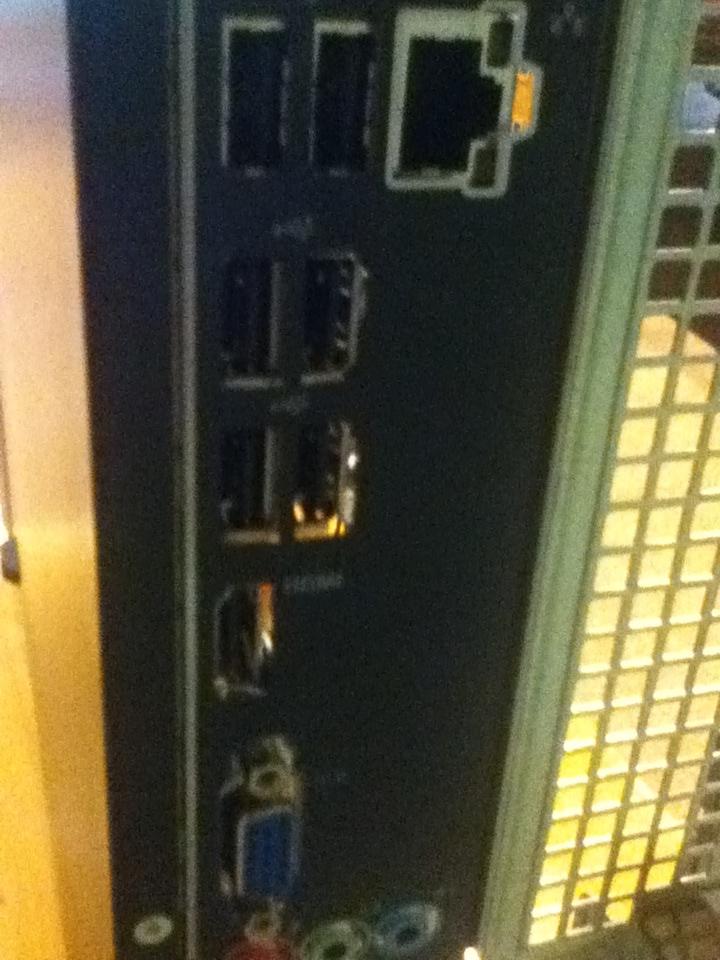
Do you know if your VGA connection is on the MB or is it on a PCI slot card ?
 

My Computer My Computer

At a glance

Win7 Enterprise, Win7 x86 (Ult 7600), Win7 x6...AMD fx8350 4ghz, AMD-32 2400mhz, AMD-64 3200m...2gb, 4gb on the Ult 7600, 4gb on Technet RTM,...Draw my own Graphics, several nVidia cards
Computer type
PC/Desktop
Computer Manufacturer/Model Number
Built them myself, Science Experiments !
OS
Win7 Enterprise, Win7 x86 (Ult 7600), Win7 x64 Ult 7600, TechNet RTM on AMD x64 (2.8Ghz)
CPU
AMD fx8350 4ghz, AMD-32 2400mhz, AMD-64 3200mhz, AMDx64 2.8G
Motherboard
SIS 755, ECS-K8M890M-M (Ult 7600), GigaByte & others
Memory
2gb, 4gb on the Ult 7600, 4gb on Technet RTM, 32gb on FX8350
Graphics Card(s)
Draw my own Graphics, several nVidia cards
Sound Card
on motherboard
Monitor(s) Displays
19" flat scr, 28" I-Inc widescr,22" Emprex Widescr, 23" Acer
Screen Resolution
1280 x 1024, 1440 x 900, 1920 x 1080
Hard Drives
6 pata Ide HD's & 2 Sata HD's
added 80gb external on Ult 7600 computer,
numerous extra 1tb, 2TB, 3Tb SATA HD's
A collection of ext HD Docks w/ HDs
PSU
430w, 550w, 600w, 700, 800, etc
Case
All Generic Full Towers
Cooling
Open Air & a few fans, some w/ colored LEDs
Keyboard
Compaq & Dell recycled from GoodWill
Mouse
Made in China Optical Wired Mouse
Internet Speed
Fast Cable InterNet
Antivirus
AVG Free on 24 different Desktops, NO Problems!
Browser
IE 8 is preferred, but use FireFox sometimes
Other Info
Linksys Routers, switches, & Hubs
Too Many USB Flash Drives to count, Biggest is 64GB !
Eight computers in my home network.
Sixteen computers at my business network.
Linked via TeamViewer !
Lots of old used spare computer parts everywhere!

My Computer My Computer

At a glance

Windows 7 Home Premium 64bitIntel core i3
Computer type
PC/Desktop
Computer Manufacturer/Model Number
Dell Inspiron 620s
OS
Windows 7 Home Premium 64bit
CPU
Intel core i3
I pulled out both of the memory cards and turned it on. Still nothing on the display and no error beeps.

I also tried unplugging the HD and turned it on. Same thing.
 

My Computer My Computer

At a glance

Windows 7 Home Premium 64bitIntel core i3
Computer type
PC/Desktop
Computer Manufacturer/Model Number
Dell Inspiron 620s
OS
Windows 7 Home Premium 64bit
CPU
Intel core i3
Yeah, thanks... I forgot the power button. Essentially that was an attempt to clear CMOS the easy way, which was accomplished by removing the Coin-Cell Battery.

Sorry, but no - it would have to be an internal connection as the primary drive.
Slartybart,
Also I tried holding the power button for several minutes but other wise I think you listed everything.

I do not have an extra internal hard drive. I doubt it, but would a usb drive or sd card work?
Doc Brown can advise you on other things. I'll bow out for now, but keep an eye on the thread.

Regards,

Bill


My Computer My Computer

At a glance

x64 (6.3.9600) Win8.1 Pro & soon dual boot x6...AMD A6-3420M APU with Radeon(tm) HD Graphics6.00 GBAMD Radeon(TM) HD 6520G
Computer type
Laptop
Computer Manufacturer/Model Number
HP Pavilion dv6-6c10us
OS
x64 (6.3.9600) Win8.1 Pro & soon dual boot x64 (6.1.7601) Win7_SP1 HomePrem
CPU
AMD A6-3420M APU with Radeon(tm) HD Graphics
Motherboard
Hewlett-Packard 1805
Memory
6.00 GB
Graphics Card(s)
AMD Radeon(TM) HD 6520G
Sound Card
(1) AMD High Definition Audio Device (2) IDT High Definiti
Monitor(s) Displays
HP W2072a 20" LCD (1600 x 900) @ 60 Hz
Screen Resolution
1366 x 768 x 32 bits (4294967296 colors) @ 60 Hz
Hard Drives
ST640LM0 00 HM641JI SATA Disk Device
Keyboard
Logitech k520 wireless KB
Mouse
Logitech m320 wireless mouse (bundled with KB)
Internet Speed
15/5 | 54 MB Wireless 'n'
Antivirus
Realtime: Defender or Avast | On-demand: Malwarebytes, ESET
Browser
IE 11 on Win8, IE 10 on win 7
Other Info
Media: [Gimp, Audacity, VLC] || Comm: [WEmail 2012, Skype] || Productivity: [OpenOffice,| Textpad] || Utils: [Sysinternals, cCleaner, Speccy, Defraggler]
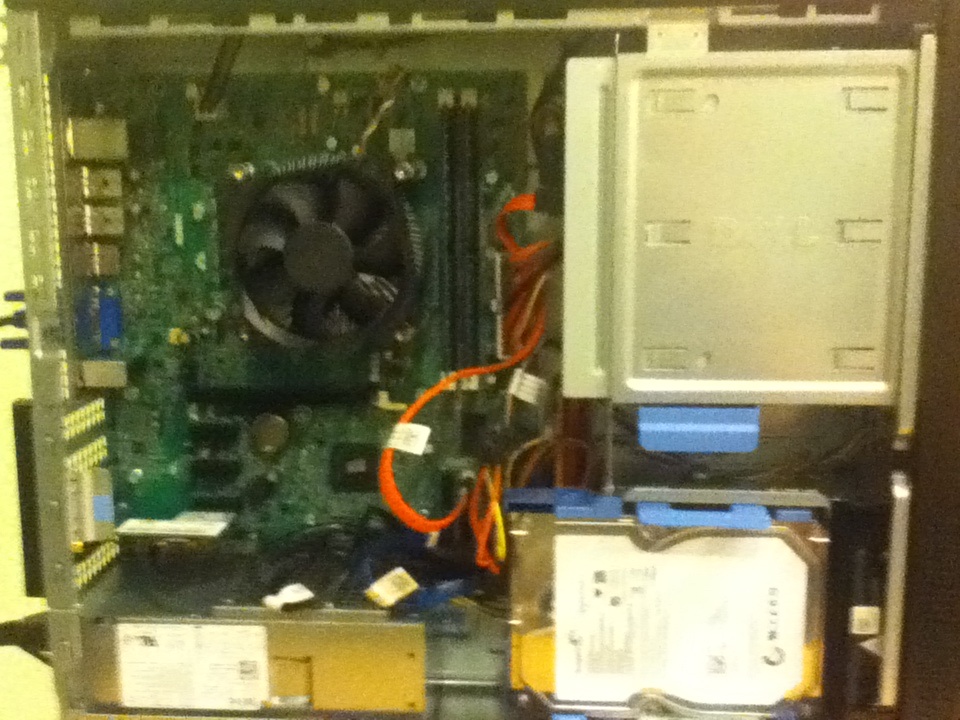
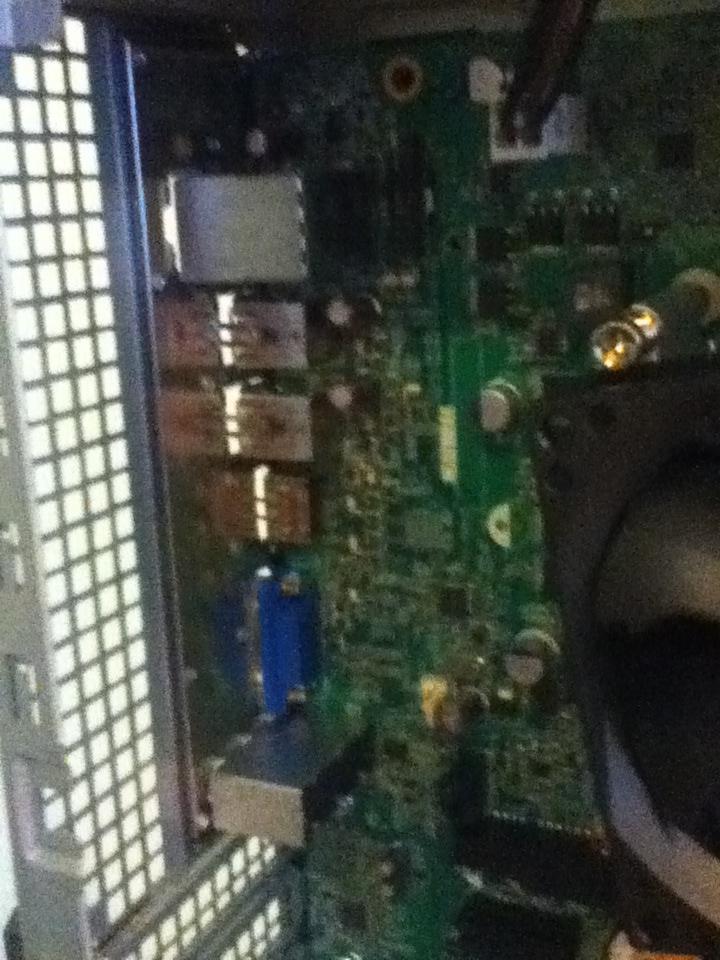
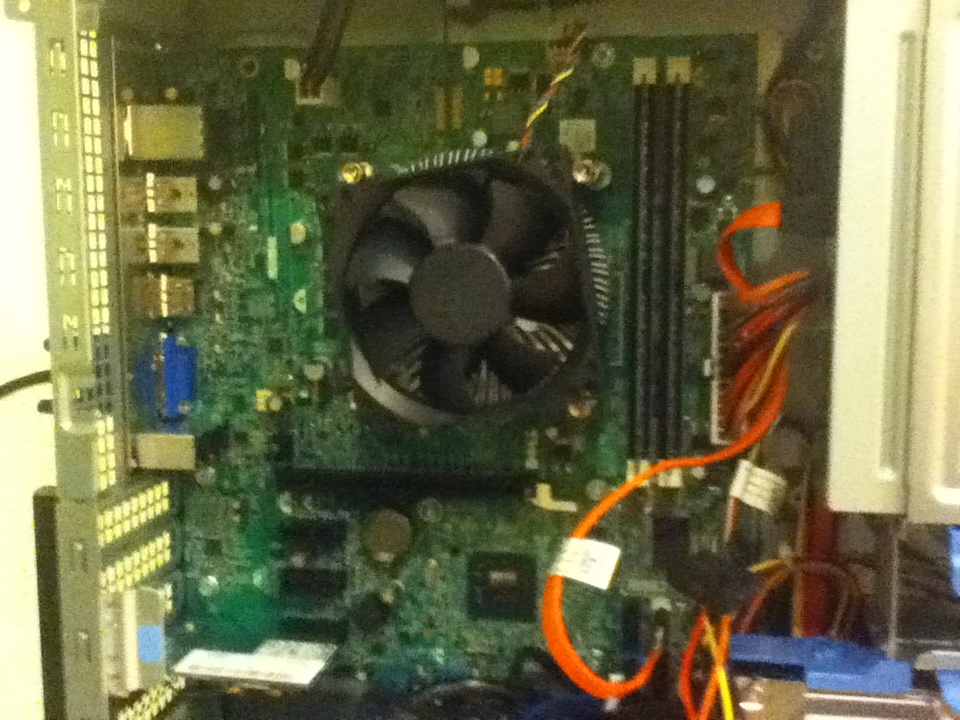
I am assuming that the Dell "620s" is the "slimline case". So adding a video card could be possible but difficult, depending if there are any half height pci slots available.


Can you take any pics of the inside & post them ?
 

My Computer My Computer

At a glance

Win7 Enterprise, Win7 x86 (Ult 7600), Win7 x6...AMD fx8350 4ghz, AMD-32 2400mhz, AMD-64 3200m...2gb, 4gb on the Ult 7600, 4gb on Technet RTM,...Draw my own Graphics, several nVidia cards
Computer type
PC/Desktop
Computer Manufacturer/Model Number
Built them myself, Science Experiments !
OS
Win7 Enterprise, Win7 x86 (Ult 7600), Win7 x64 Ult 7600, TechNet RTM on AMD x64 (2.8Ghz)
CPU
AMD fx8350 4ghz, AMD-32 2400mhz, AMD-64 3200mhz, AMDx64 2.8G
Motherboard
SIS 755, ECS-K8M890M-M (Ult 7600), GigaByte & others
Memory
2gb, 4gb on the Ult 7600, 4gb on Technet RTM, 32gb on FX8350
Graphics Card(s)
Draw my own Graphics, several nVidia cards
Sound Card
on motherboard
Monitor(s) Displays
19" flat scr, 28" I-Inc widescr,22" Emprex Widescr, 23" Acer
Screen Resolution
1280 x 1024, 1440 x 900, 1920 x 1080
Hard Drives
6 pata Ide HD's & 2 Sata HD's
added 80gb external on Ult 7600 computer,
numerous extra 1tb, 2TB, 3Tb SATA HD's
A collection of ext HD Docks w/ HDs
PSU
430w, 550w, 600w, 700, 800, etc
Case
All Generic Full Towers
Cooling
Open Air & a few fans, some w/ colored LEDs
Keyboard
Compaq & Dell recycled from GoodWill
Mouse
Made in China Optical Wired Mouse
Internet Speed
Fast Cable InterNet
Antivirus
AVG Free on 24 different Desktops, NO Problems!
Browser
IE 8 is preferred, but use FireFox sometimes
Other Info
Linksys Routers, switches, & Hubs
Too Many USB Flash Drives to count, Biggest is 64GB !
Eight computers in my home network.
Sixteen computers at my business network.
Linked via TeamViewer !
Lots of old used spare computer parts everywhere!

My Computer My Computer

At a glance

Desk1 7 Home Prem / Desk2 10 Pro / Main lap A...Desk1 i5 3750K / Laptop i7 GTX 860M / Desk2 i...Desk1 8GB (1866) / Desk2 16GB (1333) / Laptop...Desk 1& 2NVidia GTX 650 & Laptops on board Intel
Computer type
PC/Desktop
Computer Manufacturer/Model Number
Own build (new) Desk1 / Asus ROG Win 7 / Desk2 1st build
OS
Desk1 7 Home Prem / Desk2 10 Pro / Main lap Asus ROG 10 Pro 2 laptop Toshiba 7 Pro Asus P2520 7 & 10
CPU
Desk1 i5 3750K / Laptop i7 GTX 860M / Desk2 i5 2500
Motherboard
Desk1 Asus P877-V / Desk2 Gigabyte H67 UD3H / Laptop ?
Memory
Desk1 8GB (1866) / Desk2 16GB (1333) / Laptop 8Gb DDR3
Graphics Card(s)
Desk 1& 2NVidia GTX 650 & Laptops on board Intel
Sound Card
Desk 1 & 2 -XONAR DG Realtek High Def audio Laptop
Monitor(s) Displays
Desk 1 Benq HD 2450 / Desk2 Philips 24" / Laptop 17.5"
Screen Resolution
1920x1080 D1 & D2 & Laptop 1
Hard Drives
Desk1 Samsung 120GB 830 SSD
Asus ROG 256GB 850 Pro SSD
Desk2 Samsung 840 256 SSD
Toshiba 120GB EVO
PSU
Desk 1 Corsair HX 1050/ Laptop ? / Desk 2 Corsair HX 650
Case
Desk 1 Cooler HAF XM ? Toshiba laptop / Desk2 Coolermaster
Cooling
Fans on all Desk1 -2 Desk2 - all Coolermasters 5 Laptop ?
Keyboard
Desk 1 MS Sidewinder X6 Desk 2 MS Sidewinder X 4
Mouse
Desk 1&2 - Gigabyte MS 900 gamer - laptop - Logitec wireless
Internet Speed
ADSL2+
Other Info
One other Desktop (tester) and spare Toshba laptop both with SSD's
Running Kaspersky 2016 ISS on all machines config'd identically
Logitec audio stereo systems on each machine (x3)
Canon MG5250MFC
Router/modem TP-Link running WPA2SK
Thank you Slartybart for all the effort you have put into this, hopefully we can get this solved.

So now I'm not sure what happened but now the power button sometimes stays solid amber after turning on and does not change to white.

You are correct in saying it is a slim case. Here are some shots I took:

kUEEqQy.jpg


Tbn1k7l.jpg


kohNwxz.jpg


pmflPDQ.jpg


X9mu9G2.jpg


8HdiQwo.jpg

(Sorry about the bad picture quality, I took them with my phone.)

I don't think it would be video card/output related as the mouse never turns on and I never hear the start up sound.

Hopefully you find something from the pictures. Please let me know if you want me to take any other shots.
 
Last edited:

My Computer My Computer

At a glance

Windows 7 Home Premium 64bitIntel core i3
Computer type
PC/Desktop
Computer Manufacturer/Model Number
Dell Inspiron 620s
OS
Windows 7 Home Premium 64bit
CPU
Intel core i3
Back
Top