AOL is A-OK now - that's good news I suppose

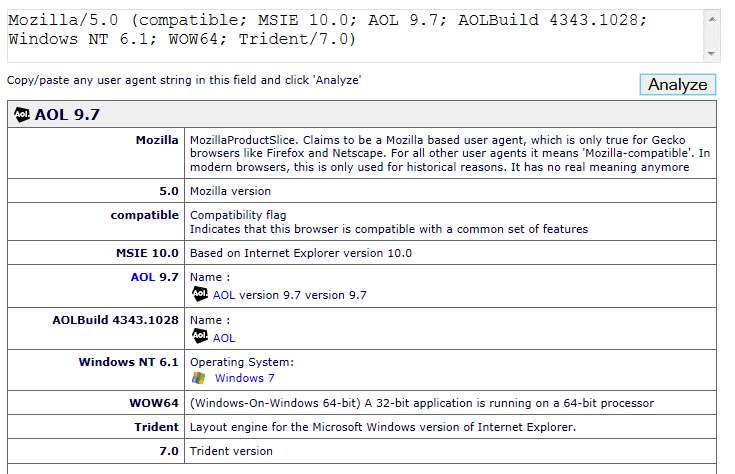
Yes. And I also have now also upgraded two other Win7 desktop machines which were using AOL 9.5 with IE11 and experiencing the same issues with assorted web sites complaining about "no longer support your browser" (which we now know was due to the "useragentstring" sent by AOL 9.5 which showed "MSIE 7.0").
Both systems are now upgraded to AOL 9.7, and all issues with problem web sites have disappeared.
How are you making out with the Malware scans?
Well, now HERE WE INDEED HAVE A MIRACLE!! SUCCESS!! CASE CLOSED!! MALWARE REMOVED!!
And I would attribute the accomplishment to the "recipe" link you provided previously (from Malwaretips.com), and specifically to the use of HitmanPro in that sequence, based on the timings and MBAM logs which showed exactly when the blocked IP accesses finally ceased.
The few steps performed prior to HitmanPro all found nothing. This included TDSSKiller which had to run in safe mode. And the MBAM log continued to show blocked IP addresses right up until the HitmanPro "delete" step, after which they appeared to stop. And this cessation of blocked IP accesses continued across several re-boots.
The later products which followed HitmanPro may have identified a handful of "minor" items, which I deleted, but none of them was really relevant to this deeply buried access to those Russian IP's.
I'm convinced now that it was tied to the MyWebSearch item, which I tried to uninstall and remove but couldn't ever complete successfully. And several of the anti-malware products I'd tried previously certainly identified breadcrumbs of MyWebSearch, but whatever they found and removed did not seem to be a solution.
Only HitmanPro seemed to again locate even further additional remnants of MyWebSearch, along with what I believe to have been the "hiding place" of the culprit object code:
C:\Windows\system32\rpcss.dll
as well as related crucial pieces (including another mention of DcomLaunch):
Startup
HKLM\SYSTEM\CurrentControlSet\Services\DcomLaunch\
HKLM\SYSTEM\CurrentControlSet\Services\RpcSs\
I'm attaching the two HitmanPro logs (the "found" log before I pushed DELETE, and the "action taken" log recording everything removed), as well as the current final state of the MBAM log (which shows the ongoing blocked IP access before running HitmanPro, and then the post-HitmanPro "silence").
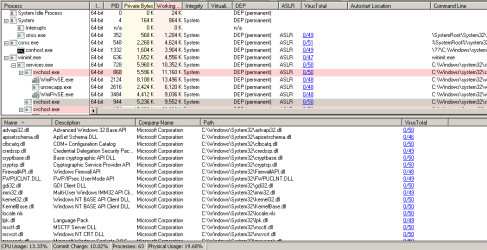
I double-checked with TASKMGR, and there is no longer a DcomLaunch PID active disguised as SVCHOST.EXE and sending out requests to those two Russian static IP addresses. Silence.
Note that I didn't run anything past Step 7 (Junkware Removal Tool). I actually did start Step 8 (ESET) but after about 30 minutes of VERY SLOW PROGRESS scanning and having only gotten through about 35% of what it had to do and having found nothing so far, I decided to just cancel that scan. I hadn't yet looked at the MBAM log to see if whatever had been found and removed by any of the earlier steps had been successful, and was just itching to look.
So I re-booted, did some miscellaneous things (like general Internet access through Firefox and IE) which would previously have guaranteed access to those IP's if they hadn't already occurred, and then looked at the MBAM log. I was thrilled to see that they had long-since ceased, and the moment of disappearance coincided with the removals done by HitmanPro.
THEREFORE...
I thank you (and the whole set of anti-malware software developers and vendors) for setting down a "recipe" that does indeed seem to cover all bases. Certainly MBAM itself, along with ADWCleaner and RogueKiller which did all find something to remove over the course of the past several days, well they all must have helped.
But in this particular malware case, I believe it was this thing called MyWebSearch which was the culprit. And it was definitely HitmanPro which finally managed to find every single last loose-end remaining piece of it and remove it.
I WILL NOW MARK THIS THREAD "SOLVED"!!
Thanks again to everyone who participated and helped out. (incidentally, there still is NO response to my similar thread on the Malwarebytes Forum)