The most SECURE browser?

exitPr0gram

New member
Power User
VIP
Local time
10:10 AM
Messages
213
I'm wondering if this topic should be brought back to lifeone was already talked about here http://www.sevenforums.com/browsers-mail/68703-what-s-fastest-nicest-looking-securest-browser.html

My MAIN question, asides from looks and feel of of a browser and all that (I can get used to it no matter what its layout is), which is the absolute safest browser and what does each one do differently to be more secure? Of course one more may get exploited more because of "popularity" or whatever but which browser out there takes security the most serious?

I use Chrome because of the extensions like ZenMate, AdBlock, and PrivDog. Privdog comes with installling the COMODO Firewall. Privdog is extremely similar to Disconnect but i cannot find any good comparison between the two with a Google search.

I would like to compare Chrome's security features (extensions included) with Firefox and it's included add-ons for security similar to the ones that mentioned for Chrome. Other browser comparisons are welcome as well. Like i said, i'm looking for the MOST secure browser out there.

P.S.
Can extensions open up another exploit within a browser? Good to just stick with a few and not many?
 

My Computer

Computer type
PC/Desktop
Computer Manufacturer/Model Number
Dell Inspiron 530
OS
Windows 7 Professional Version 6.1 Build 7601 SP1
CPU
Q6600
Motherboard
IDK
Memory
4GB Total
Graphics Card(s)
GeForce 9500GT =(
Sound Card
Onboard
Monitor(s) Displays
Smaller than what i want
Screen Resolution
Not up to par
Hard Drives
Not an SSD
PSU
350 Watt or W/E this model comes with
Case
Dell Inspiron 530
Cooling
Factory
Keyboard
Logitech G510
Mouse
Logitech G500
Internet Speed
Eh, its okay.
Browser
Aviator.
Other Info
I want my old computer back.
Try Comodo Dragon.....a Chrome/Chromium fork with more privacy.
 

My Computer

Computer type
PC/Desktop
Computer Manufacturer/Model Number
Golden Mk. I.4
OS
Windows 10 Pro x64 ; Xubuntu x64
CPU
Intel i7 860 @ 2.80 GHz O/C'ed to 4.0GHz
Motherboard
Gigabyte P55A-UD3R Rev.1. Award BIOS F13
Memory
16GB Corsair Vengance DDR3 @ 661 MHz Dual Channel (9-9-9-24)
Graphics Card(s)
EVGA NVidia GTX 560 1024MB
Sound Card
Realtek Integrated
Monitor(s) Displays
Dual Samsung SyncMaster 2494HS
Screen Resolution
1920*1080 and 1920*1080
Hard Drives
1*Samsung 840 EVO 120GB SSD;
1*OCZ Vertex 2 60GB SSD;
2*Samsung F3 SpinPoint 1TB in RAID0;
1*Samsung F1 SpinPoint 1TB;
2*Western Digital 1TB External USB 3.0
1*Western Digital 500GB External USB 3.0
1*Seagate 500GB External USB 2.0
PSU
Thermaltake ToughPower QFan 750W
Case
Thermaltake Element S VK60001W2Z
Cooling
Corsair H60 Water Cooling, 2*230mm and 2*80mm case fans
Keyboard
Logitech G110
Mouse
Logitech MX518
Why use a browser that requires all those add-ons when you can have one with all those features built in? And, you don't need 10 drivers running all the time. :confused:
 

My Computer

Computer type
PC/Desktop
Computer Manufacturer/Model Number
Built 2/11/2011
OS
Windows 7 Pro-x64
CPU
i7-2600 3.4GHz - 3.8GHz Turbo
Motherboard
Intel DH67BL-B3
Memory
8Gb - 2x4GB, Muskin 991770 PC3-1333
Graphics Card(s)
Integrated Intel HD 2000
Sound Card
Integrated Intel 10.1 HD, RealTek ALC892
Monitor(s) Displays
Asus LCD VH222H, Haier HL24XSL2a
Screen Resolution
1920x1080, 1920x1080
Hard Drives
Crucial SSD C300-128Gb,
Western Digital WD5002AALX - 500Gb,
Western Digital WD7501AALS - 750Gb
PSU
Seasonic 650W 80+ Gold Modular
Case
Rosewill Defender
Cooling
Stock CPU, Four 120mm case fans, PCH fan added
Keyboard
Logitech EX100 Y-RBH94 Wireless
Mouse
Logitech EX100 M-RCE95 Wireless
Internet Speed
3.0/1.5 Mbs
Antivirus
Microsoft Security Essentials
Browser
Microsoft Internet Explorer 11
Other Info
Antec Veris Premier-Multimedia IR Station,
Cyber Accoustics-3602 Speakers,
AFT XM-5U Card Reader,
Hauppauge TV-HVR-2250,
Sony LX300 USB Turntable
My take is that there is no really safe browsing in Windows. I operate most times from a Linux Mint virtual machine on the internet. There I use Firefox, Chromium and Opera. But since Linux is very safe, I don't have to worry about the browser capabilities in that regard.
 

My Computer

Computer Manufacturer/Model Number
HP, Dell, Gateway, Toshiba - 4 laptops and 2 desktops
OS
Vista, Windows7, Mint Mate, Zorin, Windows 8
CPU
from 1.6GHz Duo to i7
Monitor(s) Displays
2x HP w2207
Hard Drives
5x HDD, 7x SSD, 12x Externals
Keyboard
with trackball - no mices
Mouse
Trackball mice
Internet Speed
DSL 6000
Hi,
Yea I don't get the need for all of the third party add-ons either ?
But with Chrome you might as well tell it what you don't want it to run because it's famous for running everything/ that's not necessarily a good thing ;)

Personally I have two add-ons Flash and wm player,
And disable them when not in use,
Internet explorer 10 or 11 using 64 bit processes is about as safe as it gets in my book but I don't even use 64 bit processes to feel safe but I know it's there ;)
But to each his/ her own,
Security starts with a decent antivirus/ Malware protection/ Spyware protection which are user friendly and windows friendly,
Too many add-ons = mass confusion if issues arise :D
 

My Computer

Computer type
PC/Desktop
Computer Manufacturer/Model Number
Custom assembled by me :}
OS
Win-7-Pro64bit 7-H-Prem-64bit
CPU
i7-5930K 2nd i9-9940x both water blocked VRM's too
Motherboard
ASUS SABERTOOTH X99 2nd ASUS x299 Apex
Memory
Trident-z 3200C14 2nd Trident-z 3600C16
Graphics Card(s)
EVGA 1080ti ftw3 2nd Titan Xp both water blocked
Sound Card
Built-in Realtek
Monitor(s) Displays
1-AOC G2460PG 24"G-Sync 144Hz/ 2nd 1-ASUS VG248QE 24" 144Hz
Screen Resolution
1920 x 1080 144Hz
Hard Drives
2-Samsung M.2 Evo & Evo Plus
2-Samsung 850 EVO 500GB SSD's/ 3-2.5 W.D. Black 1tb-&3-1tb/3-3.5 WD Black 1tb hdd's
PSU
EVGA SuperNOVA 1000-P2 2nd 1200-P2
Case
2-Corsair Obsidian Series 450D Black ATX Mid Tower
Cooling
Custom water loops
Keyboard
Logitech G710+/ 2nd Logitech G910
Mouse
2-RedDragon M901 Perdition 16400 dpi Gaming mouse = wired
Internet Speed
Comcast Ping 19ms 89.31mbps download speed 6.12mbps upload
Antivirus
Malwarebytes Pro/ Superantispyware Pro
Browser
FireFox & Pale moon
Other Info
2nd ASUS X299 Apex/Intel i9-9940x with Custom water loop/7H-Prem-x64/Corsair 450D case/Ram Trident-z 3600C16 4x8gb / Samsung970Evo plus 500gb SSD/Dual ssd EZ swap evo/PSU EVGA SuperNova 1200w-P2 80+Platinum/GPU Titan Xp /8-ML-140 on push-pull on 2-280GTX rads

My Computer

Computer type
PC/Desktop
OS
Windows 10 Home x64
CPU
INTEL Core i5-750 Quad-Core 3.37GHz
Motherboard
ASUS P7P55D
Memory
HyperX Fury Black Series 8GB (2 x 4GB) 1866Mhz
Graphics Card(s)
EVGA GeForce GTX 750 Superclocked 1GB 128-Bit GDDR5
Monitor(s) Displays
LG 32MA68HY 32" IPS
Screen Resolution
1920 x 1080
Hard Drives
Samsung 840 Evo 120GB, SEAGATE 500GB Barracuda® 7200.12, SATA 3 Gb/s, 7200 RPM, 16MB cache
PSU
ANTEC TruePower New TP-550, 80 PLUS, 550W
Case
ANTEC Three Hundred Illusion
Cooling
COOLER MASTER Hyper 212 Plus, 4 x 120mm 1 x 140mm Noctua's
Internet Speed
85 + Mbps
Antivirus
Avast
Browser
Vivaldi
Hi,
Yea I don't get the need for all of the third party add-ons either ?
But with Chrome you might as well tell it what you don't want it to run because it's famous for running everything/ that's not necessarily a good thing ;)

Personally I have two add-ons Flash and wm player,
And disable them when not in use,
Internet explorer 10 or 11 using 64 bit processes is about as safe as it gets in my book but I don't even use 64 bit processes to feel safe but I know it's there ;)
But to each his/ her own,
Security starts with a decent antivirus/ Malware protection/ Spyware protection which are user friendly and windows friendly,
Too many add-ons = mass confusion if issues arise :D

So are you saying that you use Chrome? What is your feedback on the extensions that i use for my Chrome (Zenmate, Adblock, and Privdog?) I did some research on them and they seem to increase security and privacy through their own little way.


Be aware, that a browser set up to be most secure will take more steps to view videos, etc. as these elements will be blocked by default. You have to allow most things. Like a firewall, this is great if you don't just click accept for everything to stop the nagging. take a look at Aviator, a Chromium based browser.

WhiteHat Releases Aviator Browser for Windows | Threatpost | The first stop for security news

https://www.whitehatsec.com/aviator/


A Guy

I just looked up Aviator and it seems to be the type of browser i was interested in. Thanks for that. Even if it requires a little configuration but provides me benefits like security (like a firewall) then i'm all about it. Thanks again!
 
Last edited:

My Computer

Computer type
PC/Desktop
Computer Manufacturer/Model Number
Dell Inspiron 530
OS
Windows 7 Professional Version 6.1 Build 7601 SP1
CPU
Q6600
Motherboard
IDK
Memory
4GB Total
Graphics Card(s)
GeForce 9500GT =(
Sound Card
Onboard
Monitor(s) Displays
Smaller than what i want
Screen Resolution
Not up to par
Hard Drives
Not an SSD
PSU
350 Watt or W/E this model comes with
Case
Dell Inspiron 530
Cooling
Factory
Keyboard
Logitech G510
Mouse
Logitech G500
Internet Speed
Eh, its okay.
Browser
Aviator.
Other Info
I want my old computer back.
Let us know how you like it ;)

A Guy
 

My Computer

Computer type
PC/Desktop
OS
Windows 10 Home x64
CPU
INTEL Core i5-750 Quad-Core 3.37GHz
Motherboard
ASUS P7P55D
Memory
HyperX Fury Black Series 8GB (2 x 4GB) 1866Mhz
Graphics Card(s)
EVGA GeForce GTX 750 Superclocked 1GB 128-Bit GDDR5
Monitor(s) Displays
LG 32MA68HY 32" IPS
Screen Resolution
1920 x 1080
Hard Drives
Samsung 840 Evo 120GB, SEAGATE 500GB Barracuda® 7200.12, SATA 3 Gb/s, 7200 RPM, 16MB cache
PSU
ANTEC TruePower New TP-550, 80 PLUS, 550W
Case
ANTEC Three Hundred Illusion
Cooling
COOLER MASTER Hyper 212 Plus, 4 x 120mm 1 x 140mm Noctua's
Internet Speed
85 + Mbps
Antivirus
Avast
Browser
Vivaldi
Hi,
Too subtle ?
You couldn't pay me to use Chrome ;)
 

My Computer

Computer type
PC/Desktop
Computer Manufacturer/Model Number
Custom assembled by me :}
OS
Win-7-Pro64bit 7-H-Prem-64bit
CPU
i7-5930K 2nd i9-9940x both water blocked VRM's too
Motherboard
ASUS SABERTOOTH X99 2nd ASUS x299 Apex
Memory
Trident-z 3200C14 2nd Trident-z 3600C16
Graphics Card(s)
EVGA 1080ti ftw3 2nd Titan Xp both water blocked
Sound Card
Built-in Realtek
Monitor(s) Displays
1-AOC G2460PG 24"G-Sync 144Hz/ 2nd 1-ASUS VG248QE 24" 144Hz
Screen Resolution
1920 x 1080 144Hz
Hard Drives
2-Samsung M.2 Evo & Evo Plus
2-Samsung 850 EVO 500GB SSD's/ 3-2.5 W.D. Black 1tb-&3-1tb/3-3.5 WD Black 1tb hdd's
PSU
EVGA SuperNOVA 1000-P2 2nd 1200-P2
Case
2-Corsair Obsidian Series 450D Black ATX Mid Tower
Cooling
Custom water loops
Keyboard
Logitech G710+/ 2nd Logitech G910
Mouse
2-RedDragon M901 Perdition 16400 dpi Gaming mouse = wired
Internet Speed
Comcast Ping 19ms 89.31mbps download speed 6.12mbps upload
Antivirus
Malwarebytes Pro/ Superantispyware Pro
Browser
FireFox & Pale moon
Other Info
2nd ASUS X299 Apex/Intel i9-9940x with Custom water loop/7H-Prem-x64/Corsair 450D case/Ram Trident-z 3600C16 4x8gb / Samsung970Evo plus 500gb SSD/Dual ssd EZ swap evo/PSU EVGA SuperNova 1200w-P2 80+Platinum/GPU Titan Xp /8-ML-140 on push-pull on 2-280GTX rads
Hi,
Too subtle ?
You couldn't pay me to use Chrome ;)

So what browser do you use? I read an article that Firefox was THE most attacked browser of 2013:

Firefox Was the Most Attacked & Exploited Browser At Pwn2own 2014 - Slashdot

And i've never really liked Internet Explorer.

For security i use the following:

Microsoft Security Essentials (Comes with Windows)
COMODO Firewall (Free)
Zemana Anti Logger (Free)
and Malwarebytes (Free)

Chrome Extensions:
ZenMate (Free VPN for browsing anonymously and securely)
Adblock (It just works. All ads are GONE.)
PrivDog (controls malicious cookies, ads, etc.)

So with the above i think the only thing that i need to worry about with a browser is what info it gives out when a site requests information. This is why i use the extensions that you mentioned you refuse to use.

Honestly i think that the browser "A Guy" recommended is exactly what i'm looking for.
 

My Computer

Computer type
PC/Desktop
Computer Manufacturer/Model Number
Dell Inspiron 530
OS
Windows 7 Professional Version 6.1 Build 7601 SP1
CPU
Q6600
Motherboard
IDK
Memory
4GB Total
Graphics Card(s)
GeForce 9500GT =(
Sound Card
Onboard
Monitor(s) Displays
Smaller than what i want
Screen Resolution
Not up to par
Hard Drives
Not an SSD
PSU
350 Watt or W/E this model comes with
Case
Dell Inspiron 530
Cooling
Factory
Keyboard
Logitech G510
Mouse
Logitech G500
Internet Speed
Eh, its okay.
Browser
Aviator.
Other Info
I want my old computer back.

My Computer

Computer type
Laptop
Computer Manufacturer/Model Number
Employer provided Dell Latitude
OS
W7 Pro SP1 64bit
CPU
i7
Memory
8GB
Graphics Card(s)
Intel HD Graphics
Hard Drives
crappy SSD
Antivirus
Employer mandated Symantec Endpoint Protection
Browser
Pale Moon 64bit, IE11 64bit & Chrome 64bit
Let us know how you like it ;)

A Guy

The Aviator browser is cool. It works and does exactly what i want it to. Although some sites dont like it but if i feel like i need to go to a site but suspect it might be dangerous (pron)... I'll just use that :p
 

My Computer

Computer type
PC/Desktop
Computer Manufacturer/Model Number
Dell Inspiron 530
OS
Windows 7 Professional Version 6.1 Build 7601 SP1
CPU
Q6600
Motherboard
IDK
Memory
4GB Total
Graphics Card(s)
GeForce 9500GT =(
Sound Card
Onboard
Monitor(s) Displays
Smaller than what i want
Screen Resolution
Not up to par
Hard Drives
Not an SSD
PSU
350 Watt or W/E this model comes with
Case
Dell Inspiron 530
Cooling
Factory
Keyboard
Logitech G510
Mouse
Logitech G500
Internet Speed
Eh, its okay.
Browser
Aviator.
Other Info
I want my old computer back.
Hi,
Too subtle ?
You couldn't pay me to use Chrome ;)

So what browser do you use? I read an article that Firefox was THE most attacked browser of 2013:

Firefox Was the Most Attacked & Exploited Browser At Pwn2own 2014 - Slashdot

And i've never really liked Internet Explorer.
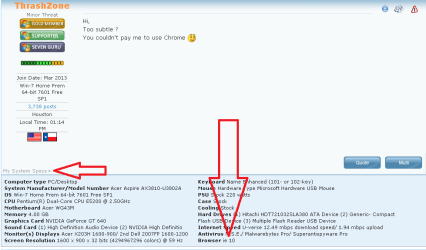
See the member's My System Specs link/info and you might get an answer.
Some of us have populated that field.
View attachment 315718


Thanks. Haven't been too active on forums lately and forgot all about those types of features.:confused:
 

My Computer

Computer type
PC/Desktop
Computer Manufacturer/Model Number
Dell Inspiron 530
OS
Windows 7 Professional Version 6.1 Build 7601 SP1
CPU
Q6600
Motherboard
IDK
Memory
4GB Total
Graphics Card(s)
GeForce 9500GT =(
Sound Card
Onboard
Monitor(s) Displays
Smaller than what i want
Screen Resolution
Not up to par
Hard Drives
Not an SSD
PSU
350 Watt or W/E this model comes with
Case
Dell Inspiron 530
Cooling
Factory
Keyboard
Logitech G510
Mouse
Logitech G500
Internet Speed
Eh, its okay.
Browser
Aviator.
Other Info
I want my old computer back.
Panda Safe Browser

If you can be bothered with the hassle of installing it Panda Safe Browser runs in a virtual machine so it's about as safe as you can get using windows.

Anyway what do you mean by secure? Secure from infection, secure your data or secure your privacy - or all three?

https://tails.boum.org/ - run from bootable usb. Linux Live USB. Can also be used to mount and browse your windows partition.

Privacy is still an issue if you don't know how to configure the browser.
 

My Computer

Computer type
Laptop
Computer Manufacturer/Model Number
ASUS
OS
Microsoft Windows 7 Home Premium 64-bit 7601 Multiprocessor Free Service Pack 1
CPU
AMD C-60 APU with Radeon(tm) HD Graphics
Motherboard
ASUSTeK COMPUTER INC. X501U
Memory
4.00 GB
Graphics Card(s)
AMD Radeon HD 6290 Graphics
Sound Card
(1) AMD High Definition Audio Device (2) Realtek High Defi
Screen Resolution
1366 x 768 x 32 bits (4294967296 colors) @ 60 Hz
Hard Drives
Hitachi HTS545050A7E380 SATA Disk Device
Antivirus
Comodo CIS & FW, SecureAplus App Whitelisting, Threatfire
Browser
Cyberfox 64bit, Opera 64bit, Airfox
Other Info
Spy-The-Spy, HitmanPro.Alert, Norton Connect Safe, MJRegWatcher, BitDefender TrafficLight, Voodoo Shield, Zemana AntiMalware
If you can be bothered with the hassle of installing it Panda Safe Browser runs in a virtual machine so it's about as safe as you can get using windows.

Anyway what do you mean by secure? Secure from infection, secure your data or secure your privacy - or all three?

https://tails.boum.org/ - run from bootable usb. Linux Live USB. Can also be used to mount and browse your windows partition.

Privacy is still an issue if you don't know how to configure the browser.

Checking Tails out as well. Sounds interesting. Had trouble installing it at first but i think COMODO interfered with the installation.I'll try out and and tell you what i think.

By the way... In attempt to test a browsers "Security" i've been using this site:

PC Flank: Make sure you're protected on all sides.

What do you think? Worth performing the test? Any similar site recommendations?

Thanks!
 

My Computer

Computer type
PC/Desktop
Computer Manufacturer/Model Number
Dell Inspiron 530
OS
Windows 7 Professional Version 6.1 Build 7601 SP1
CPU
Q6600
Motherboard
IDK
Memory
4GB Total
Graphics Card(s)
GeForce 9500GT =(
Sound Card
Onboard
Monitor(s) Displays
Smaller than what i want
Screen Resolution
Not up to par
Hard Drives
Not an SSD
PSU
350 Watt or W/E this model comes with
Case
Dell Inspiron 530
Cooling
Factory
Keyboard
Logitech G510
Mouse
Logitech G500
Internet Speed
Eh, its okay.
Browser
Aviator.
Other Info
I want my old computer back.
Hi,
Too subtle ?
You couldn't pay me to use Chrome ;)

So what browser do you use? I read an article that Firefox was THE most attacked browser of 2013:

Firefox Was the Most Attacked & Exploited Browser At Pwn2own 2014 - Slashdot

And i've never really liked Internet Explorer.

For security i use the following:

Microsoft Security Essentials (Comes with Windows)
COMODO Firewall (Free)
Zemana Anti Logger (Free)
and Malwarebytes (Free)

Chrome Extensions:
ZenMate (Free VPN for browsing anonymously and securely)
Adblock (It just works. All ads are GONE.)
PrivDog (controls malicious cookies, ads, etc.)

So with the above i think the only thing that i need to worry about with a browser is what info it gives out when a site requests information. This is why i use the extensions that you mentioned you refuse to use.

Honestly i think that the browser "A Guy" recommended is exactly what i'm looking for.

Browser extensions do not play well with Internet explorer,
When you have so many it just hampers with functionality,

MSE is optimized for Internet explorer,
My stat's show ie10 I'm actually using 11,
It works very well but as I said prior I only have one third party add-on/ Adobe flash.
There is no need for any other add-ons,
Or third party firewall,
mabm pro
sas pro
Mse,
Cheers.
 

My Computer

Computer type
PC/Desktop
Computer Manufacturer/Model Number
Custom assembled by me :}
OS
Win-7-Pro64bit 7-H-Prem-64bit
CPU
i7-5930K 2nd i9-9940x both water blocked VRM's too
Motherboard
ASUS SABERTOOTH X99 2nd ASUS x299 Apex
Memory
Trident-z 3200C14 2nd Trident-z 3600C16
Graphics Card(s)
EVGA 1080ti ftw3 2nd Titan Xp both water blocked
Sound Card
Built-in Realtek
Monitor(s) Displays
1-AOC G2460PG 24"G-Sync 144Hz/ 2nd 1-ASUS VG248QE 24" 144Hz
Screen Resolution
1920 x 1080 144Hz
Hard Drives
2-Samsung M.2 Evo & Evo Plus
2-Samsung 850 EVO 500GB SSD's/ 3-2.5 W.D. Black 1tb-&3-1tb/3-3.5 WD Black 1tb hdd's
PSU
EVGA SuperNOVA 1000-P2 2nd 1200-P2
Case
2-Corsair Obsidian Series 450D Black ATX Mid Tower
Cooling
Custom water loops
Keyboard
Logitech G710+/ 2nd Logitech G910
Mouse
2-RedDragon M901 Perdition 16400 dpi Gaming mouse = wired
Internet Speed
Comcast Ping 19ms 89.31mbps download speed 6.12mbps upload
Antivirus
Malwarebytes Pro/ Superantispyware Pro
Browser
FireFox & Pale moon
Other Info
2nd ASUS X299 Apex/Intel i9-9940x with Custom water loop/7H-Prem-x64/Corsair 450D case/Ram Trident-z 3600C16 4x8gb / Samsung970Evo plus 500gb SSD/Dual ssd EZ swap evo/PSU EVGA SuperNova 1200w-P2 80+Platinum/GPU Titan Xp /8-ML-140 on push-pull on 2-280GTX rads
What ever browser you choose it's only as safe as the way it is being used.
If one starts using P2P and Torrents ect. then the door to bad things is open. One must be careful what one ticks on.
I also use MSE and Malwarebytes Pro to help keep me safe.
If I forget to keep my brain updated I will also get in trouble.
 

My Computer

Computer type
PC/Desktop
Computer Manufacturer/Model Number
Home made Desktop
OS
Windows 10 Pro. 64/ version 1709 Windows 7 Pro/64
CPU
Intel i7-6800K @ 4.3
Motherboard
ASUS X-99 Deluxe II
Memory
Corsair Platinum 16 gig @2400
Graphics Card(s)
EVGA GTX 1070 OC
Monitor(s) Displays
Asus 27" LED LCD/VE278Q
Screen Resolution
1920-1080 or 1280-720 HDMI
Hard Drives
INTEL SSD 730-240 Gb Sata 3.0/
PSU
EVGA Platium 1200W
Case
Phanteks Luxe Tempered Glass 8 fans/ one radiator
Cooling
XSPC/ Water Cooled CPU
Keyboard
Das 4 Professional
Mouse
Logitech M705/MX Anywhere 2-S
Internet Speed
100 mbits
Antivirus
Microsoft Security Essentials/ Malwarebytes Premium 3.0/ SAS
Browser
I.E. 11 default/Firefox/ ISP Time Warner Cable/Spectrum
Other Info
LG BluRay Burner/
Sound system-KLipsch-THX/
Icy Dock ssd Hot Swap bays.
Tails

If you can be bothered with the hassle of installing it Panda Safe Browser runs in a virtual machine so it's about as safe as you can get using windows.

Anyway what do you mean by secure? Secure from infection, secure your data or secure your privacy - or all three?

https://tails.boum.org/ - run from bootable usb. Linux Live USB. Can also be used to mount and browse your windows partition.

Privacy is still an issue if you don't know how to configure the browser.

Checking Tails out as well. Sounds interesting. Had trouble installing it at first but i think COMODO interfered with the installation.I'll try out and and tell you what i think.

By the way... In attempt to test a browsers "Security" i've been using this site:

PC Flank: Make sure you're protected on all sides.

What do you think? Worth performing the test? Any similar site recommendations?

Thanks!

You just download the Tails ISO and burn to USB then boot from that USB. Comodo - I use it and it shouldn't be a problem. If it acts up just temporarily disable auto sandboxing,

PCFlank: Yes their tests are good but some users complain that the results are rigged to get you to purchase another firewall. Personally I've found that if certain open ports are closed it reports that all ports are stealthed. See this Post

Other testers:

https://panopticlick.eff.org/

IP check

BrowserSpy.dk - tests are listed on left of page

https://browsercheck.qualys.com/
 

My Computer

Computer type
Laptop
Computer Manufacturer/Model Number
ASUS
OS
Microsoft Windows 7 Home Premium 64-bit 7601 Multiprocessor Free Service Pack 1
CPU
AMD C-60 APU with Radeon(tm) HD Graphics
Motherboard
ASUSTeK COMPUTER INC. X501U
Memory
4.00 GB
Graphics Card(s)
AMD Radeon HD 6290 Graphics
Sound Card
(1) AMD High Definition Audio Device (2) Realtek High Defi
Screen Resolution
1366 x 768 x 32 bits (4294967296 colors) @ 60 Hz
Hard Drives
Hitachi HTS545050A7E380 SATA Disk Device
Antivirus
Comodo CIS & FW, SecureAplus App Whitelisting, Threatfire
Browser
Cyberfox 64bit, Opera 64bit, Airfox
Other Info
Spy-The-Spy, HitmanPro.Alert, Norton Connect Safe, MJRegWatcher, BitDefender TrafficLight, Voodoo Shield, Zemana AntiMalware
Thanks for the information. Whenever I get home from work I will tinker with it again.

Not sure what happened to the good old days when a simple ad wouldnt put a virus or some other type unwanted thing on to your pc.

Next year adware will be able to infect you the moment you touch the mouse, lol.

Thanks again!
 
Last edited:

My Computer

Computer type
PC/Desktop
Computer Manufacturer/Model Number
Dell Inspiron 530
OS
Windows 7 Professional Version 6.1 Build 7601 SP1
CPU
Q6600
Motherboard
IDK
Memory
4GB Total
Graphics Card(s)
GeForce 9500GT =(
Sound Card
Onboard
Monitor(s) Displays
Smaller than what i want
Screen Resolution
Not up to par
Hard Drives
Not an SSD
PSU
350 Watt or W/E this model comes with
Case
Dell Inspiron 530
Cooling
Factory
Keyboard
Logitech G510
Mouse
Logitech G500
Internet Speed
Eh, its okay.
Browser
Aviator.
Other Info
I want my old computer back.
If you can be bothered with the hassle of installing it Panda Safe Browser runs in a virtual machine so it's about as safe as you can get using windows.

Anyway what do you mean by secure? Secure from infection, secure your data or secure your privacy - or all three?

https://tails.boum.org/ - run from bootable usb. Linux Live USB. Can also be used to mount and browse your windows partition.

Privacy is still an issue if you don't know how to configure the browser.

Checking Tails out as well. Sounds interesting. Had trouble installing it at first but i think COMODO interfered with the installation.I'll try out and and tell you what i think.

By the way... In attempt to test a browsers "Security" i've been using this site:

PC Flank: Make sure you're protected on all sides.

What do you think? Worth performing the test? Any similar site recommendations?

Thanks!

You just download the Tails ISO and burn to USB then boot from that USB. Comodo - I use it and it shouldn't be a problem. If it acts up just temporarily disable auto sandboxing,

PCFlank: Yes their tests are good but some users complain that the results are rigged to get you to purchase another firewall. Personally I've found that if certain open ports are closed it reports that all ports are stealthed. See this Post

Other testers:

https://panopticlick.eff.org/

IP check

BrowserSpy.dk - tests are listed on left of page

https://browsercheck.qualys.com/


Very good stuff! Thank you for taking the time to give me these other sites and explaining the best way for me to use that browser! I love linux! I actually bought a laptop from ebay specifically to help me get more comfortable with the commands, etc.
 

My Computer

Computer type
PC/Desktop
Computer Manufacturer/Model Number
Dell Inspiron 530
OS
Windows 7 Professional Version 6.1 Build 7601 SP1
CPU
Q6600
Motherboard
IDK
Memory
4GB Total
Graphics Card(s)
GeForce 9500GT =(
Sound Card
Onboard
Monitor(s) Displays
Smaller than what i want
Screen Resolution
Not up to par
Hard Drives
Not an SSD
PSU
350 Watt or W/E this model comes with
Case
Dell Inspiron 530
Cooling
Factory
Keyboard
Logitech G510
Mouse
Logitech G500
Internet Speed
Eh, its okay.
Browser
Aviator.
Other Info
I want my old computer back.
Back
Top