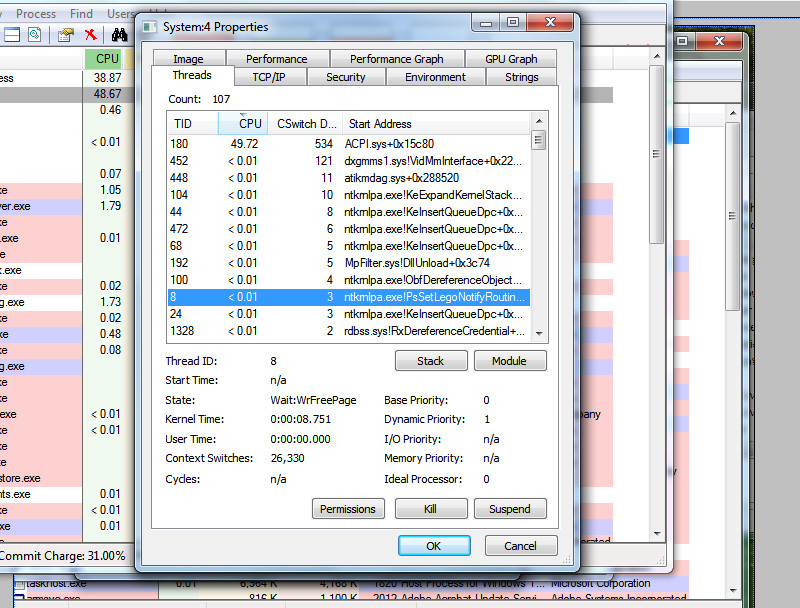
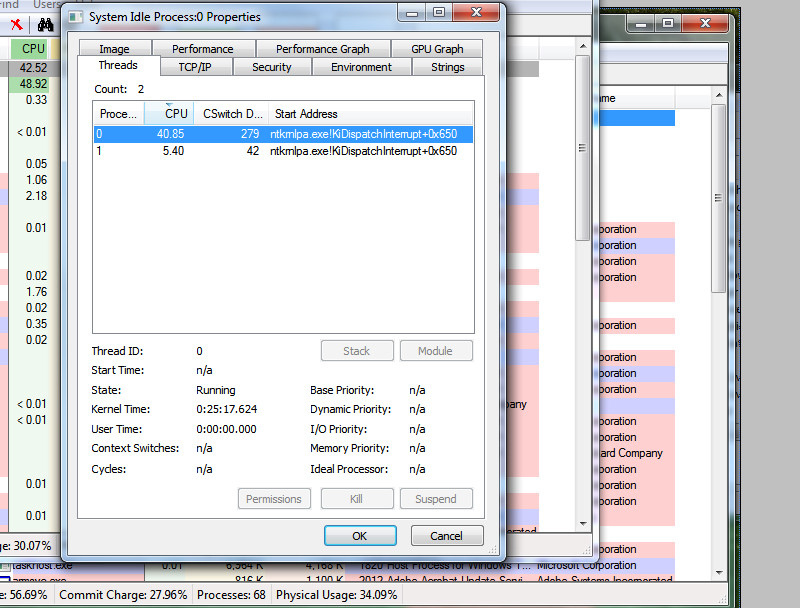
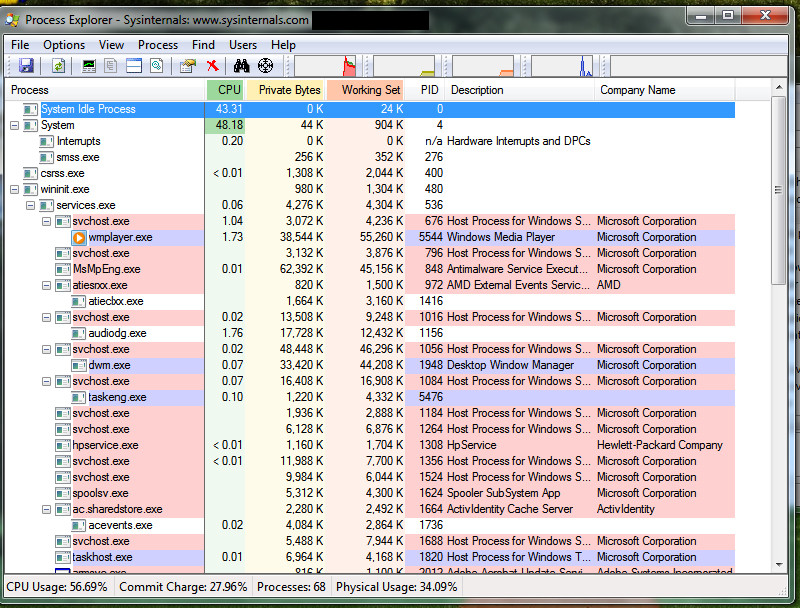
Hello, my laptop's been behaving strange. The major issue is its inability to shutdown, sleep or hibernate. When i try "hibernate or sleep", the screen turns black but processors and other things are still on. It's like the display is turned off while computer is working.. In this state, i press any key or move mouse a bit or hit power button.. The desktop comes back.. My laptop doesn't sleep or hibernate properly. For shutdown, the same thing.. the screen turns black and processors and fan working, but this time i can not resume it to desktop by power button or something.. no key works, it's like laptop's frozen. I have to remove battery to get him out of it orrr push and hold power button for few (like 10) seconds. and It's off.
About the booting process, it takes long much long than it used to 3 days ago. I searched online, i went to Control Panel > Performance Information and Tools > Advanced tools and yesterday i could see 3 issues two of which said "three drivers name x y z are making windows hibernate slowly". There were 3 options down there, "OK" "remove from list" and "help". I thought remove from list will fix the drivers, so i hit that.. but it just hid those issues -_-
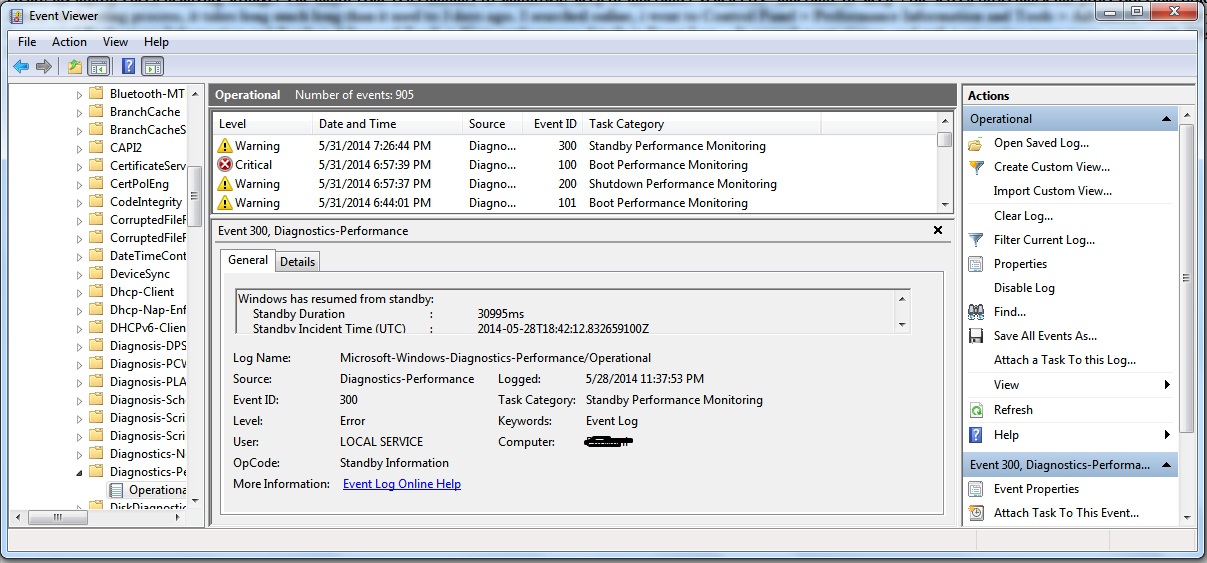
I now tried Performace Information and Tools > Advanced Tools > View performance details in Event Log... It opened event viewer. and wtf, i am seeing many many events with ID's
Event ID 300, 101, 351, 102, 302, 100, 200, 109, 303, 106, 500 etc.
Another thing, my cpu usage's been high recently even if i am not running any programs. I found this unusual thing in task manager.

I searched "Device Manager" for any outdated driver report but it was all clean..
Please help.
About the booting process, it takes long much long than it used to 3 days ago. I searched online, i went to Control Panel > Performance Information and Tools > Advanced tools and yesterday i could see 3 issues two of which said "three drivers name x y z are making windows hibernate slowly". There were 3 options down there, "OK" "remove from list" and "help". I thought remove from list will fix the drivers, so i hit that.. but it just hid those issues -_-
I now tried Performace Information and Tools > Advanced Tools > View performance details in Event Log... It opened event viewer. and wtf, i am seeing many many events with ID's
Event ID 300, 101, 351, 102, 302, 100, 200, 109, 303, 106, 500 etc.
Another thing, my cpu usage's been high recently even if i am not running any programs. I found this unusual thing in task manager.
I searched "Device Manager" for any outdated driver report but it was all clean..
Please help.
My Computer
At a glance
Windows 7 Ultimate 32 bitP86002AMD Radeon Mobility 3400
- Computer type
- Laptop
- Computer Manufacturer/Model Number
- HP
- OS
- Windows 7 Ultimate 32 bit
- CPU
- P8600
- Memory
- 2
- Graphics Card(s)
- AMD Radeon Mobility 3400
- Hard Drives
- 160
- Antivirus
- Microsoft Security Essentials
- Browser
- Chrome