@Jack: I don't think Raid 5 would cause this type of issue. But it did occur to me that part of the allure to having raid was redundancy. I might come back to that.
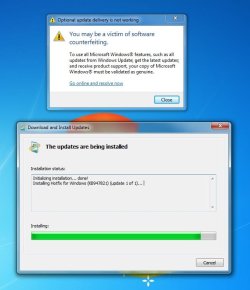
@tgj: Please check that the Software Protection service is set to automatic (delay start)
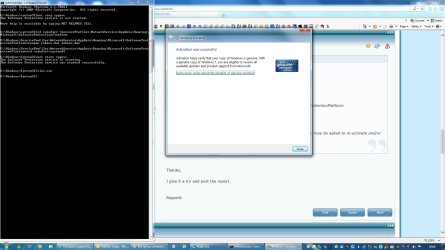
Open an elevated command prompt and type the following
Post the results of the commands - You can copy the commands and paste them in command prompt (right click the command prompt title bar, select edit, select paste). To copy the ouput, drag the mouse across all of the text and press enter, then paste the clipboard in your post.
There might be more after I see the output .... still investigating how your system is now.
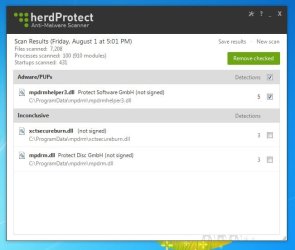
See if there is a restore point before 'MS' got on your system - don't do anything yet, just see if one is available.
@tgj: Please check that the Software Protection service is set to automatic (delay start)
Open an elevated command prompt and type the following
Code:
DIR C:\Windows\slui.exe /s
ICACLS C:\Windows\System32\slui.exe

REG QUERY HKLM\SOFTWARE\Classes\Wow6432Node\TypeLib\{EE574957-4077-4AD6-8658-327C2C86C5AA} /S
REG QUERY HKLM\SOFTWARE\Classes\TypeLib\{EE574957-4077-4AD6-8658-327C2C86C5AA} /S
REG QUERY HKLM\SOFTWARE\Wow6432Node\Classes\TypeLib\{EE574957-4077-4AD6-8658-327C2C86C5AA} /S

ICACLS C:\Windows\System32\sppsvc.exe
ICACLS C:\Windows\System32\en-US\sppsvc.exe.mui
DIR C:\windows\sppsvc.* /S
REG QUERY HKU
REG QUERY HKU\S-1-5-20
DIR %windir%\ServiceProfiles\NetworkService\AppData\Roaming\Microsoft\SoftwareProtectionPlatform
ICACLS %windir%\ServiceProfiles\NetworkService\AppData\Roaming\Microsoft\SoftwareProtectionPlatform\tokens.dat
Post the results of the commands - You can copy the commands and paste them in command prompt (right click the command prompt title bar, select edit, select paste). To copy the ouput, drag the mouse across all of the text and press enter, then paste the clipboard in your post.
[code]
--> paste the output between the code tags
[/code]
--> paste the output between the code tags
[/code]
There might be more after I see the output .... still investigating how your system is now.
See if there is a restore point before 'MS' got on your system - don't do anything yet, just see if one is available.
Last edited:
My Computer
- Computer type
- Laptop
- Computer Manufacturer/Model Number
- HP Pavilion dv6-6c10us
- OS
- x64 (6.3.9600) Win8.1 Pro & soon dual boot x64 (6.1.7601) Win7_SP1 HomePrem
- CPU
- AMD A6-3420M APU with Radeon(tm) HD Graphics
- Motherboard
- Hewlett-Packard 1805
- Memory
- 6.00 GB
- Graphics Card(s)
- AMD Radeon(TM) HD 6520G
- Sound Card
- (1) AMD High Definition Audio Device (2) IDT High Definiti
- Monitor(s) Displays
- HP W2072a 20" LCD (1600 x 900) @ 60 Hz
- Screen Resolution
- 1366 x 768 x 32 bits (4294967296 colors) @ 60 Hz
- Hard Drives
- ST640LM0 00 HM641JI SATA Disk Device
- Keyboard
- Logitech k520 wireless KB
- Mouse
- Logitech m320 wireless mouse (bundled with KB)
- Internet Speed
- 15/5 | 54 MB Wireless 'n'
- Antivirus
- Realtime: Defender or Avast | On-demand: Malwarebytes, ESET
- Browser
- IE 11 on Win8, IE 10 on win 7
- Other Info
- Media: [Gimp, Audacity, VLC] || Comm: [WEmail 2012, Skype] || Productivity: [OpenOffice,| Textpad] || Utils: [Sysinternals, cCleaner, Speccy, Defraggler]