I am using two web browsers (IE11 & Chrome) and when any AERO theme is enabled those browsers starting to lag after awhile (tabs opening/closes in 2 frames, scrolling lag and any website layout becomes laggy), I can fix it by minimizing and maximizing them but it gets annoying really quickly since it could happen multiple times in a few minutes or so.
If I switch theme to windows classic - nothing of this happens.
Additional thing I noticed is that when lag appears - taskbar thumbnail preview animation also appears to be slow, not smooth like it usually is.
What could be the cause of this?
Laptop Conf: i7 2.4 Ghz 3630QM, 8 GB RAM, NVIDIA GT650M SLI, Windows 7 Ultimate x64 SP1 + all updates.
SOLVED
Solution for NVIDIA owners:
1) Go to NVIDIA Control Panel -> Manage 3D Settings -> Program Settings.
2) Add Desktop Window Manager (DWM.exe at windows/system32 folder) and Explorer.exe (at windows folder) there.
3) In Power Management Mode for both applications change settings from "Adaptive" to "Prefer Maximum Performance".
4) Hit "Apply" and reboot your system.
If I switch theme to windows classic - nothing of this happens.
Additional thing I noticed is that when lag appears - taskbar thumbnail preview animation also appears to be slow, not smooth like it usually is.
What could be the cause of this?
Laptop Conf: i7 2.4 Ghz 3630QM, 8 GB RAM, NVIDIA GT650M SLI, Windows 7 Ultimate x64 SP1 + all updates.
SOLVED
Solution for NVIDIA owners:
1) Go to NVIDIA Control Panel -> Manage 3D Settings -> Program Settings.
2) Add Desktop Window Manager (DWM.exe at windows/system32 folder) and Explorer.exe (at windows folder) there.
3) In Power Management Mode for both applications change settings from "Adaptive" to "Prefer Maximum Performance".
4) Hit "Apply" and reboot your system.
Last edited:
My Computer
- Computer type
- Laptop
- Computer Manufacturer/Model Number
- Lenovo Y500
- OS
- Microsoft Windows 7 Ultimate 64-bit 7601 Multiprocessor Free Service Pack 1
- CPU
- Intel(R) Core(TM) i7-3630QM CPU @ 2.40GHz
- Motherboard
- Mobile Intel HM76 Express
- Memory
- 8.00 GB
- Graphics Card(s)
- (1) NVIDIA GeForce GT 650M (2) NVIDIA GeForce GT 650M
- Sound Card
- (1) NVIDIA Virtual Audio Device (Wave Extensible) (WDM) (2
- Screen Resolution
- 1920 x 1080 x 32 bits (4294967296 colors) @ 59 Hz
- Hard Drives
- (1) Crucial_ CT256M550SSD3 SCSI Disk Device
(2) ST1000LM 024 HN-M101MBB SCSI Disk Device


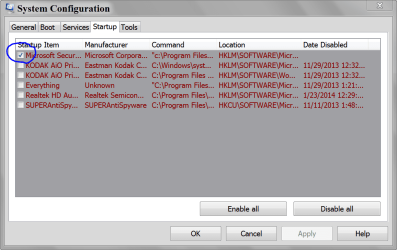
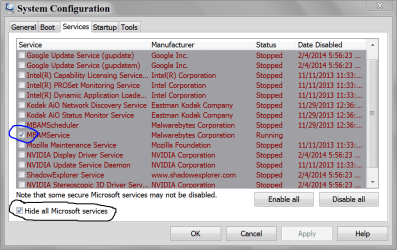
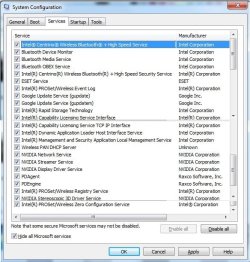
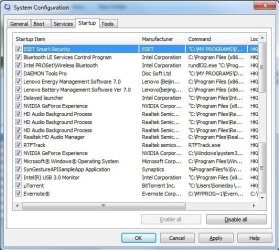


 see pic