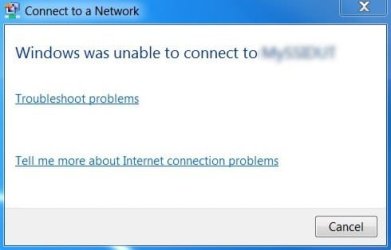
windows was unable to connect to [selected network]

llDanyll

New member
Local time
3:51 PM
Messages
4

Attachments

  • windows-cannot-connect.jpg
    windows-cannot-connect.jpg
    14.1 KB · Views: 15

My Computer My Computer

At a glance

Windows 7 Ultimate x64
Computer type
PC/Desktop
OS
Windows 7 Ultimate x64
Can you provide some more information about the network and was everything working before?
 

My Computer My Computer

At a glance

Windows 10 Tech PreviewIntel i5 (3rd Gen)4GBIntel HD Graphics 4000
Computer type
Laptop
Computer Manufacturer/Model Number
Dell Vostro 2520
OS
Windows 10 Tech Preview
CPU
Intel i5 (3rd Gen)
Motherboard
Intel® Mobile HM75 Express chipset
Memory
4GB
Graphics Card(s)
Intel HD Graphics 4000
Hard Drives
500GB
Keyboard
onboard keypad, USB keyboard
Mouse
touchpad, USB mouse, wireless muse
Internet Speed
4 Mbps
Antivirus
No
Browser
IE, chrome, firefox
In CMD type ipconfig /all

Right click on the window and select Mark (1st option). Highlight the whole section and hit ENTER to copy (not Ctrl+C)

Paste us that information here in a
Code:
 block.  Also write down all details you can:  If you have a wired or wireless connection, what your security is, if you tried resetting your modem etc.

Any and all information you can think of, put it out here, it gives us a clearer picture and helps us help you better :)
 

My Computer My Computer

At a glance

Windows 8.1 Pro x64i7 9503x2GBGTX 780
Computer type
PC/Desktop
OS
Windows 8.1 Pro x64
CPU
i7 950
Motherboard
Asus Sabertooth x58
Memory
3x2GB
Graphics Card(s)
GTX 780
Hard Drives
Western Digital 2x 1TB RAID 0
Antivirus
Windows Security Essentials
Browser
Chrome / Firefox
Can you provide some more information about the network and was everything working before?

Hye Mayank Sorry For Late Reply..i cant connect to internet so i cant reply :3 btw i at CyberCafe now..ok lets we talk about this problem....i dont know how to give more information about network..but it was everything working before...
 

My Computer My Computer

At a glance

Windows 7 Ultimate x64
Computer type
PC/Desktop
OS
Windows 7 Ultimate x64
If you can provide the following information in next post it will be easy to try to troubleshoot:-

1. Wired or Wireless internet
2. In command prompt type the command "ipconfig" (without inverted comma) and check if you find any information about Default Gateway and IP Address
3. Boot in Safe Mode With Networking and try internet
4. In command prompt type the command "ping yahoo.com" (without inverted comma) and check the result
5. In command prompt type the command "ncpa.cpl" (without inverted comma) and check what all icons do you see there


Since you do not have internet so you can try all the above steps. These steps won't fix the problem but will give us some useful information.

I guess it won't be easy for you to check here like 2 or 3 times a day, as you have to come to cyber cafe, so lets take a blind shot and try a system restore.
 

My Computer My Computer

At a glance

Windows 10 Tech PreviewIntel i5 (3rd Gen)4GBIntel HD Graphics 4000
Computer type
Laptop
Computer Manufacturer/Model Number
Dell Vostro 2520
OS
Windows 10 Tech Preview
CPU
Intel i5 (3rd Gen)
Motherboard
Intel® Mobile HM75 Express chipset
Memory
4GB
Graphics Card(s)
Intel HD Graphics 4000
Hard Drives
500GB
Keyboard
onboard keypad, USB keyboard
Mouse
touchpad, USB mouse, wireless muse
Internet Speed
4 Mbps
Antivirus
No
Browser
IE, chrome, firefox
Back
Top